 Skip to content
I looked at the MINISFORUM MS-S1 Max because running local LLMs and lightweight AI services on a compact machine is increasingly practical and important for privacy, latency and cost control. The MS-S1 Max packs an AMD Ryzen AI Max+ 395, an RDNA3.5 GPU, and 128GB LPDDR5x of shared memory into a mini workstation that aims to bridge the gap between laptop convenience and desktop-class AI capability.
If you want the ability to host models locally, experiment with OpenClaw or similar inference stacks, or keep sensitive data on-prem, this kind of machine can meaningfully change your workflow and reduce reliance on cloud inference.
TL;DR
| Feature | Verdict |
|---|---|
| Performance | ⏱️ Strong multi‑core CPU and integrated RDNA3.5 make it excellent for CPU-bound inference and multitasking. |
| Local LLMs | 🧠 128GB unified RAM helps run larger models in memory, but for GPU-accelerated LLMs a discrete PCIe GPU is preferable. |
| Upgradeability | 🎨 PCIe x16 slot and dual M.2 bays let you add a dedicated GPU and fast storage, giving a clear upgrade path. |
| Connectivity & I/O | 🔍 USB4 v2, Dual 10GbE and Wi‑Fi 7 provide excellent bandwidth for model serving and remote access. |
| Ease of Use | 💸 ⭐️⭐️⭐️⭐️ – Powerful out of the box but the initial setup can be fiddly for some peripherals and may require a wired mouse. |
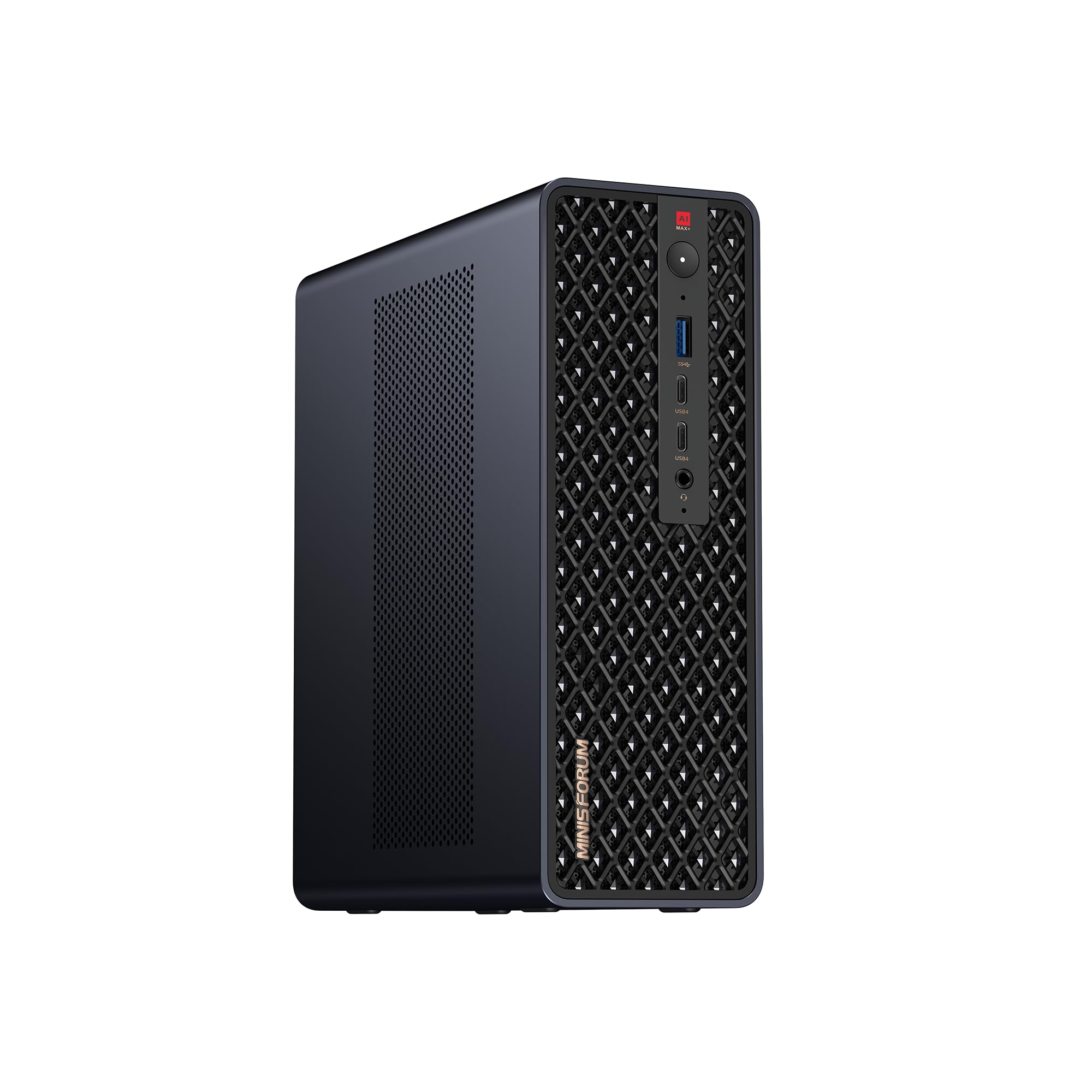
I approached the MS-S1 Max as someone who wants serious local AI capability without hauling a full desktop. This mini workstation blends a high-core-count AMD Ryzen AI Max+ 395 with an RDNA3.5 iGPU and a large 128GB unified memory pool, which makes it unusually capable for a compact chassis.
It ships with modern connectivity like USB4 v2, Dual 10GbE and Wi‑Fi 7, and the inclusion of a PCIe x16 slot and dual M.2 bays gives me room to grow when I need more GPU power or storage. For daily use I run development environments, lightweight model inference and media tasks, and it handles multitasking smoothly. For special occasions such as demos, LAN meetups or on‑site client work I appreciate the portability combined with desktop-class I/O.
If you want a compact machine you can rely on as a local model server or a small workstation that scales, this is a practical and upgradable option, though the price and the mini chassis power envelope are things to keep in mind.
| Pros | Cons |
|---|---|
| ✅ Powerful CPU and large unified memory in a compact chassis | ❌ Premium price at $2,959.00 |
| ✅ Modern connectivity (USB4 v2, Dual 10GbE, Wi‑Fi 7) | ❌ 320W PSU and small case limit the largest discrete GPUs you can install |
| ✅ Upgradeable via PCIe x16 and M.2 expansion | ❌ Integrated GPU uses UMA, so GPU tasks share system RAM |
| ✅ Good balance of portability and workstation features | ❌ Initial peripheral setup may require a wired mouse before Bluetooth or dongles activate |
Long-Term Cost Benefits
I see long-term savings when I compare predictable local compute to ongoing cloud inference costs. Hosting models locally reduces per‑call cloud charges and avoids repeated egress fees, and the ability to add a discrete GPU later extends the machine’s useful life so I don’t have to replace the whole system when I need more acceleration.
Return on Investment
At $2,959.00 the MS-S1 Max is an upfront investment, but for someone running frequent local experiments or serving models to a small team it can pay back through avoided cloud costs within months. Adding a midrange PCIe GPU later is usually cheaper than a comparable cloud instance over time, and the 128GB RAM means fewer immediate hardware upgrades are required.
Situational Benefits
| Situation | How It Helps |
|---|---|
| Local LLM Development | Large unified RAM and many CPU threads let me iterate on models locally without constant cloud uploads, speeding up development cycles. |
| On‑Site Demonstrations | Compact size and strong I/O let me bring a near‑desktop experience to client demos, with fast transfers over 10GbE if needed. |
| Home Lab / Small Team Serving | Dual 10GbE and USB4 help me host lightweight inference services and share models across a local network with low latency. |
| Portable Gaming or Creative Work | With a half‑height GPU installed I can use it for gaming or GPU‑accelerated content tasks while still keeping a smaller footprint than a full tower. |
Ease of Use
| Feature | Ease Level |
|---|---|
| Initial Setup | Moderate |
| Daily Operation | Easy |
| Upgrading GPU/Storage | Moderate |
| Network Configuration | Easy |
Versatility
I find the MS-S1 Max very versatile. It covers development, light server duties and even gaming with an added GPU.
The mix of CPU power, memory and expansion means I can repurpose it as my needs change without buying a new machine.
Innovation
MINISFORUM packed a lot of modern connectivity and a high‑core AI‑focused CPU into a mini chassis, which is an uncommon combination. The inclusion of USB4 v2 and Dual 10GbE alongside a PCIe x16 slot shows thoughtful design for future workflows.
Practicality
This machine is practical for anyone who values compactness but needs serious compute. The small footprint makes it easy to place on a desk or carry to events, and the expansion options mean it can evolve instead of becoming obsolete quickly.
Energy Efficiency
A mini chassis with a 320W PSU is more power efficient than many desktops, but running heavy CPU or added GPUs will increase consumption. For moderate local serving and development it’s more efficient than constantly spinning up cloud instances.
Key Benefits
- High memory capacity with 128GB LPDDR5x helps keep larger models and multiple services in RAM.
- Strong 16C/32T CPU for CPU-bound inference and heavy multitasking.
- PCIe x16 slot and dual M.2 bays provide a clear upgrade path for GPUs and storage.
- Excellent I/O including USB4 v2 and Dual 10GbE for fast model transfers and remote serving.
Current Price: $2,959.00
Rating: 5.0 (total: 10+)
FAQ
Is The MS-S1 Max Good For Running Local LLMs And OpenClaw?
Yes, in my experience the MS-S1 Max is a very capable starting point for local LLM work and experimenting with OpenClaw. The 128GB of unified memory and the 16C/32T AMD Ryzen AI Max+ 395 give me plenty of headroom for CPU-bound inference and holding larger model checkpoints in memory.
If you plan to run heavily GPU‑accelerated workloads or larger transformer models at low latency, adding a discrete GPU will help a lot because the integrated RDNA3.5 uses shared RAM. For casual development, smaller fine-tuning jobs and local serving to a few users, this machine performs well and the modern I/O makes moving models and datasets straightforward.
Can I Install A Dedicated GPU And What Should I Watch For?
You can add a discrete GPU via the PCIe x16 slot, and I recommend checking physical clearance and power before buying a card. The MS-S1 Max uses a 320W PSU and a compact chassis, so I make sure the GPU fits the half‑height or low‑profile constraints and that the card’s power draw works with the available connectors and the PSU headroom. I also update BIOS and drivers after installation and monitor thermals during heavy runs. If you need a larger GPU later, plan for a higher‑wattage external power solution or a different chassis, but for midrange cards this box gives a nice upgrade path.
Is It Worth Paying $2,959.00 Instead Of Using Cloud Or Building My Own?
Whether it is worth it depends on how you use compute. I found that for steady development, frequent local inference or serving models to a small team, owning hardware can reduce ongoing cloud fees and egress charges over time.
At $2,959.00 you get a compact, ready‑to‑use workstation with strong RAM and modern I/O that would cost more in time and parts to assemble and tune. If your needs are very sporadic or you require top-tier GPUs continuously, cloud instances can be more flexible. A practical approach I use is to buy this box for consistent local workloads and add a midrange GPU later, which often ends up cheaper than equivalent long‑term cloud costs while keeping local control and privacy.
Why Customers Choose
I think customers pick the MS-S1 Max because it packs desktop-class CPU performance and a huge 128GB unified memory into a compact, portable chassis, so running local LLMs and multitasking feels practical without a full tower. They also appreciate the modern I/O like USB4 v2, dual 10GbE and a PCIe x16 slot, which makes upgrades and fast model transfers straightforward and gives the system a more future‑proof feel.

Wrapping Up
I recommend the MINISFORUM MS-S1 Max if you want a compact, well‑connected machine that can handle serious local AI work without relying on cloud services. Its AMD Ryzen AI Max+ 395 CPU and 128GB of unified RAM are real advantages for memory-hungry models and concurrent tasks, and the PCIe x16 slot gives you the option to add a discrete GPU when you need faster GPU inference. Be mindful that UMA means the integrated GPU shares system memory and that the 320W PSU and mini chassis limit the largest high‑end GPUs you can realistically install.
Setup can be slightly fiddly for some wireless peripherals at first, and the $2,959.00 price positions it at the premium end of mini PCs, but if you value portability, solid I/O like USB4 and Dual 10GbE, and a clear upgrade path for GPU acceleration, the MS-S1 Max is a strong choice for running local LLMs and tools like OpenClaw under my workflows.
This Roundup is reader-supported. When you click through links we may earn a referral commission on qualifying purchases.



