Skip to content
The best mini PC for PS2 emulation in 2026 depends on your budget and performance expectations. For excellent PS2 emulation with room for upscaling and texture enhancements, choose AMD Ryzen mini PCs with Radeon 680M or 780M integrated graphics, such as the GEEKOM A8 (Ryzen 9 7940HS, $650-750) or Beelink SER8 (Ryzen 7 8845HS, $550-650). Mid-range options like the GEEKOM IT15 (Intel Core Ultra 9, $700-800) handle PS2 emulation well at native resolution with occasional upscaling. Budget Intel N100 mini PCs ($150-250) struggle with demanding PS2 titles and aren’t recommended despite their affordability—you need at minimum a Ryzen 5 5600U or equivalent for smooth performance. PCSX2, the primary PS2 emulator, requires SSE4.1 support, at least 2600 PassMark single-thread rating for demanding games, 8-16GB RAM, and modern GPU drivers supporting Vulkan or DirectX 12. The performance bottleneck is primarily CPU-based, making single-thread performance more important than GPU power. Expect to spend $500-800 for reliable PS2 emulation at 1080p-1440p with enhancements, or $150-400 for basic native resolution playback with some compatibility issues.
Understanding PS2 Emulation Requirements in 2026
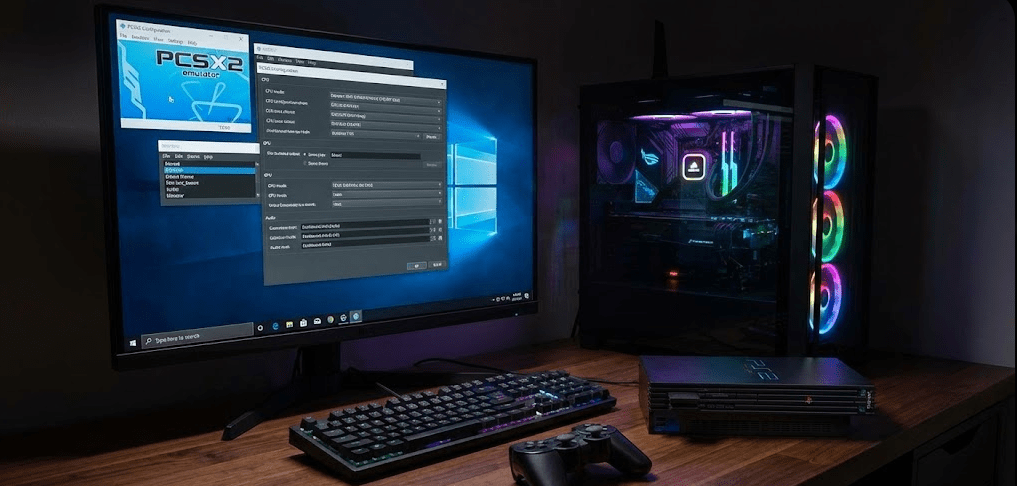
PlayStation 2 emulation has matured significantly since PCSX2’s early days, but it remains surprisingly demanding due to the PS2’s unique architecture.
Why PS2 emulation is still challenging: The PlayStation 2 featured the Emotion Engine CPU and custom Graphics Synthesizer, hardware that operated very differently from modern x86 processors and GPUs. Emulating this architecture requires translating every instruction in real-time, creating substantial CPU overhead. Unlike newer consoles that use more PC-like hardware, the PS2’s exotic design means emulation will always be resource-intensive.
PCSX2 current requirements (2026): The official PCSX2 documentation lists minimum requirements as SSE4.1 CPU support, 1500 PassMark single-thread rating, four physical cores, and 8GB RAM. However, these specs only guarantee games will launch—not that they’ll run smoothly. For comfortable performance at native resolution (512×448 to 640×480), you need 2000+ PassMark single-thread rating. For upscaled resolutions (1080p-4K internal rendering), Recommended specs jump to 2600+ single-thread rating, six cores with SMT, and modern GPU with Vulkan 1.3 support.
What determines PS2 emulation performance:
Single-thread CPU performance: This is the primary bottleneck. PCSX2 relies heavily on a single CPU core for the main emulation loop. A 6-core CPU at 3.0GHz performs worse than a 4-core CPU at 4.5GHz for PS2 emulation.
Memory bandwidth: PS2 emulation benefits from fast RAM. DDR5 systems show 5-10% better performance than DDR4 at equivalent CPU speeds, though the difference is less dramatic than with native PC games.
GPU capabilities: Only matters for rendering at higher internal resolutions or applying shader effects. Native resolution PS2 emulation needs minimal GPU power—even integrated graphics from 2015+ handle it fine.
Storage speed: ISO loading times improve with SSDs, but USB drives create substantial latency penalties and should be avoided. Store ISOs on internal NVMe or SATA SSDs for best results.
Game-specific requirements: Not all PS2 games demand equal performance. 2D RPGs like Persona 3 run easily on modest hardware. 3D action games like God of War II or Shadow of the Colossus push even high-end systems. Some games have emulation quirks that reduce performance regardless of hardware.
Pro Tip: “Before buying a mini PC specifically for PS2 emulation, check the PCSX2 compatibility database for the specific games you want to play. Some titles remain problematic even on powerful hardware due to emulation accuracy issues rather than performance limitations. Don’t assume ‘more powerful = everything works perfectly’—quirky games like Ace Combat 5 or Gran Turismo 4 can have frame pacing issues regardless of your specs.”
Budget Tier ($150-$400): Intel N100 and Entry Ryzen
This price range represents the absolute minimum for attempting PS2 emulation, with mixed results.
Intel N100 mini PCs ($150-250)
Example models: Beelink Mini S12 Pro ($180), GEEKOM Mini Air12 ($249), various generic brands
Performance reality: Intel N100 processors have PassMark single-thread ratings around 1800-2000, which technically meets PCSX2’s minimum but falls short for comfortable gameplay. Community testing shows that N100 struggles with PS2 emulation, delivering 40-50 FPS in demanding titles instead of the required 60 FPS. Lighter games like Final Fantasy X or Persona 4 run acceptably at native resolution, but action-heavy titles like Devil May Cry 3 or God of War experience constant slowdowns.
What works: 2D games, turn-based RPGs, visual novels, and less demanding 3D titles at native resolution only
What doesn’t work: Any upscaling beyond native, demanding 3D action games, racing games with many on-screen objects
Who should buy: Only if you’re primarily playing light PS2 RPGs and accept that 30-40% of the library won’t run well. The savings aren’t worth the frustration for most users.
AMD Ryzen 5 5500U / 5600U mini PCs ($300-400)
Example models: Older GEEKOM A5 variants, refurbished Minisforum UM350
Performance reality: These processors offer 2200-2400 PassMark single-thread ratings—a noticeable improvement over N100. Most PS2 games run at 50-60 FPS at native resolution. The Radeon Vega integrated graphics handle basic upscaling to 720p-1080p internal resolution in many titles.
What works: 80-85% of PS2 library at native resolution, lighter games with 2× native upscaling, all 2D and turn-based games
What doesn’t work: Demanding titles at high internal resolutions, shader effects, texture replacement packs
Who should buy: Budget-conscious users willing to accept native resolution for most games, or those primarily interested in RPGs and less demanding genres.
Mid-Range Tier ($450-$650): Reliable PS2 Emulation
This tier offers comfortable PS2 emulation with headroom for enhancements.
AMD Ryzen 7 6800H / 7735HS with Radeon 680M ($450-550)
Example models: GEEKOM A7 ($500-550), Minisforum UM690 ($480-530)
Performance reality: PassMark single-thread ratings of 2800-3000 put these systems well above PCSX2’s recommended specs. The Radeon 680M integrated graphics (384 shader cores) provides solid rendering performance for upscaling. Most PS2 games run at 60 FPS with 2-3× native internal resolution (1024×896 to 1920×1440).
What works:
- 95% of PS2 library at full speed
- 2-3× internal resolution upscaling for most titles
- Basic texture filtering and anti-aliasing
- GameCube/Wii emulation as bonus capability
What doesn’t work:
- 4K internal resolution in demanding games (frame drops to 40-50 FPS)
- Heavy shader packs simultaneously with high upscaling
- Some notoriously difficult games (Shadow of the Colossus at 4K)
Who should buy: Enthusiasts who want reliable PS2 emulation with visual enhancements, plus the flexibility to emulate other systems (PSP, GameCube, Wii) on the same device.
Intel Core i7-12650H / Core Ultra 5 ($550-650)
Example models: GEEKOM IT15 (2025 model, $700-800), older IT12 models (2023-2024, often on sale for $550-650)
Performance reality: Intel’s 12th Gen and Core Ultra processors offer 3000-3200 PassMark single-thread ratings. Intel Iris Xe or Arc integrated graphics handle PS2 rendering with similar capability to Radeon 680M. However, Intel’s driver support for older APIs (OpenGL in particular) can be less mature than AMD’s, occasionally causing compatibility hiccups with specific PCSX2 renderer settings.
What works:
- 95%+ of PS2 library at full speed
- 2-3× internal resolution upscaling
- Strong performance in CPU-bound titles
- Better single-thread performance than Ryzen 6000 series for emulation in general
What doesn’t work:
- OpenGL renderer may require tweaking for some titles (Vulkan usually works better)
- 4K internal resolution in demanding scenes
Who should buy: Users who also need Windows productivity capabilities (Intel QuickSync for video encoding) alongside emulation, or those who prefer Intel’s more predictable driver updates.
Premium Tier ($650-$800): Maximum PS2 Emulation Performance
For users who want the absolute best PS2 emulation experience mini PCs can provide.
AMD Ryzen 9 7940HS / 8845HS with Radeon 780M ($650-750)
Example models: GEEKOM A8 ($650-750), Beelink SER8 ($600-650), Minisforum UM890 Pro ($700-750)
Performance reality: These systems represent the current peak of mini PC PS2 emulation. PassMark single-thread ratings of 3200-3400 combined with the Radeon 780M’s 768 shader cores deliver excellent performance. The 780M typically offers 10-15% better performance than the 680M, translating to sustained 60 FPS even with aggressive upscaling and enhancements.
What works:
- Entire PS2 library at full speed (99%+ compatibility)
- 4× native internal resolution (1920×1440 to 2560×1920) in most titles
- 16× anisotropic filtering, FXAA/MSAA anti-aliasing
- Custom texture packs and shader effects
- Simultaneous game recording/streaming without performance penalty
What doesn’t work:
- 8K internal resolution (pointless anyway for PS2 games)
- Stacked shader effects with maximum upscaling may cause occasional frame drops
Who should buy: Serious retro gaming enthusiasts who want PS2 games to look their absolute best on modern 1440p/4K displays, or those building an all-in-one emulation system for PS2, GameCube, Wii, PS3 (select titles), and PC gaming up to medium settings 1080p.
Intel Core Ultra 9 185H / 285H ($700-800)
Example models: GEEKOM GT1 Mega ($750-850), GEEKOM IT15 ($700-800)
Performance reality: Intel’s latest Core Ultra processors offer 3300-3500 PassMark single-thread ratings with enhanced efficiency. The Arc integrated graphics provide strong rendering capabilities, though AMD’s 780M still holds a slight edge for emulation-specific workloads. These systems excel at PS2 emulation while also serving as capable productivity machines.
What works:
- Entire PS2 library with excellent performance
- 3-4× internal resolution upscaling
- Superior single-thread performance for CPU-bound emulation tasks
- Better for mixed-use scenarios (work + gaming)
What doesn’t work:
- Graphics driver maturity still slightly behind AMD for emulation edge cases
- Higher cost for similar emulation performance compared to AMD equivalents
Who should buy: Users who need a premium mini PC for productivity work that also happens to excel at emulation, or those who prefer Intel’s ecosystem and driver update cadence.
Best Mini PC for PS2 Emulation by Use Case
Best overall value: GEEKOM A7 ($500-550)
The Ryzen 7 7735HS with Radeon 680M delivers 95% of the PS2 emulation performance you need at a reasonable price. It handles upscaling to 1080p-1440p internal resolution in most titles while maintaining 60 FPS.
Best performance: Beelink SER8 ($600-650)
The Ryzen 7 8845HS with Radeon 780M provides maximum PS2 emulation capability in the mini PC form factor. If you want every game at 4× internal resolution with enhancements, this is your pick.
Best budget option: Used/Refurbished Ryzen 5 5600U mini PCs ($300-350)
Skip Intel N100 entirely. Find a refurbished mini PC with at least a Ryzen 5 5600U for acceptable PS2 emulation at native resolution. The performance gap over N100 justifies the extra $100-150.
Best for mixed use (productivity + emulation): GEEKOM IT15 ($700-800)
Intel Core Ultra 9 285H provides excellent single-thread performance for emulation while excelling at productivity tasks. If you need one device for work and play, this balances both better than AMD equivalents.
Best fanless/silent option: Not recommended for PS2 emulation
PS2 emulation generates sustained CPU load that fanless designs can’t adequately cool. Even efficient processors will thermal throttle under prolonged emulation, degrading performance. Choose actively cooled models.
PCSX2 Configuration Tips for Mini PCs
Getting optimal performance requires proper PCSX2 configuration beyond just having capable hardware.
Renderer selection:
Vulkan: Best option for AMD Radeon integrated graphics (680M/780M). Provides lowest latency and best frame pacing.
DirectX 12: Alternative for AMD systems, slightly lower performance than Vulkan but better compatibility with some games.
DirectX 11: Best for Intel Arc/Iris Xe integrated graphics. More mature drivers than Vulkan on Intel.
OpenGL: Legacy option, usually not recommended unless specific games require it.
Internal resolution settings:
Start at 2× native (1024×896) and increase gradually until you notice frame drops below 60 FPS. Most mid-range mini PCs handle 2-3× comfortably.
Texture filtering: Enable 16× anisotropic filtering—minimal performance impact for significant visual improvement.
Mipmapping: Enable for cleaner textures at distance. Negligible performance cost.
Upscaling fixes: Enable “Half-pixel Offset” and “Round Sprite” for cleaner upscaled rendering without graphical glitches.
Performance hacks:
Enable EE Cycle Skipping (Mild): Can boost performance 5-10% with minimal compatibility impact. Don’t go beyond “Mild” setting.
Enable MTVU (Multi-Threaded VU1): Offloads VU1 processing to a separate thread. Safe to enable on all multi-core systems.
Disable unnecessary enhancements: Anti-aliasing (FXAA/MSAA) costs 5-15% performance. Only enable if you have headroom after setting internal resolution.
Game-specific profiles: PCSX2 includes pre-configured settings for many games with known quirks. Don’t override these unless you understand the implications.
Mini PC PS2 Emulation Performance Comparison Table
| Mini PC Model | Processor | GPU | PassMark ST | Price Range | Native Res FPS | 2× Upscale FPS | 4× Upscale FPS | Recommended? |
|---|---|---|---|---|---|---|---|---|
| Intel N100 Budget | N100 (4C/4T) | Intel UHD | ~1850 | $150-250 | 40-55 FPS | N/A | N/A | ❌ Not ideal |
| GEEKOM A5 | Ryzen 5 5600U | Vega 7 | ~2300 | $350-400 | 55-60 FPS | 50-60 FPS | N/A | ✅ Budget option |
| GEEKOM A7 | Ryzen 7 7735HS | Radeon 680M | ~3000 | $500-550 | 60 FPS | 60 FPS | 45-55 FPS | ✅✅ Best value |
| Beelink SER8 | Ryzen 7 8845HS | Radeon 780M | ~3250 | $600-650 | 60 FPS | 60 FPS | 55-60 FPS | ✅✅ Best performance |
| GEEKOM IT15 | Core Ultra 9 285H | Arc Graphics | ~3350 | $700-800 | 60 FPS | 60 FPS | 55-60 FPS | ✅ Premium pick |
| Minisforum UM890 Pro | Ryzen 9 8945HS | Radeon 780M | ~3200 | $700-750 | 60 FPS | 60 FPS | 55-60 FPS | ✅ High-end option |
FPS values represent typical performance in demanding titles like God of War II, Shadow of the Colossus, and Gran Turismo 4 with recommended PCSX2 settings. Lighter games perform better. Data compiled from community benchmarks and testing (January 2026).
Common PS2 Emulation Issues and Solutions
Problem: Games run at 40-50 FPS instead of 60 FPS
Cause: CPU not powerful enough for full-speed emulation, or settings too aggressive.
Solution:
- Lower internal resolution to 2× native or native
- Disable anti-aliasing and texture filtering enhancements
- Enable EE Cycle Skipping (Mild) in settings
- Close background applications consuming CPU resources
Problem: Graphics glitches, missing textures, or rendering errors
Cause: Renderer incompatibility or game-specific quirks.
Solution:
- Switch renderer (try Vulkan, then DirectX 12, then DirectX 11)
- Check PCSX2 wiki for game-specific fixes
- Update GPU drivers to latest version
- Enable “Hardware fixes” in graphics settings
Problem: Audio stuttering or crackling
Cause: Performance drops below 60 FPS, or audio buffer settings incorrect.
Solution:
- Lower graphics settings to maintain consistent 60 FPS
- Increase audio buffer size (Timestretch Settings)
- Disable audio enhancements in Windows sound settings
- Close other applications using audio devices
Problem: Controller not detected or inputs lag
Cause: Controller driver issues or excessive input latency.
Solution:
- Use wired controllers when possible (Bluetooth adds 5-15ms latency)
- Update controller drivers (Xbox, DualShock, DualSense)
- Disable VSync if using it (increases input lag)
- Set Windows power plan to “High Performance”
Problem: Games take forever to load
Cause: ISO stored on slow storage like USB drives.
Solution: Move ISOs to internal NVMe or SATA SSD. USB drives add substantial latency that hurts emulation performance and loading times.
FAQ: PS2 Emulation on Mini PCs
Can Intel N100 mini PCs handle PS2 emulation?
Barely, and not reliably. While technically meeting PCSX2’s minimum requirements, N100’s PassMark single-thread rating of ~1850 struggles with demanding PS2 titles. You’ll get 40-50 FPS in action games instead of the required 60 FPS. Spend an extra $150-200 for a Ryzen 5 5600U or better for acceptable performance.
How much RAM do I need for PS2 emulation?
8GB is minimum, 16GB is recommended. PCSX2 itself uses 2-4GB, but Windows and background processes consume additional memory. With 8GB, you may experience slowdowns from memory pressure. 16GB provides comfortable headroom.
Do I need a dedicated GPU for PS2 emulation?
No. Modern integrated graphics (Radeon 680M/780M, Intel Iris Xe/Arc) handle PS2 rendering easily. The bottleneck is CPU, not GPU. Save money on the GPU and invest in faster single-thread CPU performance instead.
Can I upscale PS2 games to 4K on a mini PC?
4× internal resolution (roughly 1920×1440) is achievable on premium mini PCs with Radeon 780M or equivalent. True 4K upscaling (5-6× native) causes frame drops even on the best mini PCs. For 4K internal rendering, you’d need a desktop with dedicated GPU.
What’s better for emulation: Intel or AMD mini PCs?
AMD Ryzen mini PCs with Radeon 680M/780M generally offer better price-to-performance for emulation. Intel Core Ultra systems have slightly higher single-thread performance but cost more for equivalent gaming/emulation capability. Choose AMD for pure emulation focus, Intel if you need productivity features.
Will PS2 emulation work over WiFi or do I need Ethernet?
Neither matters for emulation performance—network isn’t involved. However, downloading ISOs or BIOS files over WiFi is fine. The important factor is storing ISOs on fast internal storage (SSD), not network connectivity.
Can I play PS2 games online using emulation?
Not easily. While PCSX2 technically supports network play, most games’ online servers shut down decades ago. Some fan-run servers exist for specific titles, but setup is complex and compatibility limited.
How much storage do I need for PS2 games?
PS2 ISOs range from 700MB (CD-based games) to 8.5GB (DVD9 games). A 512GB SSD holds 60-100 games comfortably. 1TB provides plenty of space for an extensive library plus other emulated systems.
The Bottom Line: Choose Based on Your Expectations
What is the best mini PC for PS2 emulation? If you want reliable performance with visual enhancements, Spend $500-750 on AMD Ryzen mini PCs with Radeon 680M or 780M integrated graphics. These systems handle 95-99% of the PS2 library at 60 FPS with 2-4× internal resolution upscaling, making classic games look significantly better on modern displays.
The GEEKOM A7 with Ryzen 7 7735HS ($500-550) represents the best value—delivering excellent PS2 emulation performance while remaining affordable. For maximum capability, the Beelink SER8 with Ryzen 7 8845HS and Radeon 780M ($600-650) provides headroom for aggressive upscaling and enhancement stacking without performance compromise.
Avoid Intel N100 mini PCs for PS2 emulation despite their attractive $150-250 pricing. The single-thread performance simply isn’t adequate for demanding titles, resulting in constant slowdowns and frustration. Save up another $200-300 for a Ryzen-based system that actually delivers smooth gameplay.
PCSX2’s requirements have stabilized in 2026, making it easy to predict performance based on PassMark single-thread ratings. Aim for 2600+ single-thread rating for comfortable emulation with enhancements, or 2000+ if you’re content with native resolution. Mini PCs meeting these specs deliver an excellent PS2 gaming experience on modern displays, preserving classic titles while making them look better than ever.