
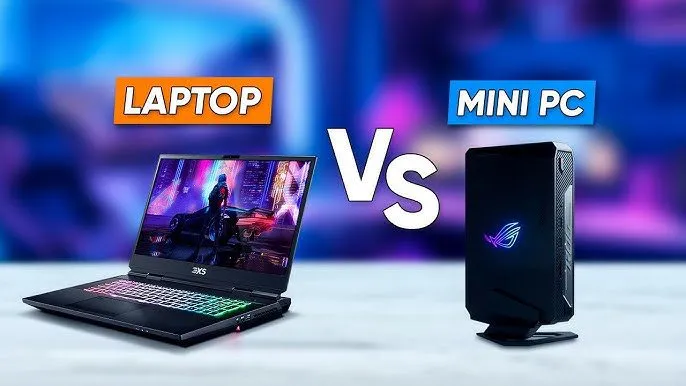
A mini PC and a laptop use similar hardware, but serve fundamentally different lifestyles — a laptop wins on portability while a mini PC wins on performance, upgradability, and value for money at a fixed desk. That said, the best choice isn’t always obvious, and there are several factors worth thinking through before you spend your money on either.
What Exactly Are We Comparing?
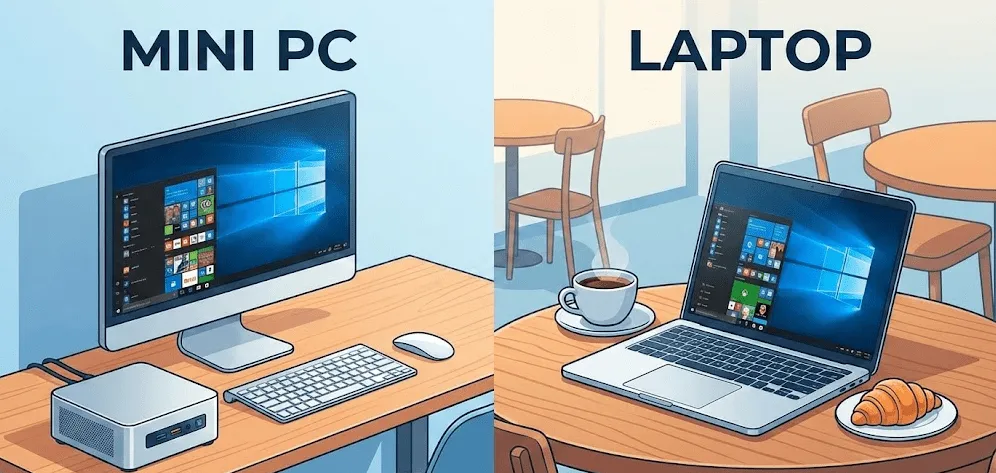
Before getting into pros, cons, and comparisons, it’s worth clarifying what each device actually is — because the lines blur more than most people expect.
Mini PC
A mini PC is a compact, stationary desktop computer roughly the size of a paperback book or smaller. It uses mobile-class or desktop-class processors, connects to your own monitor, keyboard, and mouse, and sits on or behind your desk. It has no built-in screen, no battery, and no keyboard — but what it loses in all-in-one convenience, it gains in performance, cooling headroom, and repairability.
Laptop
A laptop is a portable, self-contained computer with a built-in screen, keyboard, trackpad, and battery. It’s designed for users who need to work from multiple locations — coffee shops, classrooms, client meetings, airports. Everything is integrated, which is both its biggest strength and its biggest limitation.
The Core Trade-Off in One Line
A mini PC is a better computer for a fixed workspace. A laptop is a better device for a mobile lifestyle. The moment you know which one describes you, the decision becomes much easier.
Mini PC vs Laptop: Side-by-Side Comparison
Core differences at a glance
| Category | Mini PC | Laptop |
|---|---|---|
| Portability | Requires monitor + peripherals | Fully self-contained, battery included |
| Display | External monitor(s) required | Built-in (13″–17″) |
| Performance | Better sustained performance (more cooling headroom) | Throttles under extended loads |
| Upgradability | RAM + SSD (often easier access) | Usually soldered RAM, limited SSD |
| Battery life | No battery — requires power outlet | 6–20 hours depending on model |
| Price | Lower for equivalent specs | Higher (built-in display adds cost) |
| Setup complexity | Needs peripherals to function | Ready to use out of the box |
| Noise and heat | Quieter, better sustained cooling | Can get warm and loud under load |
| Repairability | Easier, modular design | Harder, especially ultrabooks |
| Best for | Fixed desk, home office, media center | Travel, school, flexible work |
Detailed Pros and Cons
Mini PC pros
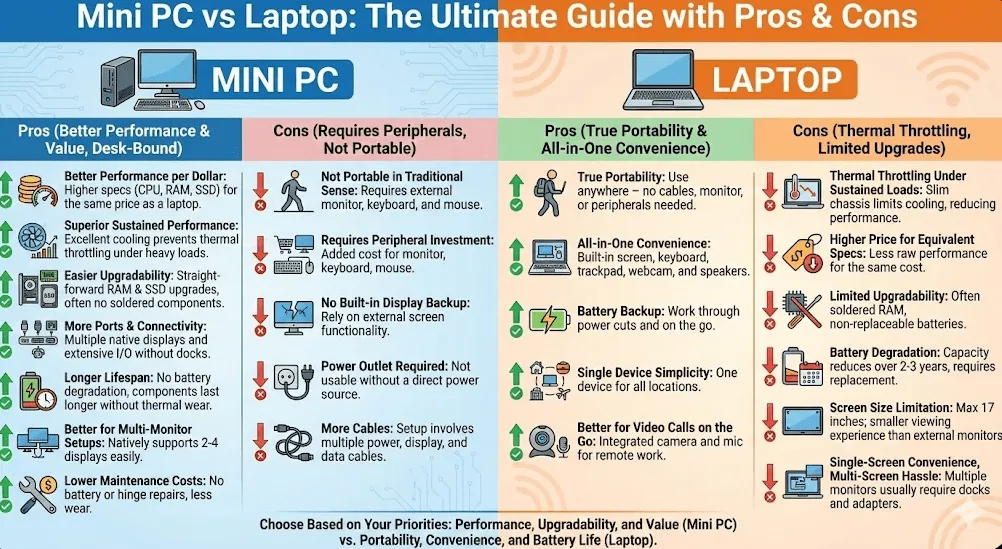
- Better performance per dollar: Because you’re not paying for a built-in screen, keyboard, or battery, a mini PC at the same price point as a laptop typically delivers significantly better specs — faster CPU, more RAM, larger SSD.
- Superior sustained performance: Mini PCs have more physical room for cooling fans and airflow than laptops, which means they maintain peak clock speeds longer under heavy loads without thermal throttling. As PCWorld’s hands-on mini PC vs laptop guide notes, mini PCs can push their components further precisely because they’re not battling the same thermal constraints built into slim laptop chassis.
- Easier upgradability: Most mini PCs allow straightforward RAM and SSD upgrades, often with a simple bottom panel. Many laptops — especially modern ultrabooks — have soldered RAM (though the new LPCAMM2 standard is starting to fix this in premium 2026 models) and limited storage options.
- More ports and connectivity: Mini PCs typically offer more USB-A ports, dual HDMI outputs, Ethernet, and audio options without needing a separate dock or dongle.
- Longer lifespan: No battery means no battery degradation over time — one of the most common reasons laptops feel “old” after 2–3 years.
- Better for multi-monitor setups: Most mini PCs natively support 2–4 displays. Laptops usually require docks or adapters to drive multiple external screens.
- Lower maintenance costs: No battery replacement, no hinge repairs, and less thermal wear over time.
Mini PC cons
- Not portable in the traditional sense: You need a monitor, keyboard, and mouse to use it. While the box itself is small, the full setup is not mobile.
- Requires peripheral investment: First-time buyers need to budget for a monitor ($150–$500+), keyboard ($30–$100), and mouse ($20–$80) on top of the mini PC itself.
- No built-in display backup: If your monitor fails, you have no fallback screen. A laptop user just keeps working.
- Power outlet required: No battery means you can’t work through a power cut or take it to a coffee shop without carrying an external monitor.
- More cables: Even a clean mini PC setup involves power, display, USB, and potentially Ethernet cables.
Laptop pros
- True portability: Take it anywhere — no cables, no monitor, no peripherals required. Open the lid and you’re working in seconds.
- All-in-one convenience: Everything built in — screen, keyboard, trackpad, speakers, webcam, and microphone.
- Battery backup: Work through power cuts, on planes, in cafés, and in meetings without needing a plug.
- Single device simplicity: One device for home, office, travel, and everything in between.
- Better for video calls on the go: Built-in webcam and microphone are particularly valuable for remote workers who aren’t always at a desk.
Laptop cons
- Thermal throttling under sustained loads: Slim chassis designs constrain airflow. Under extended workloads like video rendering or large compiles, laptops throttle CPU and GPU clocks to manage heat — reducing performance during intensive tasks.
- Higher price for equivalent specs: The cost of the display, battery, chassis engineering, and integrated components means a $600 laptop delivers noticeably less raw performance than a $600 mini PC.
- Limited upgradability: Most modern ultrabooks and mid-range laptops have soldered RAM (though the new LPCAMM2 standard is starting to address this in premium 2026 models) and non-replaceable batteries. You often can’t upgrade when components age.
- Battery degradation: After 2–3 years of daily charging, most laptop batteries retain 70–80% of original capacity. This reduces real-world runtime and eventually requires a costly replacement.
- Screen size limitation: Laptop screens top out at 17 inches. A mini PC paired with a 27″ or 32″ monitor is a fundamentally better viewing experience for desk work.
- Single-screen convenience, multi-screen hassle: Running two or three monitors from a laptop usually requires a Thunderbolt dock ($100–$250) and the right cables.
Performance Deep Dive
Everyday productivity
At this level, both a laptop and a mini PC are essentially equal. A $400–$500 device in either category handles documents, spreadsheets, email, web, and video calls effortlessly. The difference only starts to show when workloads get heavier or more sustained.
Creative work: photo and video editing
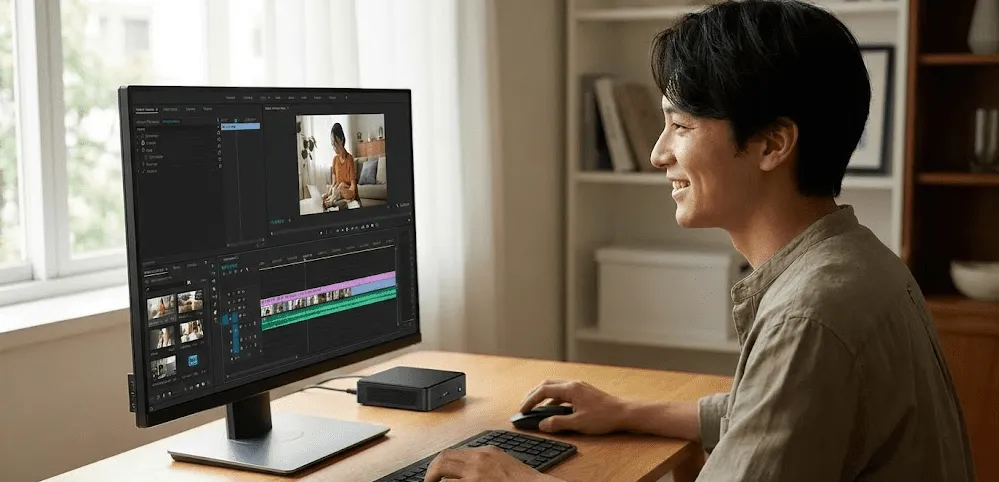
Here the mini PC starts to pull ahead. A mid-range mini PC with a Ryzen AI 7 / 9000-series or Intel Core Ultra 7 chip and active cooling maintains higher CPU clock speeds throughout a 4K export or a Lightroom batch edit. A comparable laptop may start at similar speeds but throttles as chassis temperatures rise. Based on my testing of both categories, the gap in sustained performance is often 15–25% on extended tasks — which adds up to real time saved over a working day.
Gaming
Laptops win here purely because of portability — a gaming laptop lets you game anywhere. But for a fixed desk setup, a gaming-oriented mini PC at the same price point often runs cooler, quieter, and longer. PCMag’s 2026 best Windows mini PC guide highlights models featuring RTX 40 or 50-series class discrete GPUs that perform competitively in 1080p gaming scenarios — particularly for users who game at home and want a dual-purpose work and gaming machine.
Software development and compilation
For developers compiling large codebases, running containers, or managing virtual machines, a mini PC’s thermal headroom is a genuine advantage. Sustained multi-threaded performance stays higher for longer, which translates directly to faster build times and smoother Docker and VM operation.
Who Should Buy What?
Choose a mini PC if:
- You work from a fixed desk at home or in an office most of the time.
- You already own a monitor, keyboard, and mouse — or are happy to invest in them.
- You want the best possible performance at your price point.
- You value upgradability and long-term value over convenience.
- You don’t need to work from cafés, trains, or client sites regularly.
- Multi-monitor productivity is important to you.
Choose a laptop if:
- You work from multiple locations — home, office, travel, campus.
- You need a device that’s ready to use anywhere without setup.
- Portability is a daily need, not just an occasional bonus.
- You want one device that handles everything in one package.
- Battery backup during commutes, meetings, or travel is important.
- You’re a student who moves between classes, libraries, and home.
In my opinion, the most common mistake buyers make is choosing a laptop out of habit when their actual work pattern is almost entirely desk-based. If you genuinely work from a single location 90% of the time, a mini PC gives you a meaningfully better computing experience for the same — or less — money.
Step-by-Step: How to Decide Between Mini PC and Laptop
Step 1: Count how many days per week you work away from a desk
Be specific. If the answer is zero or one, a mini PC almost certainly serves you better. If it’s three or more, a laptop is the right tool.
Step 2: Add up your peripheral costs
If you’re switching from a laptop to a mini PC and don’t own a monitor, keyboard, or mouse, factor those in. A realistic budget: mini PC ($400) + monitor ($200) + keyboard and mouse ($60) = $660 total. That’s often still cheaper than a comparable laptop, but it’s important to calculate the full cost.
Step 3: Assess your performance needs
If you edit video, compile code, run VMs, or work in demanding design tools for long sessions, the sustained performance advantage of a mini PC is meaningful. For lighter tasks — documents, web, video calls — either platform works perfectly fine.
Step 4: Think about your upgrade horizon
If you tend to keep devices for 4–6 years, a mini PC’s upgradability is a real long-term advantage. RAM and SSD upgrades extend useful life at low cost. Most mid-range laptops from the same era cannot be meaningfully upgraded — though premium 2026 models with LPCAMM2 memory are starting to change that for buyers willing to pay for it.
Step 5: Consider your backup and redundancy needs
Do you need a device that keeps working during a power cut, in a café, or on a plane? If the answer is yes, a laptop wins regardless of other factors. A mini PC with no battery is simply a desk-only tool.
Real-World Scenarios

Home office professional
For someone working from home full-time, a mini PC is almost always the better investment. Larger screen, better performance, quieter operation, and a longer useful lifespan — all without needing the battery and portability you’ll never use. I’d pair a solid mini PC ($400–$600) with a 27″ monitor and a quality keyboard for a setup that outperforms most $1,000 laptops.
Student
For a student moving between dorms, classrooms, libraries, and home, a laptop is clearly the right call. Portability, battery life, and all-in-one convenience matter enormously when you’re on the move multiple times a day.
Digital nomad or frequent traveler
Laptop, without question. A mini PC simply isn’t designed for a lifestyle where your workspace changes daily. A lightweight ultrabook or business laptop is the right tool here.
Content creator (YouTuber, designer, video editor)
This one depends on where you work. If you have a fixed studio or desk setup, a well-cooled mini PC with a Ryzen AI 9 or Intel Core Ultra 7 chip delivers better sustained export performance at a lower price point. If you edit on the road or need to demo work to clients in different locations, a powerful laptop with a good display makes more practical sense.
Developer or engineer
For most developers working from a home office or fixed desk, a mini PC is a surprisingly good fit — fast compile times, multi-monitor support, cool and quiet operation, and the ability to upgrade RAM affordably as projects scale. Tom’s Guide’s 2026 mini PC roundup consistently highlights mini PCs as top picks for developers and power users who work primarily at a desk.
For a detailed visual walkthrough of how mini PCs and laptops compare in real-world tasks, this YouTube comparison of Mini PC vs Laptop covers the key trade-offs across portability, performance, and price with hands-on testing — worth watching if you’re still on the fence.
FAQ: Mini PC vs Laptop
Is a mini PC better than a laptop?
A mini PC is better than a laptop for fixed-desk use — it offers better performance, more ports, easier upgrades, and lower cost for equivalent specs. A laptop is better for anyone who needs to work from multiple locations without carrying peripherals and a monitor.
Can a mini PC replace a laptop?
Yes, for users who work from a fixed desk. A mini PC cannot replace a laptop for users who need portability, battery backup, or an all-in-one device for travel and mobile work.
Which is cheaper: a mini PC or a laptop?
A mini PC alone is usually cheaper than a laptop with equivalent specs, since you’re not paying for a built-in screen and battery. However, if you need to buy a monitor, keyboard, and mouse from scratch, the total first-time cost can be similar or slightly higher.
Do mini PCs overheat like laptops?
Mini PCs generally run cooler than laptops at similar performance levels because they have more physical room for cooling. Under sustained heavy workloads, a mini PC typically maintains higher, more consistent clock speeds than a slim laptop chassis allows.
Can I use a mini PC for school or university?
For a student who works primarily from a dorm room or fixed desk, a mini PC works well. For students who attend classes, work in libraries, and need a device on the go every day, a laptop is the more practical choice.
Is a mini PC good for gaming?
A mini PC is a solid choice for casual and 1080p gaming at a fixed desk, especially models featuring RTX 40 or 50-series class GPUs. Gaming laptops offer the added bonus of portability but often run hotter and louder for the same GPU performance. For strictly home-based gaming, a gaming mini PC is very competitive.
How long do mini PCs last compared to laptops?
Mini PCs often last longer because they have no battery to degrade, better thermal management, and easier upgrade paths. A well-maintained mini PC with periodic RAM or SSD upgrades can serve 6–8 years before feeling truly outdated. Most mid-range laptops reach their practical limit at 4–5 years.
Can I connect multiple monitors to a mini PC?
Yes — most modern mini PCs support 2–4 external monitors via HDMI, DisplayPort, and USB-C. This makes them particularly well-suited for productivity setups, trading stations, or design workflows that benefit from extra screen real estate.
Final Thoughts
The mini PC vs laptop debate really comes down to one question: how mobile is your actual life? If you’re desk-bound most of the time, a mini PC almost always wins on performance, value, upgradability, and long-term satisfaction. If your laptop goes everywhere you go — to meetings, cafés, flights, and client sites — then the convenience of a self-contained device with a battery is simply irreplaceable.
In my experience, the best approach is to be ruthlessly honest about how you actually work, not how you imagine you might work. For most home office professionals and power users, a quality mini PC paired with a good monitor is one of the smartest computing investments you can make in 2026.



