
Yes, OpenClaw works with Grok natively. Because xAI’s API is OpenAI-compatible, connecting OpenClaw to Grok takes approximately two to three minutes of configuration and one config file edit. You point OpenClaw’s provider base URL at https://api.x.ai/v1, drop in your xAI API key, specify your model ID, and the integration works immediately. Optionally, you can enable xAI’s Responses API within OpenClaw to unlock Grok’s native web_search, x_search, and code_execution tools, which go beyond what standard OpenClaw tool calling provides.
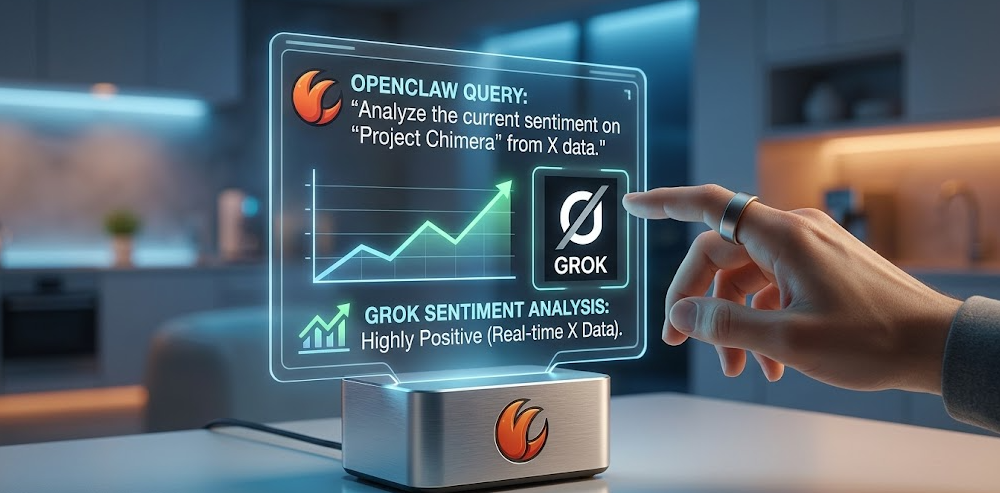
OpenClaw and Grok are a particularly interesting pairing for one reason most guides gloss over: Grok is the only major AI model with direct, native access to real-time X (formerly Twitter) data. When you run Grok inside OpenClaw with the Responses API enabled, your agent can search X posts semantically, fetch live threads, and combine social sentiment data with web search results and local file operations in a single agent loop. No other cloud provider in OpenClaw’s supported list offers that combination.
Beyond the X data advantage, Grok’s pricing structure makes it one of the most cost-effective options for OpenClaw’s input-heavy agentic workflows, and the Grok 4 Fast line offers the largest context windows of any model you can connect to OpenClaw, with the 2 million token window on Grok 4.1 Fast being genuinely useful for agents that accumulate long tool call histories.
This guide walks through everything: which Grok model to pick, how to get your API key, the exact config file setup, how to enable the Responses API for native tools, and what to watch out for.
What Makes Grok Different Inside OpenClaw?
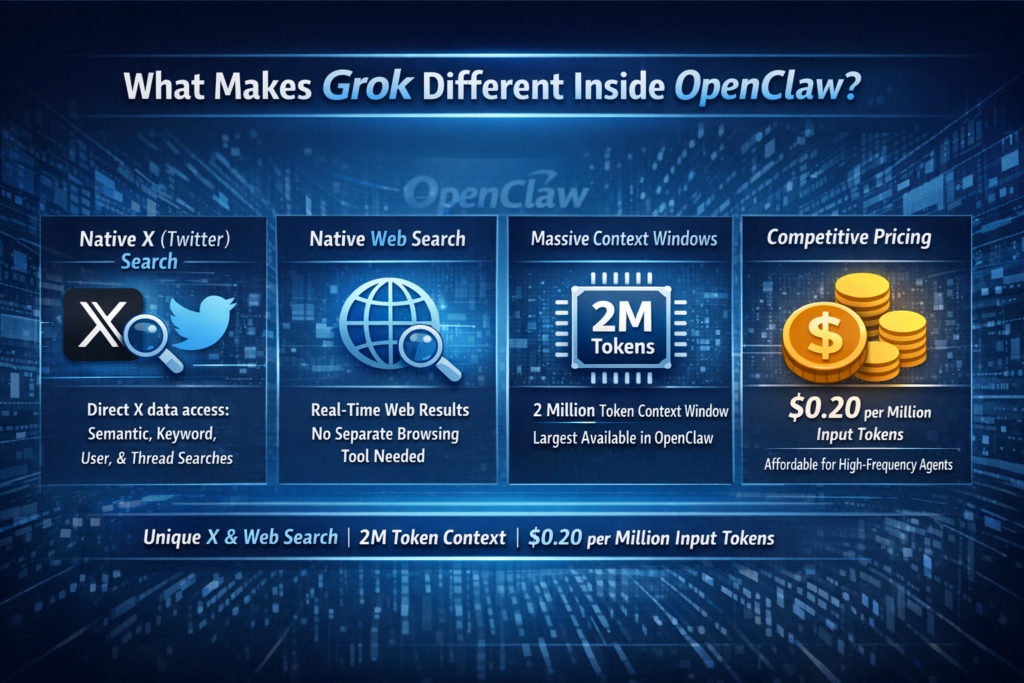
Before the setup steps, it is worth understanding what Grok specifically brings to OpenClaw that other providers do not, because it shapes which model you pick and whether you bother enabling the Responses API.
Native X (Twitter) Search: As documented in OpenClaw GitHub Issue #6872, when the xAI Responses API is enabled in OpenClaw, the x_search native tool gives your agent direct API access to X data. This includes x_semantic_search for topic understanding, x_keyword_search for exact matches, x_user_search for user-specific posts, and x_thread_fetch for pulling full threads. This is not a scraped web preview — it is direct X data access that no other model in OpenClaw’s ecosystem provides.
Native Web Search: The web_search native tool gives Grok real-time web results inline without OpenClaw needing to manage a separate browsing tool. As confirmed by OpenClaw’s official web tools documentation, web_search and x_search can use xAI Responses under the hood when configured.
Massive Context Windows: Grok 4.1 Fast carries a 2-million-token context window, the largest available across any model you can connect to OpenClaw. For long agent sessions with extensive tool call history, this is a genuine operational advantage over models capped at 128K or 200K tokens.
Competitive Pricing for Input-Heavy Agents: OpenClaw agents spend most of their token budget re-reading context at the start of each turn: previous tool results, system prompts, memory summaries. At $0.20 per million input tokens, Grok 4 Fast is one of the cheapest ways to run a high-frequency OpenClaw agent without worrying about the input cost adding up.
The Grok Model Lineup: Which One to Use With OpenClaw
In 2026, xAI’s active model lineup has several tiers, and the right choice depends heavily on your OpenClaw workflow. According to xAI’s official model documentation and Mem0’s current pricing guide, here is the full current lineup:
Recommended model by use case:
-
Best default for most OpenClaw users:
grok-4.1-fast— Best balance of cost, context window size, and reasoning flexibility. As Skywork’s OpenClaw xAI guide notes, Grok 4.1 Fast provides the reasoning, tool-calling capabilities, and massive context windows required for OpenClaw to function effectively. -
Best for complex research and deep reasoning tasks:
grok-4— Frontier reasoning quality with always-on chain-of-thought. CostGoat’s pricing guide and Chatbase’s Grok 4 overview both confirm Grok 4 as xAI’s current reasoning flagship. -
Best for high-frequency automation on a tight budget:
grok-4-fast— At $0.20/M input tokens with a 2-million-token context window, this is the cheapest model in the lineup capable of handling sustained agent loops without hitting context limits. -
Avoid for new deployments:
grok-3andgrok-3-mini— Grok 3 is no longer xAI’s primary focus and offers less capability per dollar than the newer Grok 4 tier. According to Haimaker’s Grok 3 OpenClaw breakdown, Grok 3 can still be useful for large-scale code generation, but the Grok 4 line has surpassed it.
Step 1: Create Your xAI Account and Get an API Key
1. Go to the xAI developer console
Navigate to Console.x.ai and create an account. You can sign up with an email address or log in with an existing X account.
2. Load a prepaid balance
xAI operates on a prepaid billing model for API access. Go to Billing in the left-hand menu and load a minimum balance (usually $5 to $10) to activate your API keys for production use. Your API keys will not process live requests until a prepaid balance is in place.
3. Generate your API key
Click API Keys in the left-hand navigation menu. Click Create New Key. Give it a descriptive name (for example: openclaw-agent) so you know what it is for later. Click Create and immediately copy the full key string. The key starts with xai-. Store it somewhere secure, such as a password manager, because xAI will not show you the full key again after this screen.
4. Set a spending limit (recommended)
While still in the console, go to Billing and set a monthly spending cap. For testing, $5 to $10 of prepaid balance is more than enough headroom. This protects against accidentally running a runaway agent loop that depletes your balance unexpectedly.
Step 2: Confirm OpenClaw Is Installed
If you already have OpenClaw running, skip to Step 3. If you are starting fresh:
npm install -g openclaw@latest

openclaw --version
You should see a version number such as v2026.x.x. If you see “command not found,” close and reopen your terminal and try again. For a complete from-scratch OpenClaw installation including daemon setup and messaging channel connection, follow the full installation guide in our previous article on running OpenClaw with local models.
Confirm the OpenClaw gateway can start cleanly before adding any provider:
openclaw gateway start

openclaw gateway status
Step 3: Add the xAI Provider to Your OpenClaw Config
Open your OpenClaw configuration file in a text editor. The file is located at:
-
macOS / Linux:
~/.openclaw/openclaw.json -
Windows:
C:\Users\YourUsername\.openclaw\openclaw.json
Add the xai provider block inside the models.providers section. If you already have other providers configured (Anthropic, Ollama, etc.), add this block alongside them using the "mode": "merge" setting to preserve your existing providers.
Complete provider config for xAI (add or merge into your existing openclaw.json):
{

"models": {

"mode": "merge",

"providers": {

"xai": {

"baseUrl": "https://api.x.ai/v1",

"apiKey": "xai-YOUR-ACTUAL-KEY-HERE",

"api": "openai-completions",

"models": [

{

"id": "grok-4.1-fast",

"name": "Grok 4.1 Fast",

"reasoning": false,

"input": ["text"],

"cost": {

"input": 0.30,

"output": 0.50

},

"contextWindow": 2000000,

"maxTokens": 8192

},

{

"id": "grok-4",

"name": "Grok 4",

"reasoning": true,

"input": ["text", "image"],

"cost": {

"input": 3.00,

"output": 15.00

},

"contextWindow": 256000,

"maxTokens": 16384

},

{

"id": "grok-4-fast",

"name": "Grok 4 Fast",

"reasoning": false,

"input": ["text"],

"cost": {

"input": 0.20,

"output": 0.50

},

"contextWindow": 2000000,

"maxTokens": 8192

}

]

}

}

}

}
Replace xai-YOUR-ACTUAL-KEY-HERE with the key you copied from the xAI console in Step 1.
A note on maxTokens: This value controls the maximum number of tokens Grok will generate in a single response, not the context window size. Do not confuse the two. The context window (how much the model reads) is in the millions of tokens; the output limit (how much it writes per response) is 8,192 to 16,384 tokens depending on the model tier. Setting maxTokens higher than the model’s actual output limit will cause an immediate API rejection error.
Why "api": "openai-completions"? xAI’s API is OpenAI-compatible, meaning OpenClaw can talk to it using the same OpenAI chat completions format it already knows. This means Grok slots into OpenClaw with zero special handling — no custom driver, no version dependency, just a base URL change.
Step 4: Set Grok as Your Default Agent Model
With the provider added, tell OpenClaw to use it as the primary model for your agent. Add or update the agents section of your openclaw.json:
{

"agents": {

"defaults": {

"model": {

"primary": "xai/grok-4.1-fast",

"fallbacks": [

"xai/grok-4",

"xai/grok-4-fast"

]

}

}

}

}
This sets grok-4.1-fast as the primary model for all agents, with grok-4 as a fallback for tasks that need deeper reasoning and grok-4-fast as a cost-optimized fallback for high-volume tasks.
Per-agent model overrides (optional): If you want specific agents to always use a specific Grok model, add overrides:
{

"agents": {

"defaults": {

"model": {

"primary": "xai/grok-4.1-fast"

}

},

"overrides": {

"deep-research": {

"model": {

"primary": "xai/grok-4"

}

},

"quick-router": {

"model": {

"primary": "xai/grok-4-fast"

}

}

}

}

}
Step 5: Verify the Connection
Restart the gateway to apply your config changes:
openclaw gateway restartConfirm OpenClaw can see your Grok models:
openclaw models listYou should see xai/grok-4.1-fast, xai/grok-4, and xai/grok-4-fast listed alongside any other providers you have configured.
Run a quick functional test from your connected chat interface (Telegram, WhatsApp, Discord, Signal, or the OpenClaw TUI):
"What is today's date and time?"Grok should return the current date and time via a tool call. If it does, the provider connection is working correctly and you are done with the basic setup. Stop here if you do not need native web search or X search capabilities. Everything below is optional enhancement.
Step 6 (Optional): Enable the Responses API for Native Grok Tools
This is where the OpenClaw + Grok integration becomes genuinely unique. By default, OpenClaw handles web search through its own managed web_search tool. When you enable xAI’s Responses API, OpenClaw instead routes search requests through Grok’s native server-side tools, which adds X/Twitter search and Python code execution capabilities that OpenClaw’s built-in toolset does not provide.
This feature was added to OpenClaw in the 2026.3.28 release as the headline change, migrating the bundled xAI provider to the Responses API and unlocking these native capabilities.
Update your xAI provider config to add "useResponsesApi": true:
{

"models": {

"mode": "merge",

"providers": {

"xai": {

"baseUrl": "https://api.x.ai/v1",

"apiKey": "xai-YOUR-ACTUAL-KEY-HERE",

"api": "openai-completions",

"useResponsesApi": true,

"models": [

{

"id": "grok-4.1-fast",

"name": "Grok 4.1 Fast",

"reasoning": false,

"input": ["text"],

"cost": {

"input": 0.30,

"output": 0.50

},

"contextWindow": 2000000,

"maxTokens": 8192

}

]

}

}

}

}
What this unlocks:
As confirmed in OpenClaw GitHub Issue #6872 and the Official OpenClaw web tools documentation, enabling useResponsesApi gives your agent access to three native xAI server-side tools that operate alongside OpenClaw’s standard client-side skills:
Testing native X search:
After restarting the gateway with useResponsesApi: true, send this test from your chat interface:
"x search: what are people saying about OpenClaw this week?"If xAI’s native x_search is working, Grok will return recent X posts about the topic directly rather than a general web search result. This is the clearest confirmation that the Responses API is active.
Testing native web search:
"Search the web for the latest xAI news."You should get real-time results rather than answers from Grok’s training data cutoff.
Step 7 (Optional): Install the Deep Research Skill
OpenClaw’s GitHub repository includes a community deep-research skill built specifically around Grok’s native tools. It combines web_search, x_search, and code_execution with OpenClaw’s local file-reading tools into a single structured research workflow. This is the most powerful out-of-the-box use of the Grok + OpenClaw integration.
The skill triggers on keywords: research, audit, analyze, search, deep research, x search, twitter, and x twitter.
To install it via ClawHub from your chat interface:
install deep-research skillOr manually via the terminal:
openclaw skills install deep-researchOnce installed, you can send commands like:
"research: what are developers saying about Grok 4 on X this week?"

"x search: OpenClaw new features"

"analyze: summarize the GitHub issues on openclaw/openclaw from the past 7 days"

"audit: review these log files for security anomalies" [attach files]
The skill automatically routes X search through x_search, web research through web_search, data work through code_execution, and local file reading through OpenClaw’s read and exec tools, combining all four in a single coherent response.
Step 8 (Optional): Set Up a Hybrid Grok + Local Model Fallback
If you also have Ollama running with local models (as covered in the previous article in this series), you can combine Grok for online tasks with local models for offline or private tasks using OpenClaw’s fallback chain:
{

"agents": {

"defaults": {

"model": {

"primary": "xai/grok-4.1-fast",

"fallbacks": [

"xai/grok-4",

"ollama/command-r",

"ollama/mistral"

]

}

},

"overrides": {

"private-tasks": {

"model": {

"primary": "ollama/command-r"

}

},

"deep-research": {

"model": {

"primary": "xai/grok-4"

}

}

}

}

}
This configuration routes all standard agent tasks through Grok 4.1 Fast by default, falls back to Grok 4 for complex reasoning if 4.1 Fast struggles, and falls back to local models if the xAI API is unavailable. The private-tasks agent override always uses a local model for workflows that involve sensitive data you do not want leaving your machine, while deep-research always uses Grok 4 for maximum reasoning quality. Lumadock’s guide describes this hybrid pattern as the practical sweet spot: local models provide predictable cost for routine tasks while cloud remains available for work that genuinely needs it.
Complete openclaw.json Reference
Here is a complete reference configuration file that combines everything from this guide into a single clean config. Replace the API key placeholder with your real key:
{

"models": {

"mode": "merge",

"providers": {

"xai": {

"baseUrl": "https://api.x.ai/v1",

"apiKey": "xai-YOUR-ACTUAL-KEY-HERE",

"api": "openai-completions",

"useResponsesApi": true,

"models": [

{

"id": "grok-4.1-fast",

"name": "Grok 4.1 Fast",

"reasoning": false,

"input": ["text"],

"cost": { "input": 0.30, "output": 0.50 },

"contextWindow": 2000000,

"maxTokens": 8192

},

{

"id": "grok-4",

"name": "Grok 4",

"reasoning": true,

"input": ["text", "image"],

"cost": { "input": 3.00, "output": 15.00 },

"contextWindow": 256000,

"maxTokens": 16384

},

{

"id": "grok-4-fast",

"name": "Grok 4 Fast",

"reasoning": false,

"input": ["text"],

"cost": { "input": 0.20, "output": 0.50 },

"contextWindow": 2000000,

"maxTokens": 8192

}

]

}

}

},

"agents": {

"defaults": {

"model": {

"primary": "xai/grok-4.1-fast",

"fallbacks": [

"xai/grok-4",

"xai/grok-4-fast"

]

}

},

"overrides": {

"deep-research": {

"model": {

"primary": "xai/grok-4"

}

}

}

},

"tools": {

"profile": "coding",

"allow": ["read", "exec", "write", "edit"],

"exec": {

"host": "gateway",

"ask": "off",

"security": "full"

}

}

}
Grok’s Strengths and Weaknesses Inside OpenClaw
Understanding where Grok genuinely excels and where it falls short helps you decide how to position it in your agent setup rather than defaulting to it for everything.
Where Grok genuinely excels inside OpenClaw:
-
X/Twitter data tasks: Nothing else in OpenClaw’s ecosystem comes close. If any of your workflows involve social monitoring, sentiment analysis, brand tracking, or real-time X data, Grok with the Responses API is the clear choice.
-
Long-context agent sessions: The 2-million-token context window on Grok 4 Fast and 4.1 Fast means you never need to manage context compression on even the longest agent runs. Models capped at 128K tokens require active context management in long sessions; Grok largely eliminates that concern.
-
Input-heavy agents that reingest large contexts: At $0.20 to $0.30 per million input tokens, Grok 4 Fast is one of the cheapest options for agents that repeatedly pass large payloads back to the model at each step.
-
Large code generation tasks: The expanded 16K maximum output window on Grok 4 means Grok can complete large multi-file code structures without cutting off mid-function, unlike models capped at 4K to 8K output tokens.
Where Grok falls short:
-
Strict corporate or customer-facing tone: Grok has a baked-in personality that is harder to suppress than you might like. System prompts telling it to be neutral and professional help, but as Haimaker documents, informal or sarcastic phrasing still bleeds through in ways that would be unacceptable in customer-facing chatbot contexts. For those use cases, Claude Sonnet or GPT-4o have more controllable personas.
-
API reliability: xAI’s infrastructure is newer and less mature than Azure or AWS-backed providers. Rate limit errors and occasional downtime during high-traffic periods are real. Haimaker explicitly recommends building retry logic if you run Grok in production OpenClaw workflows.
-
Tool-calling precision on complex multi-step tasks: Community feedback from r/LocalLLaMA and r/LocalLLM suggests Claude Sonnet and GPT-4o still edge Grok on precise multi-step tool orchestration in complex agent loops.
Common Problems and Fixes

Problem: openclaw models list does not show xAI models after editing the config.
Confirm you saved the JSON file correctly and that it is valid JSON (no trailing commas, all brackets properly closed). Run openclaw config view to see the active parsed config. If the xAI section is missing, the JSON has a syntax error. Paste it into a JSON validator before saving.
Problem: API immediately rejects requests with an error after adding the xAI provider.
Check two things in order. First, confirm your prepaid balance in the xAI console at Console.x.ai — API keys do not process requests until a balance is loaded. Second, confirm your maxTokens value does not exceed the model’s actual output limit. For Grok 4 Fast and 4.1 Fast use 8192; for Grok 4 use 16384. Any value higher than the model’s output limit will cause an immediate API rejection.
Problem: Grok responds but the output is cut off mid-message.
Your maxTokens value may be too low for a particularly long response. Try increasing it toward the model’s maximum (8192 for the Fast tier, 16384 for Grok 4). Also check that you are not hitting a rate limit on your xAI account tier, which can cause premature truncation.
Problem: useResponsesApi: true is set but x_search is not working.
Confirm you are on OpenClaw version 2026.3.28 or later. Run openclaw --version to check. The Responses API integration was added in that release. If you are on an older version, run npm install -g openclaw@latest to update.
Problem: Getting frequent API errors or timeouts from xAI.
xAI’s API has occasional stability issues. Add retry logic to your OpenClaw config or add a local model as a fallback in your agent chain. Also check Status.x.ai for any active incidents.
Problem: Grok is using X Premium data instead of the API.
This is a common confusion. The xAI API (console.x.ai) and Grok on X Premium+ are entirely separate products. OpenClaw connects to the API only. Make sure your API key is from console.x.ai, not from an X Premium subscription setting.
Problem: Grok’s tone is too informal for the workflow.
Add a strong system-level persona override to your agent config. Something like: "You are a professional assistant. Use formal, neutral language in all responses. Do not use humor, sarcasm, or informal expressions under any circumstances." This will suppress most of the personality bleed, though it cannot be fully eliminated in all cases.
Pricing Reality Check: What Will This Actually Cost?
For a typical OpenClaw user running daily automation with moderate usage, here is what the Grok bill looks like in practice.
Grok 4.1 Fast ($0.30 input / $0.50 output per million tokens):
Comparison to equivalent Claude Sonnet usage:
Claude Sonnet charges $3.00/M input and $15.00/M output. For a moderate daily workload of 200 tasks consuming 5K tokens each, Grok 4.1 Fast costs approximately $10 to $15 per month versus $60 to $80 per month for the same volume on Claude Sonnet. xAI’s pricing structure makes it the most cost-effective major cloud provider you can connect to OpenClaw for input-heavy agentic workloads.
Getting started cost: xAI operates on a prepaid model, so you need to load a balance before any API calls go through. The minimum is typically $5 to $10. At Grok 4.1 Fast’s pricing, a $10 prepaid balance buys approximately 33 million input tokens or 20 million output tokens, which is more than enough to fully test and run a meaningful OpenClaw workflow before needing to top up.
Frequently Asked Questions
Do I need an X Premium subscription to use Grok with OpenClaw?
No. The xAI API (accessed via console.x.ai) and X Premium’s Grok integration are completely separate products. You only need an xAI developer account with a prepaid balance, not an X Premium subscription. The x_search capability inside OpenClaw uses the API’s native tool access, not X Premium’s consumer interface.
Which Grok model should I start with?
Start with grok-4.1-fast. It is the best balance of cost, context window size, and reasoning flexibility. According to Skywork’s OpenClaw guide, it is the model most recommended for general OpenClaw deployments as of 2026.
Can I use Grok alongside other providers like Claude or Ollama?
Yes. OpenClaw supports multiple providers simultaneously. Use "mode": "merge" in your config to add the xAI provider block without replacing your existing providers. You can then set per-agent model routing to use different providers for different tasks.
Does enabling useResponsesApi break existing OpenClaw tools?
No. According to OpenClaw’s GitHub Issue #6872, enabling the Responses API runs native xAI server-side tools (web_search, x_search, code_execution) in parallel alongside OpenClaw’s standard client-side tools. Standard tools like read, exec, write, edit, browser, and web_fetch continue to work exactly as before. Setting useResponsesApi: false at any time falls back fully to standard behavior.
Is the xAI API stable enough for production use?
For personal automation and development workflows, yes. For mission-critical production systems with zero-downtime requirements, use Grok as a primary with a fallback to a more established provider. Build retry logic for API calls if running automated workflows that need to complete reliably.
How do I switch between Grok models on the fly?
You can switch models from your connected chat interface using OpenClaw’s model command. Ask your agent: "Switch to grok-4 for this next task." For permanent changes, update the primary model in your agents.defaults.model config and restart the gateway.
Can Grok search X/Twitter in real time within OpenClaw without the Responses API?
No. The x_search capability requires "useResponsesApi": true in your xAI provider config. Without it, OpenClaw uses its standard web_search tool which searches the general web but does not have direct X data access.
What happens if my xAI prepaid balance runs out mid-task?
If you have a fallback model configured (such as a local Ollama model), OpenClaw will automatically route the next request to the fallback. If no fallback is configured, the request will fail with an API error. Monitoring your balance in the xAI console and configuring at least one fallback model are both strongly recommended for any production workflow.
Bottom Line
Connecting OpenClaw to Grok takes about three minutes once you have your API key. The xAI API is OpenAI-compatible, so the integration works out of the box with a standard provider block in your config file. The base setup covers all standard OpenClaw tool-calling functionality. Enabling useResponsesApi: true adds Grok’s native web search, X/Twitter search, and Python code execution on top of OpenClaw’s existing tools, which is the genuinely distinctive capability that no other model in OpenClaw’s ecosystem provides.
For most users, grok-4.1-fast is the right default: it has the most practical combination of cost, context window, and agent reliability for everyday automation. Reserve grok-4 for deep research and complex reasoning tasks where quality matters more than cost, and use the fallback chain to keep a local model available for private or offline work.
This YouTube walkthrough connecting OpenClaw to the web with Grok xAI in a live three-minute setup covers the API key creation and config steps visually, including the exact gateway restart commands and a live test of the web search integration from start to finish.



