
The best apps for CarPlay in mid 2026 span navigation, music, AI assistants, communication, and EV utilities, but if you want a shortlist right now: Google Maps, Waze, Spotify, Apple Music, ChatGPT, WhatsApp, and Audible are consistently the top performers. That said, the “best” app really depends on how you drive, and there are a few newer additions in 2026 that have genuinely changed what CarPlay is capable of. Keep reading, because the AI category especially has expanded in a way that most people have not caught up with yet.
What Is Apple CarPlay and How Do Apps Work on It?
Apple CarPlay is Apple’s in-car interface system that projects a simplified, driver-safe version of your iPhone onto your car’s built-in display. It launched back in 2014, but in 2026 it has matured into a full-blown in-car ecosystem that goes far beyond just maps and music.
Here is the key thing to understand: not every app works with CarPlay. Apple maintains a strict approval process, and every CarPlay-compatible app must meet safety-first design standards. That means no YouTube, no social media scrolling, no video streaming. CarPlay apps must prioritize large touch targets, glanceable information, and full Siri voice control. It is a closed platform by design, and honestly, that is a good thing when you are doing 70 mph on the highway.
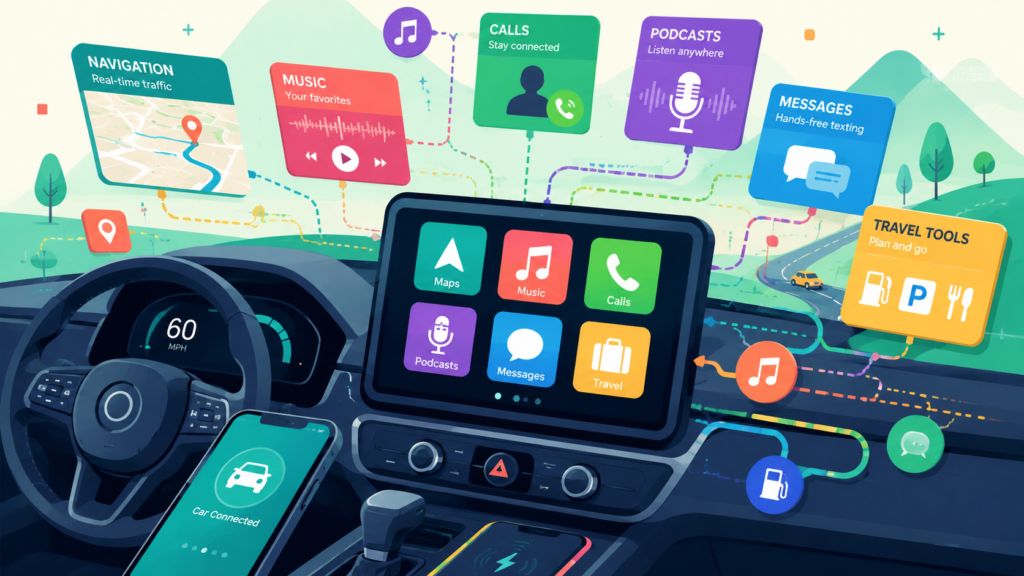
Apps that are approved for CarPlay fall into specific categories: navigation, music and audio, podcasts, messaging, calling, AI assistants, EV and fuel utilities, parking, weather, and a handful of productivity tools. Once you install a supported app on your iPhone, it automatically appears in your CarPlay interface when you connect.
What’s New in CarPlay in Mid 2026?
Before diving into individual apps, it is worth covering what has actually changed in 2026, because the platform has seen some meaningful updates.
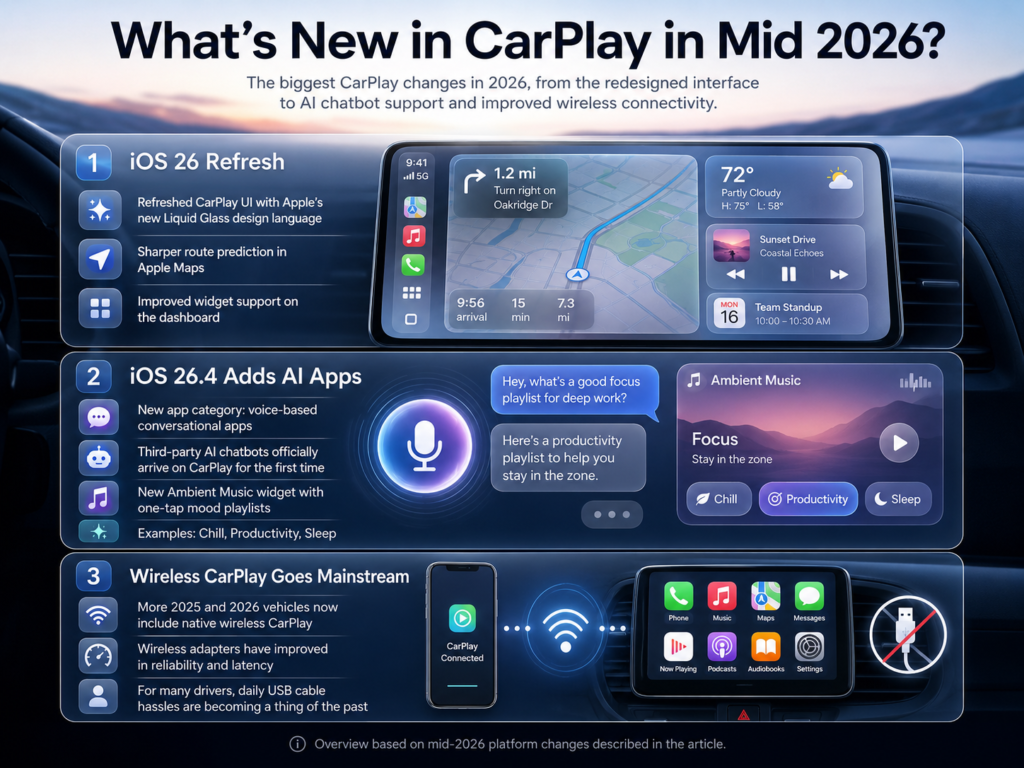
iOS 26 brought a refreshed CarPlay UI with Apple’s new Liquid Glass design language, sharper route prediction in Apple Maps, and improved widget support on the dashboard. The most significant update arrived with iOS 26.4, which introduced a brand new app category called “voice-based conversational apps,” officially opening the doors for third-party AI chatbots on CarPlay for the very first time. Apple also added a new Ambient Music widget alongside this update, giving you one-tap access to mood-based playlists like Chill, Productivity, and Sleep directly from the CarPlay dashboard.
Wireless CarPlay has also become far more mainstream. More 2025 and 2026 car models ship with native wireless CarPlay support, and third-party wireless adapters have improved significantly in reliability and latency. The days of fumbling with a USB cable every morning are largely over for most new car owners.
Navigation is still the backbone of CarPlay, and in 2026 you have three genuinely excellent choices, each with a distinct strength.
Google Maps
Google Maps remains the most feature-rich navigation app on CarPlay. Real-time traffic rerouting, unmatched points-of-interest data, Gemini AI integration for smarter route suggestions, Street View, and transit directions make it the go-to for city drivers and anyone who needs more than just turn-by-turn. ZDNet’s hands-on comparison from May 2026 found that Google Maps’ deeper Gemini integration gives it an edge for complex multi-stop route planning. The CarPlay interface is clean, responsive, and has improved noticeably with recent updates.
Waze
Waze is still the undisputed king for real-time hazard alerts. Police locations, speed cameras, road debris, accidents, lane closures reported by other drivers in real time. If you have a long highway commute or drive in traffic-heavy areas, PCMag’s navigation app roundup is clear that if driving efficiency is all you care about, Waze is the best option. The CarPlay interface is simple, fast, and built around one goal: getting you where you are going as quickly as possible with maximum situational awareness.
Apple Maps
Apple Maps has had a quiet but genuinely impressive glow-up over the past two years. With iOS 26, the CarPlay integration is the smoothest of the three by a notable margin. Siri commands work flawlessly, the UI feels native because it is, and the new route prediction feature anticipates your likely destinations based on time of day and calendar entries. If you are fully in the Apple ecosystem, Apple Maps on CarPlay in 2026 is no longer a compromise. It is a real choice.
Pro Tip: Run Waze in the background and Google Maps as your primary navigation app. Waze will still deliver audio alerts for hazards even while Google Maps handles your route. Many experienced CarPlay users swear by this dual-app setup for the best of both worlds.
Best Music Apps for CarPlay
Music is where CarPlay truly shines, and in 2026 you have more solid options than ever.
Spotify
Spotify is still the most popular music app on CarPlay by a wide margin, and for good reason. The CarPlay interface is clean, the playlist and library access is intuitive, and Siri integration works reliably for voice commands. In early 2026, Spotify finally launched a lossless audio tier, which while delayed by years, is now a real option for audiophiles. The app auto-launches reliably, the controls are large and thumb-friendly, and discovery features like Daily Mixes and Discover Weekly are genuinely useful for long drives.
Apple Music
Apple Music is the strongest competitor to Spotify on CarPlay, and with iOS 26, the gap has narrowed even further. The new AutoMix AI feature, which seamlessly blends tracks together like a DJ, works beautifully during drives. Lossless and Dolby Atmos audio are included with the standard subscription at no extra cost, which is a meaningful advantage over Spotify’s newer lossless tier. If you already pay for Apple One, Apple Music is essentially free to you within the bundle, making it exceptional value. In my time testing both on CarPlay, Apple Music genuinely feels more integrated and faster to load.
YouTube Music
YouTube Music deserves a mention because its library is unmatched for rare tracks, live recordings, and music that simply is not available on Spotify or Apple Music. The CarPlay interface is not as polished as the other two, but it works reliably and the breadth of content makes it worth having installed as a secondary option.
Amazon Music
For Prime subscribers, Amazon Music offers a solid CarPlay experience with a decent catalog. It will not replace Spotify or Apple Music as your daily driver, but it is a capable backup and the voice integration with Siri works well enough on CarPlay.
Best Podcast and Audiobook Apps for CarPlay
Long drives are made infinitely better with great podcast and audiobook apps, and CarPlay handles both categories well.
Pocket Casts is widely considered the best third-party podcast app on CarPlay. The interface is clean, playback controls work flawlessly, and the app’s CarPlay integration has been polished over years of updates. Overcast is a close second and is beloved for its Smart Speed feature that shortens silences without distorting audio. Both are significantly better than the native Apple Podcasts app for power users.
Audible is the clear winner for audiobooks on CarPlay. The interface is simple, chapter navigation works well with touch and voice, and the library is the largest in the audiobook space. Libby, which connects to your local library card, is a fantastic free alternative if you want audiobooks without a subscription.
Best AI Apps for CarPlay: The Biggest New Category in 2026
This is the section that would have looked completely different just six months ago. With iOS 26.4, released on March 24, 2026, Apple officially added “voice-based conversational apps” as a supported CarPlay category, making it the first time third-party AI chatbots have been permitted on the platform.
There is one critical thing to understand before getting excited: these apps are sandboxed by design. Per Apple’s iOS 26.4 CarPlay guidelines, AI chatbot apps cannot access Maps, Music, Messages, Mail, or any other local device data or app. They cannot control your car, skip your music, or send messages on your behalf. They are purely conversational tools that run in their own isolated environment. Apple also explicitly does not allow wake words for third-party AI apps, so there is no “Hey ChatGPT” option. You physically tap the app icon on your CarPlay home screen to launch it, and it drops you straight into a voice session.
That said, within those boundaries, they are genuinely useful on the road.
ChatGPT
OpenAI was first to the dashboard. Just one week after iOS 26.4 launched, OpenAI updated the ChatGPT iPhone app with native CarPlay support, making it the first major AI chatbot available on CarPlay. The experience is voice-first by design: tap the app icon, speak your question, and get a spoken response back. In practice, it is great for answering trivia on a road trip, brainstorming ideas, working through a problem out loud, or just having a surprisingly decent conversational partner during a long solo drive. It handles general knowledge questions, creative prompts, and factual queries well within its own knowledge base. Just keep in mind it cannot touch anything else on your phone.
Grok
xAI’s Grok joined CarPlay in May 2026, bringing the same voice-only tap-to-activate experience. Grok’s real-time information access and personality make it a fun and capable companion for road trips. It tends to excel at current events, pop culture, and quick factual lookups, making it a strong choice if staying up to date on news during a commute is important to you.
Perplexity
Perplexity also arrived on CarPlay in May 2026, completing what is now a three-way AI lineup on the platform. Its strength is search-grounded answers with sourced responses, making it the most reliable of the three for questions where accuracy matters. Think of it as the research-focused option in the group.
For a detailed video walkthrough of all the new iOS 26.4 CarPlay features including the AI chatbot setup, This hands-on ChatGPT on CarPlay tutorial covers the installation and activation process step by step.
Best Communication Apps for CarPlay
CarPlay messaging apps are built entirely around Siri voice interaction, meaning you can listen to messages and reply entirely hands-free.
WhatsApp is the most important messaging app on CarPlay for most users globally. The CarPlay integration lets Siri read incoming messages aloud and you can reply by voice, keeping your eyes firmly on the road. iMessage (Apple Messages) works natively and seamlessly. Telegram and Signal are both well-supported for privacy-conscious users.
For audio calls, Google Meet, Microsoft Teams, and Zoom are all officially supported on CarPlay for hands-free conference call use during commutes, which is genuinely useful for staying connected on the road.
Best CarPlay Apps for EV Drivers
The EV utility category has quietly become one of the most important in CarPlay as electric vehicle adoption surges.
PlugShare is the most comprehensive charging network map available on CarPlay. It covers tens of thousands of charging stations globally, lets you filter by connector type, and shows real-time availability data crowdsourced from users. ChargePoint is the best app for ChargePoint network members specifically, with route planning that integrates charging stops. Electrify America is essential for long road trips in the US, covering one of the fastest and most widespread DC fast-charging networks in the country.
For gas-powered vehicles, GasBuddy remains the best CarPlay app for finding cheap fuel nearby, with real-time price data sourced from community reports.
Best Apps by Driving Scenario
How to Add Apps to CarPlay
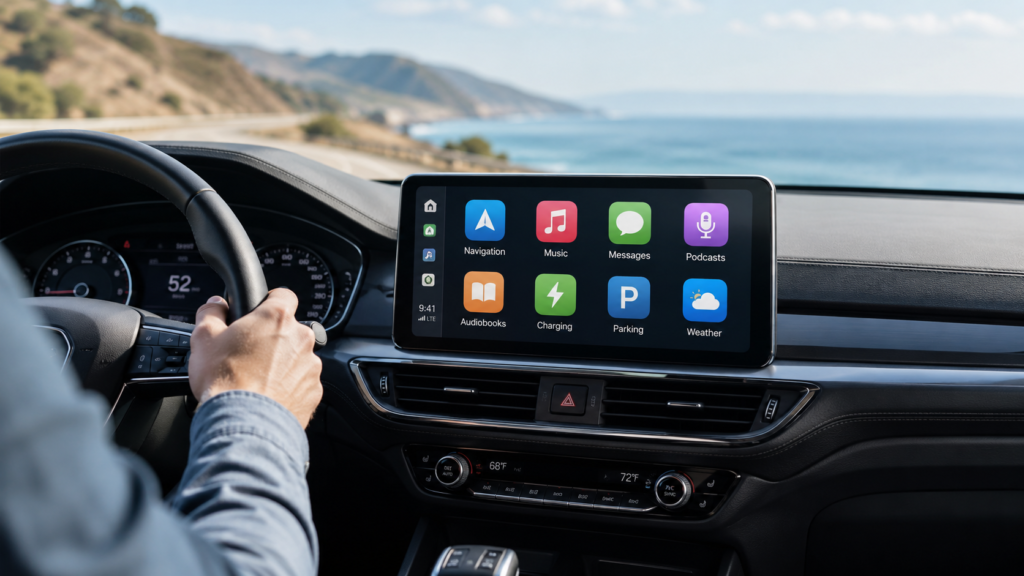
Getting your apps onto CarPlay is straightforward, but a lot of people miss the manual customization options.
Step-by-Step: How to Add or Rearrange Apps in CarPlay
-
Connect your iPhone to your car via USB or wirelessly.
-
On your iPhone, open Settings.
-
Tap General, then tap CarPlay.
-
Select your car from the list of connected vehicles.
-
Tap Customize to see all available apps.
-
Tap the green plus (+) button next to any app to add it to your CarPlay home screen.
-
Press and drag the three-line icon to rearrange the order of apps.
-
Tap Done to save your layout.
Apps you have installed on your iPhone that support CarPlay will appear in the “More Apps” section on this screen. For AI apps like ChatGPT, Grok, or Perplexity, you will need iOS 26.4 or later installed. Once you have the latest ChatGPT app version and iOS 26.4, the app will appear in your CarPlay app list automatically.
CarPlay App Categories: Full Overview
Frequently Asked Questions (FAQs)
What is the best app for CarPlay in 2026?
The single best all-around CarPlay app depends on your use case, but Google Maps for navigation, Spotify or Apple Music for audio, and ChatGPT for AI conversation are the top three across most users’ setups in mid 2026.
Can I use ChatGPT on Apple CarPlay?
Yes. ChatGPT launched CarPlay support on March 31, 2026, following Apple’s iOS 26.4 update. You tap the ChatGPT icon on your CarPlay home screen and it launches straight into a voice session. Keep in mind it is sandboxed and cannot access any other apps, your location, or your car’s controls.
What can ChatGPT actually do on CarPlay?
Within CarPlay, ChatGPT operates as a purely conversational tool. It is excellent for answering trivia, brainstorming ideas, explaining concepts, discussing news and current events, or just serving as an engaging conversational companion on a long drive. It cannot access Maps, Music, Messages, Mail, or any other app on your iPhone.
Does Spotify work with Apple CarPlay?
Absolutely. Spotify has had robust CarPlay support for years and remains one of the most-used CarPlay apps. The interface is clean, fast, and fully controllable by voice through Siri.
What navigation app is best for CarPlay?
Waze is best for real-time hazard alerts and commuter driving. Google Maps is best for overall features, city use, and complex routing. Apple Maps is best for seamless iOS integration and the smoothest CarPlay experience in 2026.
Why don’t some apps appear in CarPlay?
Only Apple-approved apps with CarPlay support appear on the CarPlay display. Apps like YouTube, Netflix, TikTok, and most social media apps are not supported because they require visual attention that conflicts with Apple’s driving safety guidelines.
Can I activate ChatGPT on CarPlay with a wake word?
No. Apple does not allow wake words for third-party AI apps on CarPlay. Siri holds the only ambient listening slot in the car. To use ChatGPT, Grok, or Perplexity, you must physically tap the app icon on your CarPlay home screen to begin a voice session.
Do CarPlay apps work wirelessly?
Yes. If your car supports wireless CarPlay natively, or if you use a wireless CarPlay adapter, all approved CarPlay apps work exactly the same as with a wired connection.
Is CarPlay free to use?
CarPlay itself is free. The apps you use within it may have their own subscription costs, such as Spotify Premium, Apple Music, Audible, and others.
What are the newest CarPlay apps in 2026?
The biggest additions in mid 2026 are the AI chatbot apps introduced via iOS 26.4: ChatGPT (March 31, 2026), Grok (May 2026), and Perplexity (May 2026). iOS 26.4 also introduced the Ambient Music widget for quick access to mood-based playlists on the CarPlay dashboard.
Bottom Line
CarPlay in mid 2026 is the best it has ever been. Navigation is covered brilliantly by the Google Maps, Waze, and Apple Maps trio. Audio is handled by Spotify and Apple Music at the top of their game. And the arrival of ChatGPT, Grok, and Perplexity as proper CarPlay apps via iOS 26.4 marks a genuine turning point for the platform. Just go in with clear expectations: these AI apps are conversation-only tools, sandboxed away from everything else on your phone, and that is by design. Build your CarPlay app stack around your actual driving habits, keep your layout lean, and CarPlay stops being just a phone mirror and starts being one of the most useful features in your car.



