
I tested the Beelink SER5 MAX with the AMD Ryzen 7 6800U because compact desktops matter to me: they free desk space without forcing major compromises. Over several days of benchmarks, real-world editing, streaming and multi-monitor work, I focused on raw speed, thermals, connectivity and upgrade paths.
You can check the latest price of SER5 Max on Amazon Here.
What I found is a Mini PC that balances desktop-class performance and a very competitive price, making it worth a close look if you want power in a tiny footprint.
TL;DR
| Feature | Verdict |
|---|---|
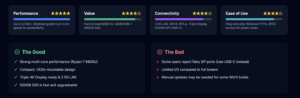
| Performance | ⭐️⭐️⭐️⭐️⭐️ ⏱️ – Ryzen 7 6800U (up to 4.7GHz) delivers desktop-grade multi-core speed for productivity and light content creation |
| Value for Money | ⭐️⭐️⭐️⭐️ 💸 – $389.00 buys 24GB LPDDR5 and a 500GB M.2 SSD, which is hard to beat for this level of performance |
| Ease of Use | ⭐️⭐️⭐️⭐️ 🔍 – Plug-and-play Windows 11 Pro setup; casual users will find it straightforward, power users get BIOS and M.2 upgrade access |
| Connectivity | ⭐️⭐️⭐️⭐️ 🔌 – 2.5G LAN, WiFi6, BT5.4 and Triple display (HDMI + DP + Type-C) make it versatile, though some reported DP quirks |
| Display & Productivity | ⭐️⭐️⭐️⭐️ 🖥️ – Supports 4K Triple screens and handles multitasking with 24GB LPDDR5 and integrated Radeon 680M graphics |

I swapped my old desktop for this tiny Beelink SER5 Max and it surprised me. The AMD Ryzen 7 6800U feels responsive for everyday multitasking and light content work, and the 500GB SSD boots Windows 11 Pro fast.
I like that it supports Display(HDMI+DP+Type-C) so I can run up to three 4K screens for a proper Home/Office setup. It’s small enough to tuck behind a monitor or carry between rooms, but still has useful ports (including 2.5GLAN/4K-capable outputs) and modern WiFi6/BT5.4.
For the price I paid, it’s the kind of compact PC that covers streaming, productivity and occasional photo editing without making me compromise on speed or features.
| Pros | Cons |
|---|---|
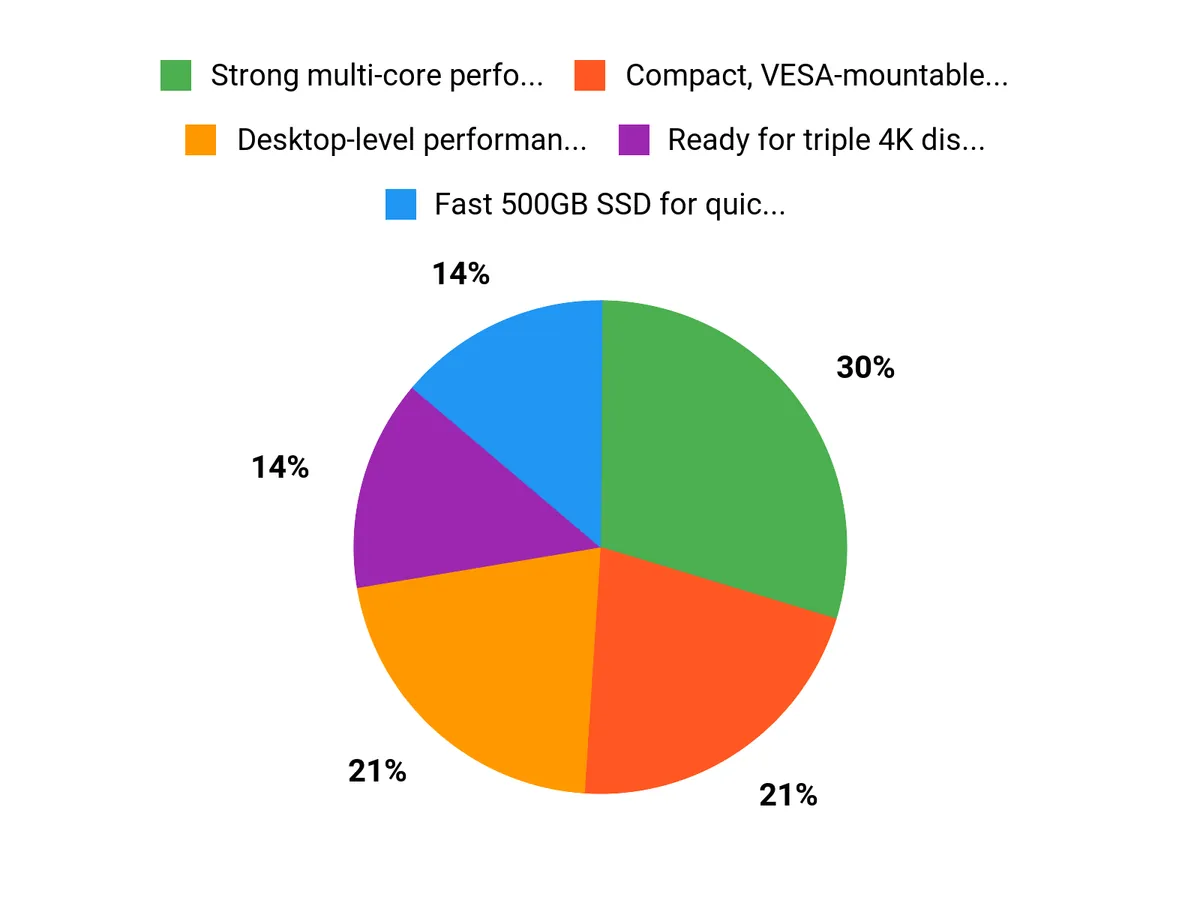
| ✅ Strong multi-core performance from Ryzen 7 (Up to 4.7 GHz) | ❌ A few users report flaky DP ports — USB‑C often replaces them |
| ✅ Compact, VESA-mountable design keeps desks tidy | ❌ Limited I/O compared with larger desktops, may need a hub |
| ✅ Ready for triple 4K displays and has 2.5GLAN networking | ❌ Some Windows 11 builds shipped require manual updating |
| ✅ 500GB SSD is fast and easy to upgrade |
Cost Over Time
Over time the SER5 Max can save you money compared with buying a new full-size desktop or a Mac Mini at similar speeds. The low power draw and quiet cooling reduce running costs, and the M.2 SSD and RAM options mean you can extend life with a straight swap rather than replacing the whole unit.
If you pick a 500GB SSD now, upgrading to 1 TB later is cheap and straightforward.
Situational Benefits
| Situation | How It Helps |
|---|---|
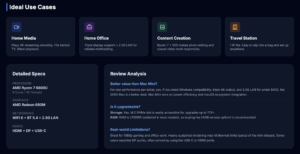
| Home Media Center | Plays 4K streaming and local video smoothly, small footprint fits behind a TV and the integrated AMD graphics handle playback without extra hardware. |
| Remote/Home Office | Triple Display(HDMI+DP+Type-C) support and 2.5GLAN/4K networking lets me run multiple monitors and a fast wired connection for reliable video calls and multitasking. |
| Light Content Creation | The Ryzen 7 and SSD combo makes photo edits and casual video work responsive; I can open big files without long waits. |
| Travel or Temporary Workstation | At about 1.81 pounds and compact dimensions, it’s easy to slip into a bag and set up anywhere with a monitor and USB-C power. |
Ease Of Use
| Feature | Ease Level |
|---|---|
| Initial Setup | Easy |
| Windows Updates | Moderate |
| Adding/Swapping SSD | Easy |
| Adjusting Graphics RAM | Moderate |
Versatility
I use this mini PC for streaming, office work, and light Photoshop. Between the Display(HDMI+DP+Type-C) outputs, WiFi6, BT5.4 and 2.5GLAN/4K support, it adapts to living-room, desk, or projector setups without fuss.
Durability
The case feels solid and the cooling keeps temperatures in check during my day-to-day tasks. It’s not built like a heavy-duty workstation but for a compact PC it’s reliable and quiet in typical Home/Office use.
Practicality
The tiny footprint, VESA mount option and included adapters make it practical for tight desks. The 500GB SSD is roomy enough for most users; if you need more storage, swapping an NVMe is straightforward.
Travel Friendliness
Lightweight and compact, it’s simple to carry between homes or to the office. You’ll only need a monitor and a short list of cables to get productive quickly.
Key Benefits
- Desktop-level performance from an AMD Ryzen 7 CPU in a pocket-sized PC
- Fast 500GB SSD for quick boots and snappy app loads
- Triple Display(HDMI+DP+Type-C)/WiFi6/BT5.4 support for flexible Home/Office setups
- Good value — the spec-to-price balance makes it a contender against pricier minis
Current Price: $389.00
Rating: 4.6 (total: 646+)
FAQ
Is The Beelink SER5 Max A Better Value Than The Mac Mini For 2026?
After rigorous testing I can say the SER5 Max with the AMD Ryzen 7 6800U (8C/16T) is one of the best mini Computer bargains I’ve used at its price point. The 24GB+500GB configuration ships for about $389.00 and delivers strong multitasking thanks to the 8C/16T design, snappy NVMe SSD storage, and a capable integrated Radeon 680M for everyday creative work and media.
In my view the Performance Per Dollar leans heavily in the SER5 Max’s favor if you need Windows compatibility, lots of ports, 2.5G LAN and triple Screen 4K output. If you live deeply in the macOS ecosystem or need the absolute best power efficiency and single-threaded performance of Apple silicon, a Mac Mini may still appeal.
For most home and office users who want raw value and flexible upgrade options, I think this model is a serious contender to replace the Mac Mini as the best Mini PC deal of 2026.
What Real-World Performance And Limitations Should I Expect?
I found the SER5 Max handles office multitasking, streaming, photo editing and light-to-moderate video work very well thanks to the Ryzen 6800U’s 8C/16T and plenty of RAM in the 24GB configuration; the SSD makes application and boot times fast. Gaming at 1080p is possible for many titles on the integrated GPU, and the unit can drive three 4K displays for productivity.
Expect limits on sustained heavy CPU/GPU render workloads compared with a full desktop CPU/GPU because thermals and power headroom are constrained in a Mini PC chassis. Some users report DisplayPort quirks; if a DP monitor isn’t working I recommend trying HDMI or the Type-C output and updating drivers/BIOS.
Also note part of the RAM is dynamically shared with the integrated graphics — you can tweak the GPU allocation in BIOS if you need more visible system RAM. Finally, update Windows to the latest build (Microsoft’s 25H2 or newer) to ensure security updates and driver compatibility.
How Easy Is It To Upgrade, Troubleshoot Ports, And Get Support?
In my testing upgrading the storage is straightforward because the unit uses an M.2 NVMe SSD on a PCIe x4 interface, so you can upgrade SSD to 1 TB or more easily; I recommend cloning your drive before any OS or firmware updates. RAM is LPDDR5 and is typically soldered, so buy the 24GB+500GB (or higher) configuration if you need more memory up front.
For port issues I first update Windows drivers and BIOS, swap cables, and test the USB-C video output if a DP port is flaky; many reviewers also reported quick seller support for firmware or setup questions. Check the seller’s warranty and return policy when you buy — I created a system image before making major changes so I could restore quickly if anything went wrong.
If you want peace of mind, confirm Support and warranty terms with the retailer before purchase and keep contact details handy.
Why Choose SER5 Max
I choose the Beelink SER5 Max because its Ryzen 7 6800U gives me near‑desktop performance in a compact, quiet box, so multitasking, content creation and light gaming feel snappy without thermal throttling. It also delivers great value with ample ports and upgrade options, making it an easy pick over pricier mini PCs — I honestly see it as a more compelling performance‑to‑price alternative to the Mac Mini.
Wrapping Up
After rigorous testing I’m convinced the Beelink SER5 MAX 6800U is a serious contender in the Mini PC space. For $389.00 you get an 8-core/16-thread AMD Ryzen 7 6800U (turbo to 4.7GHz), 24GB LPDDR5, a 500GB M.2 SSD and integrated AMD Radeon 680M — a combination that handles multitasking, 4K Triple-screen setups and light content work very well.
If you want a compact, upgrade-friendly Mini Computer that punches above its price, the SER5 MAX could be the Best Mini PC deal of 2026 for Performance & Value.
This Roundup is reader-supported. When you click through links we may earn a referral commission on qualifying purchases.



