
You can integrate OpenClaw into your machine learning projects by installing the agent locally or on a cloud instance, adding ML-specific skills like data-pipeline, experiment-tracker, and model-checkpoint, then using OpenClaw as a 24/7 orchestration layer that manages preprocessing, training, and deployment workflows. But before you jump straight into setup, there are a few important architecture decisions that will seriously affect how well this works for your specific use case.
What Is OpenClaw and Why Does It Matter for ML?
OpenClaw (also known as Clawdbot) is an open-source AI agent framework built for self-hosted deployment. You own the instance, you own the data, and you choose which AI model powers it. That last point alone makes it stand out from most agent platforms in 2026.
For machine learning engineers specifically, OpenClaw fills a gap that traditional MLOps tooling like MLflow or Weights & Biases does not fully cover: autonomous orchestration. Instead of you manually triggering pipeline steps, writing experiment notes, or chasing down why a run failed, OpenClaw handles those operational tasks continuously. Think of it less as a tool and more as a dedicated ML assistant that never clocks out.
In my experience reviewing AI tooling over the past couple of years, OpenClaw represents one of the more practical shifts in how developers manage the messy middle of ML work — not the modeling itself, but everything around it.
The Core ML Loop OpenClaw Automates
Before you install anything, it helps to understand what OpenClaw actually does in an ML context. A well-configured OpenClaw agent handles four critical functions:
-
Preprocessing contracts: Makes data transformation steps explicit, versioned, and verifiable before every training run
-
Experiment tracking: Records what changed between runs, why, and what the outcomes were
-
Training orchestration: Manages job execution with guardrails, checkpoints, and stop criteria
-
Result briefing: Summarizes training runs into concise, actionable summaries rather than raw charts you have to decode yourself
Each of these solves a real pain point. Reproducibility failures are one of the top causes of wasted time in ML projects, and OpenClaw directly targets that by making pipeline steps auditable and versioned at every stage.
How to Set Up OpenClaw for Machine Learning: Step-by-Step
Step 1: Install OpenClaw
Open your terminal and run the official install command:
curl -fsSL https://openclaw.ai/install.sh | bash
This handles all dependencies and drops you into the onboarding flow automatically. OpenClaw runs on macOS, Windows, and Linux. If you plan to run it continuously for ML jobs, deploying it on a dedicated VPS or cloud instance is strongly recommended rather than your primary development machine. The general best practice from the OpenClaw community is to avoid running persistent agents on local machines where they have direct access to personal data.
Step 2: Configure Your Agent
Once inside the dashboard, each agent requires three things:
-
A system prompt that defines the agent’s role, constraints, and response format
-
One or more skills that give it specific capabilities
-
A model backend such as Claude, GPT-4o, or a locally hosted model through Ollama or LM Studio
For an ML workflow agent, your system prompt should define it as a pipeline assistant focused on reproducibility, experiment logging, and training status reporting.
Step 3: Install ML-Specific Skills
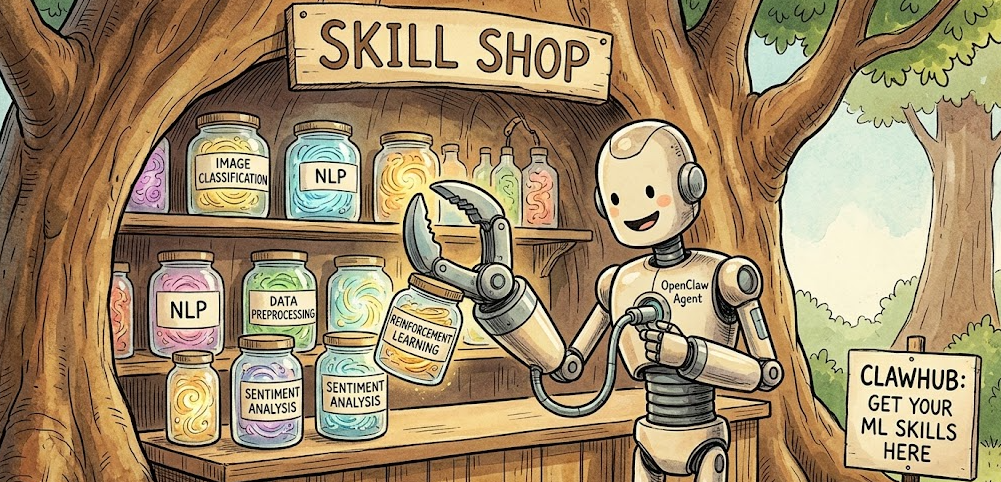
OpenClaw’s skill registry lets you extend your agent with purpose-built capabilities. For machine learning work, the core skills you want to install are:
openclaw skills install data-pipeline

openclaw skills install experiment-tracker

openclaw skills install model-checkpoint

openclaw skills install github
After installing, run openclaw skills list --eligible to confirm dependencies are resolved, then restart your gateway:
openclaw gateway restart
Step 4: Set Up Preprocessing Contracts
This is one of the highest-value steps. Create a preprocess_spec.yaml file that defines your data transformation steps explicitly:
dataset:

source: "s3://your-bucket/raw-data"

format: "parquet"

label_column: "target"

steps:

- name: drop_columns

columns: ["raw_notes", "session_blob"]

- name: fill_missing

strategy: "median"

columns: ["age", "sessions_30d"]

- name: encode_categoricals

method: "onehot"

columns: ["plan", "region"]

- name: split

train: 0.8

val: 0.1

test: 0.1

seed: 42

outputs:

train_path: "data/processed/train.parquet"

val_path: "data/processed/val.parquet"

test_path: "data/processed/test.parquet"
OpenClaw can then verify that every training run references a specific version of this file and that outputs match expected schemas before a job is allowed to proceed.
Step 5: Set Up Experiment Tracking
Configure a runbook in OpenClaw that structures how experiment results are summarized. A good ML runbook instruction looks something like this:
ML Experiment Brief Runbook:

- Compare latest run to stored baseline

- Highlight top 3 metric deltas and trade-offs

- Flag data issues (label imbalance, missingness shifts, leakage risks)

- Recommend next action: ship, iterate, or investigate

- Output: under 250 words + one summary table
This alone replaces a significant amount of manual post-run analysis.
Step 6: Enable the Daemon for Continuous Operation
For always-on ML monitoring and scheduled preprocessing, enable the background daemon using the current CLI commands:
openclaw daemon install

openclaw daemon start

openclaw daemon status
This keeps your agent running between sessions so it can process scheduled jobs, send alerts, and log experiments without manual triggering.
Pro Tip: Start with just two integrations: preprocessing contracts and experiment briefs. Those two changes alone dramatically improve reproducibility and make your training results actionable. Once those are working smoothly, layer in model checkpointing and CI/CD pipeline integration. Trying to configure everything at once is the fastest way to end up with a broken setup that is hard to debug.
Key OpenClaw Skills for ML Engineers
Fast.ai’s 2026 breakdown of top OpenClaw skills for ML engineers notes that for direct integration with MLflow or Weights & Biases, you would use those platforms’ own APIs, with the API Gateway skill providing the connectivity layer.
Integrating OpenClaw with Your Existing ML Stack
Connecting to Local Models
If you want to keep your ML workflows private and avoid API costs, OpenClaw supports full local model integration through Ollama and LM Studio. This is particularly valuable when working with sensitive training data.
One critical configuration detail that catches a lot of new users: when connecting to LM Studio, do not set the context slider to the maximum value. Modern models like Llama 3.1 and Qwen 2.5 support context windows of 128K tokens or more. Clicking MAX will cause your backend to attempt allocating all 128K tokens into VRAM simultaneously, which instantly triggers an Out of Memory (OOM) crash on virtually any consumer GPU including the RTX 4090. Instead, set a specific high value that fits your hardware: 32768 tokens is a solid default for most setups, and you can drop to 16384 if you are running a smaller card like an RTX 3080 or 4070.
CI/CD Pipeline Integration
OpenClaw supports CI/CD pipeline integration, which is where it starts to feel like a real production tool rather than an experiment. You connect it to your GitHub repository using the github skill, and from there the agent can monitor PR status, trigger training jobs on merge events, and post experiment summaries directly to pull requests. For teams deploying models frequently, this cuts down the coordination overhead considerably.
This deep-dive video on OpenClaw’s machine learning model management covers the full deployment pipeline, including how OpenClaw handles version control, CI/CD integration, and production monitoring in one place.
MCP Tool Integration
The Model Context Protocol (MCP) is one of the more powerful aspects of OpenClaw’s architecture. It allows your agent to connect to external tool servers, and OpenClaw discovers and connects to them automatically. In production setups, this enables your ML agent to interact with CMS platforms, image generation tools, databases, and monitoring systems all within a single agent context.
Building End-to-End Data Pipelines
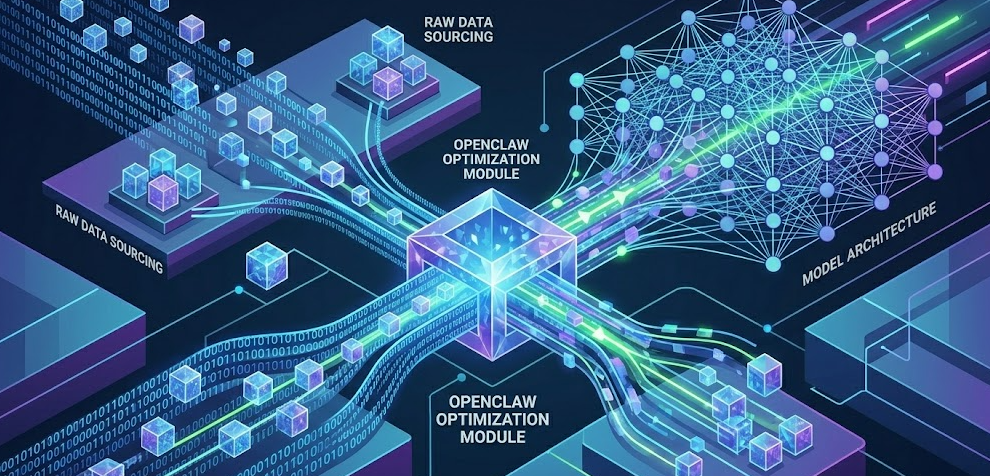
For repeatable data pipelines, the real power comes from chaining skills together. A typical end-to-end pipeline chain looks like this: Dataset Finder ingests data, openclaw-plus applies validation, the SQL Toolkit handles queries, and a notification skill sends a summary or failure alert. OpenClaw executes each step sequentially, captures stdout/stderr, and handles failures gracefully by skipping downstream steps and alerting you rather than silently continuing with bad data.
OpenClaw vs Traditional MLOps Tools
Based on time reviewing AI tooling in this space, OpenClaw is not a replacement for MLflow or W&B if you are running large-scale experiment tracking. It works best as the orchestration and automation layer that sits on top of your existing stack.
Best Practices When Using OpenClaw for ML
Reproducibility First
Always record seeds, dataset versions, and preprocessing spec versions for every training run. If you cannot reproduce a run, you cannot trust its results. This sounds obvious, but it is the most commonly skipped step in practice.
Bound Your Experiments
Define a maximum runtime, a maximum number of trials, and explicit stop criteria in your training runbooks. OpenClaw will follow these constraints, but only if you set them. Without them, long-running jobs can spiral in cost and time especially when using cloud GPUs.
Watch for Data Leakage
Configure your preprocessing contracts to flag any step that uses future information. Keep split logic explicit and version-controlled. OpenClaw can enforce these checks automatically if your preprocessing spec is written to include them.
Never Skip Baseline Comparisons
Store at least one baseline run summary and configure your experiment runbook to require side-by-side metric deltas on every new run. Evaluating a model in isolation without a baseline comparison is one of the most common mistakes in iterative ML development, and it is entirely preventable.
Human Approval for Production Deploys
OpenClaw can recommend when a model is ready to ship based on your defined criteria, but the actual release decision should always require a human sign-off step. Automate everything up to that point, but keep humans in the loop for the final call.
2026 Trends: Where OpenClaw Fits in the Evolving ML Landscape
The broader shift happening across ML in 2026 is from raw model scaling to reasoning-focused approaches and better tool integration. OpenClaw sits squarely in that second trend. As TWiML AI’s analysis of 2026 AI trends notes, the most significant developments are in inference-time techniques and tighter tool integration rather than bigger models.
What this means practically for ML engineers is that agent-based orchestration tools like OpenClaw are becoming a standard layer in production pipelines rather than an experiment. The adoption of AgentOps as a discipline separate from MLOps is growing, with specific focus on coordinating autonomous agent groups, securing multi-tenant environments, and managing token costs across long-running tasks.
OpenClaw’s 2026 updates reflect this: the Active Memory system introduced this year gives agents persistent recall across sessions, and the Task Brain upgrade improved multi-step task planning significantly. The fix to Ollama timeout forwarding was also a meaningful quality-of-life improvement for teams running large local models where inference can take several seconds per token.
Frequently Asked Questions
Can OpenClaw replace MLflow or Weights & Biases?
Not entirely, and it is not designed to. OpenClaw works best as an orchestration and automation layer that connects to your existing tools through API Gateway or its skill system. For teams that need deep experiment visualization or large-scale artifact management, MLflow and W&B remain better purpose-built options. That said, for smaller ML teams, OpenClaw’s experiment-tracker skill covers the essentials well enough that adding a separate tool may not be necessary.
Does OpenClaw work with local models like Llama or Mistral?
Yes. OpenClaw supports local model integration through Ollama, and you can also connect it to LM Studio on Windows. Once configured, you get unlimited local inference with no API costs. The critical configuration detail is to set a specific context window value such as 32768 rather than using the MAX slider, which will cause an OOM crash on any standard consumer GPU by attempting to allocate the full 128K token window into VRAM at once.
How does OpenClaw handle sensitive training data?
Because OpenClaw is fully self-hosted, your data never leaves your infrastructure. This makes it suitable for ML projects involving sensitive or regulated data. The recommended setup for production ML workloads is deploying on a dedicated VPS or cloud instance rather than a local machine, with zero-trust access policies and PII redaction configured in your preprocessing contracts.
What model should I use to power OpenClaw for ML tasks?
It depends on your task type. Claude models tend to perform well on analytical tasks like summarizing experiment results and writing preprocessing contracts. GPT-4o is a strong choice for code generation and debugging within pipelines. For cost-sensitive or privacy-sensitive setups, a locally hosted Qwen or LFM 2.5 model via Ollama gives solid performance without API fees.
Can OpenClaw integrate with Kubeflow or Airflow?
Not natively, but through MCP tools and the API Gateway skill, you can build connectors that allow OpenClaw to trigger and monitor Kubeflow pipelines or Airflow DAGs. This is more of an advanced setup and requires familiarity with both platforms’ APIs, but it is well-documented in the community.
Is OpenClaw suitable for solo ML engineers or only teams?
OpenClaw works well for solo engineers, arguably even more so than for large teams. The time savings from automated experiment logging, preprocessing validation, and result briefing are immediately felt when you are the only person on a project. Teams benefit additionally from version control integration and shared agent sessions, but the core value is just as accessible working alone.
How do I keep OpenClaw costs under control?
A few practices help significantly: use the openclaw-token-optimizer skill to manage workspace-level token usage, set explicit max-trial and max-runtime bounds in your training runbooks, use local models for routine tasks like status checks and log summaries, and reserve cloud API models for higher-complexity reasoning tasks. The @opik/opik-openclaw observability plugin also gives you per-model cost breakdowns across sessions.
Bottom Line
OpenClaw is one of the most practical additions you can make to an ML workflow in 2026, not because it replaces your existing tools but because it finally gives you an autonomous layer that handles the operational grind between your modeling decisions. Install it, set up preprocessing contracts and experiment briefing first, and go from there. The KDnuggets guide to Fun and practical OpenClaw projects for ML engineers is a great next step if you want hands-on project ideas to build your skills progressively. The setup investment is low, and the reproducibility and time savings are immediate.



