
The best processor for a laptop in 2026 depends entirely on what you need it for — but if you want a single recommendation for most people, the Intel Core Ultra 7 (Series 3) and AMD Ryzen AI 7 300-series are the strongest all-around performers for Windows laptops, while the Apple M5 is the gold standard if you are in the Mac ecosystem. Read on, though, because the “right” answer shifts significantly based on whether you prioritize battery life, gaming, creative work, or everyday productivity.
Why Choosing the Right Laptop Processor Actually Matters
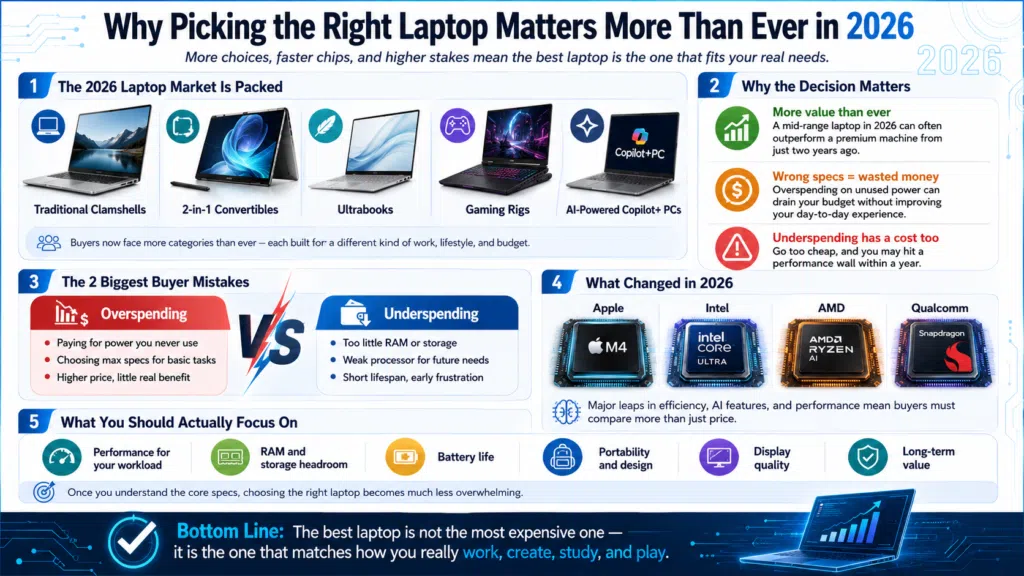
Most people spend a lot of time comparing RAM and storage when buying a laptop, and not nearly enough time looking at the processor. That is a mistake. The CPU is the single component that determines how fast your laptop runs, how long the battery lasts, and how well it handles AI-powered features that are becoming increasingly standard in 2026.
The good news is that the laptop CPU market right now is genuinely exciting. Intel launched its Panther Lake lineup (Core Ultra Series 3) at CES 2026, AMD has its powerhouse Ryzen AI 300 series, Qualcomm has pushed its ARM-based platform to a new level with the Snapdragon X2 Elite (codenamed Glymur), and Apple refreshed its entire MacBook lineup with the M5 generation in early 2026. There has never been more competition at the top, which ultimately means better options for buyers across every budget and use case.
The Major Laptop CPU Platforms in 2026
Before comparing specific chips, it helps to understand the four main processor families you will encounter when shopping for a laptop this year.
Intel Core Ultra (Series 2 and Series 3)
Intel made a serious comeback with Panther Lake. The Core Ultra Series 3 launched at CES 2026 and is built on Intel’s own 18A manufacturing process, the most advanced node Intel has ever used. Ars Technica’s hands-on review describes Panther Lake as “Intel’s best laptop CPU in a very long time,” noting it is around twice as fast as the previous Lunar Lake generation in CPU-heavy tasks and 80-90% faster in several real-world benchmarks.
The flagship chip, the Core Ultra X9 388H, features 16 CPU cores (4 performance cores, 8 efficiency cores, and 4 low-power efficiency cores) with a peak clock speed of 5.1GHz. Its integrated Arc B390 GPU is especially impressive, with Intel claiming performance comparable to a discrete NVIDIA GeForce RTX 4050 Laptop GPU at a lower 45W TDP. That is a big deal for thin-and-light users who want strong graphics without carrying a full gaming laptop.
AMD Ryzen AI 300 Series
AMD’s Ryzen AI 300 series, featuring the Ryzen AI 9 HX 370 at the top, remains one of the strongest laptop processors available. Its XDNA-2 NPU delivers over 50 TOPS of AI performance, and the integrated Radeon 890M GPU offers what many consider the best integrated graphics in the x86 world before Panther Lake arrived. Where AMD particularly shines is in multi-core and creative workloads, including video rendering, 3D modeling, and data-heavy applications.
AMD announced the Ryzen AI 400 series (codenamed Gorgon Point) at CES 2026, and as of mid-2026, the first laptops featuring those chips are just beginning to reach shelves. The Ryzen AI 300 series remains the most widely available AMD option for most buyers right now.
Qualcomm Snapdragon X2 Elite
Qualcomm took a massive leap forward with the Snapdragon X2 Elite (Project Glymur). Built on a 3nm process and featuring third-generation Oryon CPU cores, the X2 Elite Extreme packs up to 18 cores running at a peak of 5.0GHz and a Hexagon NPU rated at 80 TOPS, effectively doubling the Copilot+ minimum requirement and easily outpacing Intel and AMD on raw AI processing throughput. PCMag’s coverage of the Snapdragon X2 announcement confirmed the 80 TOPS NPU figure and highlighted the chip’s new shared memory architecture, which delivers up to 228 GB/s of memory bandwidth on the Extreme variant.
Battery life remains Snapdragon’s headline advantage. Paired with that efficiency architecture, X2 Elite laptops continue to push 20 to 30+ hours of real-world mixed use, a figure no x86 chip can match. The main caveat is still app compatibility. While Windows on ARM has matured considerably, some legacy x86 software still runs through emulation. For most users in 2026 working in modern apps, browsers, and Microsoft 365, this is rarely a practical issue.
Apple Silicon (M5 and M5 Pro)
Apple launched the M5 generation in early 2026, and it is a significant step up. The M5 inside the MacBook Air delivers a 10-core CPU with 4 super cores and 6 efficiency cores running at up to 4.4GHz, alongside 153 GB/s of unified memory bandwidth, a 28% improvement over M4. Apple claims the M5 delivers up to 4x faster performance on AI tasks compared to M4, which is a meaningful jump for on-device machine learning workflows.
For professionals, the M5 Pro inside the MacBook Pro 14-inch and 16-inch is where the serious creative horsepower lives. It features up to an 18-core CPU with 6 super cores, up to a 30-core GPU, and 307 GB/s of memory bandwidth. Apple says performance gains over M4 Pro reach up to 30% in multi-threaded workloads, with gaming performance up to 1.6x faster thanks to ray-tracing improvements. If you are doing video editing, audio production, or software development on macOS, the M5 Pro is an exceptional tool.
Processor Suffix Guide: H, U, V, HX — What Do They Mean?
One thing that confuses a lot of buyers is Intel and AMD’s naming conventions. Here is what the suffixes actually mean:
For most users, an H-series processor hits the sweet spot. If you want maximum raw power for gaming or video editing, go HX. If battery life and portability are your top priorities, look at U, V, or Snapdragon X2 chips.
Best Laptop Processors by Use Case
Best for Everyday Productivity and General Use
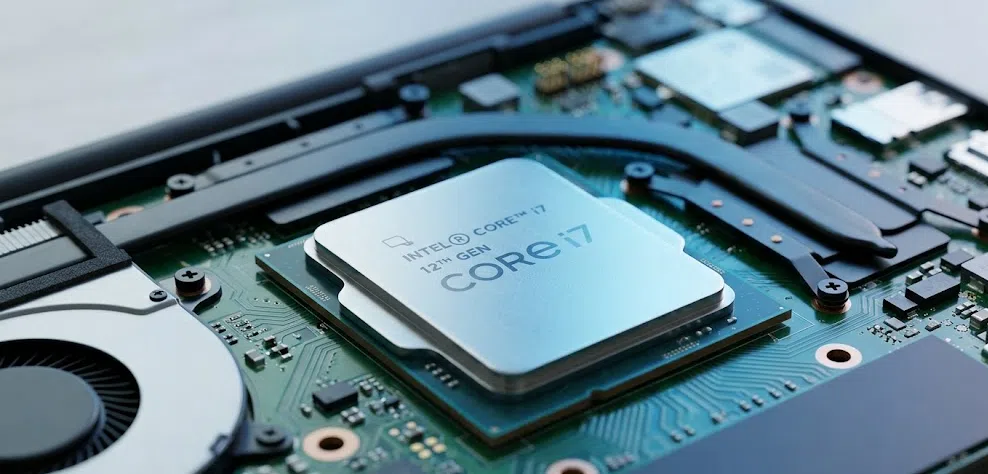
For browsing, documents, video calls, and general multitasking, you do not need to spend a premium. The Intel Core Ultra 5 (Series 2 or 3) and AMD Ryzen AI 5 300 series both handle these tasks effortlessly while keeping prices reasonable. In my experience reviewing productivity laptops over the years, the jump from a Core Ultra 5 to a Core Ultra 7 is rarely noticeable in everyday use — save the extra money for more RAM or better storage.
Best for Gaming
Gaming laptops in 2026 are powered almost exclusively by Intel Core Ultra 9 HX or AMD Ryzen 9 chips paired with discrete NVIDIA RTX 50-series GPUs. The Intel Core Ultra 9 275HX remains the top performer in gaming laptops for raw CPU throughput. Tom’s Hardware’s gaming laptop roundup highlights incoming AMD Ryzen AI 400 (Gorgon Point) processors as the next wave of gaming-grade laptop CPUs, with NVIDIA’s RTX 50-series Blackwell mobile GPUs as the companion graphics solution.
For gaming on a budget, the Intel Core Ultra 5 or AMD Ryzen 7 paired with an RTX 4060 still delivers strong 1080p and 1440p performance without breaking the bank.
Best for Video Editing and Creative Work
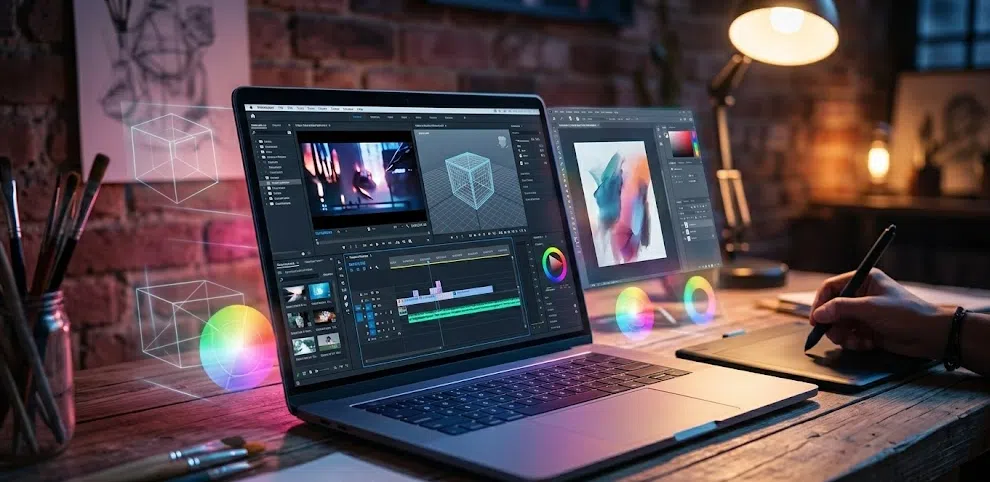
For video editing, look for at minimum an Intel Core Ultra 7 H-series or AMD Ryzen AI 7 HX. These processors offer the core count, clock speed, and integrated AI acceleration to handle 4K timelines in Adobe Premiere, DaVinci Resolve, and similar tools. PCMag’s best laptops for video editing points to the Intel Core Ultra 9 HX as the top pick for demanding editing work, noting premium machines with the RTX 5080 GPU as dominant high-end options.
On the Mac side, the M5 Pro inside the MacBook Pro 14-inch or 16-inch is exceptional for video editors thanks to Apple’s ProRes hardware acceleration, the tightly optimized Final Cut Pro workflow, and the raw performance improvements over its M4 predecessor.
Best for Battery Life and Travel
This category now belongs firmly to the Qualcomm Snapdragon X2 Elite. With its 3nm efficiency architecture and 80 TOPS NPU handling AI tasks without spinning up the CPU, X2 Elite laptops deliver genuine 20 to 30+ hours of mixed real-world use. Intel’s Panther Lake is competitive here too, with Intel claiming up to 27 hours in some ultrabook configurations.
If you live out of airports and coffee shops without reliable power, the Snapdragon X2 Elite is a seriously compelling choice in 2026, especially now that the app compatibility situation on Windows ARM has largely resolved itself.
Best for AI-Powered Features
All three major platforms now comfortably clear the 40 TOPS threshold required for Copilot+ PC certification. Qualcomm leads decisively with 80 TOPS on the X2 Elite, well ahead of Intel (48 TOPS on Panther Lake) and AMD (50+ TOPS on Ryzen AI 300). For users who want to run large language models locally, do on-device image generation, or use real-time AI features without cloud dependency, the X2 Elite has a meaningful hardware advantage.
Head-to-Head Comparison: Top Laptop Processors in 2026
How to Pick the Right Processor for Your Needs: Step-by-Step
Step 1: Define Your Primary Use Case
Before anything else, be honest about what you will actually use the laptop for. Gaming and video production have very different CPU requirements compared to browsing and email. Be specific — “video editing” for YouTube at 1080p is a very different workload from editing 4K RAW footage in DaVinci Resolve.
Step 2: Decide Between Windows and macOS
If you are open to macOS, Apple Silicon deserves serious consideration for creative and developer workloads. The M5 and M5 Pro represent the best of what Apple’s platform has to offer in 2026. For gaming, Windows is the only real option. Most business software runs on both platforms, so this often comes down to ecosystem preference.
Step 3: Set a Realistic Budget
Entry-level laptops with Core Ultra 5 or Ryzen AI 5 chips start around $700-$900 and handle everyday tasks well. Mid-range laptops with Core Ultra 7 or Ryzen AI 7 processors land in the $1,000-$1,400 range. High-performance machines with Core Ultra 9 HX or Ryzen AI 9 HX chips typically start at $1,500 and go well beyond $2,000 for premium configurations. The M5 MacBook Air starts at $1,099 and remains one of the best value-per-dollar laptops available.
Step 4: Check the Suffix and TDP
Remember the suffix guide above. A Core Ultra 7 in an ultrabook (V-series, 17W) performs very differently from a Core Ultra 7 in a gaming laptop (H-series, 45W). Two laptops can have the same chip name on the box but perform very differently based on thermal design.
Step 5: Consider the Whole Package
The processor does not work in isolation. RAM (aim for at least 16GB in 2026), storage speed (NVMe SSD is non-negotiable), display quality, and cooling design all significantly impact the real-world experience. A well-cooled mid-range chip will outperform a top-tier processor throttled by poor thermals every time.
Pro Tip: Always check the TDP and cooling configuration of a laptop before buying, not just the processor name. The same Intel Core Ultra 7 chip running at 28W in a thin ultrabook will perform noticeably differently than one running at 45W in a well-cooled 15-inch machine. Manufacturers often use identical chip names across very different thermal envelopes, so dig into the full specs before pulling the trigger.
2026 Trends Shaping Laptop CPUs
The biggest shift happening in the laptop CPU space right now is the mainstreaming of AI-native computing. Every major chip maker — Intel, AMD, Qualcomm, and Apple — now ships processors with dedicated NPUs capable of handling Microsoft’s Copilot+ PC requirements (at least 40 TOPS). This is no longer a marketing checkbox. Features like real-time live captions, AI-powered background removal in video calls, and on-device image generation now run locally rather than in the cloud, and they are tangibly useful day-to-day.
Qualcomm’s Snapdragon X2 Elite has significantly raised the bar on what “AI-native” means at the hardware level. An 80 TOPS NPU running on a 3nm process, combined with a 228 GB/s unified memory architecture inspired by Apple’s approach, puts the X2 Elite in genuinely different territory from the x86 competition on AI workloads. For developers and power users running local LLMs, this is a real and meaningful difference in 2026.
Integrated graphics are also getting genuinely good for the first time. Intel’s Arc B390 inside Panther Lake approaches discrete RTX 4050 performance in some benchmarks. AMD’s Radeon 890M handles light gaming admirably. The M5 Pro’s 30-core GPU is impressive for creative GPU tasks. Thin-and-light users can now get credible graphics performance without a discrete GPU, which is a meaningful shift for the overall laptop market. For a practical, hands-on look at how these chips translate into real-world laptop picks, this Forbes Vetted 2026 laptop buying guide on YouTube walks through the top-tested machines of the year, covering everything from performance and battery life to overall value across every use case.
Frequently Asked Questions
What is the best laptop processor for most people in 2026?
For most Windows users, the Intel Core Ultra 7 Series 3 (Panther Lake) or AMD Ryzen AI 7 300 series offers the best combination of performance, battery life, and value. If you are a Mac user, the Apple M5 inside the MacBook Air is the best mainstream choice available.
Is Intel or AMD better for laptops in 2026?
Both are excellent, and it genuinely depends on the workload. Intel’s Panther Lake chips now lead in single-core performance and integrated graphics. AMD’s Ryzen AI 300 series has stronger multi-core performance and slightly better efficiency in sustained multi-threaded tasks. For general use and thin-and-light laptops, Intel is currently ahead. For heavy creative work, AMD remains very competitive.
Is Qualcomm Snapdragon X2 Elite worth it for a Windows laptop?
Yes, especially if battery life and AI performance are top priorities. The Snapdragon X2 Elite’s 80 TOPS NPU and 3nm efficiency architecture give it a clear lead in both areas. Just verify that your specific software runs on ARM Windows before committing, as some legacy x86 applications still run through emulation.
What processor should I look for in a gaming laptop?
For gaming laptops, focus on the Intel Core Ultra 9 HX series or AMD Ryzen 9 HX series paired with a discrete NVIDIA RTX 50-series GPU. The processor matters less than the GPU in gaming, but a high-TDP H or HX chip ensures the CPU does not bottleneck performance in CPU-demanding titles.
How many cores do I need in a laptop processor?
For general productivity and everyday use, 8 cores is more than enough. For video editing and 3D rendering, 12 to 16 cores helps noticeably in rendering times. For gaming, core count matters less than clock speed and single-core performance.
Is 8GB RAM enough with a powerful processor?
In 2026, 8GB RAM is increasingly a bottleneck even on fast processors. Modern browsers, background apps, and AI features all compete for memory. 16GB is the recommended baseline, and if you are doing video editing, 3D work, or running virtual machines, 32GB is worth the investment.
What does “Copilot+ PC” mean for laptop processors?
A Copilot+ PC is Microsoft’s certification for laptops with at least 40 TOPS of NPU performance. In 2026, all major new processors from Intel (48 TOPS), AMD (50+ TOPS), and Qualcomm (80 TOPS) comfortably clear this threshold, unlocking AI-powered Windows features like Live Captions, Cocreator, and Recall.
How does Apple M5 compare to Windows laptop chips in 2026?
The M5 and M5 Pro are exceptional processors, particularly for their efficiency and performance-per-watt. The M5 MacBook Air delivers up to 18 hours of battery life with strong CPU and GPU performance, and the M5 Pro’s 307 GB/s unified memory bandwidth makes it a powerhouse for creative workflows. However, Apple Silicon does not run Windows natively, so if your workflow depends on Windows software, this is a fundamental limitation.
Bottom Line
The best laptop processor in 2026 is the one that matches your specific use case and budget, not necessarily the most powerful option on the spec sheet. For most Windows users, the Intel Core Ultra 7 Series 3 (Panther Lake) hits a new high watermark for all-around performance and efficiency. AMD Ryzen AI 300 stays strong for multi-core creative work. The Qualcomm Snapdragon X2 Elite now leads in both battery life and AI processing thanks to its 80 TOPS NPU and 3nm architecture. And if you are on Mac, the M5 and M5 Pro are simply excellent across the board. Define what you need, check the thermal configuration of the laptop itself, and you will make the right call.



