To buy the right mechanical keyboard in 2026, you need to match three things: your switch type preference (linear, tactile, or clicky), your ideal form factor (full-size, TKL, 75%, 65%, or 60%), and your budget. But there are a handful of other factors that can make or break your choice, and I think it’s worth walking through all of them before you spend your money.
Mechanical keyboards have come a long way. What used to be a niche hobby for enthusiasts and programmers has quietly become mainstream, and the market in 2026 is absolutely packed with incredible options at every price point. Whether you’re a gamer chasing every millisecond of input advantage, a writer who spends eight hours a day at a keyboard, or simply someone tired of mushy membrane keys, there is a mechanical keyboard built exactly for you.
This guide covers everything: switch types, form factors, keycap materials, mount styles, new 2026 technologies like Hall Effect switches, budgeting, and much more. Let’s get into it.
What Is a Mechanical Keyboard and Why Does It Matter?
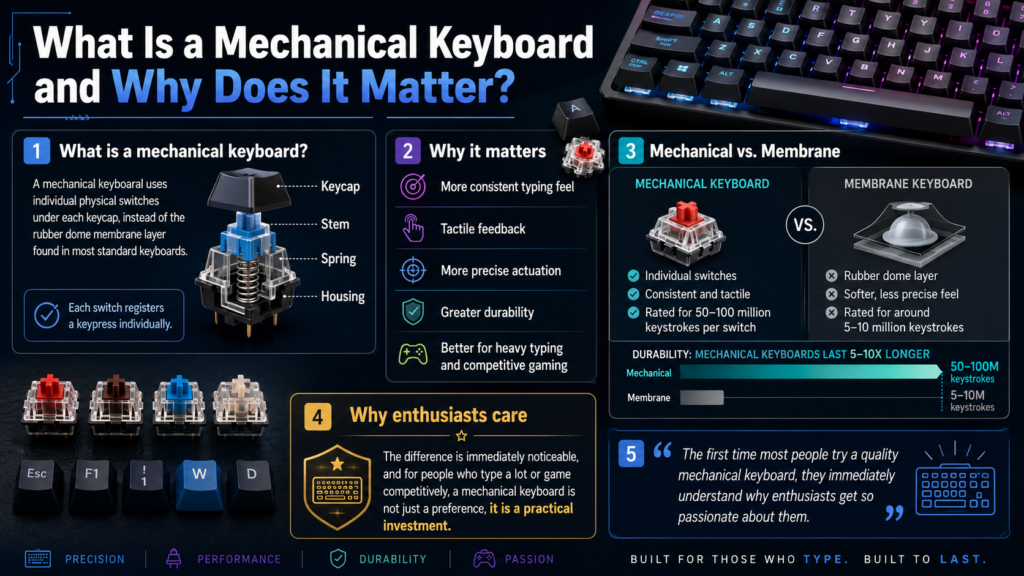
A mechanical keyboard uses individual physical switches under each keycap, as opposed to the rubber dome membrane layer found in most standard keyboards. Each switch has a spring, a stem, and a housing that work together to register a keypress. The result is a more consistent, tactile, and durable typing experience.
The difference is immediately noticeable. Mechanical keyboards offer better feedback, more precise actuation, and significantly longer lifespans. Most mechanical switches are rated for 50 to 100 million keystrokes per switch, compared to around 5 to 10 million for a typical membrane keyboard. If you type a lot or game competitively, that difference is not just a preference, it’s a practical investment.
In my experience reviewing peripherals, the first time most people try a quality mechanical keyboard, they immediately understand why enthusiasts get so passionate about them.
Understanding Mechanical Keyboard Switches
Switches are the single most important decision you’ll make when buying a mechanical keyboard. Get this right and everything else falls into place.
There are three main types of mechanical switches:
Linear Switches
Linear switches have a smooth, consistent keystroke from top to bottom with no tactile bump or audible click. They are fast, quiet (relatively), and preferred by gamers who need rapid, repeated keypresses. Popular examples include Gateron Milky Yellow Pro and Gateron Baby Kangaroo V2, both of which are consistently among the best-selling linear switches heading into 2026.
Tactile Switches
Tactile switches have a noticeable bump partway through the keystroke that lets your fingers know a keypress has been registered without bottoming out. This makes them excellent for typing accuracy and long work sessions. The Gazzew Boba U4T (62g) is widely considered one of the best tactile switches available today for its strong, rounded bump and quiet operation. Strong tactiles are trending heavily in 2026.
Clicky Switches
Clicky switches combine the tactile bump with an audible click sound. They are satisfying to type on but can be disruptive in shared spaces. Cherry MX Blue remains the most recognizable clicky switch, though many enthusiasts have moved toward more refined options.
The 2026 Game Changer: Hall Effect Switches
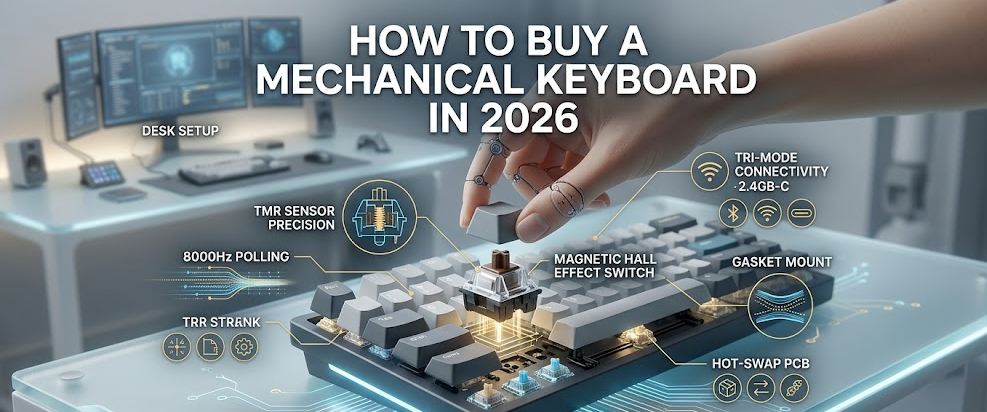
Hall Effect switches are magnetic switches that detect keypresses using magnets and sensors rather than physical metal contact. The result is adjustable actuation points, a feature called Rapid Trigger (which resets the actuation point the moment a key starts to rise), and virtually unlimited durability since there are no metal contacts to wear out. This in-depth breakdown from HLPlanet explains how Rapid Trigger works and why it is particularly valuable for competitive gaming. Hall Effect keyboards like the Wooting series have become must-consider options in 2026.
Switch Comparison at a Glance
Choosing Your Form Factor
Form factor refers to the physical size of the keyboard and how many keys it includes. This is your second most important decision after switches, and it largely comes down to how much desk space you have and what keys you actually use.
Full-Size (100%)
Full-size keyboards include all 104 keys, including the numpad, function row, and navigation cluster. If you use a numpad regularly for data entry or number-heavy work, this is your go-to. The trade-off is that it takes up a lot of desk space, pushing your mouse further to the right.
Tenkeyless (TKL / 80%)
TKL keyboards drop the numpad but keep the function row and arrow keys. This is one of the most balanced form factors available and a great starting point for most buyers. You get everything you need without sacrificing mouse space.
75%
The 75% layout is similar to TKL but the keys are tightly packed together with no gaps, making it noticeably more compact. It still retains dedicated arrow keys and most function keys. If you want something laptop-like but with mechanical switches, 75% is a strong pick.
65%
A 65% keyboard removes the function row but keeps the arrow keys and a few navigation keys. It is a popular middle ground for minimalists who still want dedicated arrows.
60%
The 60% format strips everything down to just the alphanumeric block. Function keys and arrows are accessed via key combinations. It is the most portable and aesthetically minimalist option, but it has a steeper learning curve.
Form Factor Comparison Table
Keyboard Mount Styles Explained
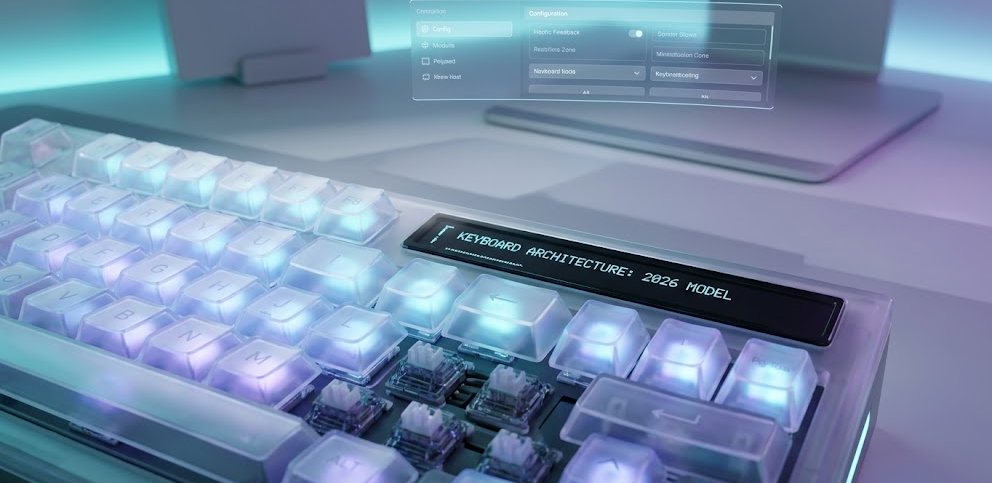
Mount style determines how the PCB and plate are attached to the keyboard case, and it has a massive impact on typing feel and sound.
Tray Mount: The PCB screws directly into the case. It is the most common and affordable style, but tends to feel stiff and clacky. Found in most budget keyboards.
Top Mount: The plate is screwed into the top half of the case. Slightly more bounce than tray mount but still fairly firm. Common in mid-range boards.
Gasket Mount: The plate or PCB sits on soft gaskets, isolating it from the case. This produces a softer, bouncier typing feel with a deeper, more pleasing sound profile. As of 2026, gasket mount has become the gold standard for enthusiast and mid-range keyboards alike. The Keychron V5 Max, for example, features a gasket mount design at a very accessible price point.
Bottom Mount / Leaf Spring Mount: Variations that offer their own sound and feel profiles, becoming more common in premium and boutique boards.
Pro Tip: If you see a keyboard listed as “gasket mount” in the $80 to $150 range, it’s almost always punching above its price point. This used to be a feature reserved for $200+ custom builds.
Keycaps: Materials, Profiles, and What to Look For
Keycaps are the part of the keyboard your fingers actually touch, so they matter more than most people initially think.
Materials
ABS (Acrylonitrile Butadiene Styrene): The most common keycap material. Smooth, available in many colors, and used in premium sets from brands like GMK. The downside is that ABS tends to develop a shiny, greasy look over time with heavy use.
PBT (Polybutylene Terephthalate): More durable, resistant to shine, and has a slightly textured feel that many typists prefer. PBT is the better long-term choice for most people. Most quality keyboards in 2026 ship with PBT keycaps as standard.
Keycap Profiles
Profile refers to the shape and height of the keycaps across different rows.
-
OEM Profile: Slightly sculpted, comes on most stock keyboards. A safe default
-
Cherry Profile: Lower than OEM, sculpted, popular among enthusiasts
-
SA Profile: Tall, spherical tops, retro feel with a very distinct sound
-
DSA Profile: Uniform, flat-topped, good for remapping and custom layouts
Wired vs. Wireless Mechanical Keyboards
Wireless mechanical keyboards have matured dramatically. In 2026, top boards from Keychron and others offer tri-mode connectivity: USB-C wired, Bluetooth (up to three devices), and 2.4GHz wireless via a USB dongle. The 2.4GHz connection in particular delivers latency so low it is essentially indistinguishable from wired in everyday use and gaming.
For competitive gaming at the highest level, wired is still technically the lowest latency option. But for the vast majority of users including casual gamers, typists, and office workers, a good 2.4GHz wireless keyboard is completely viable.
Budget Guide: How Much Should You Spend?
One of the most common questions I get is how much to budget. The honest answer is that the sweet spot has never been better, especially in the $80 to $150 range. This excellent YouTube breakdown by Switch and Click covers the best keyboard at every price in 2026, and it is worth watching before you decide.
Under $50: Entry Level
You can find decent mechanical keyboards here from brands like Redragon, MageGee, and Royal Kludge. Do not expect premium build quality or refined sound, but the switches themselves will still feel miles better than a membrane keyboard.
$50 to $100: The Sweet Spot for Most Buyers
This range is where things get genuinely good. Boards like the Keychron C2 Pro and Royal Kludge RK84 live here, offering hot-swap sockets, decent build quality, and solid typing experiences.
$100 to $200: Enthusiast Entry
This is where gasket mount, premium PBT keycaps, QMK/VIA programmability, and wireless start showing up together. The Keychron V5 Max, Nuphy Halo75 V2, and Ducky One 3 TKL all fall in this range and represent excellent value.
$200 to $400: Serious Enthusiast
Premium aluminum cases, top-tier switches, high polling rates, and refined acoustics. The Wooting 60HE v2, Keychron Q series, and Mode Sonnet live in this territory.
$400 and Above: Custom / Boutique
This is the realm of limited-run custom boards, boutique builders, and collector pieces. Performance at this level is about diminishing returns; you are paying primarily for materials, exclusivity, and community participation.
Budget vs. Features Breakdown
Hot-Swap vs. Soldered Keyboards
Hot-swap keyboards let you pull switches out and replace them without any soldering. This is a genuinely useful feature, especially if you are new to mechanical keyboards and not sure which switch type you will settle on. You can buy a hot-swap board, try a set of linears, and swap in tactiles a few months later without buying a whole new keyboard.
Soldered keyboards require desoldering the existing switches before installing new ones. This is a skill barrier that many beginners do not want to deal with. In 2026, most mid-range and premium keyboards offer hot-swap as a standard feature, so there is little reason to choose soldered unless you are chasing a very specific board.
2026 Trends You Should Know About
The keyboard landscape shifts quickly, and a few developments in 2026 are worth paying attention to before you buy.
Hall Effect is going mainstream. What was once a niche feature for hardcore FPS players is now showing up in keyboards across the $80 to $200 range. If you are a competitive gamer, Hall Effect with Rapid Trigger is no longer a luxury, it is the standard to chase.
Pre-lubed switches out of the box. Lubing switches used to be a DIY enthusiast task. In 2026, most quality stock switches come pre-lubed from the factory, with smooth-out-of-the-box being an industry expectation rather than a bonus.
Gasket mount is now the mid-range norm. As recently as 2023, gasket mount was mainly found in premium custom builds. It has trickled down aggressively and is now a reasonable expectation even in boards under $100.
Silent tactiles are surging. With more people working hybrid schedules and typing in shared spaces, silent tactile switches like the TTC Bluish White V2 Silent have seen a significant jump in popularity.
Wireless performance parity. 2.4GHz wireless technology has reached a point where the performance gap between wired and wireless is negligible for all but the most elite-level competitive gaming.
Tom’s Hardware’s 2026 gaming keyboard roundup provides a solid look at how these trends are playing out across real tested hardware, particularly the shift toward Hall Effect and gasket mount in mid-range gaming boards.
Step-by-Step: How to Choose Your Mechanical Keyboard
Step 1: Decide your primary use case.
Are you gaming, typing for work, or both? Gamers should lean toward linear or Hall Effect switches. Typists tend to prefer tactile switches. Casual users can go either way.
Step 2: Pick your form factor.
Think about desk space and whether you need a numpad, function row, and arrow keys. For most people, TKL or 75% is the ideal compromise.
Step 3: Choose your switch type.
If possible, try switches before committing. Switch testers are inexpensive and widely available online. Based on my testing, most people who think they want clicky often end up preferring a good tactile after a week of actual use.
Step 4: Set your budget.
The $100 to $150 range is the sweet spot in 2026 where you get the most features per dollar. If budget is tight, the $50 to $100 range still delivers a genuinely excellent experience.
Step 5: Decide on wired vs. wireless.
If you value a clean desk and flexibility, go wireless. If you game competitively at a high level, consider wired or 2.4GHz wireless at minimum.
Step 6: Check for hot-swap support.
Unless you already know exactly which switches you want and never plan to change, get a hot-swap board. It gives you far more long-term flexibility.
Step 7: Look at software and programmability.
QMK and VIA are the gold standard open-source firmware platforms that let you remap every key, create macros, and customize lighting without proprietary software. Not every keyboard supports them, but it is a significant plus if yours does.
Step 8: Read recent reviews.
The keyboard market moves fast. A board that was mediocre 18 months ago may have had a revised version released. Always check recent reviews on RTINGS, PCMag, or Tom’s Hardware before purchasing.
Top Mechanical Keyboard Picks by Category in 2026
Frequently Asked Questions
What is the best mechanical keyboard for beginners in 2026?
The Keychron V5 Max is the best starting point for most beginners. It combines gasket mount construction, PBT keycaps, hot-swap sockets, and QMK/VIA support at around $100, which means you get an enthusiast-grade experience without the premium price tag. RTINGS.com’s 2026 budget keyboard testing consistently highlights it as the top value pick.
Are Hall Effect keyboards worth it for gaming?
Yes, especially if you play fast-paced competitive games like CS2, Valorant, or any FPS title. The Rapid Trigger feature, which resets the actuation point the moment a key begins rising, gives you a measurable input advantage that traditional mechanical switches simply cannot replicate.
What is the difference between linear and tactile switches?
Linear switches are smooth from top to bottom with no feedback bump, making them fast and quiet-ish. Tactile switches have a noticeable bump partway through the keystroke, which confirms each keypress without bottoming out. Linears are generally preferred for gaming, tactiles for typing.
How long do mechanical keyboards last?
Most mechanical switches are rated for 50 to 100 million keystrokes. If you press a key 1,000 times a day, a switch rated for 50 million presses would last over 130 years. In practice, keyboards usually become obsolete or get replaced for other reasons long before the switches wear out.
Is wireless mechanical keyboard latency good enough for gaming?
For casual and even semi-competitive gaming, yes. A quality 2.4GHz wireless connection like those found in Keychron Q series and Logitech boards offer latency that is functionally identical to wired for the vast majority of players. Only pro-level competitive gamers need to worry about the marginal difference.
What does hot-swap mean on a keyboard?
Hot-swap means the switch sockets allow you to remove and replace switches without soldering. You just pull the switch out with a switch puller tool and press a new one in. It makes experimenting with different switch feels easy and accessible.
What keycap material is better: ABS or PBT?
PBT is the better long-term material for most users. It resists shine, feels slightly textured, and holds up better over years of use. ABS can look shinier and offers brighter RGB light-through on backlit keys, but it develops a worn, greasy feel faster. Premium ABS (like GMK keycaps) is a different story, but for everyday stock keycaps, PBT wins.
What is QMK and VIA and do I need it?
QMK is an open-source keyboard firmware platform and VIA is a graphical interface for configuring it in real time. Together they let you remap keys, set up macros, and adjust RGB without manufacturer software. You do not need it, but if you want full control over your keyboard’s behavior, it is the best tool available.
How much should I spend on a mechanical keyboard?
For most people, $80 to $150 is the sweet spot. You get hot-swap sockets, decent build quality, PBT keycaps, and often gasket mount construction at this price. Going higher gets you premium materials and refinements; going lower still gets you a functional mechanical board, just with fewer features.
What is the best keyboard layout size?
TKL (80%) is the most universally useful layout. It drops the numpad (which most people do not use daily) while keeping the function row and arrow keys. If you want something more compact and are comfortable with layered key access, the 75% or 65% form factors are excellent choices.
Bottom Line
Buying a mechanical keyboard in 2026 is genuinely exciting because the quality-to-price ratio across the market has never been better. Start with your switch preference and form factor, then let your budget guide the rest. If you can spend $100 or more, the Keychron V series and Q series offer hard-to-beat value. If you game competitively, Hall Effect boards like the Wooting 60HE v2 have fundamentally changed what is possible for input performance. And if you are just getting started, a hot-swap keyboard in the $70 to $100 range gives you the freedom to experiment without locking yourself in.
The best mechanical keyboard is not the most expensive one. It’s the one that fits how you work, how you play, and how you want your desk to feel every single day.