
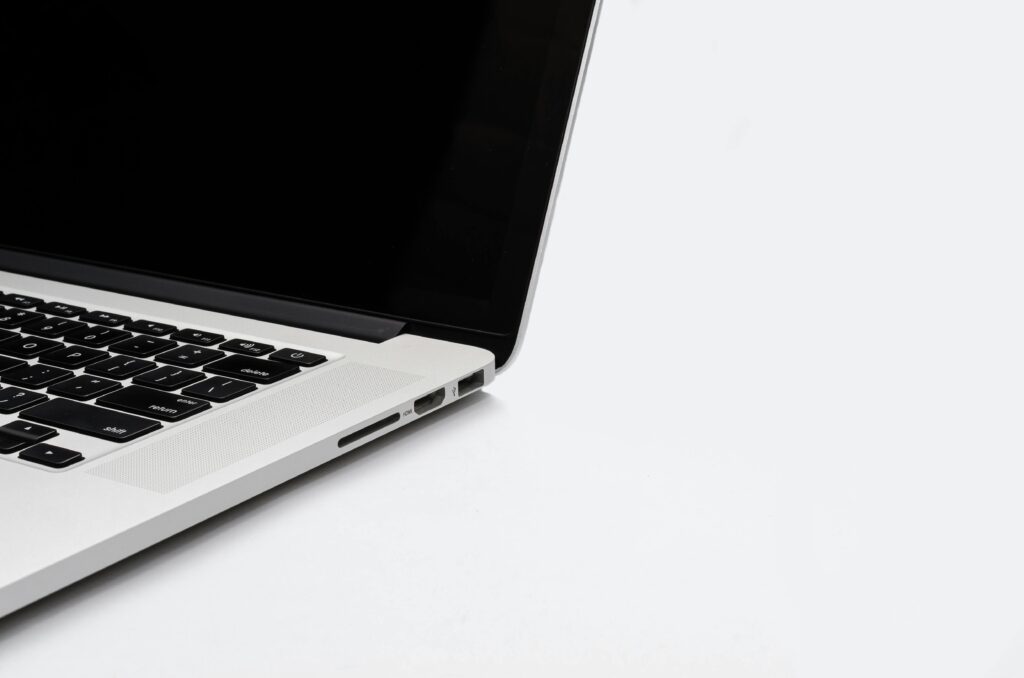
To measure a laptop’s screen size, use a measuring tape and measure diagonally from one corner of the screen to the opposite corner, not including the bezel. For overall laptop dimensions, measure the width, depth, and height separately with the lid closed. But there’s more to it than just pulling out a ruler, and getting it wrong can cost you — whether you’re buying a sleeve, comparing specs, or shopping for a replacement.
Measuring a laptop sounds like it should be simple. You grab a ruler, measure something, done. But if you’ve ever bought a laptop bag that didn’t fit, or tried to match a screen size in a spec sheet that didn’t line up with what you measured, you already know there’s a bit more going on here.
Over the years of testing and reviewing laptops across every size and form factor imaginable, I’ve seen this confusion come up constantly — even among people who are pretty tech savvy. So let’s break it all down properly, from screen size to physical footprint to what those numbers actually mean for your day-to-day use.
Why Measuring Your Laptop Correctly Matters
Getting the measurements right isn’t just an academic exercise. It has real, practical consequences.
If you’re buying a laptop bag, sleeve, or backpack, manufacturers list their compatible sizes based on screen diagonal. Get that number wrong and you’re either squeezing a 15.6-inch laptop into a 14-inch sleeve, or carrying around a bag with three inches of wasted space.
If you’re comparing two laptops side by side, knowing the actual physical dimensions — not just the screen size — helps you understand which one is genuinely more portable. Two laptops with the same 15.6-inch screen can have wildly different footprints depending on how thin the bezels are.
And if you’re trying to verify a laptop’s listed specs, knowing how to measure it yourself is the only way to double-check what the manufacturer claims. Trust me, that comes in handy more than you’d think.
How to Measure Laptop Screen Size
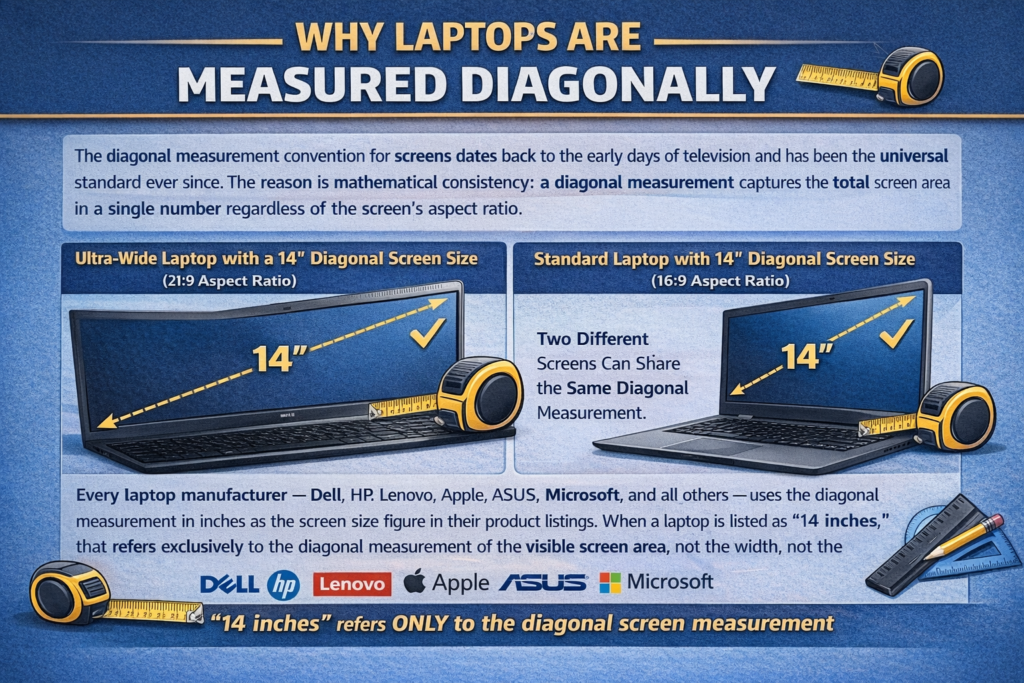
The screen size of a laptop is always measured diagonally, from the bottom-left corner of the visible screen to the top-right corner (or vice versa), and it does not include the bezel.
This is the single most important thing to understand. The bezel is the plastic or metal frame that surrounds the actual display panel. You’re only measuring the lit-up, active screen area — not the entire lid.
What You’ll Need:
- A soft measuring tape (the kind used for sewing works perfectly)
- Or a rigid ruler if the screen is on the smaller side
- The laptop powered on (optional, but it helps you clearly see the screen boundary)
Step-by-Step: Measuring Screen Size
- Open your laptop fully so the screen is at a comfortable angle.
- Place the tip of your measuring tape at the very bottom corner of the visible screen area (where the display starts, not where the bezel starts).
- Stretch the tape diagonally to the opposite top corner of the visible screen.
- Read the measurement. That number, in inches, is your screen size.
The reason manufacturers use diagonal measurement rather than width or height is actually a standardized convention inherited from the television industry. It’s been the standard since the early days of CRT monitors and has stuck ever since.
Most modern laptops fall into a few common screen size categories: 11.6-inch, 13.3-inch, 14-inch, 15.6-inch, 16-inch, and 17.3-inch. With the rise of slimmer bezels in recent years, some manufacturers have managed to fit larger screens into smaller chassis, which is why a 16-inch laptop today can sometimes be physically smaller than a 15.6-inch laptop from five years ago.
How to Measure Overall Laptop Dimensions
Screen size is just one part of the puzzle. The physical dimensions — the actual footprint of the laptop — are what determine whether it fits in your bag, on your desk, or in an overhead bin.
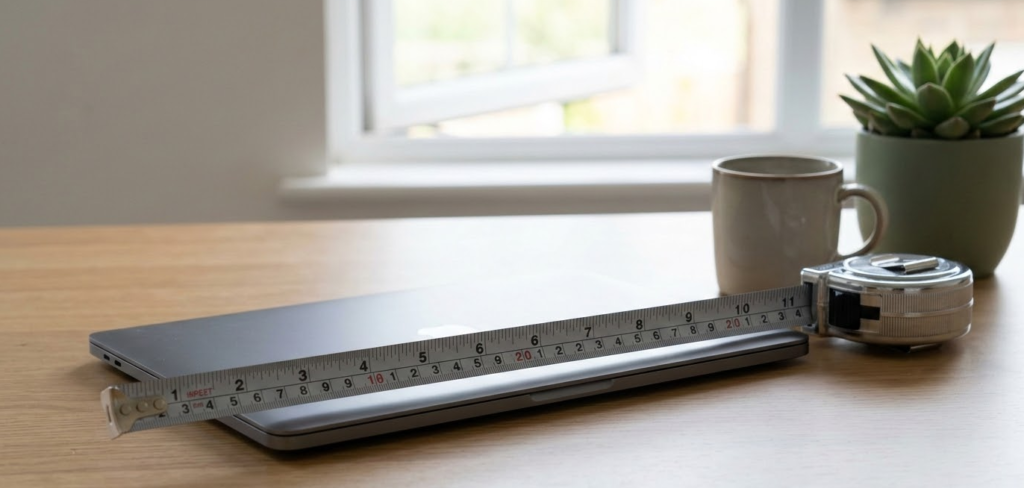
Laptop physical dimensions are measured in three parts: width (left to right), depth (front to back), and height/thickness (bottom to top, with the lid closed).
Measuring Width:
Place your ruler or measuring tape along the longest side of the laptop (when closed). Measure from the leftmost edge to the rightmost edge. This gives you the width.
Measuring Depth:
Now rotate and measure the shorter side — from the front edge (where the touchpad is) to the back edge (where the ports and hinge usually sit). This is your depth.
Measuring Height (Thickness):
With the lid fully closed, measure from the bottom surface of the laptop to the top surface. This is the thickness or height. On ultrabooks and thin-and-light laptops, this is often between 14mm and 18mm. Gaming laptops can push 25mm to 30mm or more.
These three numbers together give you the full dimensional profile of a laptop, which is what you should always look for when buying accessories or checking desk clearance.
How to Measure for a Laptop Bag or Sleeve
This is where a lot of people trip up. Laptop bags and sleeves are almost always listed by the maximum screen size they can accommodate, not the physical dimensions of the bag itself.
So when a sleeve says “fits up to 15.6-inch laptops,” it’s using the screen diagonal as a proxy for the expected physical size of that laptop category.
The safest approach is to measure the physical width and depth of your closed laptop, then compare those directly to the interior dimensions of the bag or sleeve you’re buying.
Most product listings for quality bags will include interior measurements. If they don’t, that’s a red flag, and I’d recommend looking for a different product.
As a general rule of thumb:
- 13.3-inch laptops: roughly 12.5″ x 8.5″ footprint
- 14-inch laptops: roughly 12.8″ x 9.0″ footprint
- 15.6-inch laptops: roughly 14.1″ x 9.5″ footprint
- 16-inch laptops: roughly 14.0″ x 9.8″ footprint
- 17.3-inch laptops: roughly 15.5″ x 10.5″ footprint
These are approximate averages. Always verify against your specific model.
💡 Pro Tip: Before buying any laptop sleeve or bag, measure the physical width and depth of your closed laptop and add about half an inch of buffer to each dimension. That gives you a comfortable fit without the laptop sliding around inside. Never rely solely on the screen size listed on the bag — two laptops with the same screen size can have very different footprints depending on bezel size and chassis design.
Laptop Size Categories Explained
Understanding the different size categories helps you make smarter buying decisions based on your actual needs.
| Screen Size | Category | Typical Use Case | Avg. Weight |
|---|---|---|---|
| 11.6″ – 12.5″ | Ultra-compact | Students, light travel, Chromebooks | 1.0 – 1.4 kg |
| 13.3″ – 13.6″ | Compact/Ultrabook | Business travel, everyday portability | 1.2 – 1.6 kg |
| 14″ | Sweet spot | Balanced portability and productivity | 1.4 – 1.8 kg |
| 15.6″ | Standard | Most popular consumer size | 1.8 – 2.3 kg |
| 16″ | Performance/Creator | Content creation, gaming, power users | 2.0 – 2.6 kg |
| 17.3″ | Desktop replacement | Heavy workloads, stationary use | 2.5 – 3.5 kg |
In my opinion, 14-inch laptops have become the real sweet spot in 2025 and going into 2026. They offer enough screen real estate for serious productivity without the weight penalty that comes with 15.6-inch or 16-inch machines.
Comparing Screen Size vs. Physical Footprint: Why They Don’t Always Match
Here’s something that surprises a lot of people: two laptops with the same screen size can have very different physical footprints.
The reason is bezel size. Older laptops had thick bezels — sometimes an inch or more of plastic surrounding the screen. Modern laptops, especially in the ultrabook and premium categories, have dramatically reduced those bezels, sometimes down to just a few millimeters.
The result? A modern 15.6-inch laptop can actually be physically smaller than an older 14-inch laptop. It’s counterintuitive, but it’s real.
This is why you should never assume a laptop’s physical size based on screen size alone, especially when comparing models from different generations or manufacturers.
CNET’s laptop buying guide for 2025 touches on this trend nicely, and it’s worth a read if you’re in the market for a new machine.
Comprehensive Laptop Measurement Comparison Table
| Measurement Type | What It Measures | Tool Needed | Includes Bezel? | Used For |
|---|---|---|---|---|
| Screen Size (Diagonal) | Active display area corner to corner | Soft measuring tape | No | Comparing displays, buying sleeves |
| Width | Laptop chassis left to right | Ruler or rigid tape | Yes | Desk fit, bag compatibility |
| Depth | Laptop chassis front to back | Ruler or rigid tape | Yes | Bag fit, backpack sizing |
| Height/Thickness | Closed laptop bottom to top | Ruler or calipers | Yes | Portability, bag fit |
| Weight | Total mass of laptop | Postal/kitchen scale | N/A | Travel suitability |
| Screen-to-body ratio | % of lid covered by screen | Calculation | Both | Comparing modern vs. older designs |
How to Find Your Laptop’s Measurements Without Measuring

If you don’t have a measuring tape handy — or you’re researching a laptop you don’t own yet — there are a few reliable ways to find the specs.
Check the Manufacturer’s Website
Every major laptop manufacturer publishes detailed spec sheets for every model. These include exact dimensions and weight. Simply search the model name followed by “specifications” and you’ll find them.
Check Windows System Settings
For screen size and resolution, go to Settings > System > Display. This won’t give you physical dimensions, but it confirms screen resolution, which combined with the model number, lets you look up the exact screen size.
Use the Model Number
The model number is usually printed on the bottom of the laptop or in the System Information panel (search “System Information” in the Start menu on Windows). Plug that model number into any search engine and you’ll find the full spec sheet instantly.
Check the Box
If you still have the original packaging, the full dimensions are almost always printed on the outside of the box.
Step-by-Step: Complete Laptop Measurement Guide
Here’s the complete process from start to finish, all in one place.
Step 1: Gather Your Tools
Get a soft measuring tape (flexible), a rigid ruler, and optionally a pair of digital calipers for ultra-precise thickness measurement.
Step 2: Measure Screen Size
Open the laptop. Place the tape at the bottom corner of the visible screen (not the bezel). Stretch diagonally to the opposite top corner. Record the measurement in inches.
Step 3: Close the Laptop
For physical dimensions, always measure with the lid closed to get accurate real-world size figures.
Step 4: Measure Width
Measure the longest edge of the closed laptop from left to right.
Step 5: Measure Depth
Measure the shorter edge from front to back.
Step 6: Measure Thickness
Measure from the bottom surface to the top surface. For tapered designs (wedge-shaped laptops), measure at the thickest point.
Step 7: Weigh It (Optional but Useful)
Place the laptop on a kitchen or postal scale to get the actual weight. Manufacturer weights are sometimes measured without the charger or with minimal battery, so real-world weight can vary slightly.
Step 8: Record Everything
Write down all measurements in both inches and centimeters if you’re shopping internationally. Many European and Asian laptop bags list interior dimensions in centimeters.
2026 Laptop Form Factor Trends You Should Know About
The way we think about laptop sizing is shifting, and it’s worth understanding the trends heading into 2026.
Larger Screens in Smaller Bodies
The push for thinner bezels continues aggressively. Several manufacturers announced 2026 flagship models featuring 16-inch screens in chassis previously associated with 14-inch laptops. Screen-to-body ratios above 90% are becoming common even in mid-range machines.
OLED in Standard Sizes
OLED panels are rapidly moving from premium 13-inch ultrabooks into mainstream 15.6-inch and 16-inch consumer laptops. This affects how you evaluate screen quality alongside raw size — a smaller OLED can outperform a larger LCD in almost every visual metric.
Foldable and Dual-Screen Laptops
A small but growing category. Foldable laptops like the Lenovo ThinkPad X1 Fold and upcoming competitors have effectively made traditional “screen size” measurement more complex. These devices often list an unfolded screen size and a folded screen size separately, and measuring them requires accounting for the fold crease.
AI-Optimized Chassis Designs
With dedicated NPU (Neural Processing Unit) chips now standard in premium 2025 and 2026 laptops (Intel Core Ultra series, AMD Ryzen AI series, Qualcomm Snapdragon X series), manufacturers are redesigning thermal systems, which in some cases has led to thinner but wider chassis designs to distribute heat more effectively.
This video from Dave2D on YouTube breaking down 2025’s most interesting laptop form factors gives a solid visual overview of how chassis design is evolving — worth a watch before your next purchase.
Common Laptop Measurement Mistakes to Avoid
Measuring the Bezel Instead of the Screen
The most common mistake. Always start and end your measurement at the edge of the visible display, not the outer edge of the lid.
Measuring an Open Laptop for Bag Sizing
Width and depth should always be measured with the lid closed. An open laptop can look deceptively different in size.
Ignoring Thickness at the Hinge
Many laptops have a tapered or wedge design that’s thinnest at the front and thickest near the hinge. Always measure at the thickest point for accurate bag compatibility.
Relying Only on Screen Size for Bag Shopping
As covered earlier, screen size alone doesn’t tell you enough about the physical chassis. Two 15.6-inch laptops can differ by an inch or more in actual width. Always cross-reference with physical dimensions.
Forgetting to Account for Rubber Feet
The rubber feet on the bottom of a laptop add a small amount of height. For precision fit scenarios, this matters. For everyday purposes, it’s usually negligible.
Laptop Measurement FAQ
How is laptop screen size measured?
Laptop screen size is measured diagonally from one corner of the active display to the opposite corner, excluding the bezel. The measurement is always given in inches.
What does “15.6-inch laptop” mean?
It means the diagonal measurement of the visible screen area is 15.6 inches. It does not describe the physical size of the laptop chassis, which can vary by manufacturer and model.
How do I measure a laptop for a sleeve or bag?
Measure the width and depth of your closed laptop, then compare those to the interior dimensions listed by the bag manufacturer. Add a small buffer (around 0.5 inches) for a comfortable fit.
Is laptop size measured with the bezel included?
No. Screen size is measured using only the active display area. The bezel is excluded from the measurement. Physical chassis dimensions, however, do include the bezel as part of the lid.
Can two laptops with the same screen size have different physical dimensions?
Absolutely, and this is increasingly common. Modern laptops with thin bezels can fit larger screens into smaller chassis. A 2025 or 2026 16-inch laptop with slim bezels may be physically smaller than a 2019 15.6-inch laptop with thick bezels.
How do I find my laptop’s screen size without measuring?
Check the manufacturer’s website using your model number, look in System Information (Windows) or About This Mac (macOS), or check the original box. The model number on the bottom of the laptop will lead you to the full spec sheet.
What unit is used to measure laptop screens?
Inches in the US, UK, and most global markets. Some regions may reference centimeters, but the industry standard for laptop screen size is inches.
Does the screen resolution affect the screen size measurement?
No. Resolution (like 1920×1080 or 2560×1600) refers to the number of pixels and is completely separate from the physical diagonal measurement. A 15.6-inch screen can have multiple different resolutions.
How thick should a good laptop be?
Ultrabooks and thin-and-light laptops typically measure between 14mm and 18mm thick. Standard consumer laptops range from 18mm to 22mm. Gaming laptops often run 22mm to 30mm or more due to additional cooling hardware.
What is screen-to-body ratio and how is it calculated?
Screen-to-body ratio is the percentage of the laptop’s lid surface area that is covered by the actual screen. It’s calculated by dividing the screen area by the total lid area and multiplying by 100. Higher ratios indicate thinner bezels and more screen in a given physical size. Notebookcheck’s display testing methodology covers this in detail for those who want to get into the technical weeds.
Quick Reference: Common Laptop Sizes at a Glance
| Screen Size | Common Laptop Width | Common Laptop Depth | Typical Thickness |
|---|---|---|---|
| 11.6″ | ~28.5 cm (11.2″) | ~20.0 cm (7.9″) | 15 – 18 mm |
| 13.3″ | ~31.0 cm (12.2″) | ~21.5 cm (8.5″) | 14 – 18 mm |
| 14″ | ~32.5 cm (12.8″) | ~22.5 cm (8.9″) | 15 – 19 mm |
| 15.6″ | ~35.9 cm (14.1″) | ~24.0 cm (9.5″) | 18 – 23 mm |
| 16″ | ~35.5 cm (14.0″) | ~25.0 cm (9.8″) | 18 – 25 mm |
| 17.3″ | ~39.9 cm (15.7″) | ~27.0 cm (10.6″) | 22 – 30 mm |
All measurements are approximate averages. Actual dimensions vary by manufacturer and model.
Bottom Line
Measuring a laptop correctly comes down to knowing what you’re actually measuring and why. Screen size is always diagonal, always excludes the bezel, and is always in inches. Physical dimensions — width, depth, and thickness — are what actually matter when you’re shopping for a bag or checking desk fit.
The single biggest mistake people make is treating screen size as a reliable proxy for physical size. With modern thin-bezel designs becoming the norm heading into 2026, that assumption is more unreliable than ever. A quick two-minute measuring session with a soft tape can save you from a lot of frustration and a lot of return shipping labels.



