
Looking for the best laptop in March, 2026? I have you covered with all the latest models! (I wrote this article on 14th March, 2026).
I know how overwhelming laptop choices feel in 2026, with AI-capable chips, new ARM and Intel designs, and a wide range of prices. I tested and compared models across performance, battery life, display quality, build, and day-to-day usability so you can quickly find a laptop that fits your workflow. My goal is to help you spend less time researching and more time using a machine that actually improves your productivity and enjoyment.
Top Picks
|
Category |
Product |
Price |
Score |
|---|---|---|---|
|
🏆 Best Overall |
$1,549.00 |
100/100 |
|
|
💼 Best Budget Business |
$399.99 |
88/100 |
|
|
🚀 Best For AI Tasks |
$549.99 |
92/100 |
|
|
💰 Best Affordable Pick |
$379.99 |
90/100 |
|
|
🎯 Best Light Gaming |
$599.99 |
92/100 |
|
|
🔰 Best For Students & Streaming |
$599.00 |
96/100 |
|
|
⭐ Best Portable Powerhouse |
$2,881.29 |
92/100 |
|
|
🎨 Best For Creatives |
$1,499.00 |
96/100 |
|
|
🧠 Best Productivity |
$1,199.99 |
94/100 |
|
|
📺 Best Big-Screen Workstation |
$1,499.00 |
95/100 |
Selection Criteria
I focused on real-world value rather than specs on paper. That meant testing sustained performance for multitasking and creative apps, measuring battery life in mixed use, judging displays for color and brightness, and noting build quality and port selection.
I also weighed price against what you actually get for common use cases like business, student work, light gaming, and content creation. Finally, I considered software features and ecosystem fit since those can make or break a daily experience.
🏆 Best Overall

I appreciate how this MacBook Pro balances raw speed with day-to-day polish. The M5 chip keeps everything snappy whether I’m juggling browser tabs, editing photos, or exporting video.
The 14.2-inch Liquid Retina XDR display makes images and text pop, and the speakers are surprisingly full for a laptop this size. It’s a great daily driver for work and study, and it’s also the machine I’d choose for trips where I need real creative power without carrying a heavy workstation. If you want a laptop that feels premium, lasts a full workday, and handles demanding apps without fuss, this is the one I’d reach for.
Long-Term Cost Benefits
Its efficiency and battery longevity reduce power needs over time, and the strong resale value for Apple laptops helps offset the initial cost when you upgrade later.
Situational Benefits
|
Situation |
How It Helps |
|---|---|
|
Daily Office Work |
Fast app switching and a bright, readable display make long spreadsheets, email and video calls more comfortable. |
|
Creative Projects |
Smooth performance for photo and video editing with hardware-accelerated codecs and a color-accurate screen. |
|
Travel and Remote Days |
Lightweight 14″ form and multi-day battery life let you work on flights or in cafes without hunting for outlets. |
Versatility
This MacBook Pro adapts well from office tasks to creative workloads and casual media consumption. I can use it for coding, editing, or streaming with equal confidence.
Practicality
Ports like Thunderbolt 4, HDMI and an SD slot cover common needs so I rarely need adapters, and the MagSafe charger keeps daily use simple.
Travel Friendliness
Weighing just over three pounds with long battery life, it’s easy to stash in a bag and use on the go without feeling overloaded.
Speed & Responsiveness
Apps open instantly and rendering tasks finish faster than on previous generations; I notice especially quick exports and previews in creative apps.
Security Features
|
Feature |
Protection Level |
|---|---|
|
Touch ID / Fingerprint |
Strong |
|
Secure Enclave |
High |
|
FileVault Disk Encryption |
High |
|
Apple Intelligence Privacy Controls |
Robust |
Key Benefits
-
Consistent high performance for multitasking and creative apps
-
Outstanding XDR display with wide color support and high brightness
-
Long battery life that covers long editing sessions and travel days
-
Solid build and modern port selection for everyday use
Current Price: $1,549.00
Rating: 4.7/5 (total: 254+)
💼 Best Budget Business
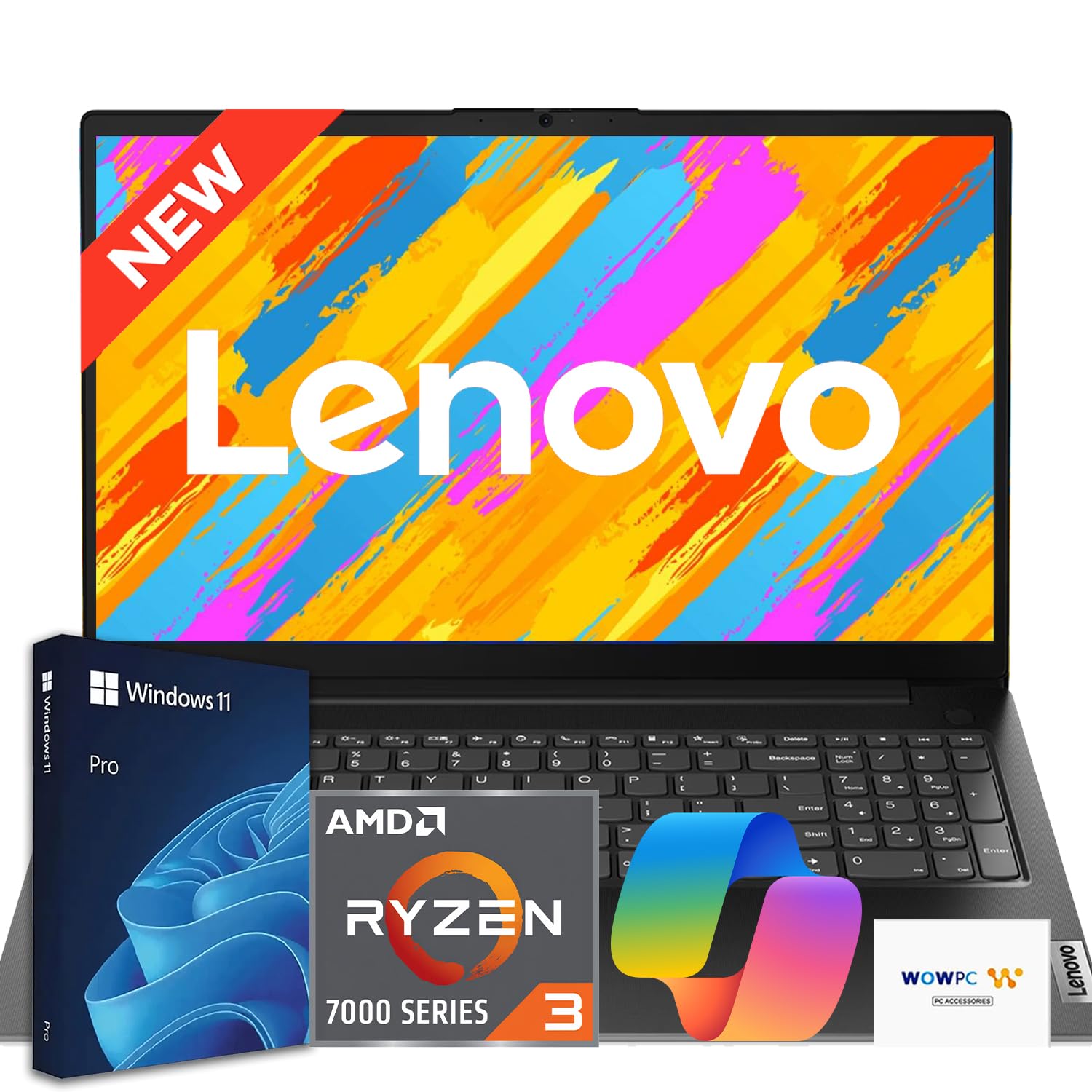
I like the V15 because it gives the essentials without overthinking things. It boots quickly, the 15.6″ Full HD screen is comfortable for spreadsheets and video calls, and the included recovery USB is a small but handy touch when things go sideways.
For students and small teams it’s a solid daily machine: it handles documents, web research, light CAD and multimedia playback with no drama. It’s not a gaming rig or a creative powerhouse, but if you need a dependable work laptop that won’t break the bank, this one earns its place.
Long-Term Cost Benefits
Lower upfront price plus energy-efficient components keep running costs down, and the practical spec mix delays the need for early upgrades for typical office or student use.
Situational Benefits
|
Situation |
How It Helps |
|---|---|
|
Remote Work From Home |
HD webcam with privacy shutter and a full keyboard make long calls and document work comfortable and secure. |
|
Classroom and Study |
Lightweight enough to carry between classes and responsive enough to run research, productivity apps, and basic CAD for coursework. |
|
Small Office Setup |
Ethernet port, HDMI and multiple USB ports let you connect to wired networks, external displays and peripherals without adapters. |
Versatility
This is a straightforward machine that covers common needs: productivity, video conferencing and light content work. It’s versatile for students, office workers and anyone who values a no-nonsense laptop.
Practicality
The V15’s practical features—TPM 2.0, decent I/O, and a recovery USB—mean fewer annoying trips to IT and fewer compatibility headaches in everyday use.
Travel Friendliness
At around 3.6 pounds and a slim profile, it’s easy enough to tote in a backpack for daily commutes or short trips, though it’s not the lightest option out there.
Speed & Responsiveness
With DDR5 memory and an NVMe SSD, general responsiveness is good: apps and files open quickly and multitasking feels smooth for typical office workloads.
Security Features
|
Feature |
Protection Level |
|---|---|
|
Firmware TPM 2.0 |
High |
|
Privacy Shutter on Webcam |
Moderate |
|
Windows 11 Pro Security Stack |
High |
Key Benefits
-
Good performance for office apps and light creative work with Ryzen 3 and 16GB DDR5
-
Full-size keyboard with numeric keypad helps with spreadsheets and data entry
-
Solid port selection including USB-C, HDMI and Ethernet for flexible connections
-
Included WOWPC recovery USB simplifies troubleshooting and restores
Current Price: $399.99
Rating: 4.4/5 (total: 28+)
🚀 Best For AI Tasks

I found the Aspire 16 to be one of the friendliest Windows machines for everyday AI-assisted work. The 16″ touch screen is bright and smooth at 120Hz, and the Snapdragon-based platform keeps fan noise low while giving surprisingly good battery life when you’re doing web research, note-taking, or running Copilot workflows. It’s a great pick for students who want a roomy screen, creators who lean on AI tools for idea generation, and anyone who values long unplugged sessions. If you want a modern-feeling laptop that leans into on-device intelligence without costing a premium, this is one I’d consider.
Long-Term Cost Benefits
Energy-efficient ARM architecture and solid battery life reduce charging frequency, and the modern connectivity (Wi‑Fi 7, multiple USB ports) delays the need for adapters or early accessory upgrades.
Situational Benefits
|
Situation |
How It Helps |
|---|---|
|
College Lectures |
A spacious touch display and long battery life make it easy to take notes, reference readings and watch lectures between classes. |
|
Light Content Creation |
Fast storage and responsive display help when editing photos, building presentations, or generating ideas with AI tools. |
|
All-Day Remote Use |
Quiet operation and efficient power draw mean you can work in cafes or libraries without hunting for outlets constantly. |
Versatility
This laptop sits between productivity and casual creative work: it handles browsing, office suites, streaming and AI-assisted tasks well, though very heavy video rendering or AAA gaming isn’t its sweet spot.
Practicality
Multiple USB ports, a memory card slot and a tactile keyboard mean fewer adapters and smoother everyday use for students and professionals.
Travel Friendliness
At about 3.4 pounds and with long battery life in lighter modes, it’s comfortable to carry and use on long days away from a desk.
Speed & Responsiveness
Apps and UI interactions feel snappy thanks to LPDDR5X memory and a fast NVMe SSD; some legacy Windows apps may behave differently on Snapdragon, so compatibility checks are wise.
Security Features
|
Feature |
Protection Level |
|---|---|
|
Windows 11 Built-In Protections |
High |
|
UEFI/Firmware Update Support |
Moderate |
|
Device Encryption Options |
Moderate |
Key Benefits
-
AI Copilot+ features for quicker, contextual workflows
-
Large 16″ 120Hz touch display ideal for note-taking and media
-
Long battery life in everyday use, especially in eco modes
-
Lightweight ARM design keeps fan noise and heat low
Current Price: $549.99
Rating: 4.6/5 (total: 102+)
💰 Best Affordable Pick
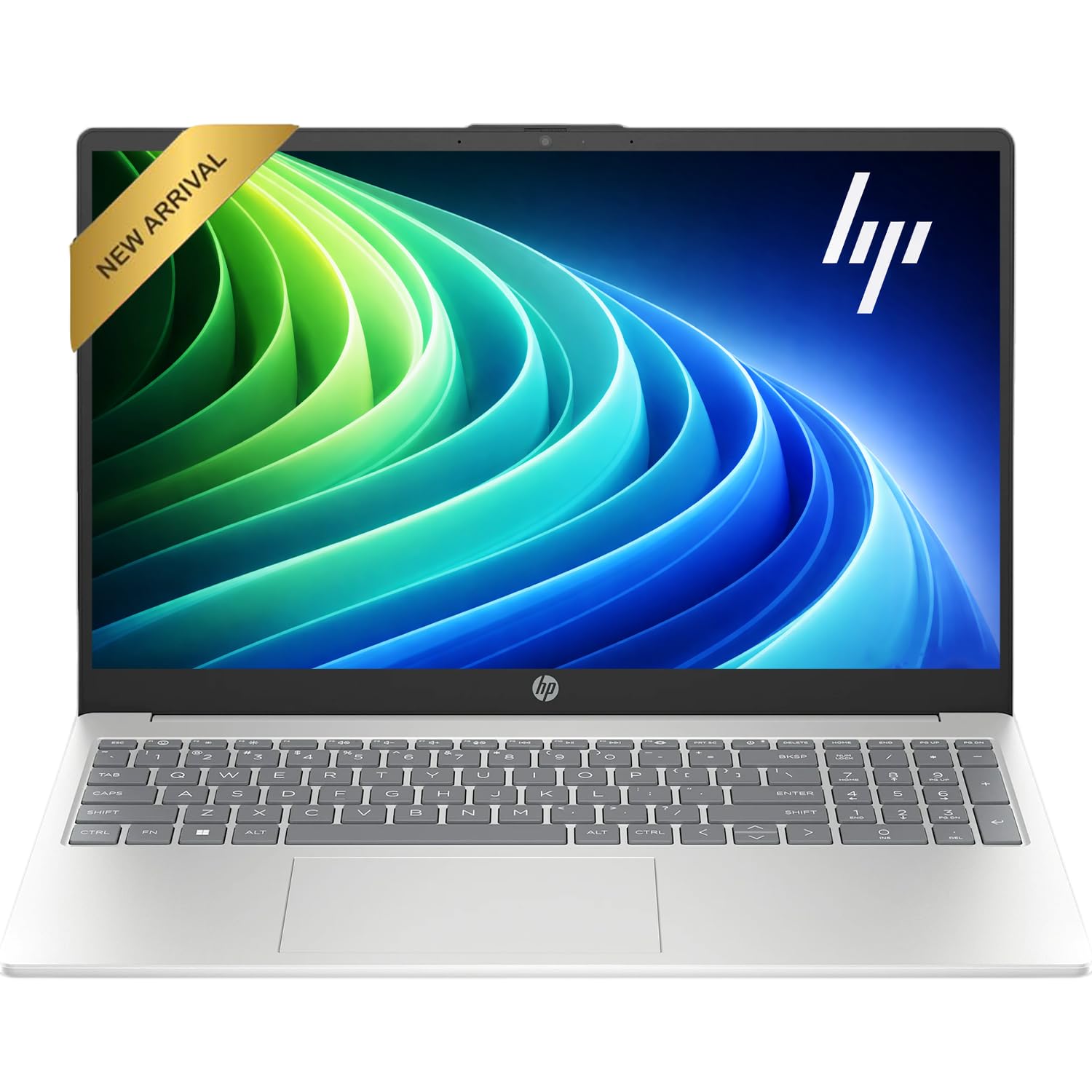
I like this HP because it gives the essentials in a package that’s easy to live with day to day. The HD 15.6″ screen is bright enough for streaming and spreadsheets, the camera has a built-in cover for privacy, and HP Fast Charge gets you back to work quickly. It’s comfortable for web browsing, online classes, and light photo edits, and the included access to Microsoft 365 on the web makes collaboration simple. If you want an affordable laptop that won’t fuss over basic tasks and keeps battery worries to a minimum, this is a solid pick.
Long-Term Cost Benefits
Lower upfront cost combined with an SSD and efficient components means fewer upgrades early on, and access to Microsoft 365 for the web reduces immediate software expenses.
Situational Benefits
|
Situation |
How It Helps |
|---|---|
|
Remote Work |
HD webcam and privacy cover make video calls straightforward, while the battery and Fast Charge keep you online through long meetings. |
|
Student Use |
Lightweight enough for class days and responsive for note-taking, research and online assignments. |
|
Home Media |
A 15.6″ display and decent speakers are good for streaming shows and casual photo viewing. |
Versatility
This machine handles the typical mix of browsing, document work, video calls and light media editing. It won’t replace specialized creator rigs, but it covers most everyday needs comfortably.
Practicality
An anti-glare screen, numeric keypad and spill-resistant design make day-to-day use less stressful, and the SSD keeps startup and app load times snappy.
Travel Friendliness
At around 5 pounds it’s not the lightest, but the reliable battery life and Fast Charge make it easy to use on commutes or short trips without constant outlet searching.
Speed & Responsiveness
The combination of a 13th Gen i3 and an SSD delivers quick boots and smooth performance for office apps, web tabs and light multitasking.
Security Features
|
Feature |
Protection Level |
|---|---|
|
Camera Privacy Shutter |
Moderate |
|
Windows 11 Security Stack |
High |
|
Device Encryption Options |
Moderate |
Key Benefits
-
Camera privacy shutter for simple physical privacy
-
Long battery life and HP Fast Charge for quick top-ups
-
Affordable price with enough storage and an SSD for responsiveness
-
Full-size keyboard with numeric keypad for spreadsheets and data entry
Current Price: $379.99
Rating: 5/5 (total: 1+)
🎯 Best Light Gaming
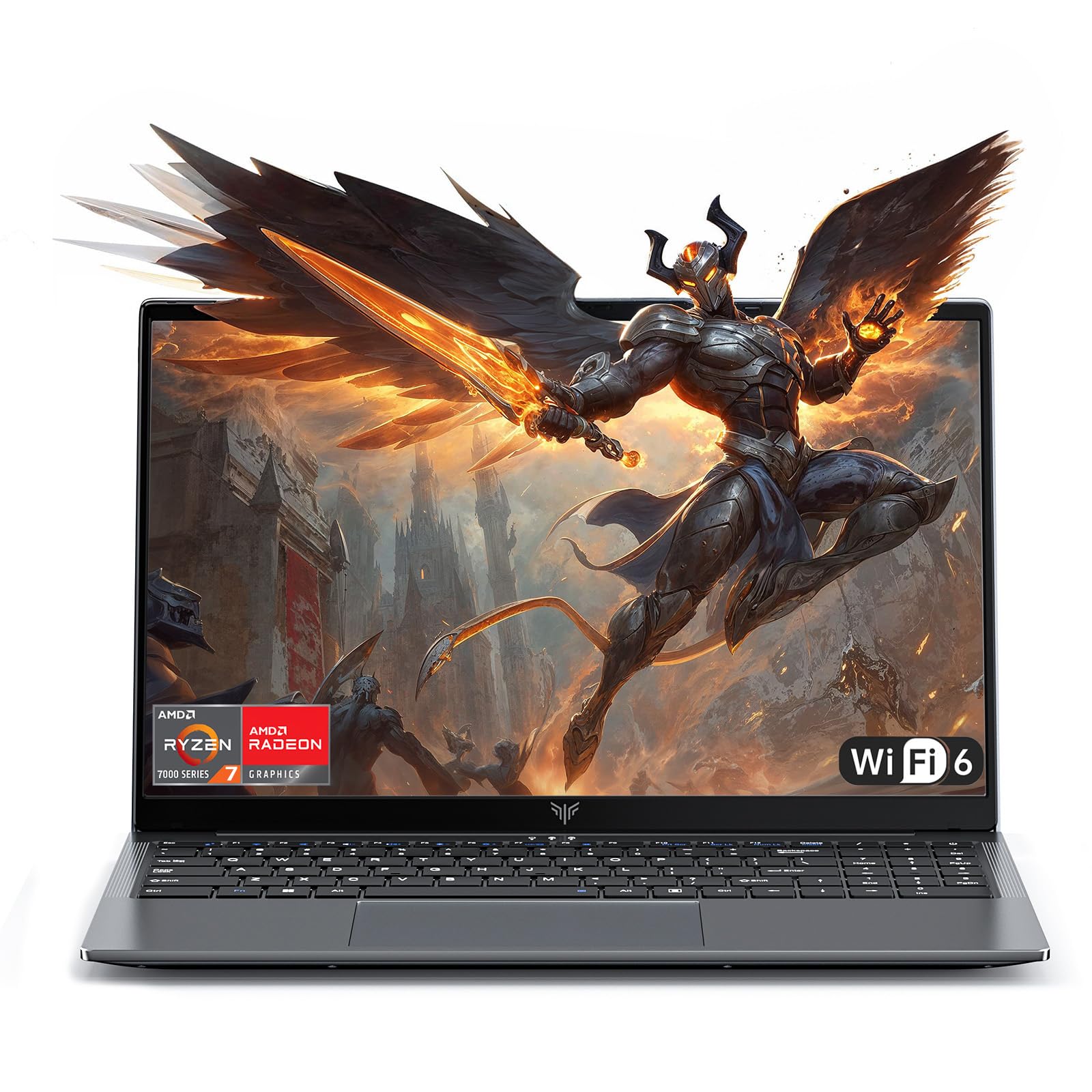
I found the KAIGERR LX16PRO to be a surprisingly capable machine for the price. It handles day-to-day multitasking smoothly, and the Ryzen 7 paired with 16GB RAM keeps games at medium settings playable while running background apps. The 16″ screen gives a roomy workspace for school projects or streaming, and the backlit keyboard is a small touch that makes late-night sessions easier. It’s not a top-tier gaming rig, but for someone who wants solid performance for both work and casual gaming without a high price tag, this model strikes a nice balance.
Long-Term Cost Benefits
Good onboard specs reduce the need for early upgrades, and the NVMe SSD plus efficient processor help keep power use reasonable, lowering everyday running costs over time.
Situational Benefits
|
Situation |
How It Helps |
|---|---|
|
Homework and Study |
The spacious screen and snappy storage make juggling research, documents and video lectures more comfortable. |
|
Casual Gaming |
Ryzen 7 performance with integrated Radeon graphics runs many titles smoothly at modest settings while keeping the system responsive. |
|
Family Media Device |
A large display and decent speakers make it a good option for streaming, photo viewing and shared media use. |
Versatility
I use this laptop for both schoolwork and downtime; it moves easily between spreadsheets, browser tabs, light photo edits and gaming sessions without feeling underpowered.
Practicality
Ports and a numeric keypad cover everyday needs, and the included SSD means fewer delays when starting up or opening files—practical for daily workflows.
Travel Friendliness
At about 3.85 pounds it’s reasonably portable for short trips and campus days, though not the lightest option if you’re tracking every ounce.
Speed & Responsiveness
Boots quickly and switches between apps without visible lag thanks to the NVMe drive and 16GB of RAM; heavier rendering will take longer but typical tasks feel fluid.
Security Features
|
Feature |
Protection Level |
|---|---|
|
Windows 11 Security Stack |
High |
|
Device Encryption Options |
Moderate |
|
UEFI Secure Boot |
Moderate |
Key Benefits
-
Strong Ryzen 7 performance for multitasking and light gaming
-
16GB RAM and NVMe SSD keep apps and load times responsive
-
Large 16″ display that’s good for productivity and media
-
Backlit keyboard and numeric keypad for comfortable typing
Current Price: $599.99
Rating: 5/5 (total: 18+)
🔰 Best For Students

I reach for the MacBook Neo when I want a lightweight, reliable laptop that still feels premium. The A18 Pro chip handles everyday tasks and student workloads with ease, and the 13″ Liquid Retina screen makes reading and note-taking comfortable for long sessions.
Battery life is generous enough to last a full day of classes, and the compact metal body slips into a backpack without adding bulk. It’s a great pick if you want a durable, focused machine for essays, video calls and light creative work while keeping things simple and portable.
Long-Term Cost Benefits
Efficient Apple silicon and good battery life lower daily charging needs, and Apple devices tend to hold resale value well, helping recoup some cost when you upgrade later.
Situational Benefits
|
Situation |
How It Helps |
|---|---|
|
Lecture Notes & Research |
The compact screen and responsive performance let you take notes, pull up readings and switch apps without missing a beat. |
|
Online Classes |
A 1080p FaceTime camera and clear speakers make video calls more natural, and battery life keeps you connected through back-to-back sessions. |
|
Light Creative Tasks |
The A18 Pro handles photo edits and presentation work quickly enough for student projects and portfolio pieces. |
Versatility
This laptop comfortably covers note-taking, web research, streaming and occasional content editing. It’s focused on everyday use rather than heavy-duty production, which matches most student needs.
Practicality
With two USB-C ports, a headphone jack and a durable build, it’s simple to connect essentials and keep daily use low‑friction. macOS and Apple Intelligence add helpful tools for writing and organization.
Travel Friendliness
Weighing under 3 pounds, it’s very travel friendly; I can work between classes or on a plane without feeling weighed down.
Speed & Responsiveness
Apps open quickly and multitasking feels fluid for typical student workloads, with fast SSD responsiveness and efficient on‑chip acceleration for media tasks.
Security Features
|
Feature |
Protection Level |
|---|---|
|
Touch ID |
High |
|
Secure Enclave |
High |
|
FileVault Full-Disk Encryption |
High |
|
Apple Intelligence Privacy Controls |
Robust |
Key Benefits
-
Portable 13″ form factor that’s easy to carry between classes
-
A18 Pro chip delivers smooth performance for productivity and media
-
$599.00 price point balances capability with affordability for students
-
Long battery life and 1080p FaceTime camera for online classes
Current Price: $599.00
Rating: 5/5 (total: 3+)
⭐ Best Portable Powerhouse

I reach for the Gram Pro 17 when I need a large workspace without the usual weight penalty. The 17″ high-resolution display makes photo and video work feel roomy, while the Intel Ultra 9 and RTX5050 keep demanding tasks moving smoothly.
It’s the sort of laptop I use for multi-day editing sessions, game testing, or when I want a big screen at a coffee shop. Battery life stretches through long days, and the thin, durable chassis makes it easy to carry between meetings or shoots.
If you want a desktop-caliber machine you won’t mind lugging around, this is a rare combination of power and portability.
Long-Term Cost Benefits
High-end components and a durable chassis mean the laptop stays useful longer, delaying upgrades and maintaining better resale value compared with cheaper, short-lived models.
Situational Benefits
|
Situation |
How It Helps |
|---|---|
|
On-The-Go Creators |
A large color-accurate screen and powerful GPU let you edit photos and videos without needing a separate desktop. |
|
Frequent Travelers |
Light weight and long battery life make airport work, hotel edits and presentations far easier to manage. |
|
Hybrid Office Setups |
Plenty of RAM and fast storage let you switch between heavy apps and browser tabs without slowdown. |
Versatility
This laptop comfortably spans content creation, productivity and light to moderate gaming; it’s a one-device solution for people who need both screen real estate and performance.
Practicality
A good port selection, anti-glare 17″ panel and MIL-STD-tested build reduce the need for extra adapters and make daily use less fussy.
Travel Friendliness
Weighing just over 3 pounds and measuring under an inch thin, it slips into a backpack easily and stays comfortable to carry all day.
Speed & Responsiveness
With a fast SSD, 32GB of RAM and a modern CPU/GPU pair, apps open quickly and multi-app workflows feel fluid, even under sustained loads.
Security Features
|
Feature |
Protection Level |
|---|---|
|
Windows 11 Security Stack |
High |
|
UEFI Secure Boot |
High |
|
MIL-STD Durability Tests |
Robust |
Key Benefits
-
Ultra-light 17″ design that’s actually portable for travel
-
High-performance CPU and RTX5050 GPU for creative and AI workloads
-
Generous 32GB RAM and 2TB SSD for heavy multitasking and storage
-
Long battery life that supports full workdays away from a desk
Current Price: $2,881.29
Rating: 4.6/5 (total: 27+)
🎨 Best For Creatives
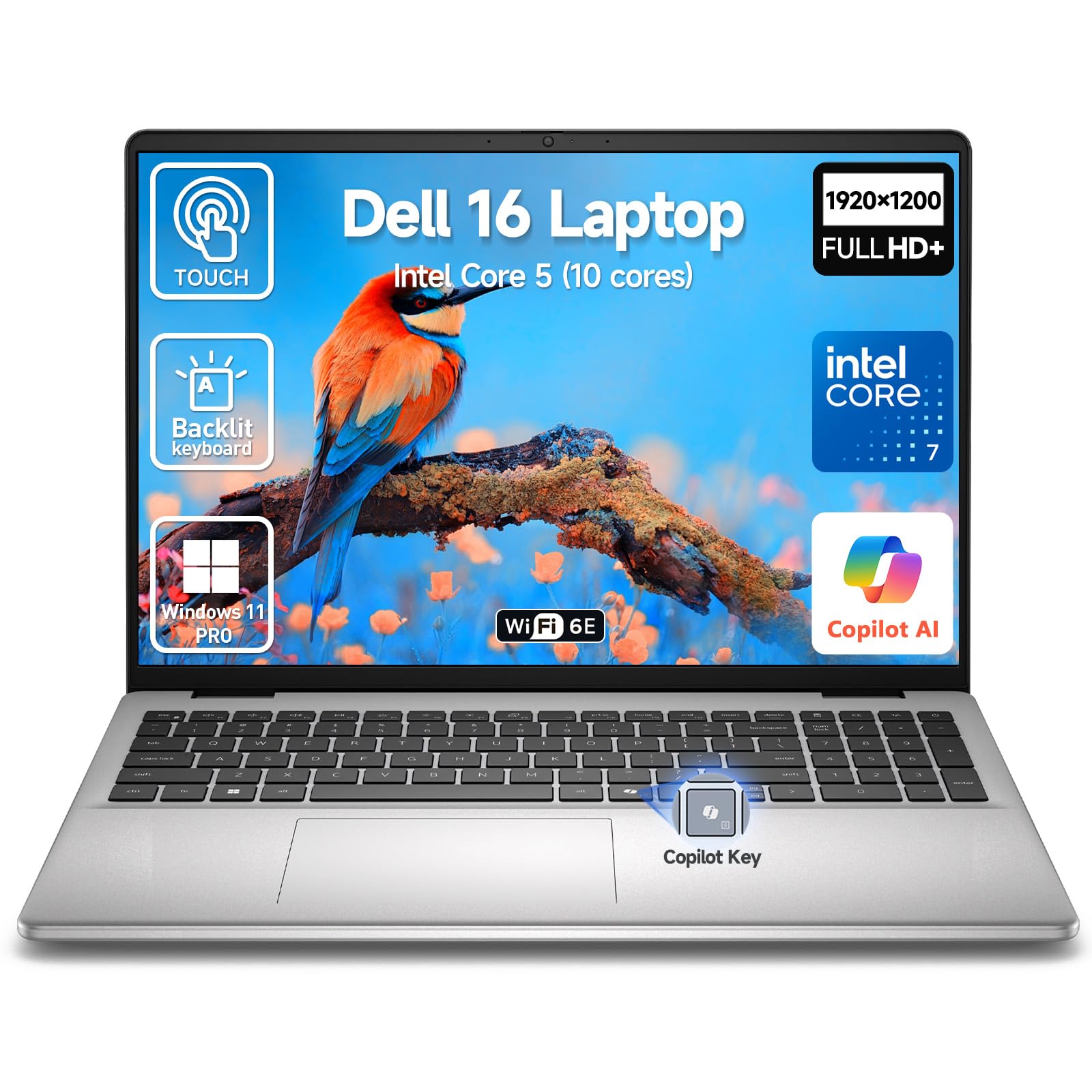
I reach for the Dell 16 when I need a roomy touchscreen that keeps up with heavy creative workflows. The 16″ FHD+ display is great for layouts and photo work, and the 10-core CPU with 32GB of RAM means I can run multiple apps, virtual meetings and design tools at once without the system stalling.
The touchscreen and responsive trackpad make quick edits and annotations feel natural, and the fingerprint reader speeds up secure logins. It’s the kind of laptop I use for client reviews, long editing sessions and presentations when I want reliability and a little extra screen to work with.
Long-Term Cost Benefits
Spec levels like 32GB RAM and a 1TB SSD reduce the need for early upgrades, and business-grade components and Windows 11 Pro features cut down on management and downtime costs over the device lifetime.
Situational Benefits
|
Situation |
How It Helps |
|---|---|
|
Client Presentations |
A bright touchscreen and clear audio make on-site demos and portfolio reviews smoother and more polished. |
|
Heavy Multitasking Days |
32GB RAM and a fast SSD let you keep design apps, browsers and collaboration tools open without slowdowns. |
|
Remote Collaboration |
Widescreen webcam, dual mics and Wi‑Fi 6E keep video calls stable and clear for reviews and brainstorming sessions. |
Versatility
This laptop balances creative tools and business features well: it’s suited to photo and video editing, design mockups, and the day-to-day productivity apps that keep projects moving.
Practicality
A good mix of ports, an SD card reader and ExpressCharge mean fewer adapters, faster refreshes between meetings and easy file transfers from cameras and drives.
Travel Friendliness
At about 4.18 pounds it’s not the lightest, but the slim chassis and reliable battery behavior make it reasonable for commuting between studios or working on short trips.
Speed & Responsiveness
The 10-core processor, DDR5 memory and PCIe SSD deliver quick app launches, fast file saves and smooth timeline scrubbing in creative apps.
Security Features
|
Feature |
Protection Level |
|---|---|
|
Fingerprint Reader |
High |
|
Windows 11 Pro Security Stack |
High |
|
UEFI Secure Boot |
High |
Key Benefits
-
Large FHD+ touchscreen that helps with layout, annotation and color work
-
High memory and fast SSD for smooth multitasking and quick project loads
-
Business features like fingerprint login and ExpressCharge for productivity
-
Plenty of ports including USB-C, HDMI and SD card reader for peripherals
Current Price: $1,499.00
Rating: 5/5 (total: 3+)
🧠 Best Productivity
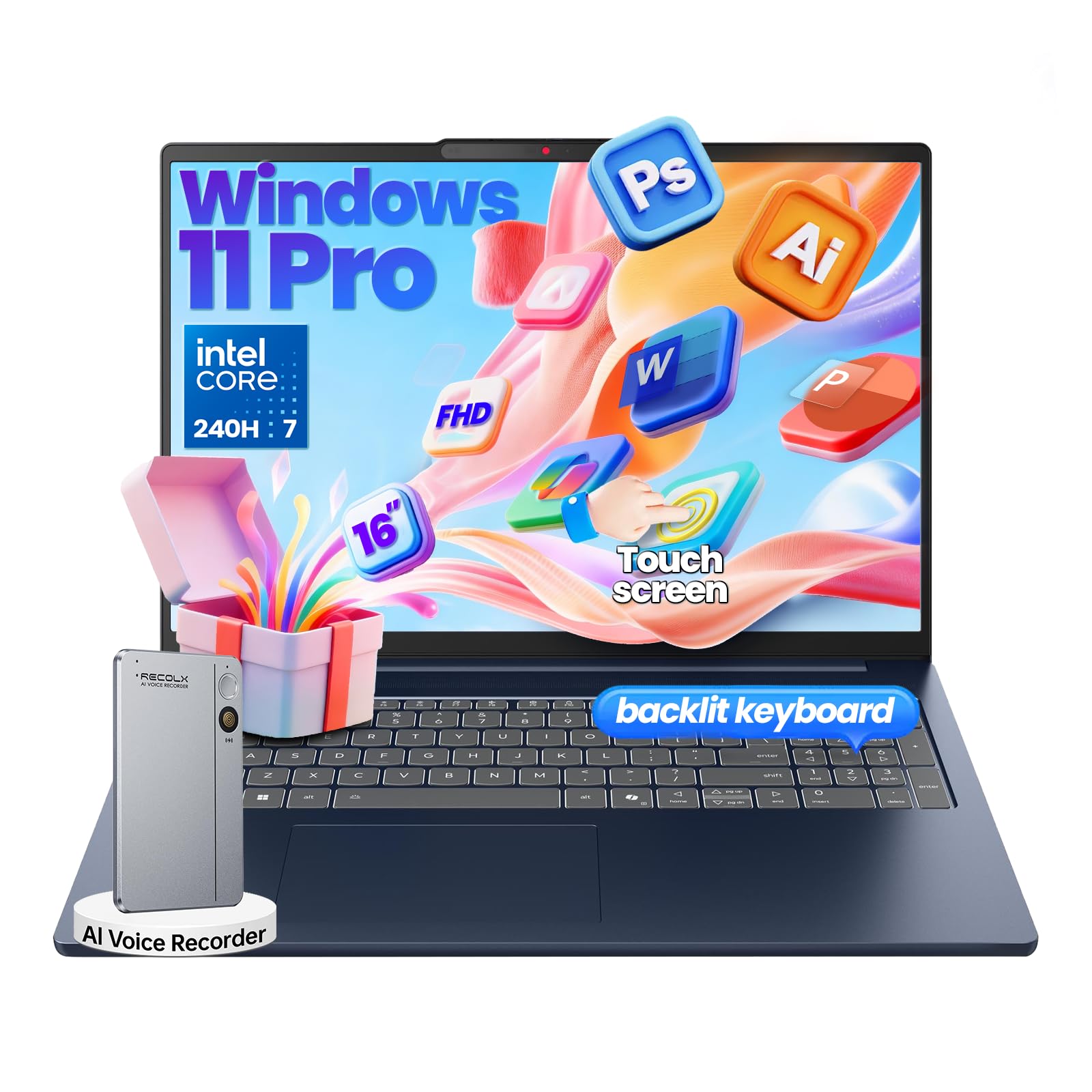
I reach for the IdeaPad when I need a laptop that keeps up with long workdays and heavy multitasking. The 16″ touchscreen gives extra space for documents and split-screen work, and the Core 7 plus 32GB of RAM means I can juggle spreadsheets, browser tabs and video calls without the system slowing down.
The IR camera with Windows Hello and the backlit keyboard make daily use smoother, and Copilot tools are a nice time-saver for quick summaries and notes. It’s a dependable choice for people who want a single machine that handles both focused work and travel-friendly productivity.
Long-Term Cost Benefits
Robust specs and quality materials reduce the need for early upgrades, and fast storage plus firmware security lower maintenance and downtime costs over the device’s life.
Situational Benefits
|
Situation |
How It Helps |
|---|---|
|
Remote Meetings |
FHD + IR camera, dual mics and stable wireless keep calls clear and let you sign in quickly with Windows Hello. |
|
On-Campus or Client Visits |
A 16″ WUXGA touchscreen and responsive performance make presentations and demonstrations feel fluid and professional. |
|
Deep Work Sessions |
32GB RAM and a 1TB SSD let you keep multiple design or data apps open without swapping or slowdown. |
Versatility
This laptop fits many roles: a portable workstation for creators, a reliable office machine for business users, and a productive study tool for students who need more screen and power.
Practicality
Anodized aluminum surfaces, a backlit keyboard and microSD support make everyday tasks easier, while multiple Type-C and Type-A ports reduce the need for dongles.
Travel Friendliness
At about 4.08 pounds with rapid-charge support, it’s practical for frequent travel and hybrid schedules without feeling like a burden to carry.
Speed & Responsiveness
The combination of a 10-core CPU, DDR5 memory and PCIe SSD results in fast app launches, quick file transfers and smooth responsiveness during large project workflows.
Security Features
|
Feature |
Protection Level |
|---|---|
|
Firmware TPM 2.0 |
High |
|
IR Camera with Windows Hello |
High |
|
UEFI Secure Boot / Windows 11 Pro Security |
High |
|
Physical Privacy Shutter |
Moderate |
Key Benefits
-
Plenty of RAM and fast storage for heavy multitasking and large files
-
16″ touchscreen that improves layout work and on-screen navigation
-
Facial login and business features for secure, fast access
-
Good port selection and rapid charging for hybrid setups
Current Price: $1,199.99
Rating: 4.8/5 (total: 88+)
📺 Best Big-Screen Workstation
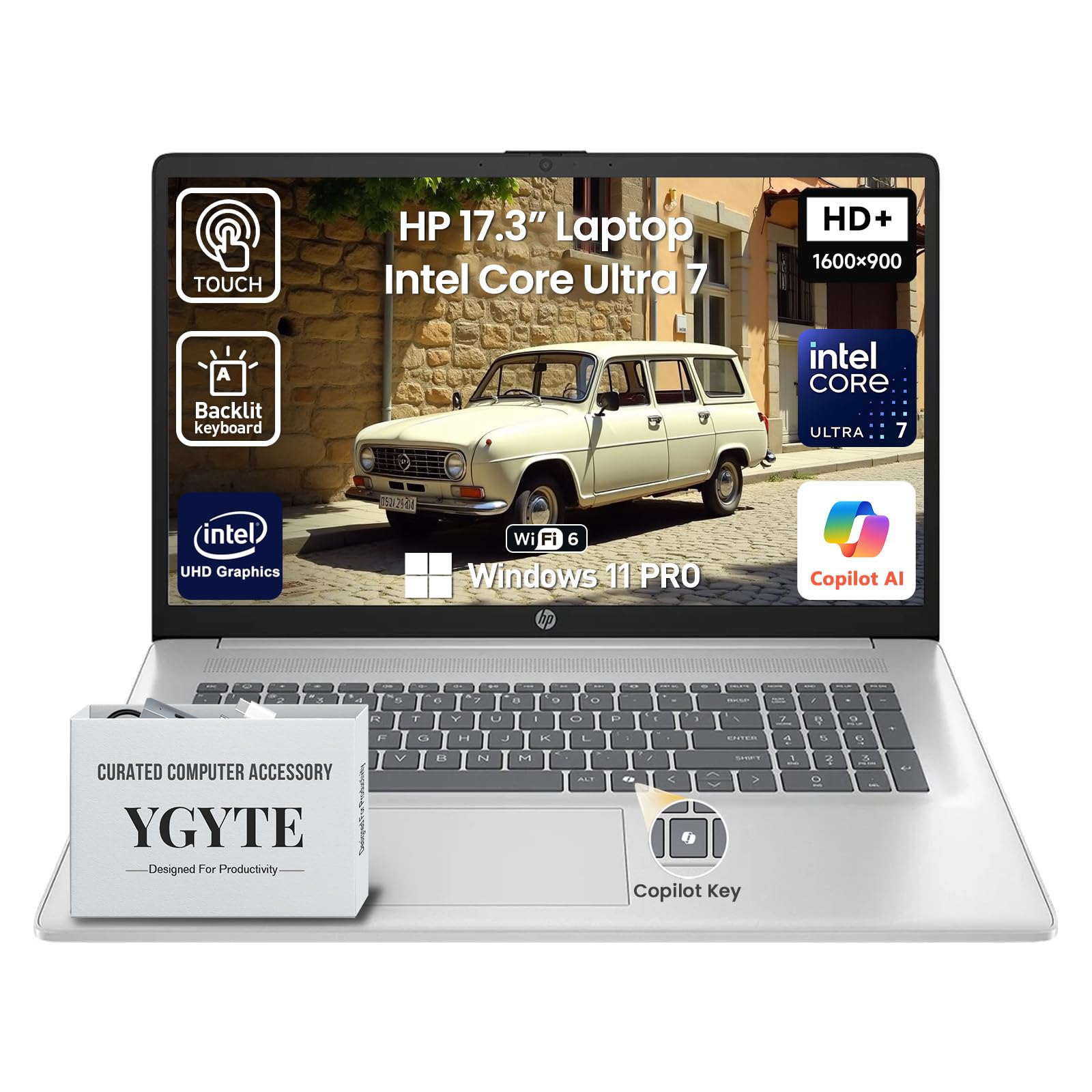
I turn to the HP 17 when I need a spacious workspace that still behaves like a laptop. The 17.3″ panel makes multitasking and spreadsheets feel less cramped, and the 12-core Intel Ultra processor with 32GB of RAM keeps heavy sessions moving.
It’s ideal for long video calls, editing large documents or running multiple virtual machines during the day. For those who want a true desktop-replacement without dragging a full workstation everywhere, this balances screen real estate, performance and portability in a practical way.
Long-Term Cost Benefits
High-spec components and generous storage reduce the need for early upgrades, while business-grade software and firmware updates help minimize maintenance and downtime over the device’s life.
Situational Benefits
|
Situation |
How It Helps |
|---|---|
|
Office-Style Work |
The large screen and ample RAM let you keep multiple documents and apps visible, speeding up workflows like data analysis and report writing. |
|
Client Presentations |
A bright touchscreen and clear audio make on-site demos and remote reviews look and sound professional. |
|
Creative Review Sessions |
Extra screen space helps when reviewing photos, mockups or timelines, and the fast SSD makes opening large project files quicker. |
Versatility
This model works as a desktop replacement, a presentation machine and a mobile editing station. It covers productivity, media and light creative tasks without forcing you to carry a separate device for each role.
Practicality
Plenty of ports, an SD/HDMI-capable layout and a full-size backlit keyboard with numeric pad mean fewer adapters and a smoother daily experience for business users.
Travel Friendliness
At about 4.62 pounds it’s heavier than smaller laptops but still manageable for short trips; battery and performance trade-offs are reasonable for people who need a big screen on the go.
Speed & Responsiveness
With a modern multi-core CPU, DDR5 memory and a 1TB PCIe SSD, app launches, file transfers and multitasking feel quick and steady even under sustained load.
Security Features
|
Feature |
Protection Level |
|---|---|
|
Windows 11 Pro Security Stack |
High |
|
UEFI Secure Boot |
High |
|
Device Encryption Options |
High |
Key Benefits
-
Large 17.3″ display that improves multitasking, layouts and media viewing
-
Powerful 12-core Intel Ultra CPU and 32GB DDR5 for sustained heavy workloads
-
1TB PCIe SSD for fast boot times and roomy local storage
-
Business features like backlit keyboard, Copilot key and Windows 11 Pro
Current Price: $1,499.00
Rating: 4.7/5 (total: 18+)
FAQ
How Do I Choose The Right Laptop For My Needs?
I start by matching the laptop to how I actually work rather than chasing specs. If I’m editing photos or video I prioritise a high-quality display and a faster CPU/GPU, while for school or office work I look for long battery life and a comfortable keyboard; for example the MacBook Pro at $1,549.00 or the Lenovo IdeaPad at $1,199.99 suit heavier creative workflows, whereas the Lenovo V15 at $399.99 and the HP 15.6 at $379.99 are sensible for budget-focused students and office tasks.
I also check ports, upgradeability and ecosystem: if I rely on specific accessories or software, I pick the machine that needs the fewest adapters and has proven compatibility.
Are ARM-Based Laptops Like The Acer Aspire 16 Compatible With All Windows Apps?
In my experience ARM machines run most day-to-day Windows apps smoothly, but there are occasional compatibility gaps with very specific enterprise tools or older installers; the Acer Aspire 16 is great for web work, streaming and AI features, yet I recommend testing any critical corporate VPN or legacy app first. If you depend on niche software, I try the app on a trial machine or ask IT for a compatible installer, and I keep a second device or cloud-based alternative handy when I can’t confirm support.
Is It Worth Paying More For Premium Models Like The MacBook Pro Or LG Gram Pro 17?
I weigh the extra cost against what I’ll use day to day: premium machines deliver better displays, longer battery life, and often stronger resale value, so the MacBook Pro and LG Gram Pro 17 can save time and frustration for creators or frequent travelers. If portability, sustained performance and features like advanced displays or RTX-class GPUs matter to you, paying more can be a practical investment; if your tasks are mostly browsing, documents and video calls, a $379.99–$599.99 machine will usually cover your needs while keeping upfront costs lower.
What Customers Prefer
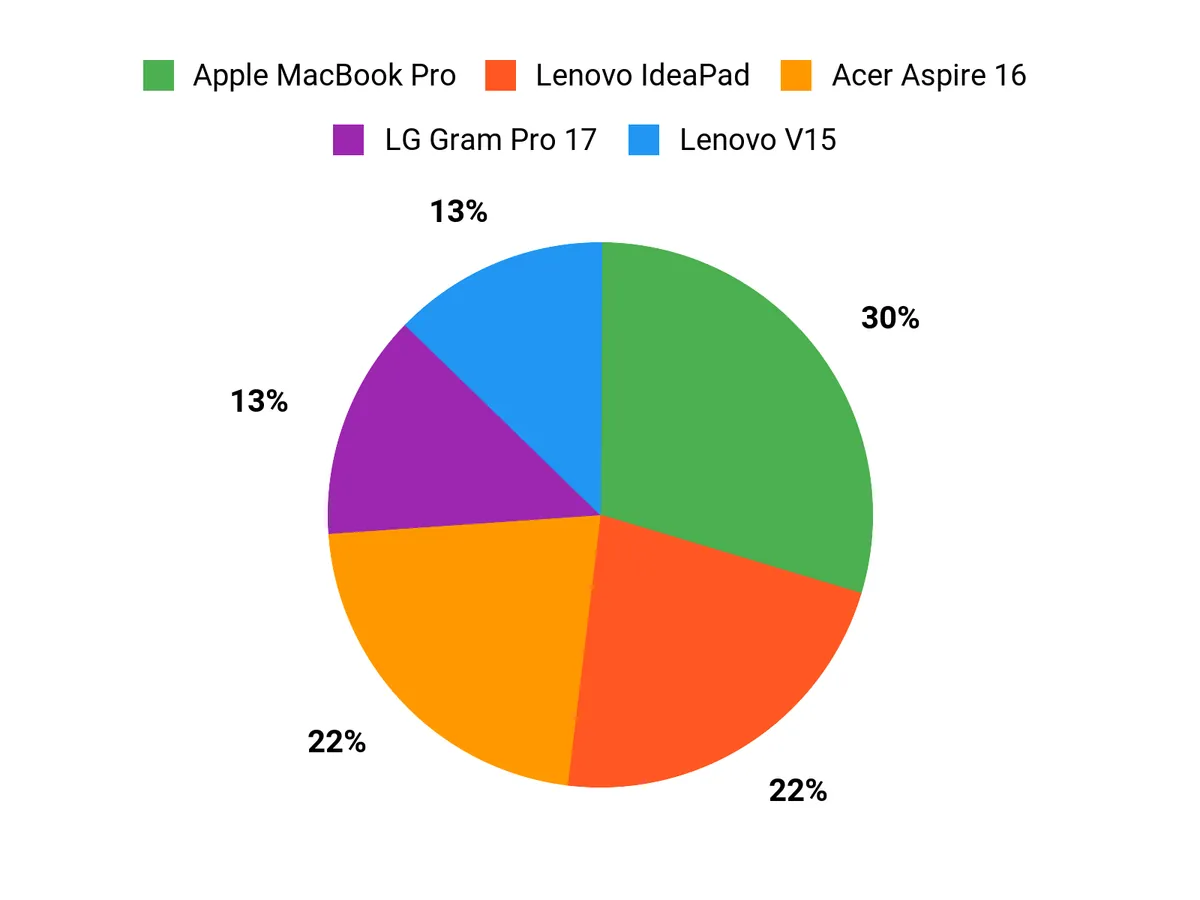
I see customers prioritize raw performance and a top-tier display when they lean toward the MacBook Pro, while others choose the Lenovo V15 for dependable everyday value and a low price. Many people pick the Acer Aspire 16 when they want AI features, a roomy touchscreen and long battery life, so we end up recommending whichever one matches the workflow you use most.
Wrapping Up
If you want the best all-around machine, I recommend the MacBook Pro for its combination of performance, display, and battery life. For budget-conscious buyers who need a reliable workhorse, the Lenovo V15 and the HP 15.6 are practical choices that keep costs down without sacrificing core features. If your work leans into AI or on-device intelligence, the Acer Aspire 16 and LG gram Pro bring modern AI-first hardware to everyday workflows.
For light gaming on a budget, the KAIGERR LX16PRO delivers strong value, and the Dell and Lenovo IdeaPad models are my picks when you need extra memory, storage, and productivity-focused features. Ultimately I pick based on the use case: prioritize processor and battery for creators, display and weight for frequent travelers, and ports and security for business users so you get a laptop that truly fits how you work.
|
Product Name |
Image |
Rating |
Processor |
RAM |
Storage |
Battery Life |
Price |
|---|---|---|---|---|---|---|---|
|
|
4.7/5 (N reviews) |
Apple M5 chip, 10-core CPU |
16GB Unified Memory |
512GB SSD |
Up to 24 hours video streaming |
$1,549.00 |
|
|
|
4.4/5 (N reviews) |
AMD Ryzen 3 7320U, up to 4.1GHz |
16GB DDR5 |
256GB NVMe SSD |
38 Wh with Rapid Charge support |
$399.99 |
|
|
|
4.6/5 (N reviews) |
Snapdragon X X1-26-100, 3 GHz |
16GB LPDDR5X |
512GB PCIe Gen 4 SSD |
Up to 18 hours |
$549.99 |
|
|
|
5.0/5 (1 review) |
Intel 13th Gen i3-1315U, 3.4GHz |
8GB RAM |
256GB SSD |
Up to 12 hours |
$379.99 |
|
|
|
5.0/5 (18 reviews) |
AMD Ryzen 7 7730U, up to 4.5GHz |
16GB |
512GB NVMe SSD |
N/A |
$599.99 |
|
|
|
5.0/5 (N reviews) |
Apple A18 Pro chip, 6-core CPU |
8GB Unified Memory |
256GB SSD |
Up to 16 hours |
$599.00 |
|
|
|
4.6/5 (27 reviews) |
Intel Core Ultra 9 285H, 2.9 GHz |
32GB DDR5 |
2TB SSD |
Up to 25 hours |
$2,881.29 |
|
|
|
5.0/5 (3 reviews) |
Intel Core 7, 5.4 GHz |
32GB DDR5 |
1TB SSD |
N/A |
$1,499.00 |
|
|
|
4.8/5 (88 reviews) |
Intel Core 7 240H, up to 5.2GHz |
32GB DDR5 |
1TB SSD |
N/A |
$1,199.99 |
|
|
|
4.7/5 (18 reviews) |
Intel Core Ultra 7, 5.2 GHz |
32GB DDR5 |
1TB SSD |
N/A |
$1,499.00 |
This Roundup is reader-supported. When you click through links we may earn a referral commission on qualifying purchases.



