
I put this list together because choosing a laptop in 2026 feels more complicated than ever. New chips, AI features, and specialized gaming hardware mean the best pick depends on what you actually do every day. I focused on practical benefits you’ll notice right away—like speed, battery life, display quality and real-world value—so you can quickly find the laptop that will solve your specific needs without wading through dozens of confusing spec sheets.
Top Picks
|
Category |
Product |
Price |
Score |
|---|---|---|---|
|
🏆 Best Performance |
$1,799.00 |
98/100 |
|
|
⭐ Best All-Rounder |
$999.00 |
96/100 |
|
|
🔋 Best Battery & Portability |
$949.00 |
95/100 |
|
|
💰 Best Affordable Mac |
$599.00 |
88/100 |
|
|
🎮 Best For eSports |
$1,894.74 |
97/100 |
|
|
🎨 Best For Creatives |
$2,399.99 |
96/100 |
|
|
🚀 Best High-End Gaming |
$1,599.00 |
94/100 |
|
|
🧊 Best Cooling Design |
$1,299.99 |
91/100 |
|
|
🔥 Best Value High-End |
$943.00 |
92/100 |
|
|
💸 Best Budget Gaming |
$649.99 |
86/100 |
How I Chose The Top Laptops
I compared laptops across a few practical axes that matter day to day: real-world performance for apps and gaming, battery life under typical workloads, screen quality for creative and media tasks, build and thermals for reliable use, and price-to-performance so you don’t overpay. I also weighted special features such as AI capabilities, ports and expandability for future upgrades, and any software or support bundles that add value. My goal was to match each pick to a clear use case so you can skip the noise and pick the machine that fits how you work or play.
🪙 Best Ultra Budget
I appreciate the V15 for what it is: a straightforward, budget-friendly business laptop that covers the essentials without fuss. The 15.6″ Full HD screen and full-size keyboard make it comfortable for long sessions of email, spreadsheets and light document work, while the Ethernet port is a welcome detail for users who still prefer wired connections. It isn’t built for heavy creative work or high-end gaming, but if you need a reliable machine for day-to-day office tasks, remote classes, or a dependable secondary laptop, this is a sensible pick.
If you want my quick take, buy it when you need a no-nonsense, low-cost workhorse that won’t complicate your workflow.
What People Say
People generally like the V15 for being a solid, inexpensive laptop that handles web browsing, Office apps and video calls without drama. Reviews commonly praise the screen size, keyboard comfort and the inclusion of an Ethernet jack.
Some users note storage and RAM limits, but most see it as good value for everyday work.
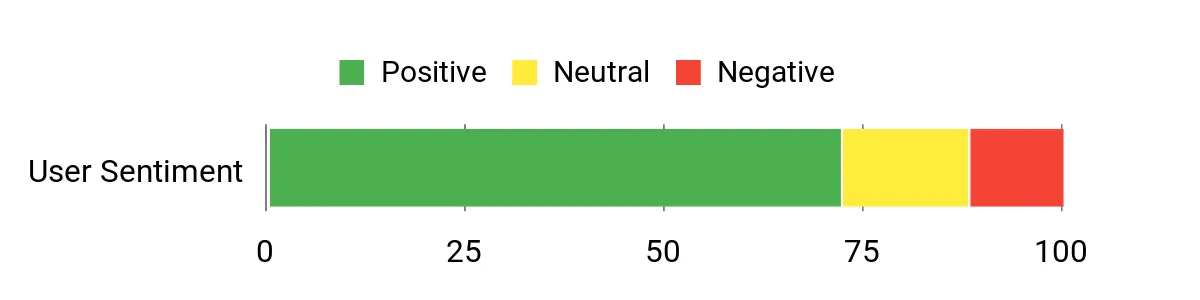
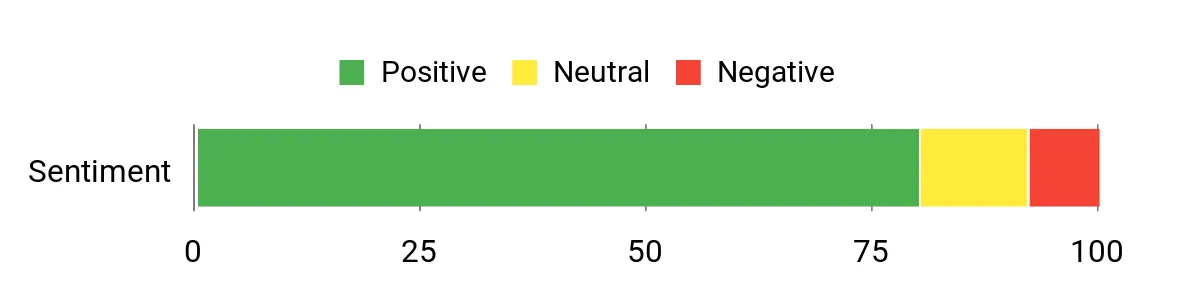
Overall Sentiment: Positive
Long-Term Value
Buying a low-cost unit like the V15 reduces upfront expenses and keeps replacement cycles predictable. For many small businesses and students the lower purchase price plus straightforward Windows setup means fewer support hours and less downtime over the device’s useful life.
Return on Investment
Because the V15 covers core productivity tasks well, you get quick ROI from time saved on setup and compatibility with standard business tools. It’s a sensible choice when total cost of ownership matters more than top-tier performance.
Situational Benefits
|
Situation |
How It Helps |
|---|---|
|
Home Office |
Stable wired networking and a full keyboard make it easy to handle daily meetings, spreadsheets and multitasking without distracting upgrades. |
|
Student Use |
Large screen and numeric keypad help with notes and assignments, while the low price keeps replacement or loaner costs down. |
|
Backup Or Travel Workhorse |
Compact enough to carry as a secondary machine and inexpensive enough that I won’t stress about bumps or minor damage. |
Versatility
The V15 is versatile within the productivity space: it runs standard Windows apps, supports external displays and covers videoconferencing, but it’s not meant for heavy multitasking or graphics work. I’d call it a reliable generalist for business and study.
Practicality
Practicality is where this laptop shines. It has the ports and Windows features most people need, a simple design that’s easy to maintain, and a battery life that gets you through basic work sessions.
Travel Friendliness
It’s not the lightest 15.6″ laptop, but it’s sturdy and affordable to travel with. I’d take it on business trips when I need a full-size screen without worrying about high replacement costs.
Boot & Responsiveness
Boots and basic apps start reasonably quickly thanks to the SSD, though heavier multitasking will show limits with the entry-level CPU and 4GB RAM on some SKUs.
Performance
Performance is fine for web browsing, document editing and streaming. Don’t expect speedy video editing or modern gaming; this laptop is tuned for efficiency over raw power.
Key Benefits
- Affordable price for basic business and school tasks
- Full-size 15.6″ FHD display and numeric keypad for productivity
- Wired Ethernet port plus Windows 11 Pro for business-ready features
Current Price: $269.99
Rating: 4.2 (total: 80+)
🔰 Best Budget Chromebook
I like this IdeaPad 3i because it balances a large, clear 15.6″ FHD screen with the simplicity of Chrome OS. It boots fast, syncs with Google services immediately and is perfect for browsing, streaming and document work. The privacy shutter and physical lock add a reassuring layer for shared or public use.
If you need a low-maintenance machine for school, light remote work or media, it’s a practical pick that keeps things simple and reliable.
What People Say
Customers tend to praise the IdeaPad 3i for its easy setup, large screen and value for the price. Many people note the fast boot times and reliable web performance, while a few mention the limited onboard storage and that it isn’t built for heavy apps or gaming. Overall it’s seen as a straightforward, dependable Chromebook for everyday tasks.
Overall Sentiment: Positive

Long-Term Value
Chromebooks typically require less upkeep and fewer paid software licenses, which lowers ongoing costs. The IdeaPad 3i’s modest price and simple management make it a low-cost option for classrooms, families and basic business deployments.
Return on Investment
You’ll get good ROI if your needs are web-first: faster setup, fewer support hours and long software update support from Google compared with similarly priced Windows machines.
Situational Benefits
|
Situation |
How It Helps |
|---|---|
|
Student Use |
Large screen and quick booting make remote classes, note-taking and research effortless without overspending. |
|
Casual Media |
The FHD display and decent speakers make streaming shows and video calls enjoyable for downtime or family use. |
|
Shared Devices |
Privacy shutter and Chrome user profiles simplify secure, shared use at home or in classrooms. |
Versatility
It’s versatile for web-based workflows, media and light multitasking, but it’s intentionally limited outside the Chrome ecosystem and not suited for demanding desktop apps.
Practicality
Practical for everyday users: easy updates, minimal maintenance and the ports you need for peripherals and external displays.
Travel Friendliness
At 15.6″ it’s not the lightest travel companion, but it’s slim enough for a backpack and handy when you want a larger screen on the go.
Boot & Responsiveness
Startup and web app responsiveness are quick thanks to Chrome OS and 8GB RAM, though heavy tab loads will eventually show limits.
Performance
Good for browsing, streaming and document work; not designed for gaming, video editing or CPU-heavy software.
Key Benefits
- Big 15.6″ Full HD display for watching and working
- Snappy startup and smooth web performance with Chrome OS
- Comfortable keyboard and useful security features like a privacy shutter
Current Price: $170.80
Rating: 4.3 (total: 1508+)
⭐ Best All-Rounder
I reach for the 15-inch MacBook Air when I want a laptop that balances power, portability and a lovely screen. The M4 chip makes everyday tasks and creative apps feel snappy while the Liquid Retina display gives me a bright, color-accurate workspace for editing photos or watching videos. It’s fanless and quiet, so I can work in a coffee shop without drawing attention, and the long battery life keeps me productive on long days. For most people who want a single laptop that handles work, media and light creative work, this model is a practical and pleasant choice.
What People Say
I’ve seen lots of people highlight the smooth performance and excellent screen as the standout features. Reviewers often mention the easy setup, durable build and the battery life that keeps them going through long workdays.
A few users note it isn’t aimed at heavy gaming, but most appreciate how well it handles everyday and creative tasks.
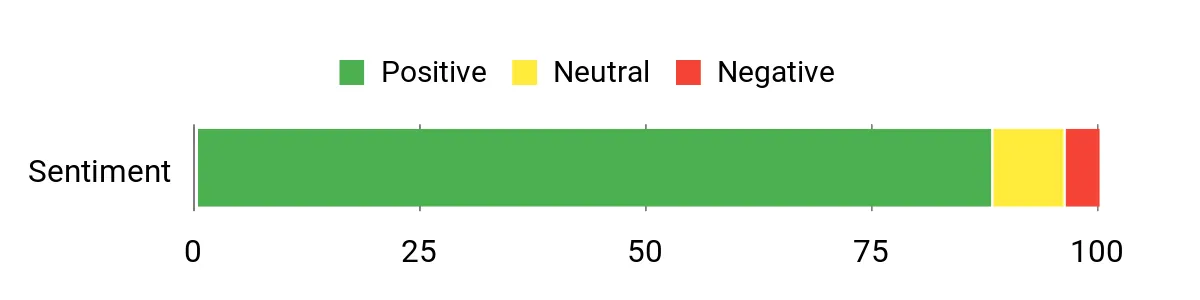
Overall Sentiment: Positive
Long-Term Value
Apple hardware tends to retain value and the Mac ecosystem reduces the need for extra paid software. Over time that means fewer upgrades and lower effective cost per year compared with many Windows alternatives.
Return on Investment
You get faster task completion, reliable updates and strong resale value, so the initial investment pays off through saved time and a longer useful life compared with cheaper, less capable machines.
Situational Benefits
|
Situation |
How It Helps |
|---|---|
|
Remote Work |
Quiet fanless design and long battery life make it easy to stay focused during long meetings or work sessions away from a desk. |
|
Creative Work |
The bright, high-resolution display and M4 acceleration speed up photo editing and multitasking with creative apps. |
|
Travel & Commuting |
Light weight and reliable battery let you carry a capable workstation without the bulk or frequent recharging. |
Versatility
This Air is surprisingly versatile: it’s at home editing images, running multiple productivity apps or streaming media. It’s not a dedicated gaming rig, but it covers most creative and everyday needs comfortably.
Practicality
Practical for daily use with strong battery life, easy setup, and macOS features that streamline backups and device integration across Apple gear.
Travel Friendliness
Very travel-friendly thanks to its compact footprint and light weight; the 15-inch screen gives more workspace without a major weight penalty.
Boot & Responsiveness
Apps launch quickly and multitasking feels fluid thanks to the unified memory architecture and the M4 chip, so waiting around is rare.
Performance
High for a thin-and-light laptop — it handles heavy browser tabs, creative edits and multitasking smoothly, though extreme GPU workloads are outside its scope.
Key Benefits
- Strong M4 performance for multitasking and creative apps
- Large, color-rich Liquid Retina display for media and editing
- Long battery life and fanless quiet operation
- Lightweight design with Touch ID and Center Stage camera
Current Price: $999.00
Rating: 4.8 (total: 2431+)
💸 Best Budget Gaming
I reach for the Nitro V i5 when I want solid gaming performance without a massive price tag. It pairs an Intel i5 with an RTX 4050 and a 165Hz screen, so most modern titles run smoothly at good settings.
The chassis and cooling are aimed at sustained play, and the backlit keyboard plus a roomy display make long sessions comfortable. For everyday use it handles browsing and multitasking well, though I recommend upgrading RAM if you push multiple heavy apps at once.
What People Say
Users usually praise the Nitro V i5 for delivering strong gaming performance for the money and a great 165Hz screen. Common notes include solid build quality and fast storage, while some mention occasional stutters and loud fans under heavy load. Many buyers suggest a RAM upgrade to get the most consistent experience.
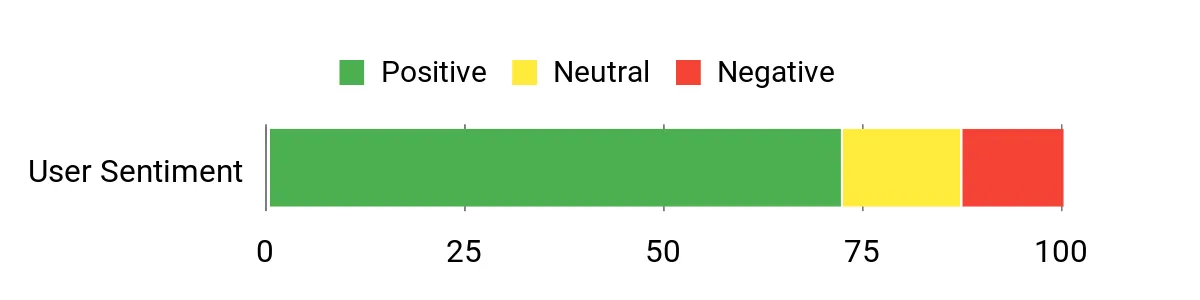
Overall Sentiment: Positive
Long-Term Value
This model hits a sweet spot between price and capability, so you avoid frequent upgrades. The Gen4 SSD and discrete GPU mean it stays relevant longer than many low-cost laptops, lowering replacement frequency.
Return on Investment
If your goal is playable settings in modern games without overspending, the Nitro V i5 offers a clear ROI by balancing component quality and cost. Upgrading RAM later is a low-cost way to extend useful life.
Situational Benefits
|
Situation |
How It Helps |
|---|---|
|
Casual to Competitive Gaming |
165Hz panel and RTX 4050 let you play esports and many AAA titles smoothly without breaking the bank. |
|
Streaming & Content |
Fast SSD and capable GPU handle streaming and light content creation with decent responsiveness. |
|
Budget Upgrade Path |
Upgrading RAM is straightforward and noticeably improves multitasking and game stability. |
Versatility
Versatile as a mid-range gaming laptop that doubles as a good everyday machine; it’s not a desktop replacement for pro content creators but covers most gaming and productivity needs.
Practicality
Practical for buyers who want strong specs at a modest price: good I/O, upgradeable RAM and fast storage keep it useful for years.
Travel Friendliness
Reasonably portable for a 15.6″ gaming laptop, though heavier than ultraportables. I’d take it to LAN events or on trips where performance matters more than minimal weight.
Boot & Responsiveness
Fast boot and load times thanks to the Gen4 SSD; occasional micro-stutters can appear under extreme loads, which RAM upgrades help reduce.
Performance
Strong for 1080p gaming and smooth at medium to high settings in most modern titles; not targeted at 4K or ultra preset enthusiast gaming.
Key Benefits
- Great 165Hz FHD display for smooth gameplay
- RTX 4050 delivers strong frame rates at this price
- 512GB Gen4 SSD offers fast storage and quick load times
- Good port selection and a comfortable backlit keyboard
Current Price: $649.99
Rating: 4.5 (total: 206+)
🎓 Best Student Budget
I like the Aspire Go 15 because it gives students and everyday users a roomy 15.6″ screen and responsive basic performance without a heavy price tag. It handles video calls, streaming and multiple browser tabs comfortably, and the DDR5 memory plus UFS storage help apps feel snappy.
The build is light enough to toss in a backpack, and battery life is solid for long study sessions. If you need a dependable laptop for classes, note-taking and media, this one balances features and cost in a friendly way.
What People Say
Buyers commonly appreciate the screen size, smooth day-to-day performance and good battery life for the price. Many people mention quick setup and solid media playback, while a few note that 128GB storage fills up fast if you keep lots of files locally.
Overall, reviewers see it as a great budget pick for school and light work.
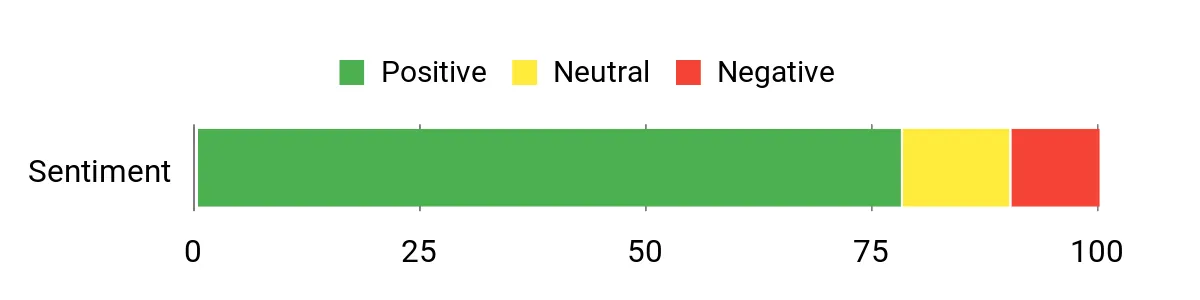
Overall Sentiment: Positive
Long-Term Value
Lower upfront cost and durable basic hardware mean fewer immediate upgrades; the presence of an M.2 slot and DDR5 SODIMM option on some models lets you extend its life affordably.
Return on Investment
For students and casual users, the Aspire Go 15 returns value through dependable daily performance and reduced need for paid software or frequent replacements, especially if you offload media to cloud storage.
Situational Benefits
|
Situation |
How It Helps |
|---|---|
|
Remote Classes |
Large screen and reliable battery let you follow lectures, take notes and run virtual classrooms without constant charging. |
|
Media & Streaming |
FHD IPS panel and decent speakers make movies and shows enjoyable during breaks or study downtime. |
|
Light Productivity |
DDR5 RAM and fast UFS storage keep spreadsheets, word processing and web apps responsive for day-to-day tasks. |
Versatility
Versatile for students, remote workers and media consumption; it covers basic photo editing and light multitasking but isn’t aimed at heavy content creation or gaming.
Practicality
Very practical: common ports, Wi‑Fi 6, Windows 11 S for secure everyday use and straightforward maintenance make it low-effort to own.
Travel Friendliness
At about 3.81 pounds it’s manageable in a backpack and offers a bigger working area than smaller ultraportables, trading a bit of weight for screen size.
Boot & Responsiveness
Boot and app launch times feel quick thanks to UFS storage; performance remains smooth for browsing and streaming but slows with heavy multitasking.
Performance
Good for web-based work, streaming and document tasks; don’t expect high frame-rate gaming or intensive video editing from the integrated graphics.
Key Benefits
- Big 15.6″ FHD IPS display for reading and media
- DDR5 memory and UFS storage for snappy everyday performance
- Long battery life (around 12.5 hours) and Wi‑Fi 6 for reliable connectivity
- Reasonable price with upgradeability (M.2 slot / RAM options on some SKUs)
Current Price: $279.95
Rating: 4.4 (total: 679+)
🧰 Best Productivity Value
I reach for the Dell 15 when I want a dependable workhorse that keeps the focus on productivity. The 120Hz FHD screen feels surprisingly smooth for scrolling and spreadsheets, the full-size keyboard with numeric pad makes number-heavy work painless, and the 16GB/512GB combo delivers quick boots and responsive app switching. It’s roomy enough for long work sessions, compact enough to carry, and the onsite service option gives me peace of mind if something goes sideways.
For anyone who needs a balanced laptop for day-to-day business tasks, this is an easy, sensible choice.
What People Say
People praise the Dell 15 for feeling like a higher-end laptop in daily use: the keyboard, screen and fast boot times come up a lot. Reviewers also point to reliable build quality and easy setup, while a small number mention occasional screen glitches or battery life that could be longer under heavy use.
Overall, buyers see strong value for business and home productivity.
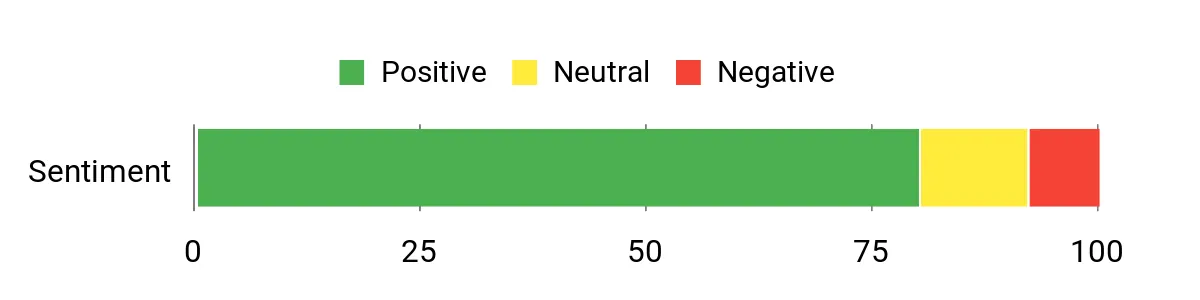
Overall Sentiment: Positive
Long-Term Value
Solid components and a generous SSD/RAM configuration reduce the need for early upgrades, and the included onsite service can cut repair downtime—both factors lower total ownership costs over several years.
Return on Investment
The Dell 15 speeds common workflows and reduces friction during meetings and document work, so time saved on day-to-day tasks contributes directly to ROI, especially for small businesses and freelancers.
Situational Benefits
|
Situation |
How It Helps |
|---|---|
|
Video Conferencing |
Built-in FHD camera and microphone, plus a clear screen, make virtual meetings look and sound professional without extra peripherals. |
|
Data Entry & Spreadsheets |
Full-size keyboard with numeric keypad speeds entry and reduces errors during long accounting or spreadsheet sessions. |
|
Everyday Office Work |
Fast SSD and 16GB RAM keep apps responsive while switching between email, browsers and productivity suites. |
Versatility
This laptop is versatile for office work, remote meetings and light multimedia editing. It isn’t pitched at high-end gaming or heavy professional-grade video work, but it handles most business and student needs comfortably.
Practicality
Practical features like anti-glare coating, memory card slot and multiple USB ports make daily use straightforward and reduce the need for dongles.
Travel Friendliness
At about 3.64 pounds it’s reasonably portable for a 15.6″ machine: not the lightest, but easier to carry than many bulky workstations.
Boot & Responsiveness
Boots quickly and launches apps fast thanks to the 512GB SSD and 16GB RAM; responsiveness stays strong for most multitasking scenarios.
Performance
Performance is solid for productivity, web work and media; integrated Intel graphics handle streaming and light editing, but heavier creative or gaming workloads will push it past its limits.
Key Benefits
- 120Hz FHD display for smooth visuals and reduced eye strain
- 16GB RAM and 512GB SSD for fast boot and multitasking
- Ergonomic full-size keyboard with numeric keypad for productivity
- Built-in FHD camera and handy port selection for meetings
Current Price: $499.98
Rating: 4.4 (total: 271+)
🏆 Best Performance
I reach for the MacBook Pro M5 when I need serious power in a compact package. The M5 delivers snappy app launches, responsive multitasking and fast export times for photos and video, while the Liquid Retina XDR screen gives me accurate color and bright HDR when I’m editing. It’s solidly built, stays cool under load, and the battery life means I can work away from a socket for most of the day. For anyone who wants a high-performance laptop that’s also travel-friendly, this is the model I’d recommend.
What People Say
Customers routinely highlight the speed and build quality as standout features, and many point to the display and battery life as reasons they upgraded. People also appreciate how well macOS and Apple Intelligence features streamline everyday tasks.
A few buyers who need extreme GPU power look to higher-end models, but most applaud the overall balance of power and portability.
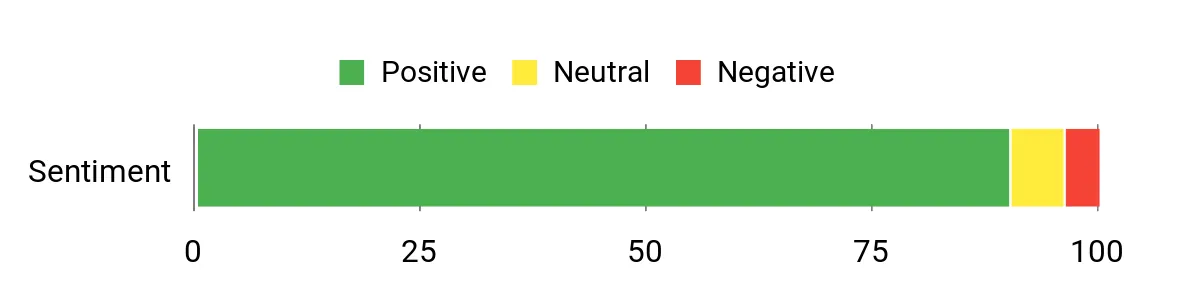
Overall Sentiment: Positive
Long-Term Value
The MacBook Pro tends to hold resale value and requires fewer replacements or upgrades over time. Its performance lifespan and Apple’s software updates mean lower effective annual cost compared with cheaper machines that need earlier refreshes.
Return on Investment
You recoup time savings through faster rendering, smoother multitasking and fewer workflow interruptions, which translates into real productivity gains for creators and professionals.
Situational Benefits
|
Situation |
How It Helps |
|---|---|
|
Photo & Video Editing |
M5 acceleration and fast SSD reduce export and render times, making editing sessions more efficient. |
|
On-The-Go Work |
Compact size, long battery life and quick wake times let you stay productive during travel or long meetings. |
|
Multitasking & Studio Apps |
Generous unified memory and a powerful CPU let you run creative apps alongside browsers and tools without slowdown. |
Versatility
This MacBook Pro adapts well from daily office work to demanding creative tasks. It’s a strong all-rounder for professionals who need both portability and performance.
Practicality
Practical features like MagSafe charging, Thunderbolt ports and reliable macOS integration make day-to-day use smooth and reduce time spent troubleshooting.
Travel Friendliness
Light and compact for a pro laptop, it’s easy to carry and still offers a larger working area than many 13-inch machines, making it a good travel companion.
Boot & Responsiveness
Apps and files open almost instantly thanks to the unified memory and SSD, so I rarely wait when switching tasks or launching heavy tools.
Performance
Performance is class-leading for a laptop its size, handling multitasking and creative workloads with minimal lag; only specialized workstation rigs surpass it for extreme GPU-heavy jobs.
Key Benefits
- Top-tier M5 performance for creative and multitasking workflows
- Stunning Liquid Retina XDR display with true-to-life color
- Large unified memory and fast 1TB SSD for smooth editing and storage
- Long battery life and compact design for productive portability
Current Price: $1,799.00
Rating: 4.7 (total: 190+)
🔋 Best Battery & Portability
I reach for the 13-inch MacBook Air when I want a truly portable machine that still feels powerful. The M4 chip keeps everyday apps and multitasking snappy while the Liquid Retina screen is bright and pleasant for photos and video.
It’s light enough to carry all day and the battery life means fewer desk-hour worries. For students, commuters and anyone who values mobility without sacrificing performance, this model strikes a solid balance.
What People Say
Users consistently praise how light and responsive this Air feels, and many mention the long battery life as a game changer for mobile work. The display, quick setup and tight integration with other Apple devices come up a lot, and most buyers find it more than capable for daily tasks and creative tweaks.
A small number of people note it isn’t aimed at heavy gaming or specialized pro-grade editing.
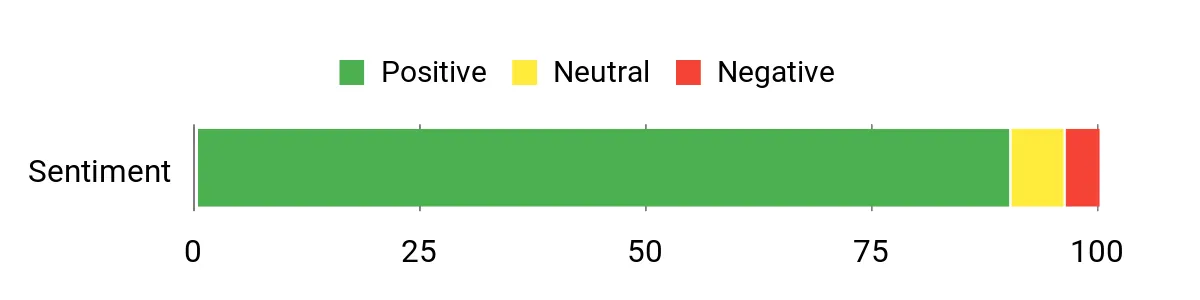
Overall Sentiment: Positive
Long-Term Value
Strong resale value and a long software support window from Apple help spread the cost over many years, reducing effective annual cost compared with cheaper models that need earlier replacement.
Return on Investment
Faster task completion, fewer interruptions and reliable battery life translate into time savings that justify the price for many professionals and frequent travelers.
Situational Benefits
|
Situation |
How It Helps |
|---|---|
|
Commuting & Travel |
Lightweight build and long battery let you work on trains, planes or between meetings without hunting for outlets. |
|
Everyday Productivity |
Snappy performance and a crisp display make document work, web apps and video calls smooth and efficient. |
|
Casual Creative Work |
The M4 chip and unified memory handle photo edits and light video tasks faster than typical ultraportables in this size class. |
Versatility
Very versatile for users who need a lightweight daily driver that still handles creative tasks; less suited for heavy GPU workloads or high-end gaming.
Practicality
Practical for daily use with reliable macOS updates, Touch ID for quick sign-in and a compact footprint that fits most bags comfortably.
Travel Friendliness
Outstanding travel friendliness thanks to its low weight and long battery; it’s one of the easiest pro-capable laptops to carry all day.
Boot & Responsiveness
Apps and files open quickly and switching between tasks feels immediate due to the unified memory and fast SSD.
Performance
High for a thin-and-light machine — it handles multitasking, streaming and creative apps smoothly, though extreme GPU-heavy jobs are outside its sweet spot.
Key Benefits
- Exceptional battery life for full-day use
- Portable, lightweight design that’s easy to carry
- M4 performance for smooth multitasking and creative apps
- High-quality Liquid Retina display and Center Stage camera
Current Price: $949.00
Rating: 4.8 (total: 6253+)
📘 Best Student Starter
I recommend the HP Essential when you want a simple, no-fuss laptop for school or home use. The 14″ BrightView display, light weight and decent battery life make it easy to take between classes or rooms, and the dual microphones help with clear video calls.
It isn’t designed for heavy multitasking, but for browsing, document work and streaming it feels comfortable and straightforward. For students or anyone needing a compact, affordable daily driver, this model balances cost and usability.
What People Say
Buyers commonly highlight how easy the HP Essential is to set up and use, especially for writing, browsing and video calls. People appreciate the portability and battery life at this price, while a few note performance can lag with many browser tabs or heavier apps. Overall it’s seen as a dependable, budget-friendly pick for students and casual users.
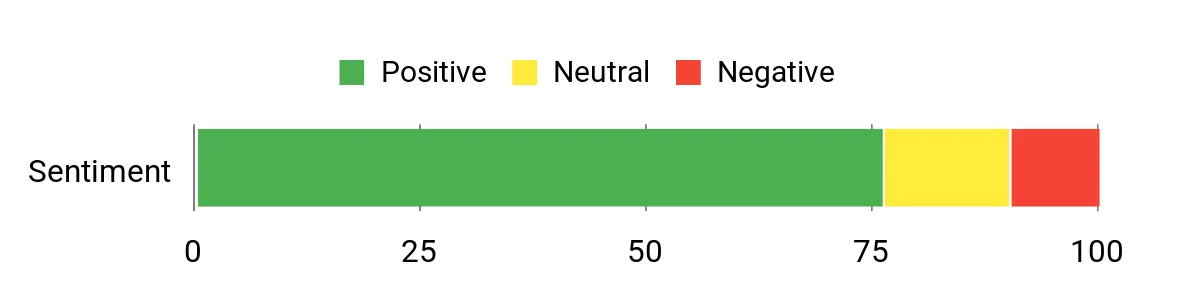
Overall Sentiment: Positive
Long-Term Value
The low purchase price and modest specs mean fewer worries about minor damage or early replacement, and the included cloud storage and Microsoft 365 access can reduce software expenses over the device’s life.
Return on Investment
You get practical returns through reduced setup time, lower support needs and reliable day-to-day performance, making it a sensible choice for classrooms, families and budget-conscious users.
Situational Benefits
|
Situation |
How It Helps |
|---|---|
|
Remote Learning |
Lightweight design and long battery let students stay engaged through lessons and note-taking without hunting for outlets. |
|
Everyday Productivity |
Responsive enough for web apps, documents and email, so homework and basic office tasks remain smooth. |
|
Video Calls |
Dual microphones and an HP True Vision webcam make virtual classes and meetings clearer without extra accessories. |
Versatility
Versatile for learning, light productivity and streaming; it handles common cloud-based apps well but isn’t intended for heavy photo or video editing.
Practicality
Practical for beginners and families thanks to simple maintenance in S Mode, common ports and an easy setup process.
Travel Friendliness
Very travel-friendly at around 3.24 pounds; it fits easily in a backpack and won’t add much bulk to daily commutes.
Boot & Responsiveness
Boots quickly and feels snappy for basic tasks thanks to the SSD, though large multitasking sessions can slow performance.
Performance
Solid for web browsing, streaming and document editing; avoid heavy multitasking or demanding apps if you want consistently smooth performance.
Key Benefits
- Lightweight 14″ form factor that’s easy to carry
- Windows 11 in S Mode for secure, low-maintenance use
- Long battery life and fast-charge support
- Clear webcam and dual-array mics for video calls
Current Price: $269.97
Rating: 4.3 (total: 396+)
🪶 Best Lightweight Chromebook
I like this Chromebook when I want a light, no-fuss machine for browsing, streaming and classroom work. The 14″ FHD touchscreen gives a nicer viewing area than many small Chromebooks, and Chrome OS keeps things snappy and low-maintenance. It’s not built for heavy multitasking or big local storage, but for daily web apps, video calls and quick document work it’s an easy, portable choice that won’t weigh down a bag.
What People Say
Readers frequently mention how portable and easy to use this Chromebook is, with many appreciating the touchscreen and battery life. People like that it handles web apps and streaming smoothly, while a few note the limited RAM and storage mean it’s best for cloud-first workflows. Overall it’s seen as great value for school and casual use.
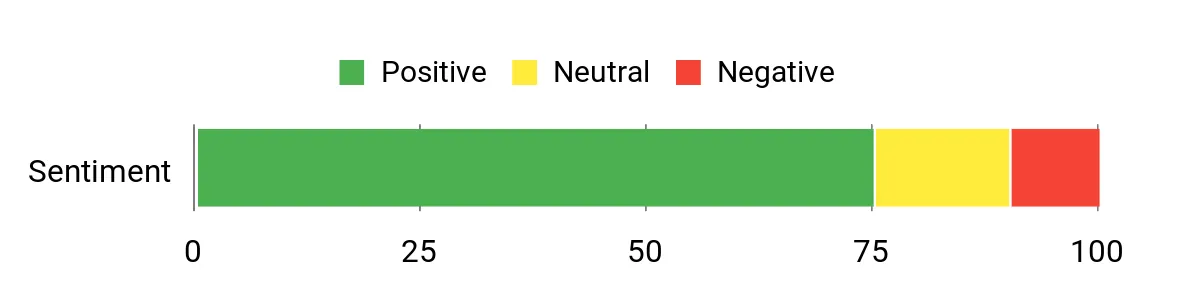
Overall Sentiment: Positive
Long-Term Value
Low initial cost and minimal maintenance needs keep total ownership expenses down. Chrome OS updates and cloud-centric workflows reduce the need for large local storage or paid software, which helps long-term affordability.
Return on Investment
You get quick setup, fewer support headaches and reliable day-to-day performance, so time saved on maintenance and troubleshooting translates into practical ROI for families and schools.
Situational Benefits
|
Situation |
How It Helps |
|---|---|
|
Classroom Use |
Lightweight design and long battery let students move between classes without frequent charging or heavy bags. |
|
Travel & Commute |
Slim profile and fast wake times make it handy for quick work sessions on trains or in cafes. |
|
Shared Family Device |
Chrome OS profiles and simple maintenance mean multiple users can share it without complex setup. |
Versatility
Versatile for web-based tasks, media and light app use; less suited for heavy local editing or multitasking due to modest RAM and storage.
Practicality
Practical for anyone who wants a straightforward machine: common ports, touchscreen convenience and easy upkeep make daily use painless.
Travel Friendliness
Highly travel-friendly thanks to its low weight and slim build; the 14″ screen gives useful workspace while staying compact.
Boot & Responsiveness
Quick to wake and responsive for browser-based apps thanks to Chrome OS, though very large tab loads will show limits.
Performance
Good for streaming, web apps and document work; not meant for heavy multitasking, virtual machines or demanding local software.
Key Benefits
- Lightweight 14″ FHD touchscreen that’s easy to carry
- Long battery life and Wi‑Fi 6 for reliable on-the-go use
- Simple, fast Chrome OS experience with quick boot times
- Affordable price with decent build for the category
Current Price: $183.00
Rating: 4.3 (total: 1263+)
🔥 Best Value High-End
I turn to the Nitro V i7 when I want near-enthusiast gaming power without a desktop replacement price. The combination of a 13th-gen i7, RTX 4050 and a 165Hz panel delivers smooth 1080p play and responsive multitasking. The chassis and cooling are designed to sustain longer sessions, and the 1TB Gen4 SSD keeps load times short.
It’s also reasonably upgradeable, so you can add RAM or tweak storage later. If you want a gaming laptop that balances performance, thermals and value, this one makes a strong case.
What People Say
Buyers often highlight the Nitro V i7’s strong performance for the price and praise how quiet and cool it can run in many situations. Many also like the high-refresh display and fast storage, while a handful mention loud fan noise at peak performance and limited unplugged battery life.
Overall Sentiment: Positive

Long-Term Value
High-quality components like the RTX 4050 and Gen4 SSD extend usable life compared with cheaper laptops, and the ability to upgrade RAM or storage helps postpone replacement costs.
Return on Investment
You recoup value through longer relevance for modern games and faster workflows; fewer immediate upgrades are needed if you invest in the Nitro V i7 and add RAM later if necessary.
Situational Benefits
|
Situation |
How It Helps |
|---|---|
|
Competitive Gaming |
165Hz display and RTX 4050 give the frame rates and responsiveness needed for esports and fast-paced titles. |
|
Streaming & Recording |
Strong CPU and GPU handle streaming software and gameplay recording while keeping performance stable. |
|
Upgrade Path |
Accessible RAM and M.2 slots make it easy to boost memory or add storage for improved longevity. |
Versatility
Versatile as a gaming-first laptop that also doubles for content creation and daily productivity; it’s not a quiet ultralight but handles most tasks you’ll throw at it.
Practicality
Practical for gamers who want solid specs out of the box and the option to upgrade later; port selection and a full keyboard add everyday usefulness.
Travel Friendliness
Moderately travel-friendly for a 15.6″ gaming laptop: I’d bring it to LAN events or trips where performance matters, though it’s heavier than ultrabooks.
Boot & Responsiveness
Fast boot and game load times thanks to the Gen4 SSD; occasional micro-stutters under extreme multitasking are usually resolved by adding RAM.
Performance
High for 1080p gaming and smooth at medium-to-high settings in modern titles; it isn’t aimed at 4K gaming but excels in its intended range.
Key Benefits
- Powerful i7 CPU and RTX 4050 GPU for smooth 1080p gaming
- 165Hz IPS panel for responsive gameplay and reduced motion blur
- 1TB Gen4 SSD for fast load times and ample storage
- Good cooling design with upgrade options for RAM and storage
Current Price: $943.00
Rating: 4.6 (total: 228+)
🧊 Best Cooling Design

I reach for the Nitro V 16S when I want a portable gaming laptop that still runs cool under pressure. The 16″ 180Hz panel makes fast-paced titles feel fluid and the Ryzen 7 paired with an RTX 5060 handles modern games and streaming with ease.
The slim chassis and quad-intake cooling keep thermals in check during long sessions, and the 32GB/1TB Gen4 combo means minimal load times and room for games. It’s a great pick if you want near-desktop responsiveness while traveling, though battery life in high-performance mode is noticeably limited.
What People Say
Users frequently praise how cool and quiet the machine runs during extended play, and they like the fast 180Hz screen and roomy memory/storage configuration. People also note the solid build and good out-of-the-box performance for demanding games.
A few customers mention preinstalled bloat and that battery life drops quickly under full load, but overall impressions skew positive.
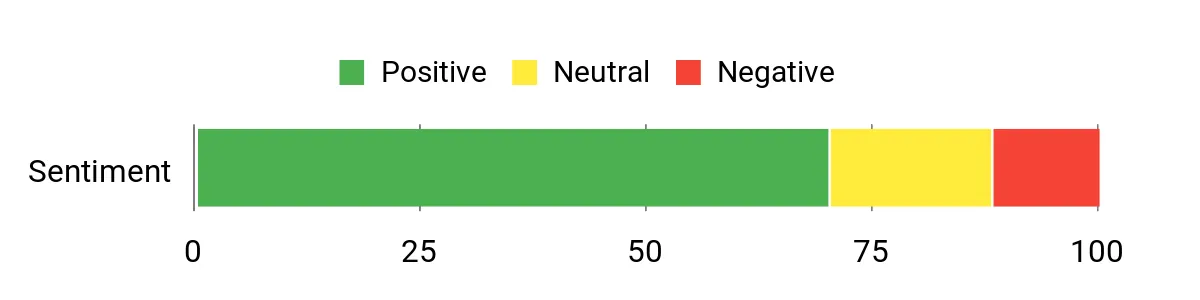
Overall Sentiment: Positive
Long-Term Value
High-quality components and a Gen4 SSD extend usable lifespan compared with cheaper alternatives, and accessible upgrade paths for RAM and storage help delay full replacements.
Return on Investment
You get strong performance for the price bracket, which means more playability and fewer upgrades in the near term; time saved on load and render tasks converts into practical value for gamers and creators.
Situational Benefits
|
Situation |
How It Helps |
|---|---|
|
High-Performance Gaming |
165–180Hz panel and RTX 5060 deliver high frame rates and responsive controls for competitive and AAA titles. |
|
On-The-Go Content Creation |
Fast CPU, ample unified memory and quick storage reduce export and multitasking times for photo and video edits. |
|
LAN Events & Travel |
Slim chassis and efficient cooling make it easier to bring a powerful machine to events without overheating. |
Versatility
Versatile for gamers who also do streaming or light content work; excellent for 1080p high-refresh gaming but not intended as a 4K powerhouse or silent ultraportable.
Practicality
Practical with useful I/O, upgradeable RAM/storage and a design focused on sustained performance, though expect some preinstalled software to clean up.
Travel Friendliness
Moderately travel-friendly for a 16″ gaming laptop at about 4.63 pounds — easier to carry than heavier desktop replacements but bulkier than ultraportables.
Boot & Responsiveness
Very fast boot and load times thanks to the Gen4 SSD; responsiveness in games and apps is excellent, with rare micro-stutters that are often solved by increasing RAM or tuning settings.
Performance
High performance at 1080p and ideal for high-refresh-rate play; handles modern titles smoothly at mid-to-high settings and supports streaming/recording workflows.
Key Benefits
- Excellent cooling that keeps performance steady in long sessions
- 180Hz WUXGA display for very smooth gameplay
- Strong specs (Ryzen 7, RTX 5060, 32GB DDR5, 1TB Gen4 SSD)
- Slim, portable chassis that’s easier to carry than many gaming rigs
Current Price: $1,299.99
Rating: 4.2 (total: 126+)
🎮 Best For eSports
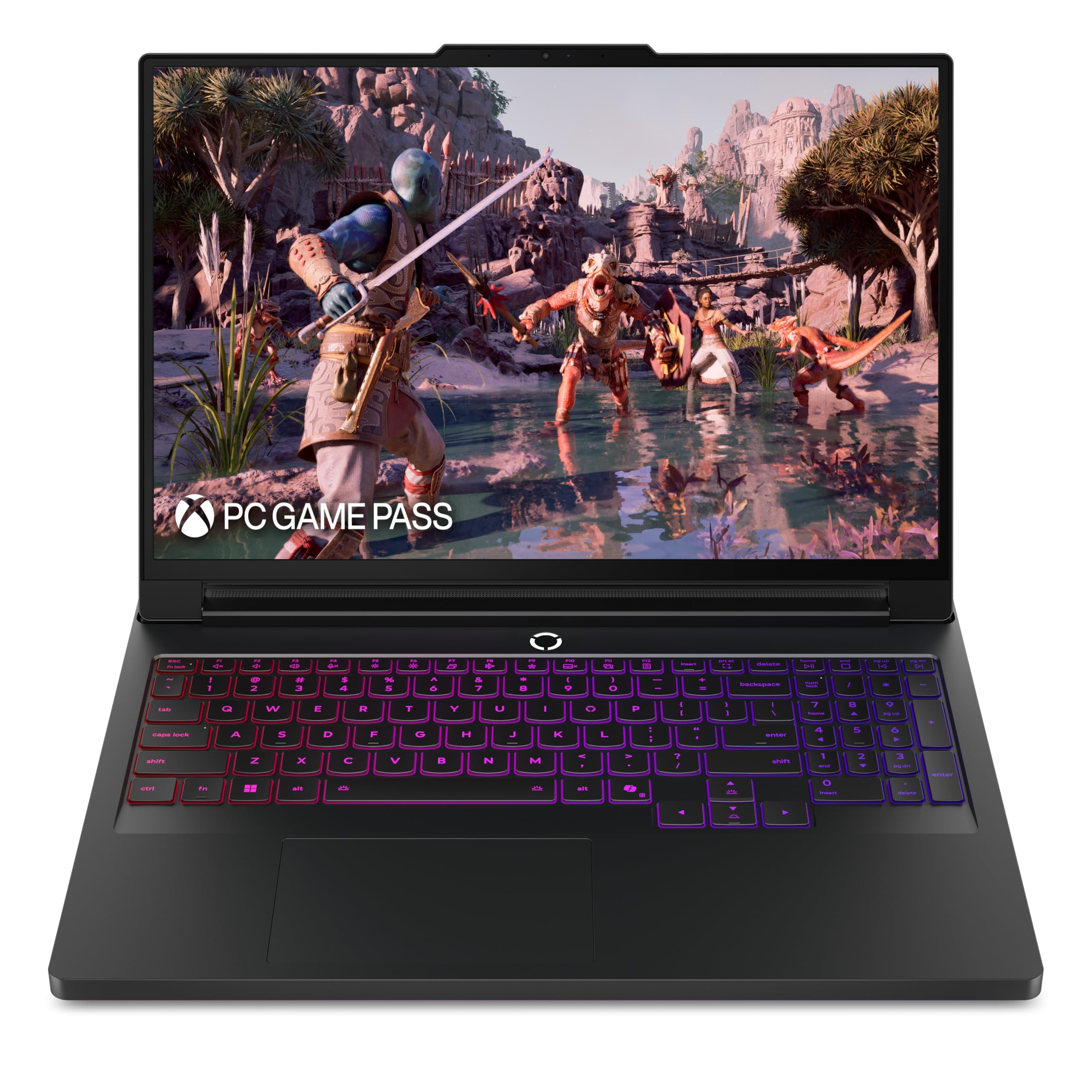
I reach for the Legion Pro 7i when I need a laptop that behaves like a desktop but travels. The combination of Intel Core Ultra processors and the RTX 5070 Ti gives consistently high frame rates for competitive play, while the PureSight OLED and high refresh rate make movement and detail pop.
It’s built solidly, with effective cooling and room for big storage and memory, so long sessions and heavy workloads stay steady. If you want a single machine for esports, streaming and creative work that won’t bottleneck you, this is one of the most convincing options I’ve used.
What People Say
People consistently praise the Legion Pro 7i for its raw speed, display quality and solid build. Reviewers point out that it feels like a desktop replacement for serious gamers and creators, and many appreciate the cooling and sustained performance.
A few buyers mention the weight and premium price, but most emphasize how capable and reliable it is for demanding use.
Overall Sentiment: Positive

Long-Term Value
High-end components and a robust cooling system help the laptop remain relevant longer, reducing the need for early upgrades. Strong resale value for premium gaming machines also helps offset the initial outlay over time.
Return on Investment
You recover value through faster project turnaround, higher streaming or competitive performance, and fewer workflow interruptions. For pros and serious hobbyists, the time saved on renders and in-game performance translates directly to productivity or entertainment value.
Situational Benefits
|
Situation |
How It Helps |
|---|---|
|
Competitive Gaming |
240Hz OLED and a powerful GPU provide the frame rates and clarity needed to spot enemies and react faster in esports titles. |
|
Content Creation |
Plenty of RAM and a large, fast SSD speed up editing, exports and multitasking across creative apps. |
|
Desktop Replacement |
Desktop-class performance and advanced cooling let you use it as a portable workstation without major compromises. |
Versatility
Very versatile for gamers who also do streaming or creative work; it handles competitive play, content production and heavy multitasking without needing a second machine.
Practicality
Practical features like strong cooling, multiple high-speed ports and ample storage make daily use straightforward; expect a bit more weight and size than ultraportables in return for the power.
Travel Friendliness
Moderately travel-friendly for a high-performance 16″ laptop — it’s portable enough for trips and LAN events but heavier than thin ultraportables, so I pack intentionally.
Boot & Responsiveness
Apps and games load quickly thanks to the Gen-speed SSD and large memory, so switching contexts feels seamless and responsive.
Performance
Class-leading for its category at 1080p and high-refresh play; it also accelerates creative workloads well, though truly extreme GPU tasks belong to full workstations.
Key Benefits
- Elite gaming performance with NVIDIA RTX 5070 Ti and Intel Core Ultra CPU
- High-refresh PureSight OLED display for exceptional clarity and low latency
- Generous 32GB RAM and 2TB SSD for multitasking and large projects
- Robust cooling (Vapor/Hyper Chamber) that sustains performance under load
- Rich I/O and features aimed at competitive and creator workflows
Current Price: $1,894.74
Rating: 4.3 (total: 162+)
🤖 Best AI Features

I reach for the Aspire 16 AI when I want a laptop that blends everyday productivity with helpful on-device AI. The 16″ 120Hz touch display is great for browsing, note-taking and light creative work, while the Snapdragon platform and NPU accelerate Copilot+ experiences.
It wakes quickly, runs web and office apps smoothly, and the 16GB/512GB combo keeps multitasking and storage responsive. If you want an AI-forward machine for college, remote work or creative research, this model gives a noticeable productivity edge while staying portable.
What People Say
Users often praise the Aspire 16 AI for its speed, vivid screen and long battery life when using eco settings. Many appreciate how Copilot+ and on-device AI make routine tasks faster, while reviewers also note the pleasant keyboard and quick setup.
A few buyers warn that some enterprise VPNs and niche apps may need extra compatibility checks on the Snapdragon platform.
Overall Sentiment: Positive

Long-Term Value
Reduced software overhead and faster task completion with AI features can lower ongoing time costs. Strong battery efficiency and modern components help delay hardware refreshes, keeping total ownership costs reasonable.
Return on Investment
The time saved on research, drafting and repetitive tasks thanks to Copilot+ and fast responsiveness translates into practical ROI, especially for students and knowledge workers who value efficiency.
Situational Benefits
|
Situation |
How It Helps |
|---|---|
|
College & Study |
Long battery life and a roomy touchscreen make note-taking, reading and group work easy without constant charging. |
|
Remote Work |
On-device AI shortcuts and quick wake times speed common workflows like email triage, document drafting and meeting prep. |
|
Light Creative Tasks |
Fast SSD and ample memory let you handle photo edits and media previews comfortably while keeping project files local or in the cloud. |
Versatility
Versatile for web-first workflows, AI-assisted productivity and light creative work; best suited to users who prioritize battery life and intelligent helpers over raw workstation-class GPU power.
Practicality
Practical with modern connectivity (Wi‑Fi 7), a touch display, and Copilot+ integration that reduces the friction of repetitive tasks and research workflows.
Travel Friendliness
Surprisingly travel-friendly for a 16″ device at about 3.42 pounds, especially when you value a larger screen and long battery life on the road.
Boot & Responsiveness
Very responsive for everyday apps and web tasks thanks to the SSD and LPDDR5X memory; AI features execute quickly on the device’s NPU.
Performance
Good for multitasking, browsing and AI-accelerated features; it handles light media work smoothly, while very specialized desktop apps may be limited by the ARM-based platform.
Key Benefits
- AI Copilot+ features that simplify tasks and speed research
- Large 16″ 120Hz multi-touch display for comfortable work and media
- Long battery life (up to 18 hours in eco modes) for all-day use
- Fast 512GB Gen4 SSD and 16GB LPDDR5X memory for smooth responsiveness
Current Price: $549.99
Rating: 4.6 (total: 102+)
🔌 Best Connectivity For Office
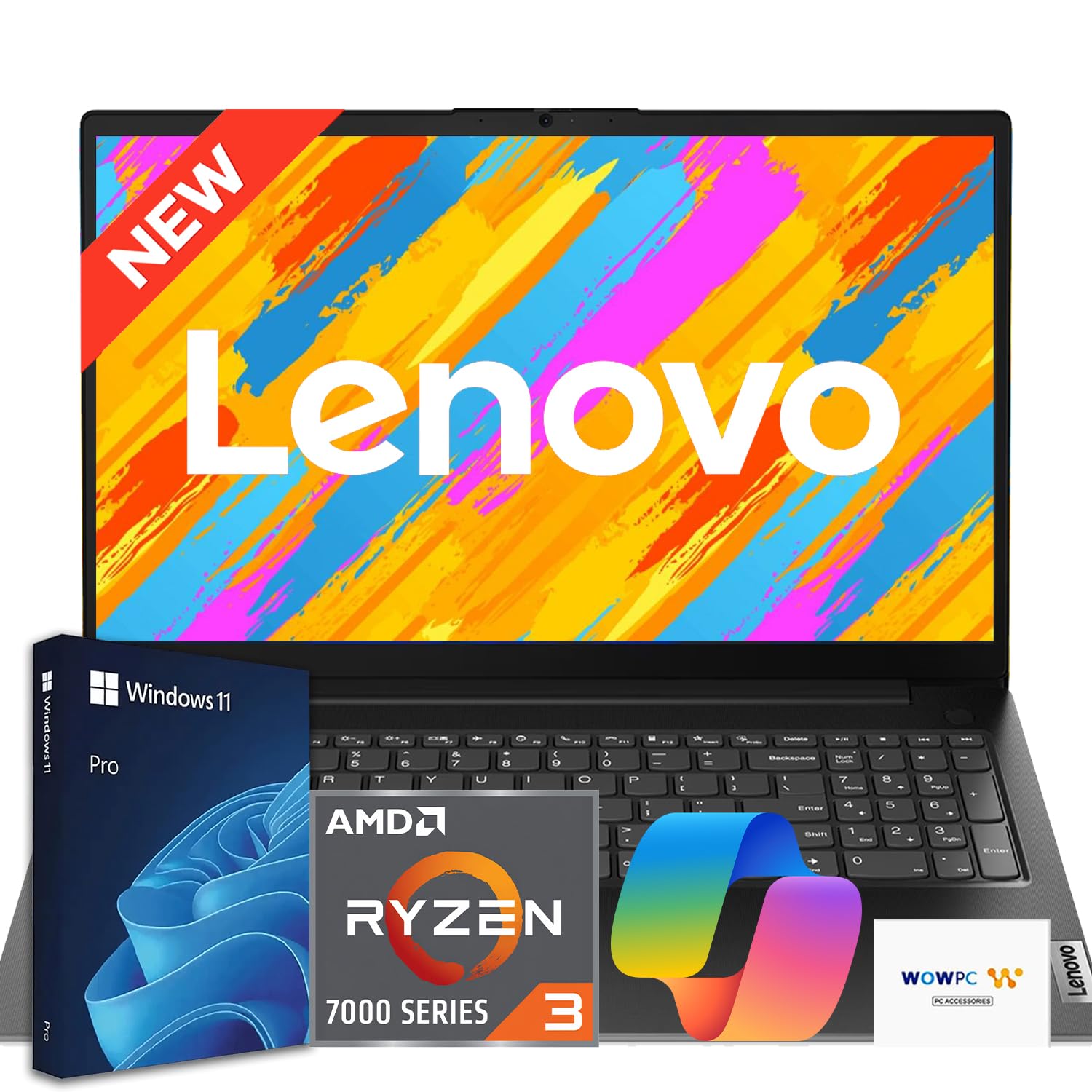
I reach for the V15 Ryzen when I need a no-nonsense business laptop that covers every practical base. The 15.6″ Full HD screen, full-size keyboard with numeric keypad and wired Ethernet make it comfortable for long spreadsheets and steady remote connections. With 16GB of DDR5 and a 256GB NVMe SSD it boots quickly and keeps multiple apps responsive, and the included recovery USB is a nice touch for peace of mind.
If you want a reliable office machine with great connectivity and easy maintenance, this model feels like a sensible, work-focused purchase.
What People Say
Customers often highlight how solid and reliable the V15 feels for daily work: people mention fast boot times, comfortable typing and the value of having an Ethernet port. Reviewers who use professional apps note that the Ryzen processor with 16GB RAM tackles light CAD and multitasking well.
A few buyers reported delivery issues like cosmetic damage on arrival, but the general impression is that it delivers dependable performance for the price.
Overall Sentiment: Positive
Long-Term Value
Choosing a laptop with durable components, a recovery USB and business-focused features reduces downtime and support costs. The SSD and DDR5 memory help the machine stay relevant longer, delaying costly replacements.
Return on Investment
You get measurable ROI from faster boot and task times, fewer support interruptions thanks to recovery tools, and a work-ready feature set that keeps workflows smooth for small teams or students.
Situational Benefits
|
Situation |
How It Helps |
|---|---|
|
Office & Remote Work |
Ethernet plus Wi‑Fi 6 ensures stable video calls and file transfers, while Windows 11 Pro and TPM 2.0 keep business data secure. |
|
Students & Coursework |
Large 15.6″ display, numeric keypad and long‑lasting performance make research, writing and spreadsheets easier without overspending. |
|
Light CAD & Design |
Ryzen 3 with 16GB DDR5 and an NVMe SSD handles entry-level CAD and design software more smoothly than basic budget laptops. |
Versatility
Versatile within business and student use cases: it comfortably handles productivity suites, web apps and light design work, though it’s not intended as a gaming or heavy workstation machine.
Practicality
Practical features like HDMI, multiple USB ports, RJ‑45, anti‑glare display and a recovery USB keep day-to-day use simple and reduce the need for extra adapters or support calls.
Travel Friendliness
Reasonably travel‑friendly at about 3.6 pounds; it’s portable enough for commutes or campus days while offering a larger screen than many ultraportables.
Boot & Responsiveness
Boot and app launches are quick thanks to the NVMe SSD and 16GB DDR5, so I rarely wait when switching between browser tabs and productivity apps.
Performance
Solid for multitasking, office workflows and light creative work; it won’t replace a dedicated workstation for heavy rendering or high-end gaming but it punches above its price class.
Key Benefits
- Wired RJ‑45 Ethernet plus Wi‑Fi 6 for reliable networking
- 16GB DDR5 and NVMe SSD for snappy everyday performance
- Full-size keyboard with numeric keypad for productivity
- Windows 11 Pro and recovery USB for business-ready management
Current Price: $399.99
Rating: 4.4 (total: 28+)
📘 Best Student Starter

I like the HP 15 when I want a simple, reliable laptop that’s easy to carry between rooms or campus. The 15.6″ touchscreen makes browsing and scrolling feel natural, and the Ryzen 3 with an SSD keeps everyday tasks snappy.
Fast Charge and long battery life mean fewer interruptions during study sessions or long commutes. For students and anyone who needs a straightforward machine for web apps, video calls and document work, this is a very practical choice.
What People Say
People often mention how dependable and easy to set up the HP 15 is, highlighting the touchscreen, battery life and light weight. Reviewers like that it handles browsing, streaming and document work without fuss, though some note it can slow with many heavy browser tabs or demanding apps.
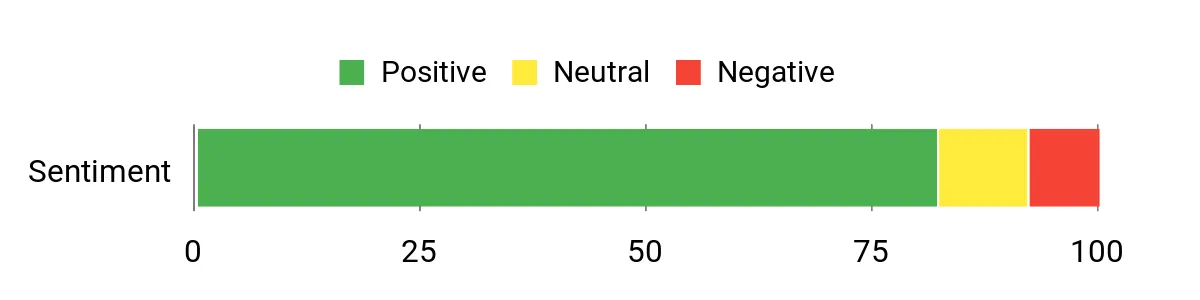
Overall it’s praised as a good value for students and casual users.
Overall Sentiment: Positive
Long-Term Value
Lower upfront cost and solid basic specs reduce worry about minor damage or early replacement, and built-in cloud storage or included Microsoft perks can lower recurring software costs.
Return on Investment
You gain practical ROI through faster setup, fewer support issues and reliable day-to-day performance, which is especially useful for students and home users who need a no-fuss machine.
Situational Benefits
|
Situation |
How It Helps |
|---|---|
|
Remote Classes |
Large touchscreen and long battery let students attend lectures, take notes and join group calls without constant recharging. |
|
Everyday Productivity |
SSD boot times and responsive keyboard make document editing, spreadsheets and web research efficient. |
|
Entertainment |
HD display and decent integrated graphics handle streaming and casual media comfortably. |
Versatility
Versatile for learning, light productivity and media; it covers common student and home use cases well but isn’t designed for heavy content creation or gaming.
Practicality
Practical features like Fast Charge, common ports and Windows 11 in S Mode make the laptop straightforward to maintain and secure for everyday users.
Travel Friendliness
Quite travel-friendly at around 3.52 pounds, fitting easily in a backpack while offering a roomy screen for work on the go.
Boot & Responsiveness
Boots quickly and feels responsive for web apps and office suites thanks to the SSD; heavy multitasking will reveal limits but day-to-day speed is good.
Performance
Solid for browsing, streaming and document work; integrated Radeon graphics handle light media tasks, while demanding apps will run slower.
Key Benefits
- Responsive touchscreen and large 15.6″ display for reading and media
- SSD and 8GB RAM deliver quick boot and smooth everyday use
- Fast Charge and long battery life keep you working through the day
- Built-in webcam and dual mics for clearer video calls
Current Price: $388.94
Rating: 4.5 (total: 1269+)
🚀 Best High-End Gaming

I reach for the Katana 15 when I want near-desktop gaming power in a portable package. The Core i9 and RTX 5070 chew through modern AAA titles and the QHD 165Hz display keeps motion crisp for competitive play. Cooler Boost 5 helps it stay stable during long sessions and the 32GB/1TB combo means fast load times and plenty of working space.
It’s heavier than ultraportables and battery life is limited, but if performance is your priority and you travel to LANs or events, this is a laptop I’d consider.
What People Say
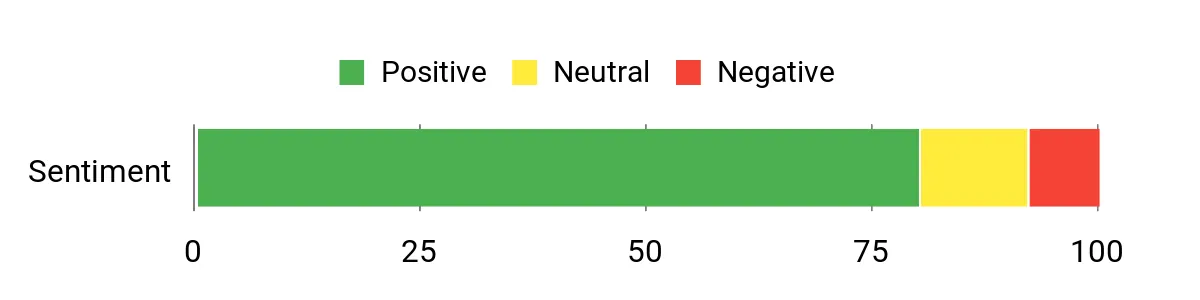
People often highlight the Katana’s raw performance and excellent display as major strengths, noting that games run smoothly even at high settings. Many reviewers praise build quality and the cooling solution, while common caveats include the laptop’s weight and short battery life when gaming unplugged. Overall it’s viewed as a high-value option for buyers who prioritize frame rates and responsiveness.
Overall Sentiment: Positive
Long-Term Value
Investing in higher-end components reduces the need for early upgrades; the powerful CPU/GPU and fast SSD keep the machine relevant longer, which spreads the cost over more years.
Return on Investment
You recoup value through faster game performance, reduced render and load times, and fewer hardware refreshes. For streamers and competitive players, improved frame rates and stability translate to real gains.
Situational Benefits
|
Situation |
How It Helps |
|---|---|
|
Competitive Gaming |
High refresh rates and a powerful GPU deliver the frame rates and low-latency visuals needed to stay competitive. |
|
AAA Gaming Sessions |
Strong CPU/GPU combo and fast SSD keep load times short and maintain high settings for immersive single-player and multiplayer experiences. |
|
Content Creation |
Plenty of RAM and a fast NVMe drive speed up editing, exporting and multitasking for creators who also game. |
Versatility
Versatile for gamers who also do streaming or editing; it’s a performance-first machine that can double as a capable creative workstation when needed.
Practicality
Practical features like multiple high-speed ports, HDMI up to 8K support and an RGB keyboard make setup and day-to-day use flexible and enjoyable.
Travel Friendliness
Moderately travel-friendly for a gaming laptop at about 4.96 pounds; I’d bring it to events where performance matters but not for ultralight commutes.
Boot & Responsiveness
Very fast boot and load times thanks to the 1TB NVMe SSD; switching between apps and games feels immediate in most cases.
Performance
Class-leading for 1080p and very strong at QHD 165Hz settings; handles modern AAA titles and ray-traced effects well within its performance envelope.
Key Benefits
- Top-tier Core i9 and RTX 5070 performance for high-FPS gaming
- QHD 165Hz display delivers sharp, fluid visuals
- 32GB DDR5 and 1TB NVMe SSD for fast multitasking and storage
- Effective Cooler Boost 5 thermal design for sustained performance
Current Price: $1,599.00
Rating: 4.3 (total: 241+)
💸 Best Budget Gaming
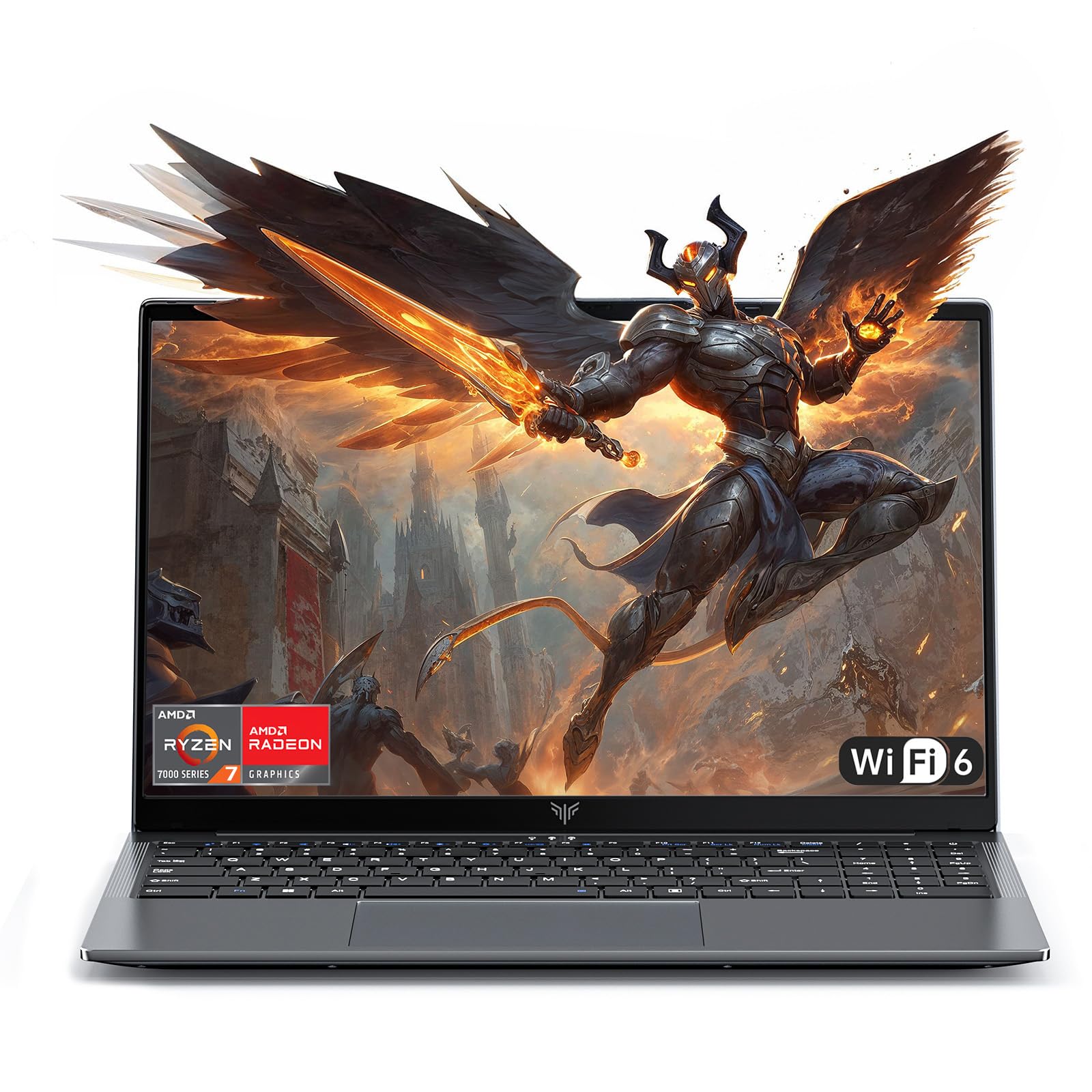
I reach for this KAIGERR when I want a roomy 16″ screen and solid everyday gaming performance without overspending. The Ryzen 7 and 16GB RAM keep multitasking smooth, while the NVMe SSD cuts load times.
It’s light for its class and handles homework, streaming and casual gaming comfortably, so it’s a good option if you want a single machine for study and play that won’t break the bank.
What People Say
People generally note that the laptop gives surprisingly good performance for the price and praise the large screen and responsive feel. Several reviewers mention quick setup and solid everyday responsiveness, while a few remind buyers that it’s not from a mainstream brand so support expectations should be realistic.
Overall, the consensus is that it’s an excellent value for study, light gaming and general use.
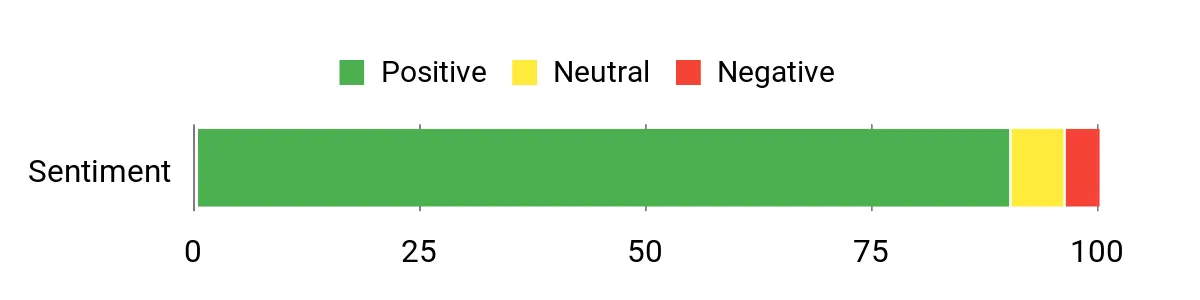
Overall Sentiment: Positive
Long-Term Value
Lower upfront cost and capable hardware mean you can delay upgrades; the NVMe SSD and 16GB RAM help the machine stay useful longer than cheaper, lower-spec alternatives.
Return on Investment
You get strong day-to-day value through faster task completion and fewer slowdowns, so the time saved on loading and multitasking makes the purchase worthwhile for students and casual gamers.
Situational Benefits
|
Situation |
How It Helps |
|---|---|
|
Student Work |
Large screen and responsive performance make research, writing and remote classes more comfortable. |
|
Casual Gaming |
Ryzen 7 and sufficient RAM handle modern titles at sensible settings for enjoyable play sessions. |
|
On-The-Go Media |
Big display and portable weight let you watch shows and edit photos while traveling or between classes. |
Versatility
Versatile for mixed use: gaming, media and productivity. It’s not a workstation for heavy rendering but covers a wide range of everyday needs.
Practicality
Practical in daily life with a numeric keypad, backlit keyboard and enough storage to keep games and projects local when needed.
Travel Friendliness
Relatively travel-friendly at about 3.85 pounds for a 16″ machine, so it’s easy to carry in a backpack without feeling bulky.
Boot & Responsiveness
Fast boot and app loading thanks to the NVMe SSD; multitasking stays smooth with 16GB RAM unless you push many heavy apps simultaneously.
Performance
Strong for its price bracket—good for 1080p gaming, smooth media playback and responsive productivity; heavy professional workloads may be limited by integrated GPU performance.
Key Benefits
- Strong Ryzen 7 performance for the price
- 16GB RAM and NVMe SSD for snappy multitasking and fast loads
- Large 16″ display that’s great for gaming and media
- Lightweight design relative to typical gaming laptops
Current Price: $599.99
Rating: 5.0 (total: 18+)
🎨 Best For Creatives

I reach for the ROG Strix G16 when I want a machine that blends gaming speed with creative muscle. The 240Hz Nebula display is gorgeous for color work and motion, while the Core Ultra 9 and RTX 5070 Ti let me multitask, render and play without obvious slowdowns.
It feels solidly built and its cooling keeps temps reasonable during long sessions. If you edit photos, stream, or game at high refresh rates and want a single machine that handles both, this is a compelling choice.
What People Say
Readers repeatedly point to the display quality and raw performance as the standouts; many appreciate that it serves both as a gaming rig and a creative workstation. People note quick setup, strong multitasking and impressive frame rates, while a few mention it runs warm under extreme loads and is heavier than ultraportables.
Overall, buyers view it as a premium, versatile machine that justifies its price for demanding users.
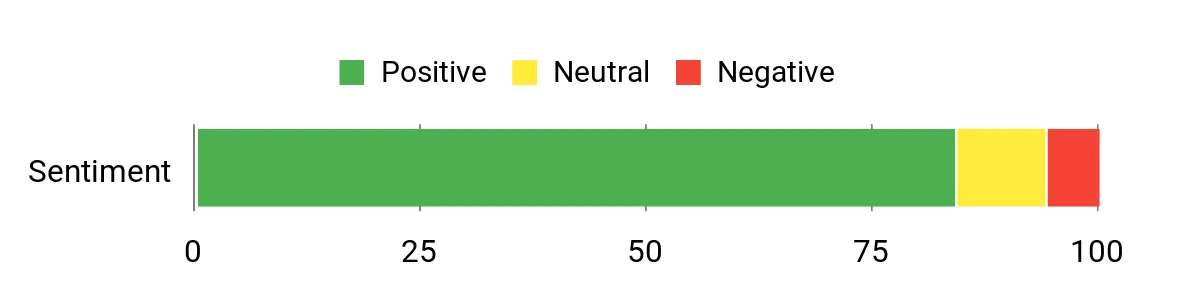
Overall Sentiment: Positive
Long-Term Value
High-end components and a modern PCIe 4.0 SSD help the laptop remain capable over several years, reducing the need for early upgrades and preserving resale value compared with lower-spec alternatives.
Return on Investment
You recoup value through faster render and export times, smoother live streaming and a single device that replaces both a gaming laptop and a capable creative workstation, saving on separate purchases.
Situational Benefits
|
Situation |
How It Helps |
|---|---|
|
Game Development & Testing |
High CPU/GPU performance and a high-refresh display let you test builds and run demanding engines with responsive frame rates. |
|
Photo & Video Editing |
Accurate, high-resolution display and large memory/storage speed up previews, rendering and multitasking across editing apps. |
|
Live Streaming |
Strong processing power and fast storage handle streaming software, encoding and gameplay simultaneously with minimal impact. |
Versatility
Very versatile for anyone who needs both creative performance and high-refresh gaming; it spans content creation, streaming and competitive play effectively.
Practicality
Practical features like multiple high-speed ports, robust cooling and upgrade options make it a useful daily driver despite its size and power draw.
Travel Friendliness
Moderately travel-friendly for a 16″ powerhouse: it’s portable enough for trips and events but heavier than ultraportables, so pack thoughtfully.
Boot & Responsiveness
Very fast boot and app load times thanks to the PCIe 4.0 SSD; switching between heavy apps feels immediate.
Performance
Class-leading for 16″ gaming laptops: it delivers high frame rates, smooth creatives workloads and solid multitasking performance under load.
Key Benefits
- ROG Nebula 240Hz 2.5K display for sharp visuals and accurate color
- Top-tier Core Ultra 9 CPU and RTX 5070 Ti GPU for creative and gaming tasks
- 32GB DDR5 and 1TB PCIe 4.0 SSD for fluid multitasking and fast loads
- ROG Intelligent Cooling and upgradeable design for sustained performance
Current Price: $2,399.99
Rating: 4.4 (total: 518+)
🔌 Best Connectivity For Office

I reach for the V15 Ryzen when I need a dependable office machine with plenty of memory and real-world connectivity. The wired Ethernet port and Wi‑Fi 6 keep video calls and large file transfers steady, while 40GB of DDR5 and a 1TB NVMe drive make multitasking and heavy document workflows feel snappy.
The full-size keyboard and numeric pad help during long spreadsheets, and the included recovery USB makes IT headaches easier to handle. It’s a sensible choice when reliability and office-ready ports matter more than gaming glamor.
What People Say
Users often praise the V15 Ryzen for its speed and reliability, especially when juggling many tabs or demanding business apps. Reviewers like the comfortable keyboard, solid build and the convenience of Ethernet alongside Wi‑Fi 6. A minority mention delivery issues or that battery life can be limited under heavy uploads, but most buyers see it as a practical workhorse for business and study.
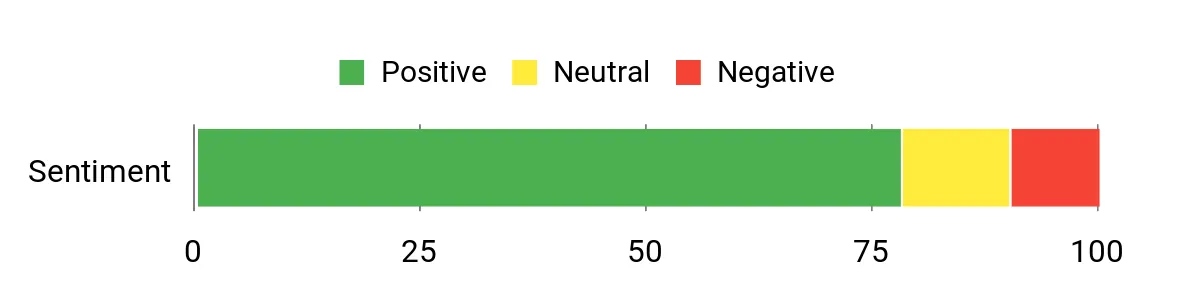
Overall Sentiment: Positive
Long-Term Value
Durable components, ample RAM and a roomy NVMe drive reduce the need for early upgrades, while business-grade features and a recovery USB lower support time and potential repair costs.
Return on Investment
Faster boot and task times translate into real time savings for everyday work; combined with fewer support calls and longer useful life, the V15 delivers sensible ROI for small teams and students.
Situational Benefits
|
Situation |
How It Helps |
|---|---|
|
Office & Remote Work |
Ethernet and Wi‑Fi 6 ensure stable video meetings and reliable file transfers, while Windows 11 Pro supports business security and management. |
|
Data‑Heavy Multitasking |
40GB DDR5 and the NVMe SSD keep multiple apps, browser tabs and large spreadsheets responsive without swapping delays. |
|
Students & Coursework |
Large screen, numeric keypad and quick boot times make research, assignments and remote classes easier to manage. |
Versatility
Versatile within business and student use cases: it handles productivity suites, web apps and light design work well, though it’s not aimed at heavy gaming or workstation-grade rendering.
Practicality
Practical daily features like HDMI, multiple USB ports, RJ‑45 and an anti‑glare FHD screen reduce the need for adapters and simplify common tasks.
Travel Friendliness
Reasonably portable at about 3.6 pounds, it’s easy to carry between meetings or campus without sacrificing screen size or keyboard comfort.
Boot & Responsiveness
Boots quickly and launches apps fast thanks to the NVMe SSD and ample RAM; responsiveness stays strong during typical office workflows.
Performance
Solid for multitasking, business applications and light content work; it outperforms many entry models but won’t replace a dedicated high-end creative workstation for heavy rendering.
Key Benefits
- Wired RJ‑45 plus Wi‑Fi 6 for stable networking in office environments
- 40GB DDR5 and 1TB NVMe SSD for smooth multitasking and fast storage
- Full-size keyboard with numeric keypad suited to productivity
- Windows 11 Pro and recovery USB for easier management and recovery
Current Price: $839.00
Rating: 4.3 (total: 396+)
🧰 Best Productivity Value
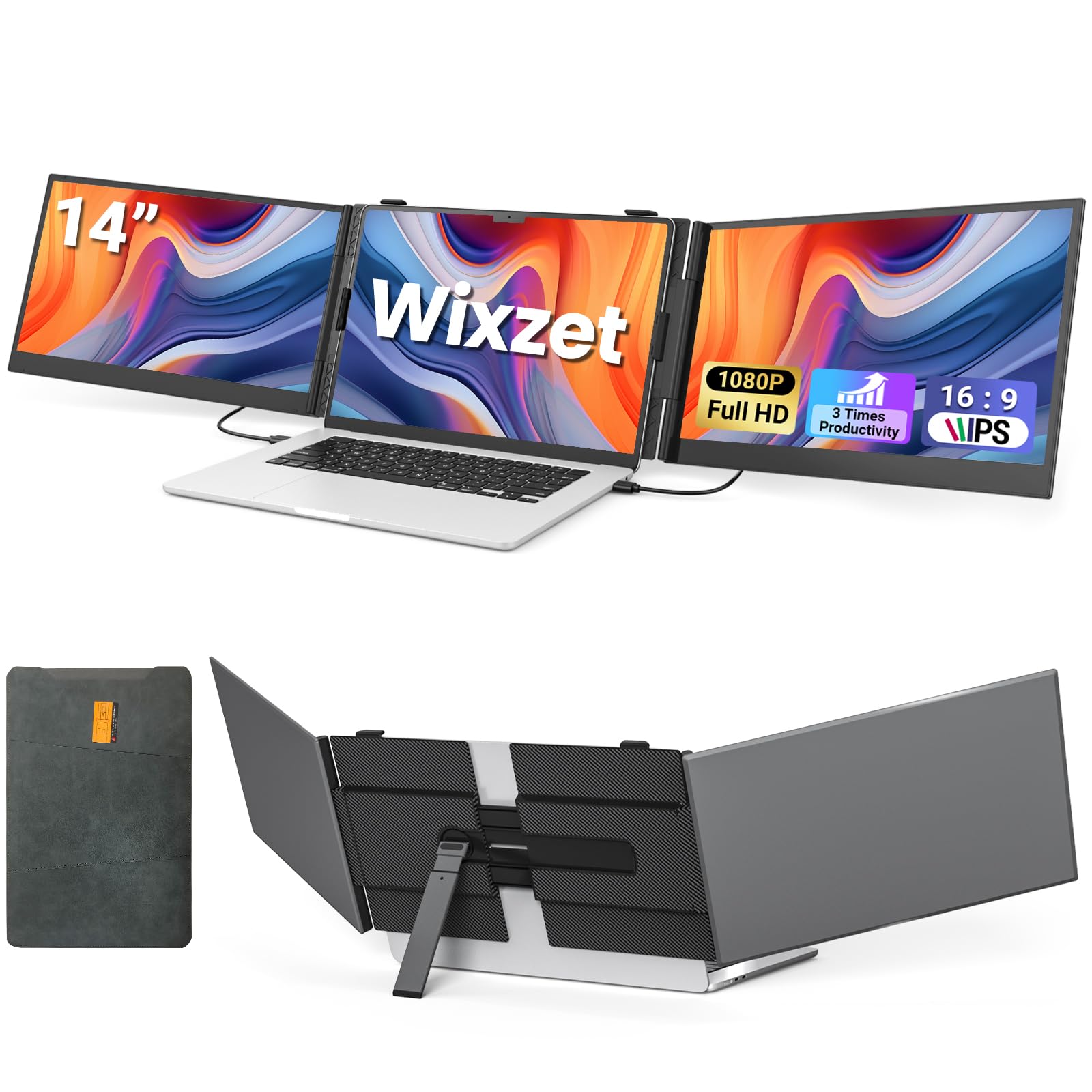
I reach for the Wixzet when I need extra screen real estate without hauling a full monitor setup. It plugs in via USB-C or HDMI and the triple extender design turns a single laptop into a multi-screen workspace in seconds, which makes coding, research and multi-window workflows much easier.
It’s lightweight and folds down into the included bag, so I use it for travel or when I need a compact multi-monitor setup at a coffee shop. For anyone who wants to boost productivity on the go, this is a convenient and practical option.
What People Say
People often mention how easy the monitor is to set up and how much extra workspace it provides. Reviewers like the bright, clear 1080p screens and the convenience of the travel bag and included cables.
A few note the glossy finish and that it’s best for productivity rather than color-critical work, but overall impressions highlight strong value and portability.
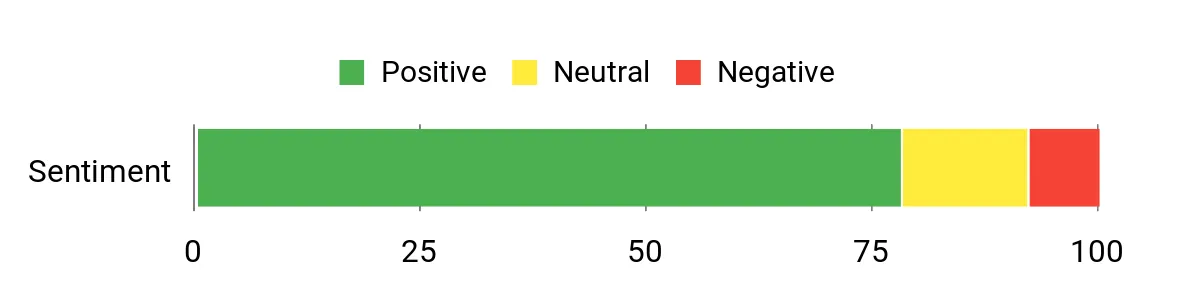
Overall Sentiment: Positive
Long-Term Value
By replacing the need for multiple full-size monitors or a bulky docking station, this portable extender lowers desk and travel costs. Its durability and included accessories reduce the need to buy additional cables or bags.
Return on Investment
You get more usable screen area instantly, which speeds multitasking and reduces time spent switching windows. For remote workers and frequent travelers, that productivity gain often outweighs the modest purchase price.
Situational Benefits
|
Situation |
How It Helps |
|---|---|
|
Remote Work |
Adds extra screens for document reference, video calls and notes, so I don’t have to toggle between windows during meetings. |
|
Travel & Commute |
Folds into a compact bag and weighs 2.2 lbs, making it easy to carry and set up in hotel rooms or coworking spaces. |
|
Productivity Boost |
Triple-screen extender setup lets you run code, docs and research side-by-side, which speeds up multitasking and reduces context switching. |
Versatility
Works with laptops, consoles and phones via USB-C or HDMI, so it’s useful for gaming, streaming and work—best suited to users who rely on web apps and multi-window workflows.
Practicality
Practical and low-friction: included cables, a protective bag and simple plug-and-play behavior mean minimal setup time and fewer compatibility headaches.
Travel Friendliness
Highly travel-friendly given its slim profile and light weight; it fits in most backpacks and doubles as a portable workstation when you’re away from your desk.
Boot & Responsiveness
Immediate wake and responsive image output when connected via USB-C or HDMI; video and apps run smoothly at 60Hz for typical productivity tasks.
Performance
Solid for productivity and media playback at 1080p; not intended for high-refresh competitive gaming but more than adequate for streaming, editing previews and multitasking.
Key Benefits
- Plug-and-play USB-C and HDMI connectivity with broad device compatibility
- Lightweight, portable design that folds into a travel bag
- Clear FHD IPS panels that expand workspace and improve multitasking
- Multiple cable options included for flexible setup
Current Price: $249.99
Rating: 4.6 (total: 331+)
💼 Best Business Touch
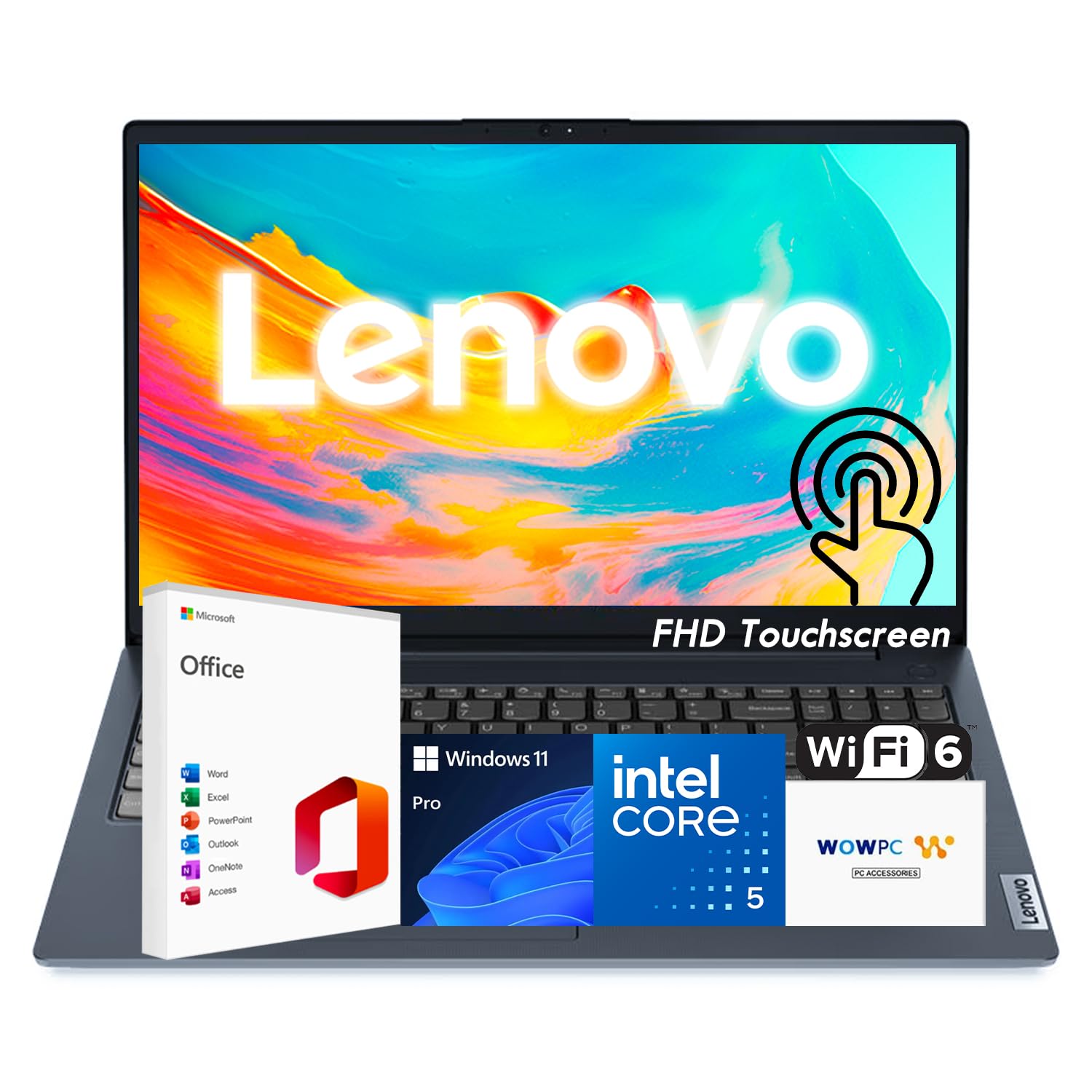
I reach for the IdeaPad Business when I need a touchscreen laptop that feels ready for real work out of the box. The 15.6″ FHD touch panel is great for quick edits and presentations, while the 13th‑gen i5, 16GB RAM and 1TB SSD keep multi‑window workflows snappy. It includes business‑friendly features like Windows 11 Pro, Copilot readiness and a recovery USB, which makes IT setup and troubleshooting simpler.
If you want a single machine for meetings, document work and occasional creative tasks, this is a solid, practical choice.
What People Say
Customers tend to praise the IdeaPad for feeling ready for work straight away: reviewers mention fast performance, a roomy touch display and the convenience of included Office and recovery tools. People also appreciate the balanced spec sheet for business tasks, though a few note setup and updates can take a bit of time. Overall it’s viewed as a reliable, well‑rounded business laptop.
Overall Sentiment: Positive

Long-Term Value
Strong internal specs and modern connectivity reduce the need for near‑term upgrades, and bundled software plus recovery tools cut support time and potential service costs over the device’s life.
Return on Investment
Faster task completion and fewer support interruptions translate into productivity gains for teams and individuals, helping the purchase pay back over months of regular use.
Situational Benefits
|
Situation |
How It Helps |
|---|---|
|
Client Presentations |
The FHD touchscreen and bright display make slides and demos clear and interactive, removing the need for extra peripherals. |
|
Hybrid Work |
Windows 11 Pro, Copilot readiness and reliable Wi‑Fi 6 keep remote meetings and collaboration tools running smoothly. |
|
Heavy Document Work |
16GB RAM and a 1TB NVMe SSD keep large spreadsheets and multiple apps responsive without constant swapping. |
Versatility
Versatile for business, study and light creative work: it handles office suites, video calls and file management well, though it’s not aimed at high‑end gaming or intensive GPU rendering.
Practicality
Practical features like an anti‑glare FHD panel, SD card reader, multiple ports and the recovery USB simplify daily use and reduce reliance on extra accessories.
Travel Friendliness
Travel‑friendly for a 15.6″ laptop: it strikes a reasonable balance between screen size and weight for commuting or business trips.
Boot & Responsiveness
Boots quickly and launches apps without delay thanks to the PCIe SSD and ample RAM; switching between documents and browser tabs feels immediate.
Performance
Solid performance for productivity and multitasking; it handles light photo and video edits but isn’t positioned as a dedicated creative workstation.
Key Benefits
- Capable 13th‑Gen Intel i5 with 16GB RAM for smooth multitasking
- 1TB PCIe SSD provides fast boot and generous local storage
- 15.6″ FHD touchscreen is useful for presentations and quick edits
- Business features: Windows 11 Pro, Copilot readiness and recovery USB
Current Price: $635.99
Rating: 4.6 (total: 33+)
🎓 Best Student Budget

I reach for the Aspire Go 15 when I want a roomy screen and reliable performance without overspending. The Ryzen 7 and 16GB RAM keep browser tabs, video calls and office apps responsive, while the 15.6″ FHD IPS display is comfortable for long study sessions or streaming. It’s light enough to carry between classes, has useful ports and fast storage for quick boot times.
If you need a practical student laptop that handles both work and light creative tasks, this one strikes a good balance.
What People Say
Buyers commonly praise the Aspire Go 15 for its build quality, responsive performance and clear screen. People mention quick setup and that the laptop handles everyday tasks, streaming and light editing well. A few reviewers point out that storage could be larger for heavy media users, but most see it as a great value for students and casual creators.
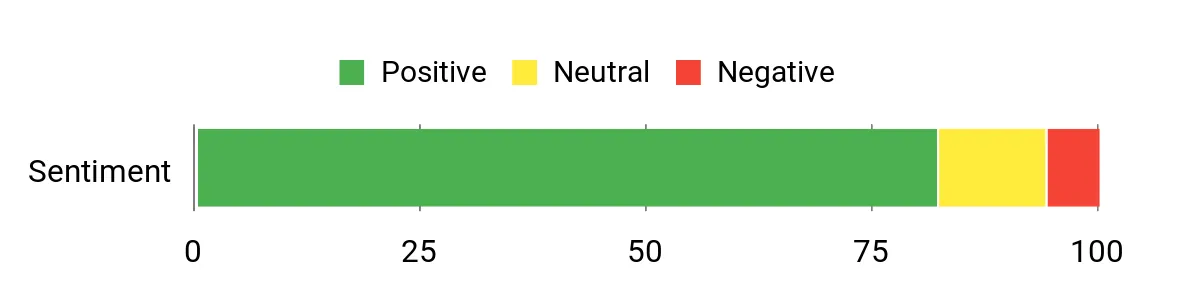
Overall Sentiment: Positive
Long-Term Value
Modern internals like a Gen4 SSD and 16GB RAM reduce the need for immediate upgrades, and efficient battery and connectivity features help avoid extra accessory purchases, lowering total ownership cost over time.
Return on Investment
You get more productive study and work sessions with fewer slowdowns, and the performance longevity means less frequent replacement—so the upfront price delivers practical, time-saving value.
Situational Benefits
|
Situation |
How It Helps |
|---|---|
|
Remote Classes |
Large screen and good battery life make lectures and note-taking comfortable without constantly hunting for outlets. |
|
Group Projects |
Responsive multitasking and reliable connectivity let you run video calls, share files and work on documents smoothly. |
|
Light Creative Work |
Fast SSD and 16GB RAM speed up photo edits and media previews for class projects and content creation. |
Versatility
Versatile for students and everyday users: it handles browsing, office work, media and light creative tasks well, though it isn’t aimed at heavy workstation or enthusiast gaming use.
Practicality
Practical features like multiple ports, Wi‑Fi 6 and an anti‑glare IPS panel make daily use straightforward and reduce the need for extra adapters.
Travel Friendliness
Reasonably travel‑friendly at about 3.9 pounds; it’s easy to carry between classes or to a cafe while still offering a larger display than most ultraportables.
Boot & Responsiveness
Boot and app loads feel quick thanks to the Gen4 NVMe SSD; switching between apps and many tabs stays smooth with 16GB of memory.
Performance
Strong for general productivity, streaming and casual gaming at sensible settings; heavy rendering or top-tier gaming will push its integrated graphics.
Key Benefits
- Strong Ryzen 7 performance and 16GB RAM for smooth multitasking
- 512GB Gen4 SSD for fast boot and load times
- 15.6″ FHD IPS display that’s good for study and media
- Wi‑Fi 6 and a solid port selection for classroom and home use
Current Price: $479.99
Rating: 4.6 (total: 3+)
🎯 Best Mid-Range Gaming
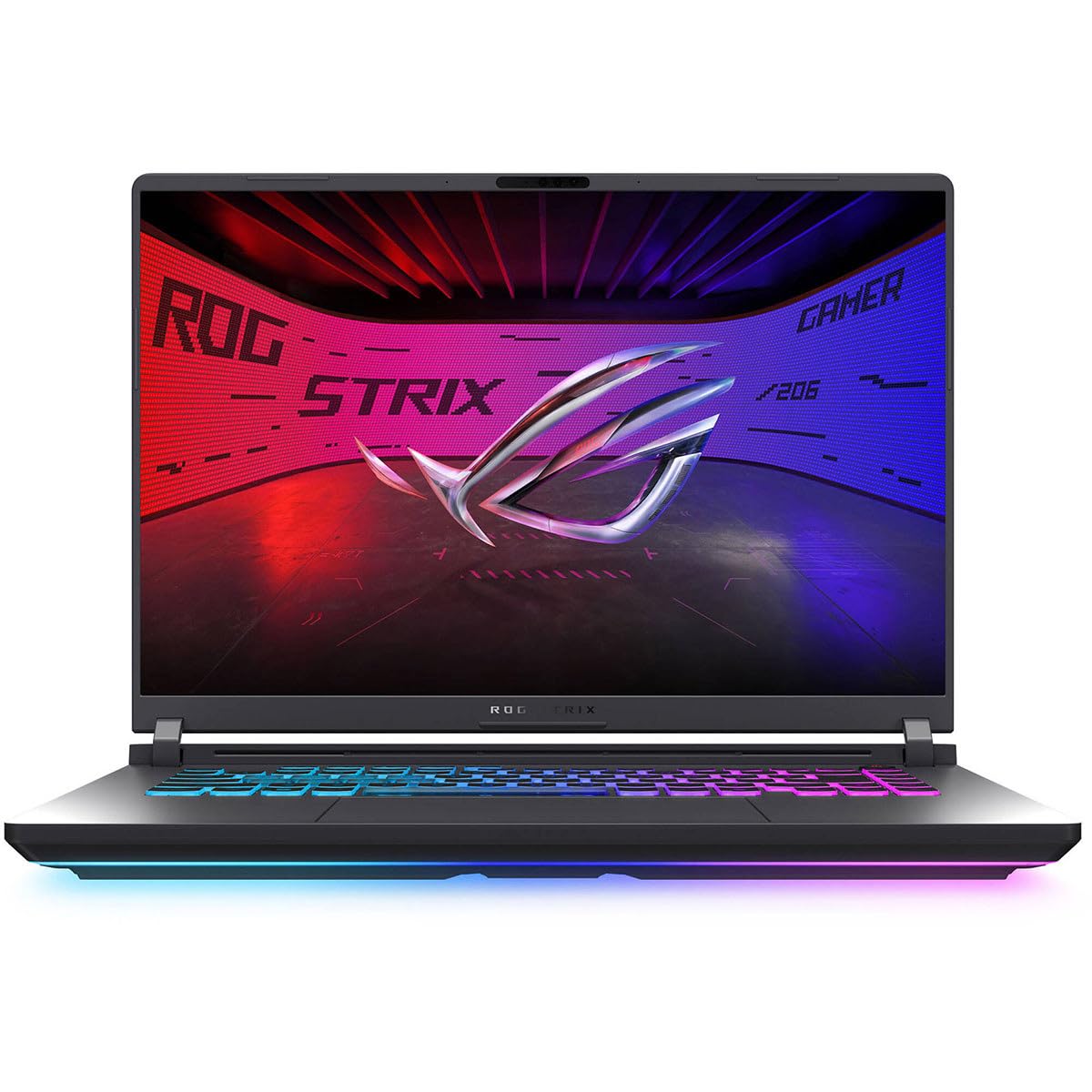
I reach for the Strix G16 when I want a laptop that balances strong gaming performance with creative flexibility. The 165Hz FHD+ display keeps motion smooth, and the Core i5 with an RTX 5050 handles modern titles and editing tasks without fuss.
It boots and loads projects quickly thanks to the PCIe Gen4 SSD, and the design includes useful ports and upgrade paths so it stays relevant as my needs evolve. For someone who wants a single machine for gaming, streaming and occasional content work, it’s a very sensible pick.
What People Say
Buyers frequently call out the screen quality and smooth performance as major wins, and many appreciate that it delivers gaming-grade frame rates without an ultra-premium price. Reviewers like the fast storage and responsive feel out of the box, while a few mention the weight and battery life as trade-offs for the power it packs.
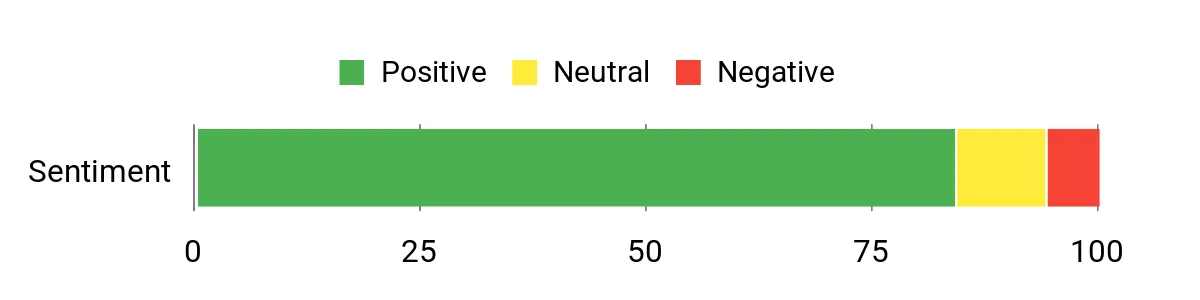
Overall Sentiment: Positive
Long-Term Value
Quality components like a Gen4 SSD and modern CPU/GPU help the laptop remain useful for several years, reducing the frequency of costly replacements and preserving resale value.
Return on Investment
You get productivity and entertainment gains from faster load and render times, plus a single machine that covers gaming and creative tasks, which means fewer separate purchases over time.
Situational Benefits
|
Situation |
How It Helps |
|---|---|
|
Competitive Play |
165Hz refresh and responsive GPU deliver the frame rates and low-latency visuals needed for fast-paced multiplayer titles. |
|
Content Creation |
PCIe Gen4 SSD and 16GB RAM speed up previews, exports and multitasking across editing and streaming apps. |
|
Home Entertainment |
Sharp display and strong audio support make streaming and media playback feel immersive for family use. |
Versatility
Versatile enough for gamers who also stream or edit media; it’s not a lightweight office laptop, but it covers a broad set of creative and entertainment needs.
Practicality
Practical features such as multiple high-speed ports, upgradeability and robust cooling make it easy to keep the machine useful over time.
Travel Friendliness
Moderately travel-friendly for a 16″ gaming laptop; it’s portable for trips and LAN events but heavier than ultraportables, so I pack it when performance matters.
Boot & Responsiveness
Very quick boot and load times thanks to the PCIe Gen4 SSD, so switching between apps and games feels immediate.
Performance
Strong for 1080p and high-refresh gaming and capable for creative workloads; it delivers smooth frame rates and handles multitasking well within its class.
Key Benefits
- High-refresh 165Hz FHD+ panel for fluid gameplay
- Balanced Core i5 + RTX 5050 for strong mid-range performance
- 1TB PCIe Gen4 SSD for fast loads and large project storage
- Good port selection and upgrade-friendly design
Current Price: $1,199.99
Rating: 4.8 (total: 43+)
💰 Best Affordable Mac

I reach for the MacBook Neo when I want a compact Mac that leans into on-device AI without the premium price of higher-end models. The A18 Pro chip delivers smooth everyday performance, the Liquid Retina screen looks great for photos and video, and the form factor is easy to carry between meetings or classes.
It’s ideal for web-first workflows, note-taking, light creative edits and streaming. If you want a lightweight Mac with modern AI features and solid battery life in a friendly price bracket, this one fits the bill.
What People Say
Early impressions emphasize the Neo’s portability and smooth performance for typical daily tasks. People appreciate the clear display and the convenience of a capable Mac in a lower price tier, while a few note that 8GB unified memory and 256GB of storage are modest for heavy creative work.
Overall, users see it as a practical, value-focused Mac for students and mobile professionals.
Overall Sentiment: Positive
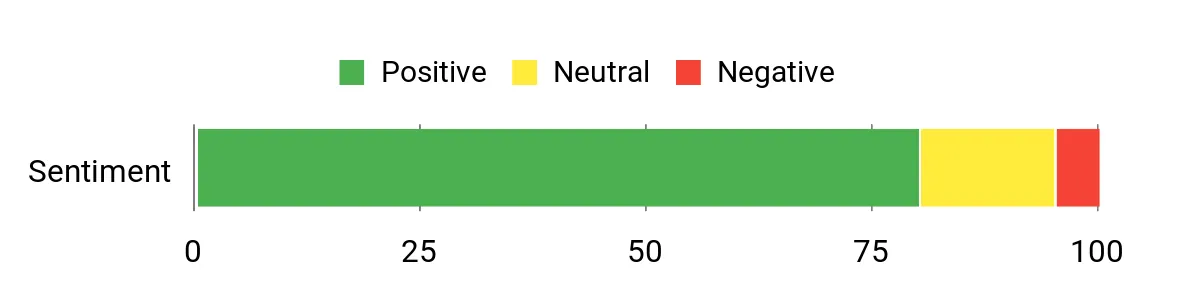
Long-Term Value
Apple’s hardware and software integration tends to keep devices useful longer and retain resale value; the MacBook Neo’s efficiency and update support help spread its cost over several years.
Return on Investment
You save time on everyday tasks thanks to fast app launches and AI helpers, and the lower upfront price compared with higher-tier Macs means the value shows up quickly for students and frequent travelers.
Situational Benefits
|
Situation |
How It Helps |
|---|---|
|
Students & Study |
Lightweight build and good battery life make it easy to take to lectures and study sessions while handling document work and research. |
|
Remote Work |
Fast wake times, solid webcam and macOS continuity features make video calls and multitasking smooth for remote meetings. |
|
On-the-Go Creativity |
The Liquid Retina display and A18 Pro chip let you perform light photo edits and quick creative tasks without lugging a larger machine. |
Versatility
Versatile as a daily driver: it handles productivity, media and basic creative tasks well, though professionals who need heavy GPU or large local storage may want higher-spec machines.
Practicality
Practical features like macOS continuity, Touch ID and a compact footprint make daily workflows simple and secure for most users.
Travel Friendliness
Excellent travel friendliness thanks to its low weight and long battery life, making it one of the more portable options for Apple users.
Boot & Responsiveness
Fast app launches and responsive multitasking for typical workloads thanks to the A18 Pro and unified memory architecture.
Performance
Strong for web apps, productivity and light creative work; it isn’t targeted at heavy 3D rendering or top-tier gaming but performs very well within its intended use cases.
Key Benefits
- Portable 13″ Liquid Retina display with clear visuals
- A18 Pro chip for snappy everyday performance and AI tasks
- Lightweight design that’s easy to carry all day
- Integrated FaceTime HD camera and Magic Keyboard for comfortable use
Current Price: $599.00
Rating: (total: +)
FAQ
How Do I Choose The Right Laptop?
I start by asking what you actually do day to day — web browsing and email need very different hardware than video editing or competitive gaming. If you mainly use web apps and documents, a Chromebook or an ultra‑budget laptop can save money; if you edit photos or video, prioritize CPU/GPU, at least 16GB RAM and an SSD. Don’t overlook practical things like ports and a good webcam for meetings, and pay attention to battery life and screen quality if you move around a lot. It helps to match your budget to a clear use case rather than chasing the highest specs for everything.
Is It Better To Buy High‑End Or Save With A Budget Model?
I weigh long‑term needs against upfront cost: high‑end machines cost more but often last longer, deliver faster workflows and hold resale value; for example, pro creatives often recoup time savings with faster renders, while students usually do fine with midrange or budget machines. If you’re price‑sensitive, pick a model with a solid CPU, SSD and upgradeable RAM so you can extend its life rather than rebuying. Also consider warranties and features that save support time, like recovery USBs or onsite service, which matter more than raw power for many users.
How Do I Maximize Longevity And Value From A New Laptop?
I treat hardware like a long‑term tool: keep the OS and drivers up to date, remove preinstalled bloat, and use cloud storage to avoid filling the drive. If the model supports it, upgrade RAM and swap to a larger NVMe SSD when needed — that’s often cheaper than buying a new machine. Take care of the battery by avoiding constant deep discharges, use a surge protector, and keep vents clean so cooling stays effective; those simple steps preserve performance and resale value over several years.
What Buyers Prefer
When people choose between the Lenovo V15, IdeaPad 3i Chromebook and MacBook Air 15, I see three clear priorities emerge: budget and dependable office features for the V15, simplicity and a big, web‑friendly screen for the IdeaPad 3i, and best‑in‑class performance, battery life and Apple ecosystem integration for the MacBook Air. Most buyers pick the machine that maps to their daily needs—reliable value, web‑first mobility, or premium speed—rather than chasing specs they won’t use.
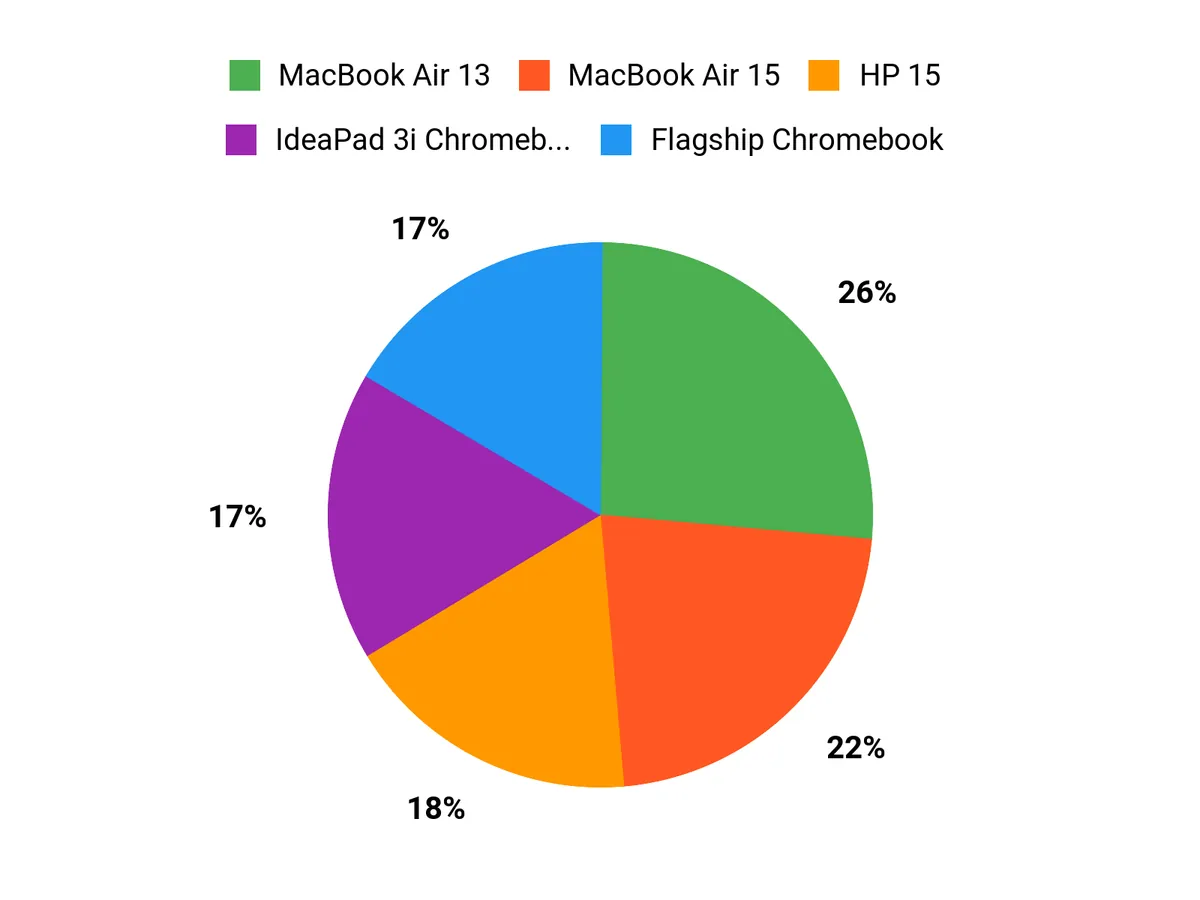
Wrapping Up
If I had to make a short recommendation: pick the MacBook Pro M5 if you want uncompromising performance and battery life for creative work, choose a Legion Pro 7i or an ROG Strix if gaming at high frame rates is your priority, and opt for one of the Acer or Lenovo budget models if you need solid everyday performance without a high price. I leaned on practical metrics and real user feedback so you can decide quickly which laptop matches your use case and budget in April 2026.
| Product Name | Image | Rating | Processor | RAM | Storage | Price |
|---|---|---|---|---|---|---|
| Lenovo V15 Business Laptop, 2026 Edition |
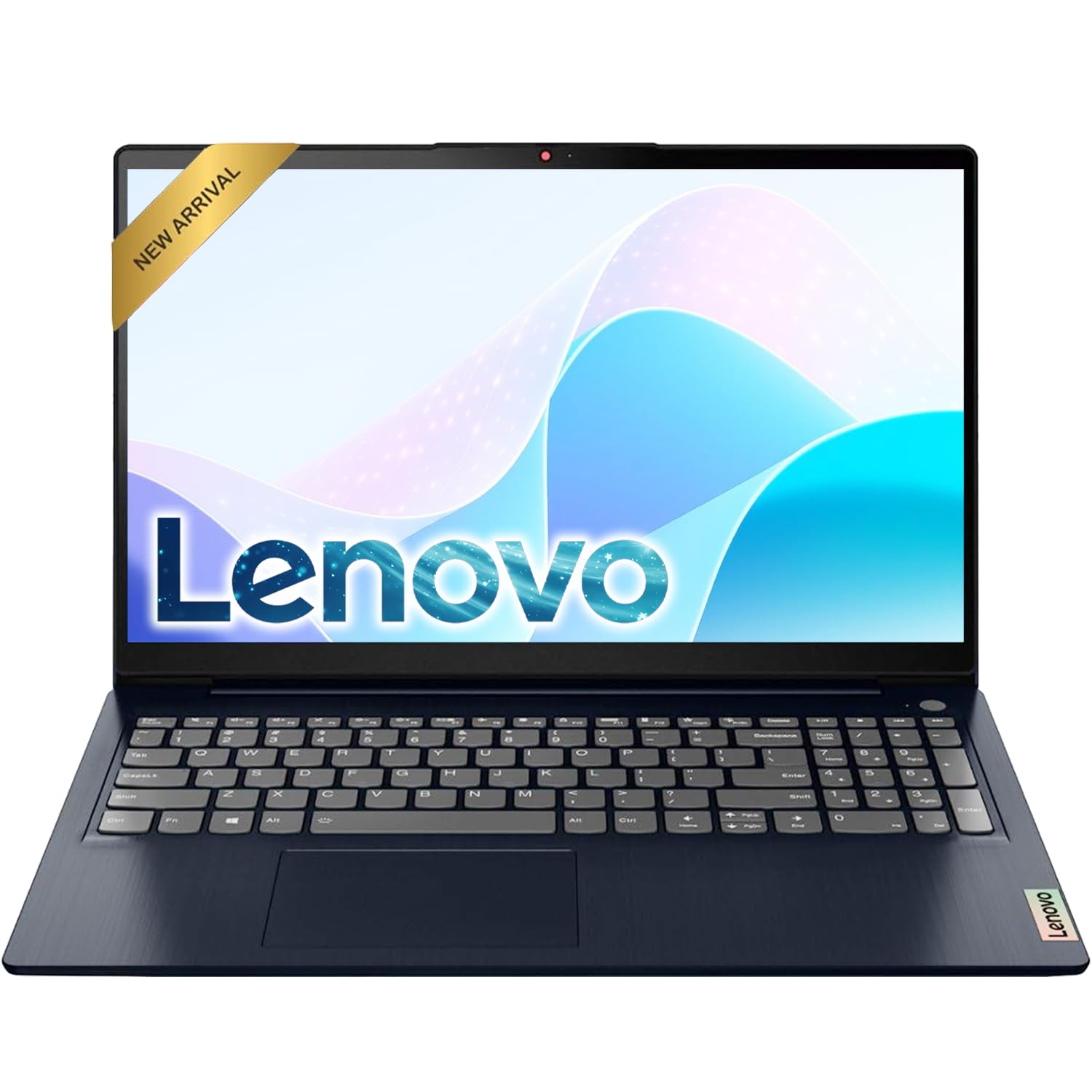 |
4.2/5 (N reviews) | Intel Celeron, up to 2.6 GHz | 4 GB | 256 GB SSD | $269.99 |
| Lenovo IdeaPad 3i Chromebook, 2026 Edition |
 |
4.3/5 (N reviews) | Intel Celeron N4500, 1.1 GHz | 8 GB | 64 GB eMMC | $170.80 |
| Apple 2025 MacBook Air, 15-inch Laptop |
 |
4.8/5 (N reviews) | Apple M4, 8-core | 16 GB | 256 GB SSD | $999.00 |
| Acer Nitro V Gaming Laptop |
 |
4.5/5 (N reviews) | Intel Core i5-13420H, 2.1 GHz | 8 GB DDR5 | 512 GB Gen 4 SSD | $649.99 |
| Acer Aspire Go 15 AI Ready Laptop |
 |
4.4/5 (N reviews) | Intel Core 3 N355, 1.9 GHz | 8 GB DDR5 | 128 GB UFS | $279.95 |
| Dell 15 Laptop DC15250 |
 |
4.4/5 (N reviews) | Intel Core i5-1334U, 900 MHz | 16 GB DDR4 | 512 GB SSD | $499.98 |
| Apple 2025 MacBook Pro 14-inch |
 |
4.7/5 (N reviews) | Apple M5, 10-core | 24 GB | 1 TB SSD | $1,799.00 |
| Apple 2025 MacBook Air 13-inch |
 |
4.8/5 (N reviews) | Apple M4, 8-core | 16 GB | 512 GB SSD | $949.00 |
| HP Home and Student Essential Laptop |
 |
4.3/5 (N reviews) | Intel Celeron N4500, 2.6 GHz | 8 GB | 64 GB SSD + 1 TB Cloud | $269.97 |
| Lenovo Flagship Chromebook |
 |
4.3/5 (N reviews) | MediaTek Kompanio 520, 2.0 GHz | 4 GB DDR4 | 64 GB eMMC | $183.00 |
| Acer Nitro V Gaming Laptop |
 |
4.6/5 (N reviews) | Intel Core i7-13620H | 16 GB DDR5 | 1 TB Gen 4 SSD | $943.00 |
This Roundup is reader-supported. When you click through links we may earn a referral commission on qualifying purchases.



