
I know choosing a college laptop in 2026 can feel overwhelming because there are more choices and new AI features than ever. I put these picks together so you can quickly compare what matters to students: battery life, portability, performance for coursework and media, build quality, and price.
My goal is to help you find a laptop that fits your major, study style, and budget without wasting time on models that don’t deliver.
Top Picks
|
Category |
Product |
Score |
|---|---|---|
|
🏆 Best Overall |
95/100 |
|
|
💰 Best Value Mac |
90/100 |
|
|
🎓 Best for Students |
88/100 |
|
|
🎨 Best Touchscreen |
84/100 |
|
|
🚀 Best for Casual Gaming |
82/100 |
|
|
💼 Best for Multitasking |
80/100 |
|
|
💸 Best Budget Chromebook |
78/100 |
How I Picked These Laptops
I evaluated each laptop the way a college student would: by balancing real-world performance, battery life, screen quality, weight, and price. I pay special attention to how well machines handle typical student tasks like web research, video calls, note taking, light photo and video editing, and running multiple tabs and productivity apps at once.
I also factor in build quality, keyboard and trackpad comfort, port selection for external monitors and storage, and platform ecosystem because those things make daily life easier. In 2026 I added a focus on AI features and wireless standards since they affect long-term usefulness and connectivity on campus.
🏆 Best Overall
I reach for this MacBook Air when I want a laptop that simply disappears into my routine: it’s light enough to carry across campus, yet fast enough to handle research, video calls, and occasional photo or video edits. The screen makes notes and slides look sharp, the camera is reliable for group calls, and macOS continuity with iPhone and iPad means fewer friction points when I move between devices.
It’s not a heavy workstation, but it gives me premium build quality and battery life that lasts through long study sessions and the commute between classes.
Long-Term Cost Benefits
Apple’s build quality and extended macOS support mean the machine stays useful for years, reducing the chance you’ll replace it mid-degree. Strong resale value also helps recoup some of the initial outlay when you upgrade.
Situational Benefits
|
Situation |
How It Helps |
|---|---|
|
Lecture Notes & Research |
The bright, clear display and comfortable keyboard make long typing sessions easier, and fast storage means files and PDFs open instantly. |
|
Remote Classes & Group Calls |
The 12MP Center Stage camera and good mic array keep you visible and audible, while the battery keeps you connected through back-to-back video sessions. |
|
Creative Assignments |
The M5 chip handles light photo and video editing smoothly, so you can finish class projects without waiting on renders. |
|
Travel Between Campus |
At about 2.7 pounds and a slim profile, it fits easily in a backpack and doesn’t weigh you down on commutes or trips. |
Time-Saving Benefits
Apps wake quickly and common tasks feel snappy, so I spend less time waiting and more time studying or creating. Built-in AI tools and fast I/O mean simpler workflows for note taking, summarizing, and moving large files.
Versatility
This MacBook Air works well as a student daily driver and a lightweight creative tool. It supports external displays and adapters for presentations, and pairs smoothly with other Apple devices for handoff and quick file sharing.
Practicality
MagSafe charging, a headphone jack, and two Thunderbolt 4 ports cover everyday needs without a tangle of dongles. The backlit keyboard and reliable trackpad keep work flowing whether I’m in a dim lecture hall or a busy coffee shop.
Energy Efficiency
The M5 chip balances performance with efficiency, delivering long runtimes for lecture days and lower energy use overall, which reduces how often I need to hunt for a power outlet.
Travel Friendliness
Compact dimensions and a light weight make it one of my top picks for carrying between dorm, library, and coffee shops. It slips into most backpacks without bulk and feels sturdy enough for daily use on the go.
Key Benefits
- Consistent all-day battery and fast charging for long campus days
- M5 performance for smooth multitasking and AI-assisted tasks
- Crisp Liquid Retina screen that’s easy on the eyes during long study sessions
- Lightweight, durable chassis that travels well
- Useful camera and mic setup for remote classes and group projects
💰 Best Value Mac
I reach for the MacBook Neo when I want a true Mac experience without the premium weight. It boots fast, pairs effortlessly with my iPhone, and handles everyday study tasks and streaming with ease. The screen is bright and color-accurate, the chassis feels sturdy, and the battery comfortably carries through a full day of lectures and group calls.
It’s compact enough to toss in a backpack and capable enough that I don’t feel limited when I edit photos, watch lectures, or switch between tabs and apps.
Long-Term Cost Benefits
Because it delivers reliable performance and solid build quality, the Neo tends to stay useful longer than many budget alternatives. That durability and continued software support reduce replacement frequency and make upgrades down the line less urgent.
Situational Benefits
|
Situation |
How It Helps |
|---|---|
|
Daily Lectures |
The light weight and long battery life let me take notes all day without hunting for outlets. |
|
Group Projects |
Fast Wi‑Fi and a decent webcam make video calls smooth, so I can collaborate without dropped connections. |
|
Media & Presentations |
The Liquid Retina screen and reliable speakers make presentations and streaming look and sound better. |
|
Travel And Commute |
Compact dimensions and a rigid chassis mean it packs easily and survives the usual bumps between locations. |
Time-Saving Benefits
Apps open quickly and common tasks run smoothly, so I spend less time waiting and more time working. Seamless pairing with other Apple devices also speeds up file transfers and continuity tasks.
Versatility
The Neo is a versatile daily driver: great for note taking, browsing, streaming, light creative work, and connecting to a single external monitor for presentations or study sessions.
Practicality
With two USB-C ports, a headphone jack, and a simple charging routine, it covers everyday needs without extra dongles for most students. The keyboard and trackpad are comfortable for long typing sessions.
Energy Efficiency
The A18 Pro chip balances performance and power, giving useful runtimes for a full day on campus while keeping heat and fan noise low during normal use.
Travel Friendliness
At around 2.7 pounds and a slim profile, it’s easy to carry across campus or slip into a daypack for trips. The sturdy aluminum finish helps it feel like it can handle daily life on the go.
Key Benefits
- Smooth macOS experience with fast app launches and multitasking
- Lightweight build that’s comfortable to carry between classes
- Good battery life for back-to-back lectures and meetings
- Crisp 13-inch Liquid Retina display for reading, notes, and media
- Strong wireless performance and good webcam for remote classes
💼 Best for Multitasking
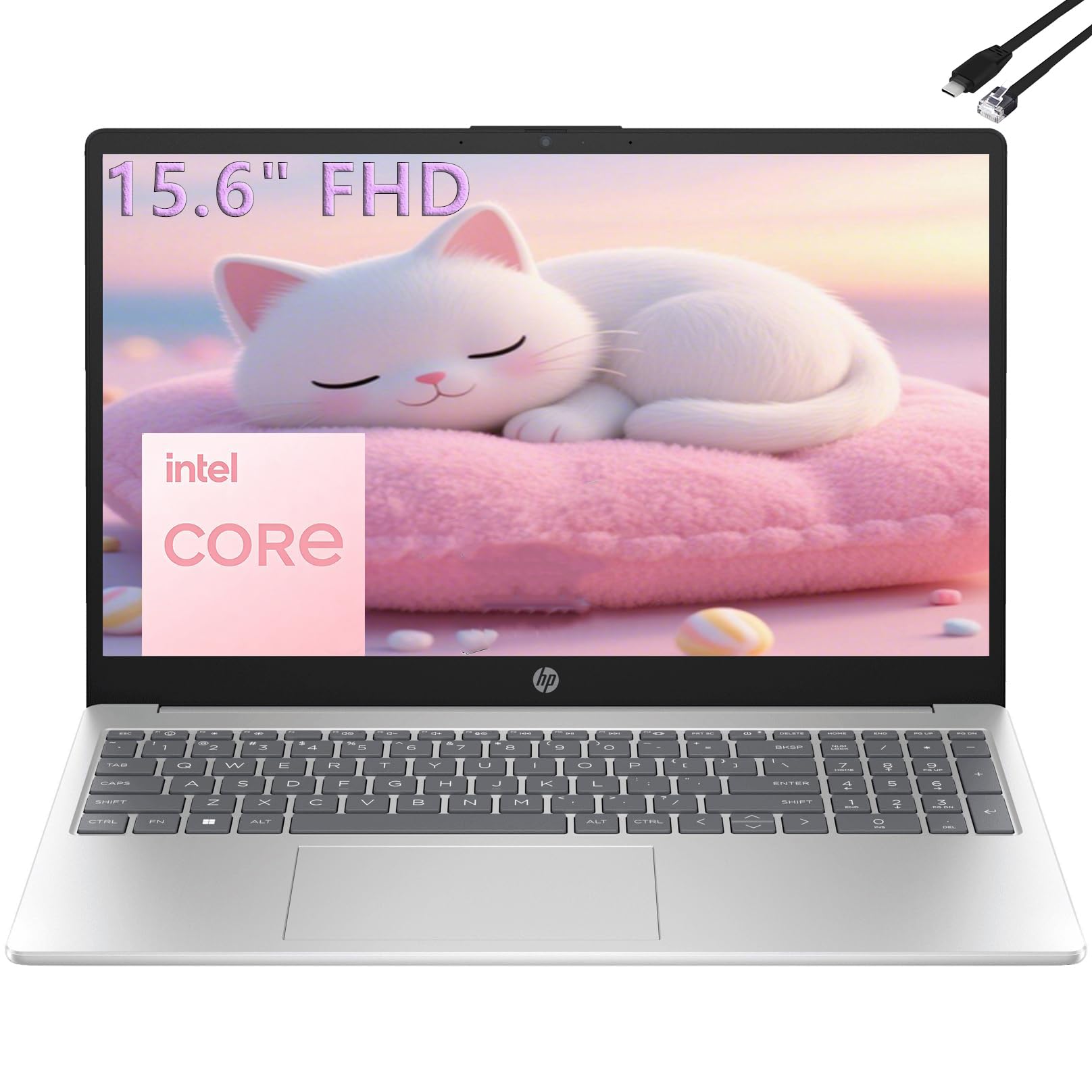
I reach for this HP when I need a reliable workhorse that handles classwork, spreadsheets, and video calls without fuss. It strikes a practical balance: a roomy 15.6″ screen for documents and split-screen work, plenty of RAM for juggling browser tabs and apps, and solid connectivity so I can plug in a monitor or external drive.
It’s not flashy, but it gets through a full day of lectures, group meetings, and study sessions while staying comfortable to use at a desk or in a dorm.
Long-Term Cost Benefits
Solid build and standard Windows compatibility mean the laptop stays useful across degree programs, and the included productivity tools reduce the friction of buying or configuring additional software later on.
Situational Benefits
|
Situation |
How It Helps |
|---|---|
|
Back-to-Back Classes |
Battery life and quick wake-up keep you powered through multiple lectures so you’re less likely to hunt for an outlet between sessions. |
|
Group Video Calls |
The webcam and dual-array mics combined with stable Wi‑Fi 6 keep audio and video clear during remote collaboration. |
|
Data Work And Labs |
A full keyboard with numeric pad speeds up spreadsheets and data entry, while the SSD reduces load times for large files. |
|
Hybrid Workflows |
Multiple ports and HDMI output let you connect to external displays and peripherals for a more desktop-like setup when you need extra screen space. |
Time-Saving Benefits
Fast storage and ample RAM make app switching and file access quick, and Copilot AI helps summarize notes or draft outlines so I finish tasks faster and spend less time on busywork.
Versatility
This HP adapts to many student needs: schoolwork, basic media editing, streaming, and light content creation. The Windows ecosystem also makes it easy to run campus software and connect to campus printers and networks.
Practicality
The laptop ships with familiar ports and a full keyboard, so you rarely need adapters. A clear webcam and decent speakers cover meetings and lectures without extra accessories for most daily uses.
Energy Efficiency
Designed for all-day use, it balances performance with power draw to keep you running through typical study days while staying cool and reasonably quiet.
Travel Friendliness
At roughly 3.6 pounds, it’s portable enough to carry between classes and study spots while offering a larger screen than ultraportables, which helps when you’re working on multiple documents.
Key Benefits
- Strong multitasking thanks to 16GB RAM and fast SSD storage
- Full-size keyboard with numeric keypad that speeds up data entry
- Good port selection including HDMI, USB-A/C and RJ45 for flexible setups
- Copilot AI features and Microsoft integration streamline common study tasks
- Large 15.6″ FHD display that improves productivity when working with multiple windows
🚀 Best for Casual Gaming
I reach for the Aspire Go when I want a larger screen and enough power to switch between study sessions, streaming, and a bit of gaming. It boots quickly, the IPS display is pleasant for long readings or shows, and the build feels solid for the price. It isn’t a high-end gaming rig, but it runs older or casual titles smoothly, handles multiple tabs without choking, and charges fast when I forget to top up before a long day.
It’s a practical pick when you want more screen real estate without carrying a bulky laptop.
Long-Term Cost Benefits
Because it balances performance and upgradability, you can extend its useful life by adding RAM or storage on supported models, which delays the need for a full replacement and keeps it relevant across multiple school years.
Situational Benefits
|
Situation |
How It Helps |
|---|---|
|
Lecture Notes & Research |
The roomy display and responsive performance let me keep multiple documents and browser tabs open without constantly swapping windows. |
|
Casual Gaming |
It handles older or less demanding games smoothly and keeps thermals in check during longer sessions for a pleasant casual gaming experience. |
|
Creative Doodling & Light Editing |
The IPS screen and sufficient RAM let me sketch in Krita or tweak photos without long waits for tools to respond. |
|
Quick Commute Use |
Fast wake and charging mean I can grab it between classes and have enough battery for a few hours of work or media on the go. |
Time-Saving Benefits
Fast storage and quick boot cycles reduce waiting around, and stable wireless performance keeps uploads, video calls, and cloud sync moving so I can focus on tasks instead of troubleshooting connections.
Versatility
This laptop works as a solid all-rounder: schoolwork, streaming, light gaming, and basic creative apps all fit comfortably into one machine, and the mix of ports lets you attach a monitor or external drive when needed.
Practicality
HDMI, USB-A and USB-C ports plus a full-size chiclet keyboard mean fewer dongles and a familiar setup for classes, labs, and presentations. The touchpad and keyboard are comfortable for long typing sessions.
Energy Efficiency
Battery life holds up for typical day use and the device charges quickly from low to usable levels, so a short break between classes is often enough to top up power for the next session.
Travel Friendliness
At around 3.8 pounds it’s not the lightest option, but the slim profile and durable feel make it easy to carry between dorm, lecture halls, and study spots without feeling overburdened.
Key Benefits
- Large 15.6″ IPS display that’s easy on the eyes for long study or streaming sessions
- Quick boot times and responsive everyday performance for browsing and apps
- Wi‑Fi 6 support for stable campus connectivity and smoother video calls
- Expandable options via DDR5 SODIMM and M.2 on some configurations for future upgrades
- Solid build and fast charging behavior that fit an on-the-go student lifestyle
🎨 Best Touchscreen
I reach for this HP when I want a simple, dependable machine that makes reading, annotating, and presenting easier. The touchscreen feels natural for scrolling through slides, marking PDFs, or tapping through apps during group work. It’s roomy enough for split-screen study sessions but still light enough to carry between classes, and Fast Charge gets you back to work quickly when the battery dips. It’s a practical pick for students who value a tactile screen and straightforward Windows compatibility without extra fuss.
Long-Term Cost Benefits
The combination of solid build, standard Windows software compatibility, and repairable components helps it stay useful across multiple school years, reducing the need for frequent replacements.
Situational Benefits
|
Situation |
How It Helps |
|---|---|
|
Lecture Notes |
Touch and keyboard support let me switch between handwriting annotations and typed notes depending on the class format. |
|
Group Presentations |
The touchscreen and HDMI output make it easy to queue slides, zoom in on visuals, and connect to classroom displays. |
|
Remote Classes |
The webcam and dual-array mics help keep video calls clear, while Wi‑Fi 6 provides steadier connections for live sessions. |
|
On-the-Go Study |
Fast wake, long battery life, and quick charging let me get more done between campus stops with minimal interruption. |
Time-Saving Benefits
Fast SSD storage and responsive memory mean apps and files open quickly, and the touchscreen speeds simple interactions like scrolling, selecting, and marking up notes so I spend less time toggling between tools.
Versatility
This laptop works well for everyday study, light creative tasks, streaming, and presentations. The touch interface adds an extra input method that’s useful in labs, art classes, and meetings.
Practicality
A full set of ports including HDMI, USB-C, and USB-A plus a comfortable keyboard means fewer adapters and a familiar setup for campus printers, external drives, and displays.
Energy Efficiency
Long battery life combined with HP Fast Charge reduces the need to hunt for outlets, and balanced power management keeps heat and fan noise manageable during long study sessions.
Travel Friendliness
Weighing around 3.5 pounds with a slim profile, it slips into a backpack comfortably and handles daily commutes without feeling cumbersome.
Key Benefits
- Touchscreen makes note taking and annotating PDFs more intuitive
- Reliable performance for everyday classwork and streaming
- HP True Vision webcam and noise reduction for clearer video calls
- Fast-charge capability reduces downtime between classes
- Decent port selection for connecting drives and external displays
🎓 Best for Students
I like this IdeaPad because it focuses on the student day: durable enough for a backpack, light enough to carry between classes, and set up with Microsoft 365 so you can start assignments right away. The 14″ anti-glare display is easy to read during long study sessions, the external HDD makes handling large files simple, and the battery life holds up for back-to-back lectures.
It won’t replace a high-end creative machine, but for note taking, research, video calls, and streaming lectures it hits the practical sweet spot.
Long-Term Cost Benefits
Because it’s built with common, repairable parts and includes cloud storage options, the IdeaPad can remain useful across multiple school years without forcing an early upgrade, and the external HDD gives flexible storage without internal replacements.
Situational Benefits
|
Situation |
How It Helps |
|---|---|
|
Online Lectures |
The HD webcam, clear speakers, and stable Wi‑Fi keep video sessions smooth and let you focus on the lecture instead of connectivity issues. |
|
Essay Writing & Research |
The 14″ display and comfortable keyboard make long typing sessions manageable while multiple tabs stay usable with 8GB of RAM. |
|
Large File Storage |
The included 500GB external HDD provides a simple way to store projects, media, and backups without juggling cloud quotas. |
|
Study On The Move |
Light weight and solid battery life mean you can study between classes, in the library, or at a café without hunting for an outlet. |
Time-Saving Benefits
Quick boot and responsive everyday performance reduce time wasted on loading apps and files, and Microsoft 365 templates and cloud sync speed up assignment setup and collaboration.
Versatility
This IdeaPad comfortably handles note taking, browsing, streaming, lightweight media editing, and classroom software, making it a dependable do-everything machine for most majors.
Practicality
A sensible selection of ports, HDMI output, and a card reader means fewer adapters and easier connections to campus displays, printers, and external drives when you need them.
Energy Efficiency
Tuned for everyday use, it balances performance and power so you get useful runtimes during study days, and sleep/wake behavior keeps interruptions to a minimum.
Travel Friendliness
At under 3 pounds and with a slim footprint, the laptop fits in most backpacks and stays comfortable to carry across campus or during short commutes.
Key Benefits
- Ultra-light design that’s easy to carry between classes
- Microsoft 365 included so you can get coursework started immediately
- Expandable storage approach with a bundled external HDD for media and backups
- Long battery life that supports a full day of lectures and study
- Privacy shutter and HD webcam for safer remote classes
💸 Best Budget Chromebook
I reach for this Chromebook when I want something simple, reliable, and low-maintenance for classes. ChromeOS boots quickly, updates quietly in the background, and ties into Google Drive so I rarely worry about losing work. The 15.6″ screen gives comfortable real estate for split-screen studying and videos, and the mix of USB and HDMI ports makes connecting to classroom displays straightforward.
It won’t replace a powerful editing rig, but for note taking, online lectures, research, and streaming it covers the essentials without extra setup hassle.
Long-Term Cost Benefits
ChromeOS devices tend to require less maintenance and fewer software purchases, and built-in cloud sync reduces the need for large local storage. That simplicity helps this machine stay useful across school years without extra hidden costs.
Situational Benefits
|
Situation |
How It Helps |
|---|---|
|
Online Lectures |
Clear webcam and stable Wi‑Fi keep video classes smooth so you can focus on the lecture instead of connection drops. |
|
Essay Writing |
The roomy screen and comfortable keyboard make long typing sessions manageable while ChromeOS keeps distractions minimal. |
|
Media & Break Time |
The FHD display and decent speakers make streaming shows and watching recorded lectures more enjoyable between study sessions. |
|
Classroom Presentations |
HDMI output and USB‑C support make hooking up to projectors or external displays quick and fuss-free. |
Time-Saving Benefits
Quick startup, fast wake from sleep, and cloud-synced apps mean less time setting up and more time working. ChromeOS also keeps common tasks like sharing notes and joining meetings fast and straightforward.
Versatility
This Chromebook handles browsing, document work, media, and Android apps well, making it a practical all-around device for many majors. It’s not intended for heavy video editing or specialized software that requires Windows or macOS.
Practicality
Multiple ports, a microSD slot, and a privacy shutter reduce the need for extra adapters and cover common campus scenarios like connecting to printers, displays, and storage drives.
Energy Efficiency
ChromeOS and the integrated components are tuned for efficiency, and the built-in battery capacity offers solid runtimes for a day of classes and study sessions with moderate use.
Travel Friendliness
At about 3.5 pounds and with a slim profile, it’s easy to carry between dorm, library, and lecture halls while still offering a larger screen than many ultraportables.
Key Benefits
- Large 15.6″ FHD display that makes reading and multitasking easier
- Fast boot and simple ChromeOS experience that reduces setup and maintenance
- Wi‑Fi 6 support for steadier campus connections and smoother calls
- Lightweight design and practical ports including HDMI and USB‑C
- Privacy shutter and spill-resistant build for everyday campus life
FAQ
How Do I Choose The Right Laptop For My Major?
I start by matching the laptop to the kind of work I’ll do most. For writing, browsing, and streaming a lightweight 13–14″ machine with good battery life is ideal, while engineering, data science, or video work benefits from more cores, a discrete GPU, and at least 16GB of RAM when possible.
Check your department’s software list so you know if specific apps require Windows, macOS, or extra ports, and balance screen size and weight for how often you’ll carry the machine.
Should I Get macOS, Windows, Or A Chromebook For College?
I pick the platform that fits my workflow and campus tools: macOS is great if you already use iPhone or iPad and want smooth device handoff, Windows offers the broadest app support for campus software, and Chromebooks keep things simple with fast boot and cloud integration for basic tasks. If you’re unsure, I recommend checking official campus requirements and whether key programs run natively; often the right choice is the one that lets you install or access the software your classes need.
How Long Should A College Laptop Last And How Can I Make It Last Longer?
I expect a well cared-for laptop to last three to five years depending on how demanding my workload is. To extend that life I keep the OS and apps updated, use cloud backups and an external drive for important files, avoid extreme heat, and manage battery habits by not leaving it plugged in at 100% all the time. Choosing a model with user-upgradeable storage or a sturdy build, plus checking warranty or student-support options, also helps reduce the chance of an unwanted mid-degree replacement.
Wrapping Up
In short, I focused on real student needs when choosing these laptops: portability, battery life, and enough power for coursework while leaving room for creative tasks and light gaming. The Apple MacBook Air stands out if you want the best overall blend of performance and battery life, while the Neo gives you core Mac benefits at a lower price. If budget and Microsoft compatibility matter, the Lenovo and HP options cover lightweight study, touch interaction, and solid multitasking without breaking the bank.
I recommend matching one of these picks to your major, campus routine, and whether you value macOS continuity or a Windows/Chrome experience.
| Product Name | Image | Processor | RAM | Storage | Battery Life |
|---|---|---|---|---|---|
| Apple 2026 MacBook Air 13-inch Laptop |
 |
Apple M5 chip (10-core CPU) | 16GB Unified Memory | 512GB SSD | Up to 18 hours video streaming |
| Apple 2026 MacBook Neo 13-inch Laptop |
 |
Apple A18 Pro chip (6-core CPU) | 8GB Unified Memory | 256GB SSD | Up to 16 hours video streaming |
| HP 15.6″ FHD Laptop 2026 Edition |
 |
Intel N100 (4 cores, up to 3.4GHz) | 16GB DDR4 RAM | 512GB PCIe SSD | Long-lasting for all-day use |
| Acer Aspire Go 15 AI Ready Laptop |
 |
Intel Core 3 N355 (up to 3.9GHz) | 8GB DDR5 | 128GB UFS | N/A |
| HP 15.6 inch Laptop, AMD Ryzen 3 |
 |
AMD Ryzen 3 7320U (up to 4.1GHz) | 8GB | 128GB SSD | Up to 4.5 hours |
| Lenovo 2026 Student Laptop |
 |
Intel Celeron N4500 (dual-core, up to 2.8GHz) | 8GB DDR4 | 128GB + 500GB External HDD | Long-lasting battery life |
| Lenovo IdeaPad 3 15.6″ FHD Chromebook Laptop |
 |
Intel Celeron N4500 | 4GB | 64GB SSD | N/A |
This Roundup is reader-supported. When you click through links we may earn a referral commission on qualifying purchases.



