I know picking a mechanical keyboard in 2026 feels overwhelming — there are so many layouts, switch types, wireless modes and gimmicks. I put together this short guide so you can find a keyboard that actually fits how you work and play. I focus on practical differences like connectivity, build, typing sound and value so you can skip the noise and land on the right board quickly.
Top Picks
|
Category |
Product |
Score |
|---|---|---|
|
🏆 Best Value 75% |
88/100 |
|
|
💰 Best Budget Full-Size |
78/100 |
|
|
🎯 Best Retro Style |
86/100 |
|
|
🚀 Best Feature Set |
90/100 |
|
|
🔰 Best Hefty Build |
87/100 |
|
|
⭐ Best Premium Wireless |
91/100 |
|
|
💼 Best For Work |
84/100 |
|
|
🎨 Best Design Premium |
92/100 |
|
|
🔊 Best Screen & Knob |
89/100 |
|
|
🎛️ Best 75% Gasket |
88/100 |
How I Picked These Keyboards
I compared boards across a few practical dimensions so you can match a keyboard to your priorities. I weighed build quality, switch type and sound, connectivity modes (Bluetooth, 2.4GHz, USB-C), hot-swap support and software/programmability.
I also considered layout and size — from compact 65/75% boards to full-size — plus battery life and included extras like knobs or displays. Price and real-world reviews helped me balance ambition against value.
I find the AULA F75 Pro to be a compact, no-nonsense 75% board that balances daily typing and casual gaming. It pairs over Bluetooth, 2.4GHz dongle or USB-C so I can jump between laptop and desktop without fuss, and the volume knob makes quick adjustments painless.
The hot-swappable pre-lubed linear switches and PBT side-printed keycaps mean it feels smooth out of the box, and the RGB lighting and solid weight keep it feeling like a proper desk centerpiece. For a small board that’s easy to live with and tinker on weekends, this one hits the sweet spot.
What People Say
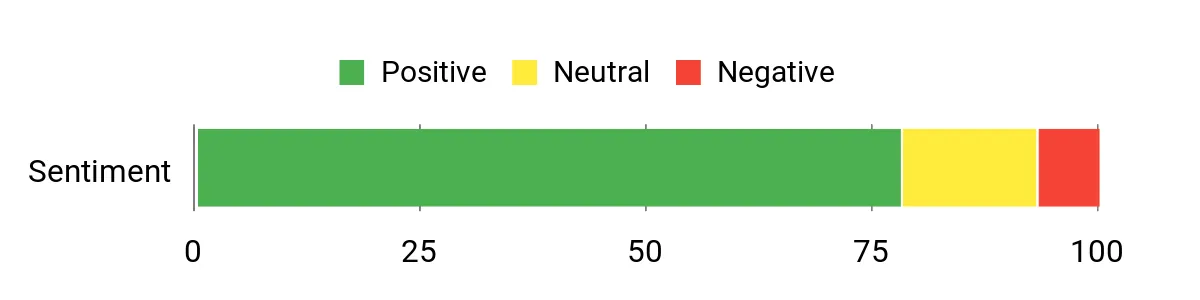
Across user feedback I see consistent praise for the build quality and typing sound — many people mention the keyboard feels heavier and more solid than its price implies. Reviews also highlight reliable wireless connections and the convenience of hot-swap switches and the volume knob. A few users note small software or setup quirks, but most appreciate the out-of-the-box feel and RGB customization.
Overall Sentiment: Positive
Long-Term Value
Because the switches are hot-swappable and the keycaps are PBT, I expect this board to stay useful for years without needing a full replacement. Swapping switches or keycaps extends lifespan and keeps the keyboard feeling fresh, while rechargeable power and a robust chassis reduce the chance of early replacement.
Where It Works
|
Situation |
How It Helps |
|---|---|
|
Remote Work |
Tri-mode wireless and a compact footprint make it easy to switch between laptop and desktop while keeping a tidy home office. |
|
Casual Gaming |
Linear pre-lubed switches deliver smooth keypresses and quick actuation, and the hot-swap feature lets me experiment with different switch feels without buying a new board. |
|
On-desk Aesthetics |
RGB lighting and side-printed PBT keycaps give a polished look that pairs well with themed setups and ergonomic accessories. |
Ease Of Use
|
Feature |
Ease Level |
|---|---|
|
Initial Setup |
Easy |
|
Switch Swapping |
Moderate |
|
Connection Switching |
Easy |
|
Lighting & Macros |
Moderate |
Versatility
I appreciate the F75 Pro for how it handles different roles: it’s compact enough for travel or small desks, but flexible enough for programming, content work, and gaming thanks to its tri-mode connectivity and programmability.
Comfort
The pre-lubed linear Reaper switches and the keyboard’s weight give a satisfying, low-resonance feel that’s comfortable for long typing sessions. The side-printed PBT keycaps resist shine and add a pleasant texture under the fingers.
Customization
|
Feature |
Customization Level |
|---|---|
|
Switch Swapping |
High |
|
RGB Lighting |
High |
|
Programmable Keys |
Moderate |
|
Volume Knob |
Moderate |
Who It’s For
Intermediate
Key Benefits
- Tri-mode wireless connectivity for multi-device use
- Hot-swappable pre-lubed linear switches for a smooth feel
- Compact 75% layout with a handy volume knob
- Durable side-printed PBT keycaps and solid build
I like the Redragon K671 when I want a straightforward, reliable wired board that still feels capable. It’s built around a full-size layout with hot-swap support, so you get the responsiveness of linear switches and the option to swap in different switches later. The RGB modes and programmable keys make it useful for both gaming and productivity, and the double-shot PBT keycaps hold up to heavy daily use. If you need a simple setup that’s easy to plug in and use, this one delivers a solid experience without a lot of fuss.
What People Say
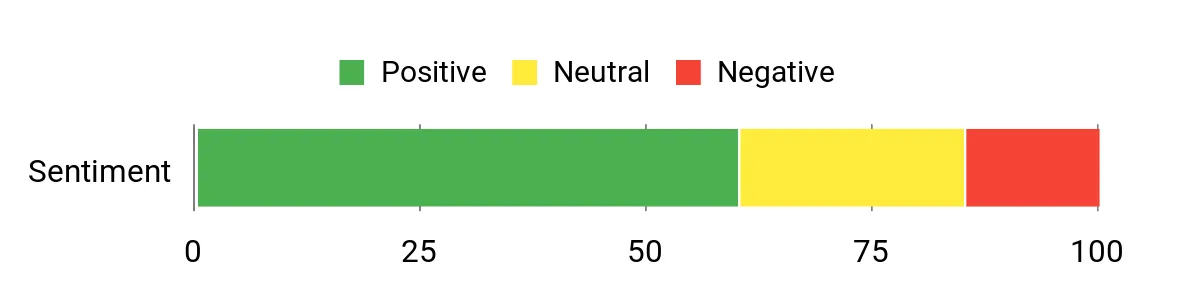
People often point to the sturdy feel and durable keycaps as highlights, along with the satisfying RGB effects and simple hot-swap flexibility. Many users appreciate the plug-and-play wired reliability and the customization options, while a portion of feedback flags occasional key misfires or quirks that suggest checking connectivity and software if you hit issues.
Overall Sentiment: Neutral
Long-Term Value
The hot-swap capability and PBT keycaps help the keyboard stay useful long term: you can change switches or keycaps instead of replacing the whole unit, and a wired design avoids battery wear or wireless failures over time.
Where It Works
|
Situation |
How It Helps |
|---|---|
|
Competitive Gaming |
Wired connection and linear switches provide low latency and consistent key feel during fast gameplay. |
|
Office Work |
Full-size layout and durable keycaps make long typing sessions comfortable and resilient to wear. |
|
Custom Builds |
Hot-swappable switches let you try different switch types without buying a new keyboard. |
Ease Of Use
|
Feature |
Ease Level |
|---|---|
|
Plug-In Setup |
Easy |
|
Switch Swapping |
Moderate |
|
Lighting Modes |
Easy |
|
Macro Programming |
Moderate |
Versatility
This keyboard fits a lot of roles: it’s ideal for gamers who want wired performance, for typists who value durable caps, and for hobbyists who want to experiment with switches later.
Comfort
The linear switch feel is smooth and predictable, and the full-size layout provides familiar spacing that’s comfortable for extended typing or gaming sessions.
Customization
|
Feature |
Customization Level |
|---|---|
|
Switch Swapping |
High |
|
RGB Lighting |
High |
|
Programmable Keys |
Moderate |
|
Keycap Replacement |
Moderate |
Who It’s For
Beginner to Intermediate
Key Benefits
- Hot-swappable linear switches for easy customization
- Durable double-shot PBT keycaps that resist shine
- Multiple RGB modes and programmable keys for personalization
- Wired connection for low-latency responsiveness
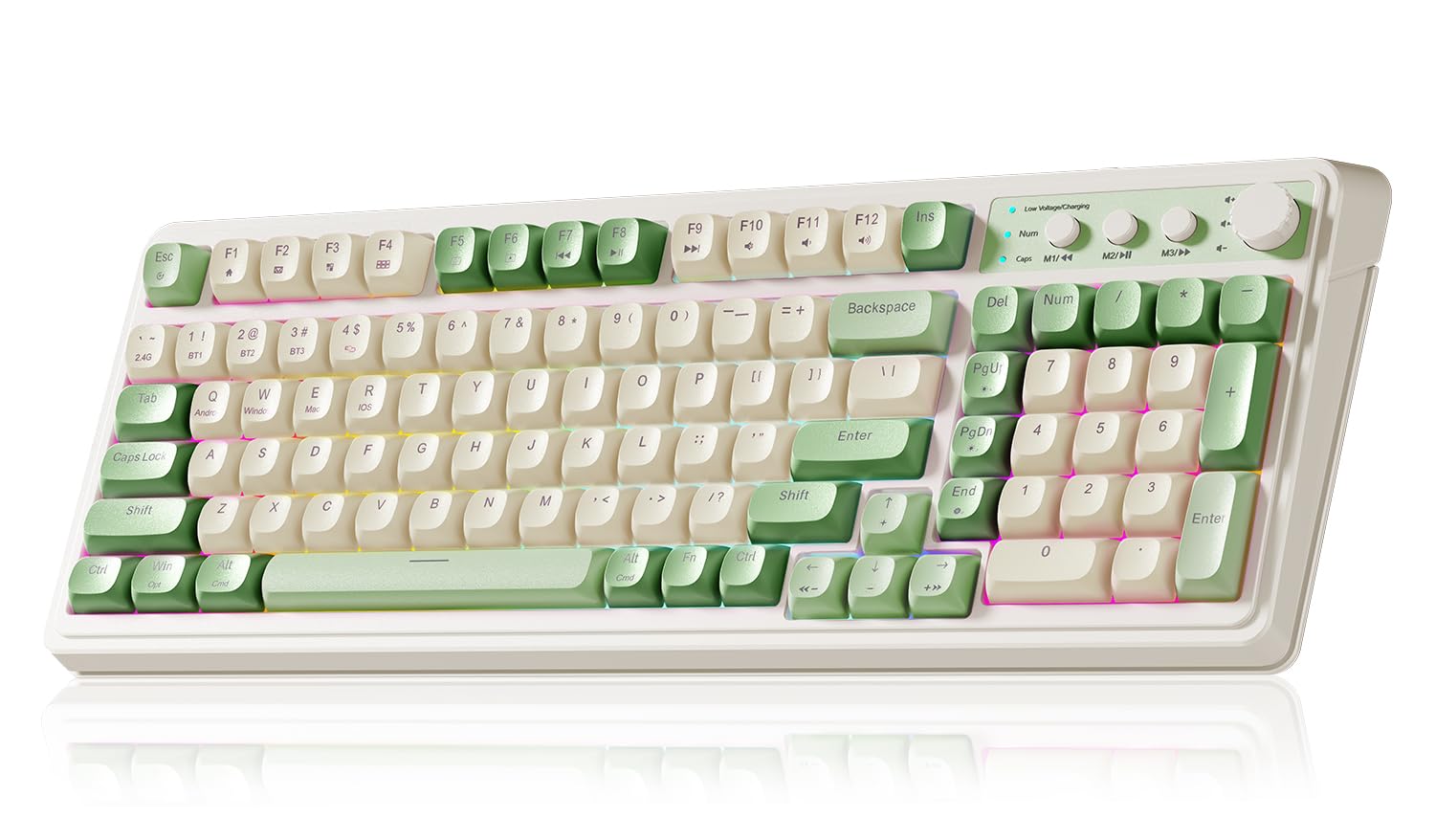
I find the AULA S99 to be a charming, full-featured option when I want a wireless board that doubles as a style piece. It connects via Bluetooth, 2.4GHz or USB-C so switching between a laptop and a desktop is seamless, and the built-in number pad makes it handy for spreadsheets and data entry. The media knob and RGB lighting give quick control without digging into software, and the rounded keycaps add a distinctive look and a softer typing surface. For someone who wants a bit of personality on their desk while keeping practical features, this keyboard balances function and flair.
What People Say
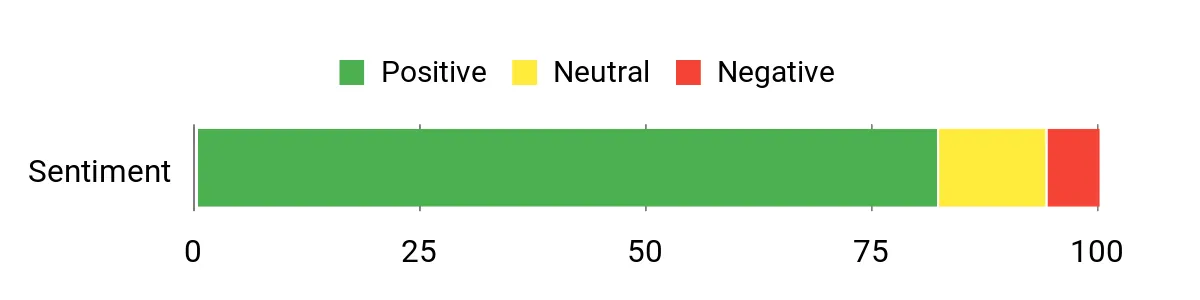
Users commonly praise the keyboard’s look and typing feel, describing the sound as quiet yet satisfying. Many highlight reliable wireless pairing with Macs and PCs, the convenience of the media knob, and overall build that feels solid for daily use.
A few users mention personal preference around key shape or lighting controls, but most feedback centers on practical reliability and pleasant typing.
Overall Sentiment: Positive
Long-Term Value
Because it’s rechargeable, multi-mode and built with durable components, the S99 reduces the need for frequent replacements. Programmability and versatile connectivity mean it can adapt to new setups instead of becoming obsolete quickly.
Where It Works
|
Situation |
How It Helps |
|---|---|
|
Home Office |
Full 99-key layout and number pad make data entry and multitasking smoother while wireless modes keep the desk tidy. |
|
Casual Content Creation |
Media knob and programmable keys speed up volume, playback and simple macros when editing or streaming. |
|
Shared Devices |
Tri-mode connectivity lets me switch between a work laptop and a personal tablet without re-pairing every time. |
Ease Of Use
|
Feature |
Ease Level |
|---|---|
|
Initial Setup |
Easy |
|
Multi-Device Pairing |
Easy |
|
Lighting Controls |
Moderate |
|
Macro Programming |
Moderate |
Versatility
The S99 handles a variety of tasks well: it’s capable for typing and office work, responsive enough for casual gaming, and styled to suit themed setups. Its connectivity and media controls make it an adaptable daily driver.
Comfort
Rounded keycaps and a balanced case weight create a comfortable, low-fatigue typing experience that’s pleasant for long sessions and quieter than many clicky boards.
Customization
|
Feature |
Customization Level |
|---|---|
|
RGB Lighting |
High |
|
Programmable Keys |
Moderate |
|
Profiles |
Moderate |
|
Keycap Style |
Low |
Who It’s For
Beginner to Intermediate
Key Benefits
- Tri-mode connectivity for easy device switching
- Rechargeable battery for minimal fuss
- Media knob and programmable keys for quick control
- Rounded keycaps and a comfortable typing profile
- RGB backlighting that complements desktop setups
I reach for the GEODMAER GM68 when I want a tiny, no-drama keyboard that still handles gaming and everyday typing. It’s a wired board so I never worry about lag or batteries, and the compact footprint frees up desk space for a mouse or other gear.
The RGB lighting and anti-ghosting keep it feeling like a proper gamer keyboard, while the membrane design gives a quieter, low-profile press that’s easy to live with during long sessions. If you need a simple, space-saving board that’s ready to plug in and play, this one is a sensible pick.
What People Say
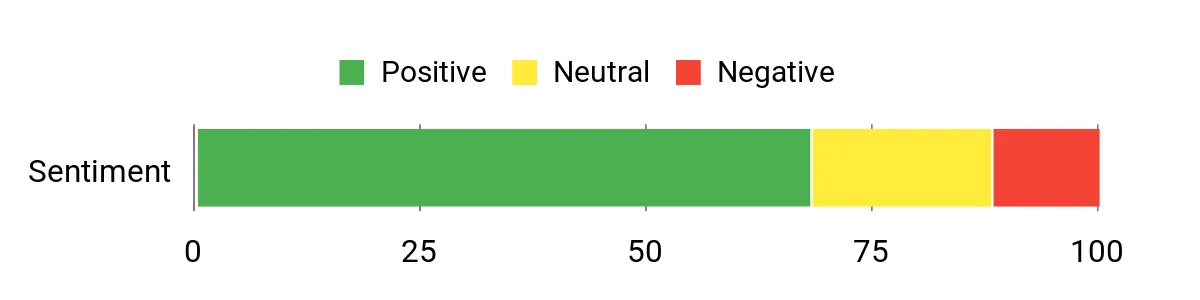
People frequently mention the compact size and reliable wired performance as major pluses, especially for small desks or portable setups. The RGB effects and anti-ghosting get called out as useful for gaming, and many users appreciate the quieter, low-profile key feel compared with loud mechanical switches.
A few notes touch on build material and expectations, but most comments highlight practical day-to-day use.
Overall Sentiment: Positive
Long-Term Value
A simple wired design and durable plastic construction mean fewer failure points over time, and the membrane action tends to be low-maintenance. The included manufacturer warranty also helps protect against early defects, so this keyboard can remain a functional desktop companion for years.
Where It Works
|
Situation |
How It Helps |
|---|---|
|
Tight Desks |
The compact 65/68-key layout leaves extra room for mouse movement and accessories without sacrificing essential keys. |
|
Casual Gaming |
Anti-ghosting and a responsive wired connection keep inputs reliable during fast-paced sessions. |
|
Shared Workstations |
Plug-and-play wired setup makes it easy to move between PCs without re-pairing or battery concerns. |
Ease Of Use
|
Feature |
Ease Level |
|---|---|
|
Plug-In Setup |
Easy |
|
Lighting Modes |
Easy |
|
Key Replacement |
Moderate |
|
Maintenance |
Easy |
Versatility
This keyboard is versatile for compact workstations, casual gaming rigs and travel-friendly desktop swaps thanks to its small footprint and dependable wired performance.
Comfort
Low-profile membrane keys and a modest case weight create a comfortable, quieter typing experience that sits well during longer sessions.
Customization
|
Feature |
Customization Level |
|---|---|
|
RGB Lighting |
High |
|
Keycap Swaps |
Moderate |
|
Macro Support |
Low |
Who It’s For
Beginner
Key Benefits
- Ultra-compact layout that saves desk space
- Wired connection for consistent responsiveness
- RGB backlighting with multiple modes
- Anti-ghosting for reliable key input during games
- Quiet membrane feel that’s comfortable for long use
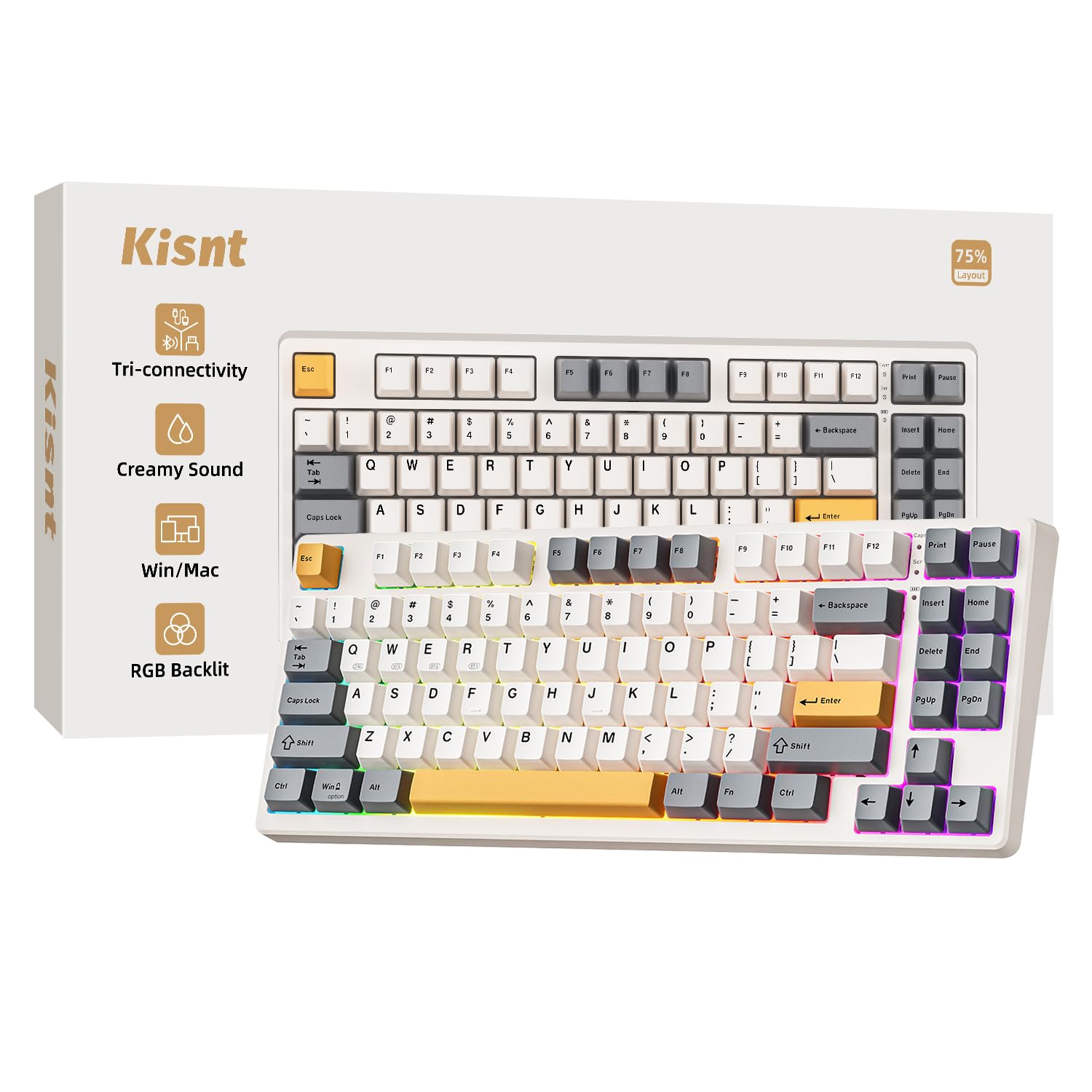
I reach for the KN85 when I want a compact board that still feels substantial. The 75% layout keeps essential keys within reach while saving desk space, and tri-mode connectivity means I can jump between my laptop and desktop without fuss. The pre-lubed linear switches give a smooth, creamy sound that’s pleasant for long typing sessions, and hot-swap support lets me experiment with different switches over time. It’s a great middle ground if you want a mix of style, portability and tweakability for both work and casual gaming.
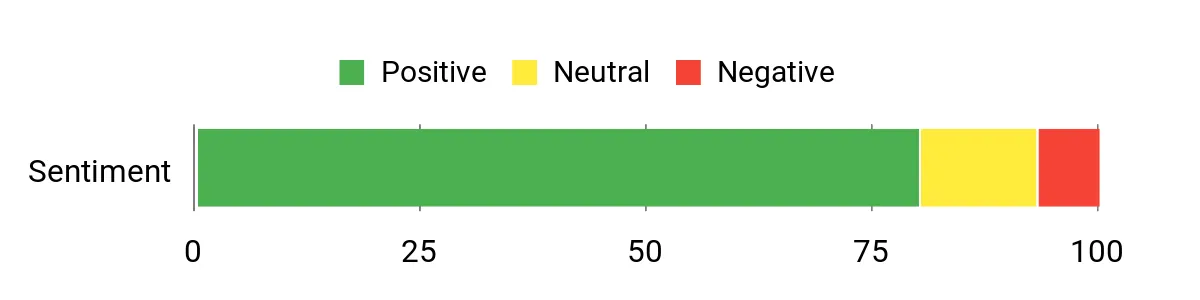
What People Say
Users often highlight the pleasant, creamy switch sound and reliable multi-device connectivity as standout features. Many appreciate the hot-swap ability for trying different switch types and the retro beige aesthetic that fits both work and casual setups. A few mention battery charge times or wanting more advanced software, but the overall tone is that it’s an approachable, tweakable board.
Overall Sentiment: Positive
Long-Term Value
Hot-swap capability and a rechargeable design mean you can refresh the keyboard by swapping switches or updating keycaps rather than replacing the whole unit; that flexibility extends usable life and keeps the board feeling new as your preferences change.
Where It Works
|
Situation |
How It Helps |
|---|---|
|
Remote Work |
Bluetooth and 2.4GHz modes let me pair the board with a laptop and tablet, making transitions between devices quick and tidy. |
|
On-the-Go |
Compact 75% footprint and rechargeable battery make it easy to toss in a bag for coffee shop sessions or co-working days. |
|
Switch Experimentation |
Hot-swap sockets let me try different switches without buying a new keyboard, which is perfect for hobbyists and curious typists. |
Ease Of Use
|
Feature |
Ease Level |
|---|---|
|
Pairing Devices |
Easy |
|
Switch Swapping |
Moderate |
|
Lighting Modes |
Easy |
|
Charging |
Moderate |
Versatility
The KN85 adapts well to typing, streaming, and casual gaming; its connectivity and hot-swap support give it room to grow as my needs shift between work, hobby and play.
Comfort
Pre-lubed linear switches and a balanced case weight make typing feel smooth and low-fatigue, so I can work for hours without annoying clack or harsh feedback.
Customization
|
Feature |
Customization Level |
|---|---|
|
Switch Swapping |
High |
|
RGB Lighting |
High |
|
Keycap Replacement |
Moderate |
|
Profiles |
Moderate |
Who It’s For
Beginner to Intermediate
Key Benefits
- Tri-mode wireless for flexible multi-device use
- Pre-lubed linear switches for smooth, quiet typing
- Hot-swappable sockets for easy customization
- Compact 75% layout that saves desk space
- Rechargeable battery and portable design
I reach for the AULA F99 when I want a versatile full-ish layout that still feels modern. The 99-key design gives me a number pad without taking over the desk, and tri-mode connectivity (BT5.0, 2.4GHz, USB-C) makes swapping between devices painless.
Hot-swap pre-lubed linear switches mean it types smoothly out of the box, and the integrated stand plus extra switches in the box are nice practical touches. It’s solidly built and rechargeable, so it fits well for long editing sessions, mixed work/gaming days and when I want a dependable portable option for different setups.
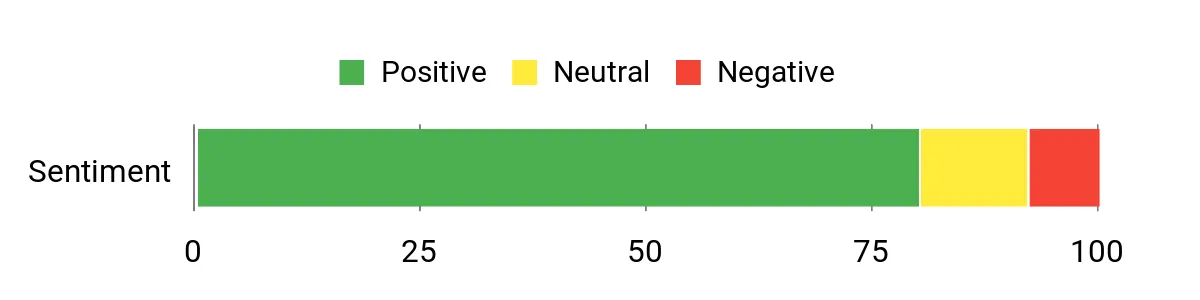
What People Say
Users commonly note the solid build and satisfying typing feel, especially calling out the smooth linear switches and reliable wireless modes. Many appreciate the hot-swap support and included extra switches, plus the convenience of the integrated stand for tablets or phones. A few comments suggest checking software options for deeper customization, but overall people find it practical and enjoyable for daily use.
Overall Sentiment: Positive
Long-Term Value
Hot-swap sockets, replaceable switches and durable key components make it easy to refresh the board over time instead of replacing it, and the rechargeable design avoids the recurring cost and hassle of disposable batteries.
Where It Works
|
Situation |
How It Helps |
|---|---|
|
Hybrid Work |
Tri-mode connectivity and a full 99-key layout let me switch between office PC and laptop without losing productivity. |
|
Content Editing |
Programmable keys and a stable typing surface speed up common editing tasks and timeline adjustments. |
|
On-Desk Entertainment |
RGB lighting, responsive linear switches and compatibility with consoles or tablets make casual gaming and media control straightforward. |
Ease Of Use
|
Feature |
Ease Level |
|---|---|
|
Pairing Devices |
Easy |
|
Switch Swapping |
Moderate |
|
Stand Setup |
Easy |
|
Lighting & Macros |
Moderate |
Versatility
The F99 bridges work and play well: it’s roomy enough for spreadsheets, flexible for multi-device workflows, and tuned for casual gaming thanks to hot-swap and programmable features.
Comfort
Pre-lubed linear switches and a well-weighted case lead to a low-resonance, comfortable typing feel that holds up during long sessions and reduces finger fatigue.
Customization
|
Feature |
Customization Level |
|---|---|
|
Switch Swapping |
High |
|
RGB Lighting |
High |
|
Programmable Keys |
High |
|
Profiles |
Moderate |
Who It’s For
Beginner to Intermediate
Key Benefits
- Tri-mode connectivity for quick device switching
- Hot-swappable pre-lubed linear switches for smooth typing
- Integrated stand and extra switches included
- Programmable keys and RGB for personalization
- Rechargeable battery reduces cable clutter

I reach for the F75 Max when I want a compact board that still feels feature-rich. The small 75% layout keeps my desk tidy while the TFT screen and metal knob add useful quick controls for media and custom GIFs.
The gasket mounting and pre-lubed cream switches give a soft, satisfying typing feel, and hot-swap sockets let me swap switches without buying a new board. Between tri-mode wireless and USB-C power, it works across PC, Mac and Linux setups, so it’s a solid pick if you want a tactile, customizable keyboard that doubles as a workspace accent.
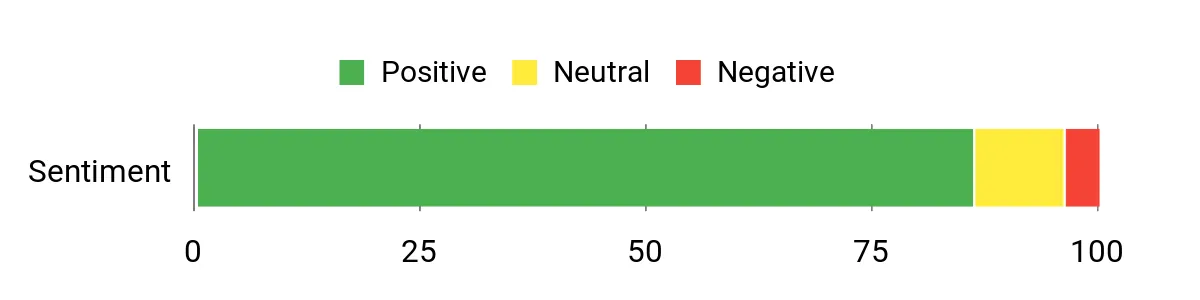
What People Say
Users often praise the tactile, “creamy” switch feel and the satisfying sound profile that the gasket mount delivers. The TFT screen and knob are frequently mentioned as fun, practical extras that make media control and small customizations faster.
People also note the convenience of hot-swap support and multiple wireless modes, with a few mentioning that advanced customization can involve a small learning curve.
Overall Sentiment: Positive
Long-Term Value
Hot-swap sockets and pre-lubed switches mean you can refresh the board by swapping switches or keycaps instead of replacing the whole unit, and built-in features like a detachable cable and rechargeable/USB power options cut down on accessory churn over time.
Where It Works
|
Situation |
How It Helps |
|---|---|
|
Daily Typing |
Gasket mount and pre-lubed cream switches reduce fatigue and deliver a pleasant, consistent feel for long writing sessions. |
|
Streaming and Content |
TFT screen and knob provide quick access to media controls and on-screen feedback without leaving your workflow. |
|
Switch Tinkering |
Hot-swap sockets let hobbyists experiment with different switches without investing in a new keyboard. |
Ease Of Use
|
Feature |
Ease Level |
|---|---|
|
Initial Setup |
Easy |
|
Switch Swapping |
Moderate |
|
Screen Customization |
Moderate |
|
Wireless Pairing |
Easy |
Versatility
The F75 Max works well for typing, casual and competitive gaming, streaming, and creative workflows thanks to its mix of connectivity, programmability and compact layout.
Comfort
Gasket mounting, a balanced case weight, and pre-lubed cream switches combine for a low-resonance, comfortable typing experience that handles long sessions without harsh feedback.
Customization
|
Feature |
Customization Level |
|---|---|
|
Switch Swapping |
High |
|
TFT Screen/GIFs |
High |
|
RGB Lighting |
High |
|
Macros & Profiles |
Moderate |
Who It’s For
Intermediate
Key Benefits
- Integrated TFT screen and metal knob for quick controls
- Gasket mount and pre-lubed cream switches for a cushioned typing feel
- Hot-swappable sockets for easy switch customization
- Full RGB customization and macro support
- Tri-mode connectivity for flexible device pairing

I reach for the R98 Pro when I want a nearly full layout that still feels compact and solid. The heavyweight chassis and gasket mount give it a planted, mute-yet-buttery typing character that works for both long work days and focused gaming. The integrated volume knob and full number pad mean I don’t sacrifice practicality for style, and hot-swap sockets plus spare switches make tweaking straightforward.
If you want a durable board that feels premium without pretending to be delicate, this one hits that middle ground really well.
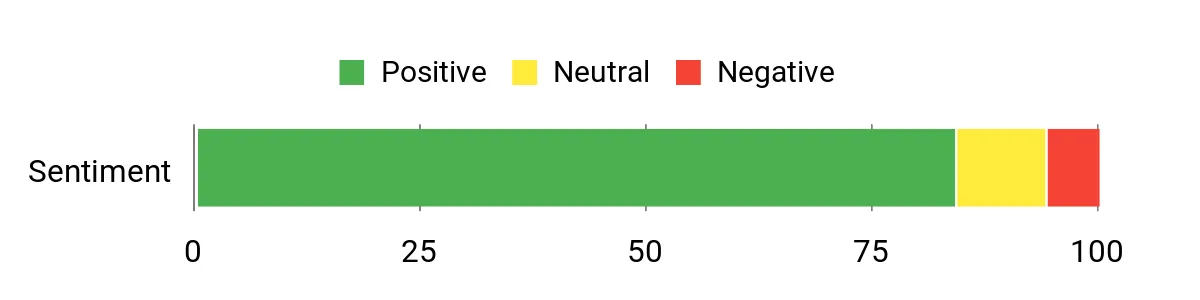
What People Say
Customers frequently praise the solid build and satisfying sound profile, noting the keyboard feels sturdier than many options at its size. The volume knob and number pad get called out as useful daily features, and hobbyists appreciate the hot-swap support and included spare switches. A few users mention minor software or lighting quirks, but most feedback centers on long-term reliability and typing comfort.
Overall Sentiment: Positive
Long-Term Value
A robust aluminum/plastic enclosure, PBT keycaps and hot-swappable switches mean the board is easy to maintain and upgrade; swapping switches or caps keeps it feeling fresh without replacing the entire keyboard.
Where It Works
|
Situation |
How It Helps |
|---|---|
|
Work-From-Home |
Full layout and number pad speed up data entry while the knob and media controls reduce context switching during calls or editing. |
|
Daily Heavy Typing |
Gasket mount and pre-lubed linear switches lower fatigue and soften the sound for extended sessions. |
|
Switch Enthusiasts |
Hot-swap sockets and spare switches make experimenting with different feels easy and affordable. |
Ease Of Use
|
Feature |
Ease Level |
|---|---|
|
Plug-In Setup |
Easy |
|
Switch Swapping |
Moderate |
|
Volume Knob |
Easy |
|
Lighting & Software |
Moderate |
Versatility
This board works well for mixed use: it’s solid for typing and productivity, responsive for gaming, and friendly to hobbyists who want to swap switches or tweak lighting.
Comfort
The gasket mount, pre-lubed linears and substantial case weight deliver a mellow, low-vibration typing experience that stays comfortable over long sessions.
Customization
|
Feature |
Customization Level |
|---|---|
|
Switch Swapping |
High |
|
RGB Lighting |
High |
|
Keycap Replacement |
Moderate |
|
Macro & Profiles |
Moderate |
Who It’s For
Intermediate
Key Benefits
- Gasket mount and pre-lubed linear switches for a cushioned, low-resonance feel
- Hefty build with MDA-profile PBT keycaps for durability and a premium touch
- Full-ish 96% layout with number pad and volume knob for practical desktop use
- Hot-swap support and included spare switches for easy customization
- USB-C wired connection for reliable, low-latency performance

I reach for the RisoPhy 104 when I want a classic full-size layout that feels familiar and reliable. The clicky blue switches give a tactile, responsive feedback that’s nice for typing and gaming alike, while the dedicated media and hotkeys keep playback and volume within easy reach.
The USB-A wired connection removes pairing fuss and the spill-resistant design means it’s forgiving in everyday use. If you want a straightforward, no-frills mechanical board that covers typing, streaming and casual play, this is a dependable option I’d recommend trying.
What People Say
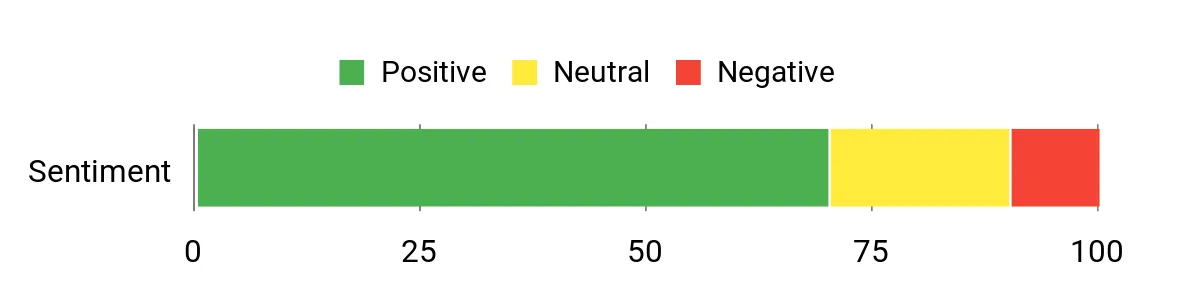
I see a lot of appreciation for the tactile click and the solid, familiar layout — people like that it behaves like a traditional mechanical without extra setup. The RGB effects and media keys are often called useful for both work and play, and the spill-resistant build reassures users who want a low-maintenance desk keyboard. A few notes mention that the clicky profile isn’t for everyone, but most feedback centers on practical reliability.
Overall Sentiment: Positive
Long-Term Value
A straightforward wired design and robust ABS keycaps mean fewer moving parts that can fail, and the spill-resistant casing reduces chances of damage from accidents. That simplicity tends to keep maintenance low and extends usable life without frequent upgrades.
Where It Works
|
Situation |
How It Helps |
|---|---|
|
Office Work |
Full-size layout and dedicated hotkeys speed up productivity tasks and make number entry and media control painless. |
|
Casual Gaming |
Clicky switches and anti-ghosting give clear actuation and reliable input during fast-paced sessions. |
|
High-Use Homes |
Spill-resistant construction and durable keycaps handle daily wear and accidental spills with less worry. |
Ease Of Use
|
Feature |
Ease Level |
|---|---|
|
Plug-In Setup |
Easy |
|
Lighting Modes |
Easy |
|
Macro Programming |
Moderate |
|
Cleaning After Spills |
Easy |
Versatility
This keyboard handles typing, everyday multimedia control and casual gaming well; the full layout and media keys make it a good all-rounder for mixed desks and family use.
Comfort
The clicky blue switches are lively and give strong feedback, which can be satisfying for long typing sessions if you like audible tactile cues; the board’s height and key spacing suit most desktop setups.
Customization
|
Feature |
Customization Level |
|---|---|
|
RGB Lighting |
High |
|
Keycap Replacement |
Moderate |
|
Macro Keys |
Moderate |
|
Switch Swapping |
Low |
Who It’s For
Beginner to Intermediate
Key Benefits
- Full 104-key layout with dedicated media controls
- Clicky blue switches for tactile typing feedback
- RGB backlighting with multiple modes
- Spill-resistant construction for daily reliability
- Durable ABS keycaps and anti-ghosting support

I reach for the K668 when I want a full-size board that feels substantial without fuss. It’s built with extra weight and sound-dampening so it stays planted during heavy typing or gaming, and the two keycap sets let me swap looks quickly.
Hot-swap sockets and a detachable USB-C cable make maintenance and small upgrades painless, while the RGB and programmable keys cover everyday multimedia and macro needs. For someone who wants a capable, durable full-size keyboard that’s ready to customize, this is a practical choice.
What People Say
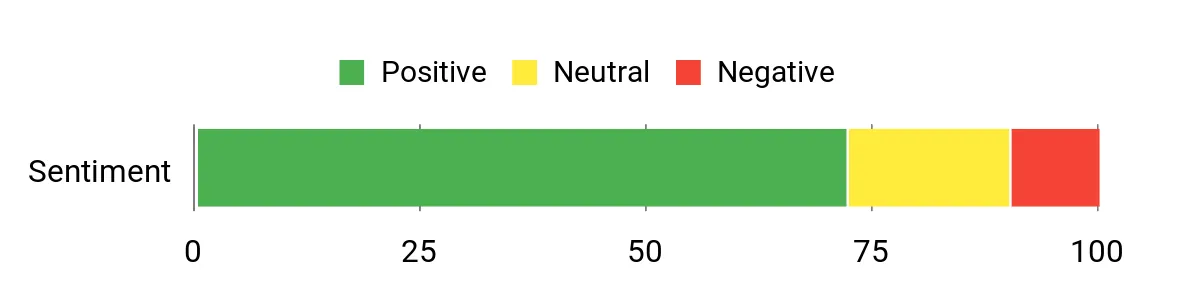
Users often highlight the solid build and the feeling that the keyboard stays put during use, and many appreciate the extra keycap set and hot-swap flexibility. The RGB and programmable keys are commonly noted as handy for both work and play, while a small group mentions that accessing all lighting or macro options may require installing the software.
Overall Sentiment: Positive
Long-Term Value
Durable materials, a detachable cable and hot-swap sockets reduce wear-and-tear and let you refresh switches or caps instead of replacing the whole board, which keeps it useful longer.
Where It Works
|
Situation |
How It Helps |
|---|---|
|
Desktop Gaming |
Hefty build and anti-vibration foams keep the board steady during intense sessions and help mute key noise. |
|
Office Productivity |
Full layout with hotkeys and programmable macros speeds up common workflows and number entry tasks. |
|
Custom Builds |
Hot-swap sockets and extra keycaps make experimenting with switches and aesthetics low friction. |
Ease Of Use
|
Feature |
Ease Level |
|---|---|
|
Plug-In Setup |
Easy |
|
Switch Swapping |
Moderate |
|
Lighting Modes |
Easy |
|
Software Customization |
Moderate |
Versatility
This board suits gamers, typists and hobbyists alike: it’s roomy for productivity, responsive for play, and forgiving for customization projects.
Comfort
Comfort comes from predictable linear action and a stable plate that reduces flex, making longer typing sessions less tiring and less noisy.
Customization
|
Feature |
Customization Level |
|---|---|
|
Keycap Sets |
High |
|
Switch Swapping |
High |
|
RGB Lighting |
High |
|
Macro Mapping |
Moderate |
Who It’s For
Beginner to Intermediate
Key Benefits
- Full 108-key layout with dedicated hotkeys
- Hot-swappable sockets for easy switch changes
- Includes two keycap sets for quick style swaps
- Sound-absorbing foam and solid weight for stable feel
- USB-C wired connection for consistent responsiveness

I reach for the K745 Pro when I want a full-size keyboard that prioritizes quiet, comfortable typing without losing gaming features. The gasket mount and multi-layer dampening mute the sound and reduce vibration, so it sits well in a shared workspace or late-night setup.
It supports wireless and wired connections, includes spare switches and a keycap puller, and the round PBT caps give a softer, tactile surface that works well for long typing and gaming blocks. For people who want a roomy layout with a premium-feeling sound profile and easy customization, this board strikes a useful balance.
What People Say
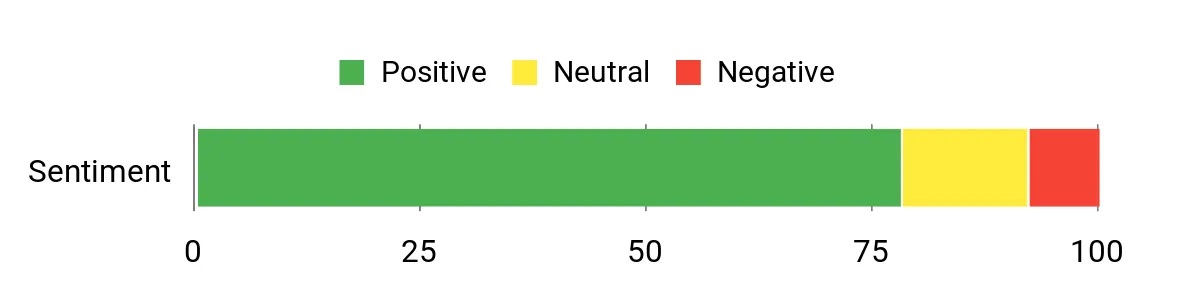
Readers frequently highlight how quiet and ‘creamy’ the typing experience feels thanks to the gasket mount and noise-dampening layers. Many appreciate the full layout and round PBT keycaps for comfort, plus the convenience of hot-swap sockets and included spare switches. A small number mention that deeper lighting or macro customization can require software, but overall people note the stable build and satisfying sound profile.
Overall Sentiment: Positive
Long-Term Value
Durable PBT keycaps, hot-swap capability and a solid chassis reduce the need for full replacements: swapping switches or caps refreshes the board over time, and the multi-mode connectivity keeps it compatible with evolving setups.
Where It Works
|
Situation |
How It Helps |
|---|---|
|
Shared Workspace |
The quiet gasket mount and dampening lower keystroke noise so you can work around others without distracting them. |
|
Heavy Typing |
Round PBT keycaps and cushioned switches reduce fatigue and make long typing sessions more comfortable. |
|
Customizing Builds |
Hot-swap sockets and included spare switches let hobbyists experiment without buying another keyboard. |
Ease Of Use
|
Feature |
Ease Level |
|---|---|
|
Initial Setup |
Easy |
|
Switch Swapping |
Moderate |
|
Lighting Controls |
Moderate |
|
Wireless Pairing |
Easy |
Versatility
This keyboard suits office work, content creation and gaming thanks to its full layout, multi-mode connectivity and customizable feel, so it fits changing desk roles without needing a second board.
Comfort
Gasket mount, layered dampening and round PBT caps combine for a low-resonance, cushioned typing experience that reduces finger strain and keeps sound levels muted over long sessions.
Customization
|
Feature |
Customization Level |
|---|---|
|
Switch Swapping |
High |
|
Keycap Sets |
High |
|
RGB Lighting |
High |
|
Macro Mapping |
Moderate |
Who It’s For
Beginner to Intermediate
Key Benefits
- Gasket design and 5-layer dampening for quieter typing
- Full 108-key layout with wireless and wired modes
- Hot-swap sockets and spare switches for easy customization
- Round PBT keycaps that resist shine and feel pleasant
- See-through keycaps and RGB for aesthetic flexibility
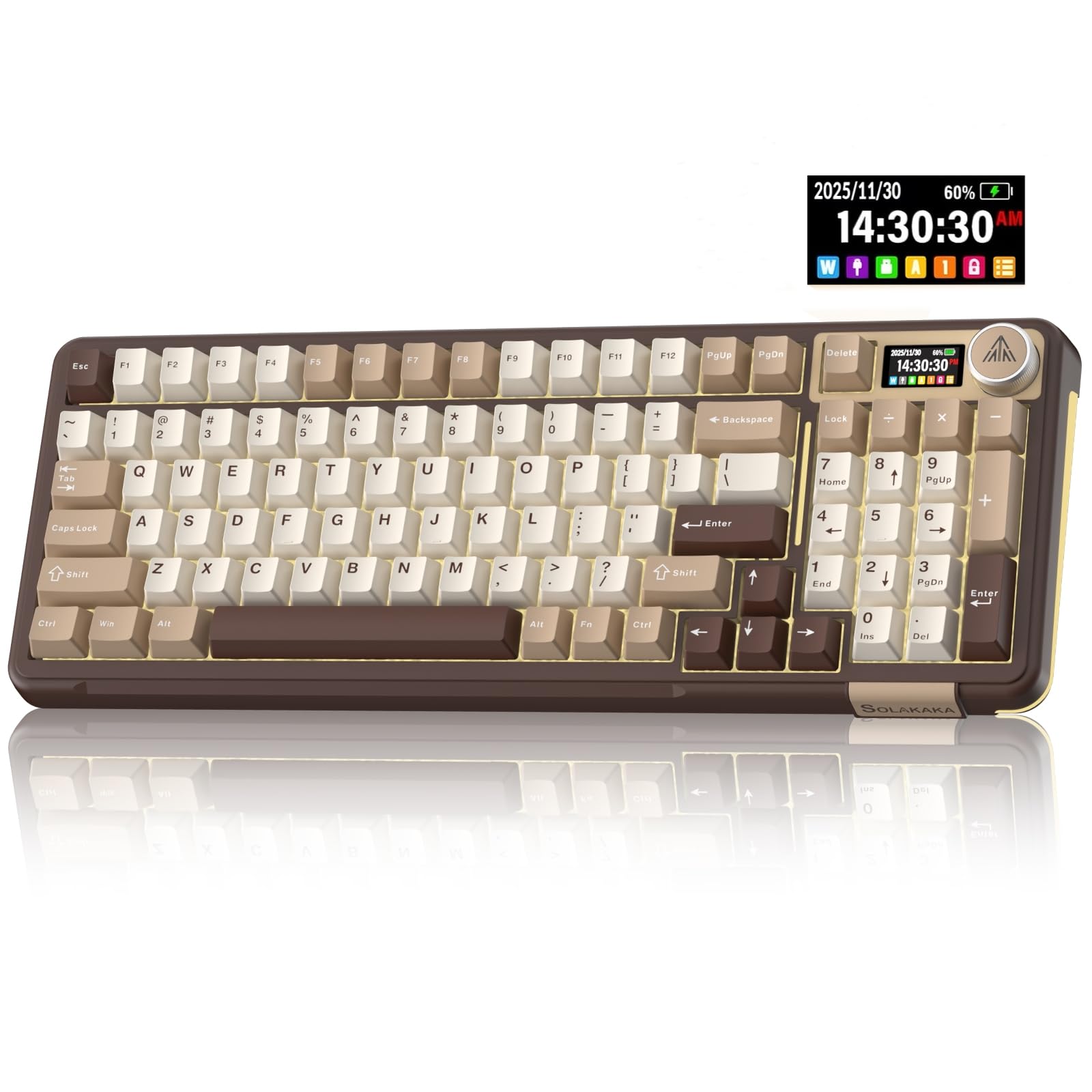
I reach for the A99 Pro when I want a compact board that still feels premium and playful. The little LCD and metal knob make media control and quick feedback oddly addictive, and the gasket mount plus pre-lubed cream switches deliver a cushioned, creamy typing feel that’s easy on the ears during long sessions.
Hot-swap sockets let me swap switches without buying another board, and tri-mode connectivity keeps it useful across laptops, desktops and even tablets. It’s a great pick if you want a feature-rich 96/97% layout that’s both practical for work and enjoyable for casual streaming or tinkering.
What People Say
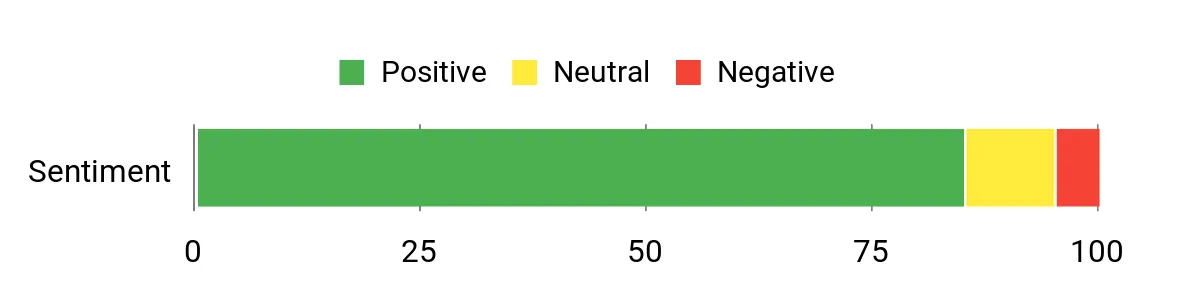
Users consistently praise the creamy switch feel and the satisfying sound that comes from the gasket setup. The LCD screen and knob get called out as practical extras that speed up media tasks and small tweaks, and many people like the plug-and-play convenience plus the hot-swap flexibility for experimenting with switches. A few note minor fit-and-finish or setup preferences, but the overall impression is that it feels well made and fun to use.
Overall Sentiment: Positive
Long-Term Value
Hot-swap capability and replaceable switches/keycaps make it easy to refresh the keyboard as tastes change, preventing the need to replace the whole unit. Durable mechanical parts and USB-C support also reduce the chance of obsolescence as devices evolve.
Where It Works
|
Situation |
How It Helps |
|---|---|
|
Content Creation |
LCD feedback and the knob let me adjust audio, timelines or visuals without leaving my workflow. |
|
Daily Typing |
Gasket mount and pre-lubed cream switches lower fatigue and produce a softer sound for long writing sessions. |
|
Switch Tinkering |
Hot-swap sockets let me try different switches quickly, which is perfect for hobbyists and evolving preferences. |
Ease Of Use
|
Feature |
Ease Level |
|---|---|
|
Initial Setup |
Easy |
|
Screen Customization |
Moderate |
|
Switch Swapping |
Moderate |
|
Wireless Pairing |
Easy |
Versatility
The A99 Pro fits a range of uses: it’s compact enough for smaller desks, flexible for multi-device setups, and tuned for both focused work and playful customization.
Comfort
Between the gasket structure, pre-lubed cream switches and a balanced case, typing feels cushioned and low-resonance, which helps on long sessions and keeps the sound pleasant for shared spaces.
Customization
|
Feature |
Customization Level |
|---|---|
|
Switch Swapping |
High |
|
LCD/GIFs |
High |
|
RGB Lighting |
High |
|
Macro Profiles |
Moderate |
Who It’s For
Intermediate
Key Benefits
- LCD screen and metal knob for quick controls
- Gasket mount and pre-lubed cream switches for cushioned typing
- Hot-swappable sockets for easy customization
- Tri-mode wireless and USB-C for broad compatibility
- Compact 97-key layout that balances space and functionality

I reach for the RK S108 when I want a keyboard that doubles as a desk piece and a reliable workhorse. The typewriter aesthetic and round keycaps give a distinctive feel, while the metal frame and detachable wrist rest make longer sessions comfortable. It’s a straightforward USB wired board, so setup is quick and predictable, and the clicky blue switches provide crisp tactile feedback for heavy typing or casual gaming.
If you enjoy a tactile, old-school vibe with modern RGB flair, this model balances personality and practicality.
What People Say
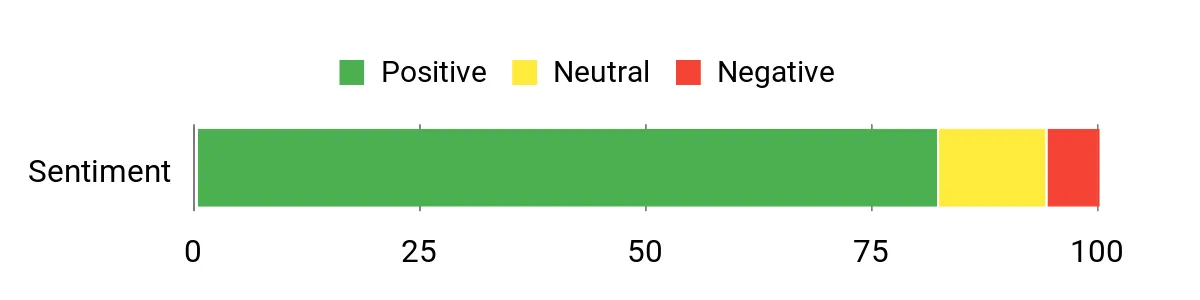
People often highlight the build quality and the novelty of the typewriter look, saying it adds personality to their desk. Many praise the round keycaps and clicky switches for a satisfying typing experience, and users also like the detachable wrist rest and straightforward wired setup. A few mention the audible switch profile may not suit very quiet shared spaces, but most comments point to a reliable, tactile board that stands out visually.
Overall Sentiment: Positive
Long-Term Value
A metal chassis, durable PBT-style keycaps and a simple wired design reduce points of failure over time. That means maintenance tends to be limited to swapping keycaps or cleaning rather than replacing the whole keyboard, which stretches its useful life.
Where It Works
|
Situation |
How It Helps |
|---|---|
|
Heavy Typing |
Clicky blue switches and a stable metal frame provide tactile feedback and a solid surface for long writing or coding sessions. |
|
Desktop Aesthetics |
Typewriter styling and RGB sidelights add character to a setup and pair well with vintage or themed desks. |
|
Casual Gaming |
Full 108-key layout and reliable wired input offer consistent performance for gaming and multimedia control. |
Ease Of Use
|
Feature |
Ease Level |
|---|---|
|
Initial Setup |
Easy |
|
Wrist Rest Attachment |
Easy |
|
Lighting Modes |
Easy |
|
Keycap Replacement |
Moderate |
Versatility
This board works well for writers, streamers and anyone who wants a full-size layout with personality; it’s less about ultra-compact setups and more about a full desktop experience with tactile feedback.
Comfort
The detachable wrist rest and rigid chassis keep the board steady and reduce strain, while the key spacing and profile suit long typing sessions for most users.
Customization
|
Feature |
Customization Level |
|---|---|
|
Keycap Replacement |
High |
|
RGB Lighting |
High |
|
Macro Mapping |
Moderate |
|
Switch Swapping |
Low |
Who It’s For
Beginner to Intermediate
Key Benefits
- Distinctive typewriter styling with round keycaps
- Solid metal chassis and aluminum plate for durability
- Full 108-key layout with detachable wrist rest for comfort
- Clicky blue switches that deliver tactile feedback
- USB wired connection for plug-and-play reliability

I reach for the RK S98 when I want a compact board that still feels feature-rich. The smart display and knob give quick visual feedback and fast media control without digging through software, while the integrated stand and 98-key layout keep it practical for tablet or laptop workflows.
Hot-swap sockets and pre-lubed linear switches make the typing feel smooth out of the box and let me experiment with different switch types later. For someone who wants a portable-but-capable keyboard that works across devices and suits both work and casual gaming, this is a strong option.
What People Say
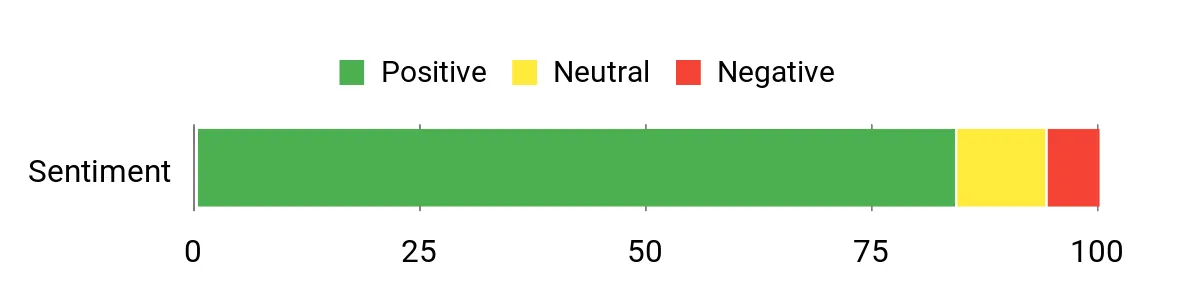
I notice reviewers often praise the S98’s creamy typing feel and the convenience of the display plus knob for quick tweaks. People also point to reliable wireless switching and the hot-swap feature as useful for customization. A few mention software or minor setup preferences, but most impressions focus on usability and the satisfying sound profile.
Overall Sentiment: Positive
Long-Term Value
Hot-swap sockets and replaceable switches mean you can refresh the board’s feel over time rather than replacing the whole unit, and rechargeable power plus USB-C support reduce accessory churn and keep it compatible with modern devices.
Where It Works
|
Situation |
How It Helps |
|---|---|
|
Hybrid Work |
Tri-mode connectivity and the integrated stand let me switch smoothly between laptop and tablet setups while keeping essential keys close. |
|
Streaming & Content |
The smart display and knob provide on-screen feedback and quick media controls that speed up live editing or streaming tasks. |
|
Switch Tinkering |
Hot-swap sockets make it easy to try different switches without buying a new keyboard, which is ideal for hobbyists. |
Ease Of Use
|
Feature |
Ease Level |
|---|---|
|
Initial Setup |
Easy |
|
Wireless Pairing |
Easy |
|
Screen Customization |
Moderate |
|
Switch Swapping |
Moderate |
Versatility
The S98 adapts well to typing, on-the-go work and light gaming thanks to its mix of wireless modes, compact layout and programmable features.
Comfort
Gasket-like top-mount feel and pre-lubed linear switches give a cushioned, low-resonance typing experience that’s comfortable over long sessions.
Customization
|
Feature |
Customization Level |
|---|---|
|
Switch Swapping |
High |
|
Smart Display/GIFs |
High |
|
RGB Lighting |
High |
|
Software Profiles |
Moderate |
Who It’s For
Intermediate
Key Benefits
- Smart display and knob for quick controls
- Tri-mode wireless and USB-C for broad compatibility
- Hot-swappable linear switches for easy customization
- Integrated stand and compact 98-key layout for productivity
- Rechargeable battery for portable use

I reach for the K689 when I want a roomy board that feels solid without fuss. The full 108-key layout and round PBT caps make it comfortable for long typing and number-entry tasks, while the gasket-like dampening layers and added weight keep the board planted and noticeably quieter. Tri-mode connectivity and a detachable USB-C cable make it easy to move between desktop and laptop, and hot-swap sockets plus extra keycap options let me experiment without commitment.
It’s a practical choice for someone who wants a stable, customizable full-size keyboard that handles both work and play.
What People Say
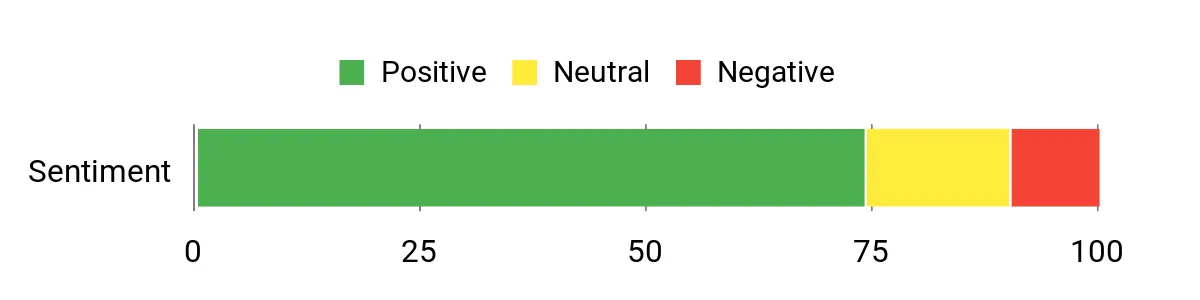
People commonly mention the satisfying build and heavier feel that keeps the keyboard from sliding around during use. Many call out the quieter, cushioned typing thanks to the dampening and the convenience of hot-swap sockets and extra keycap options.
A portion of feedback notes that accessing every lighting or macro option may require the software, and some users would like brighter LEDs, but the general tone favors reliability and customization.
Overall Sentiment: Positive
Long-Term Value
Durable PBT caps, a robust chassis and hot-swap sockets let you refresh switches or keycaps instead of replacing the whole board. The detachable cable and multi-mode connectivity also reduce accessory churn, so it stays useful as your setup evolves.
Where It Works
|
Situation |
How It Helps |
|---|---|
|
Shared Workspace |
Dampening layers and round keycaps lower keystroke noise, making it more office-friendly around coworkers. |
|
Heavy Typing |
Full layout and comfortable key profile reduce fatigue during long typing or data-entry sessions. |
|
Customization Projects |
Hot-swap sockets and extra keycap sets let hobbyists experiment without buying a new keyboard. |
Ease Of Use
|
Feature |
Ease Level |
|---|---|
|
Initial Setup |
Easy |
|
Switch Swapping |
Moderate |
|
Lighting Controls |
Moderate |
|
Wireless Pairing |
Easy |
Versatility
The K689 handles office work, long typing sessions and gaming equally well thanks to its full layout, stable feel and flexible connection modes.
Comfort
Round PBT keycaps, gasket-like dampening and a weighted chassis create a cushioned, low-resonance typing experience that feels comfortable over extended use.
Customization
|
Feature |
Customization Level |
|---|---|
|
Switch Swapping |
High |
|
Keycap Sets |
High |
|
RGB Lighting |
High |
|
Macro Mapping |
Moderate |
Who It’s For
Beginner to Intermediate
Key Benefits
- Gasket-like dampening and stable weight for reduced noise and vibration
- Full 108-key layout with round PBT keycaps for comfortable typing
- Hot-swappable sockets for easy switch changes
- Tri-mode connectivity and detachable USB-C for flexibility
- Sound-absorbing layers to improve acoustic profile
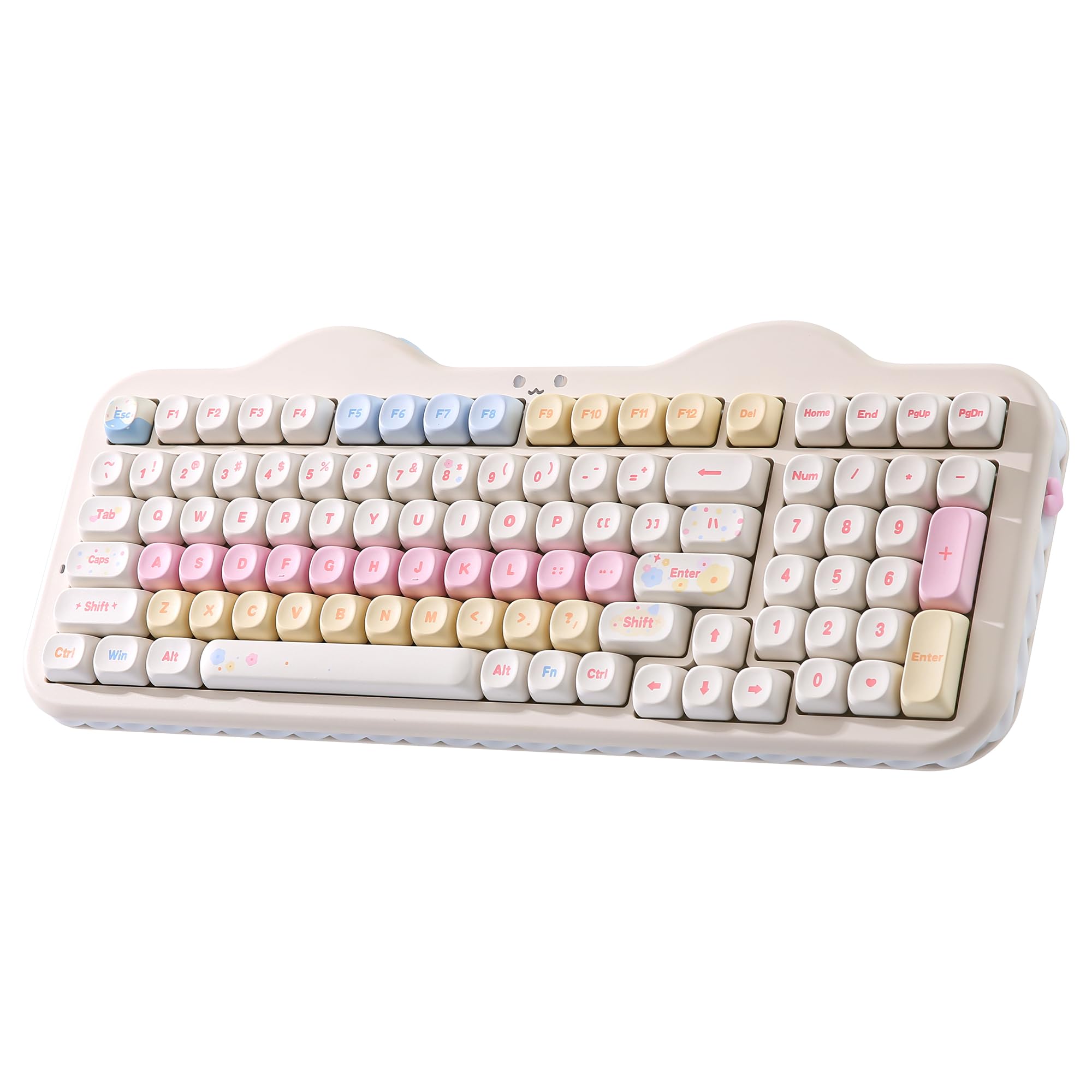
I reach for the YUNZII C98 when I want a full-featured wireless board that doesn’t sacrifice practicality. The 99-key layout includes a number pad so I can work comfortably, while tri-mode connectivity makes switching between laptop, tablet and desktop painless. Hot-swap sockets and PBT keycaps mean it feels sturdy and is easy to refresh over time, and the customizable display keys add a playful but useful touch for quick feedback or shortcuts. It’s a handy daily driver for mixed workflows where I want portability, comfort and room to tinker.
What People Say
People regularly praise the C98’s combination of convenience and customization, especially the number pad plus reliable wireless switching. Users also point out the hot-swap support and quality PBT caps as reasons the keyboard stays useful over time.
The customizable display keys and RGB get called out as neat extras that add personality without getting in the way of daily work.
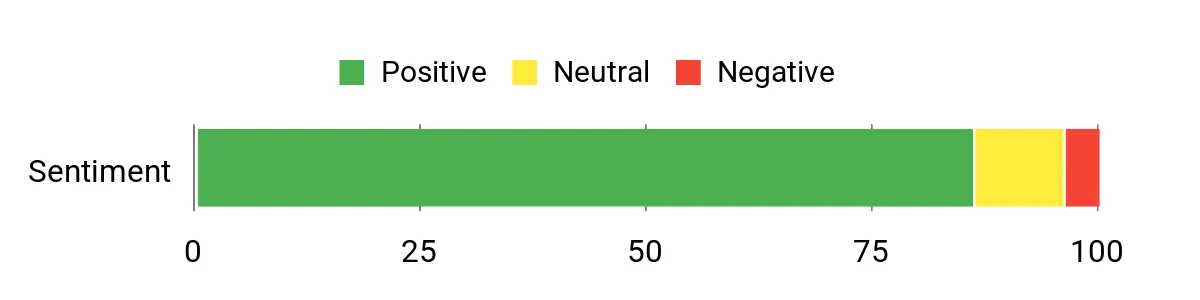
Overall Sentiment: Positive
Long-Term Value
Hot-swap sockets and durable PBT keycaps let you refresh the keyboard by swapping switches or caps rather than replacing the whole unit. Combined with rechargeable/USB-C compatibility, that flexibility helps the board remain useful as needs or devices change.
Where It Works
|
Situation |
How It Helps |
|---|---|
|
Hybrid Work |
Tri-mode connectivity and the number pad let me switch between office and home setups without losing productivity. |
|
Content Creation |
Customizable display keys and RGB provide quick visual cues for scenes, macros or frequently used tools. |
|
Hobbyist Tinkering |
Hot-swap sockets let me try different switches easily, which is perfect for exploring new feels or sound profiles. |
Ease Of Use
|
Feature |
Ease Level |
|---|---|
|
Initial Setup |
Easy |
|
Multi-Device Pairing |
Easy |
|
Switch Swapping |
Moderate |
|
Display Customization |
Moderate |
Versatility
The C98 moves smoothly between typing-heavy days and casual gaming sessions; its connectivity, number pad and customization options make it useful across different desks and devices.
Comfort
PBT keycaps and a balanced case weight deliver a comfortable, low-fatigue typing feel, and the layout supports extended work sessions without awkward reach.
Customization
|
Feature |
Customization Level |
|---|---|
|
Switch Swapping |
High |
|
Custom Display Keys |
High |
|
RGB Lighting |
High |
|
Macro Profiles |
Moderate |
Who It’s For
Beginner to Intermediate
Key Benefits
- Tri-mode wireless and USB-C for flexible multi-device use
- 99-key layout with number pad for productivity
- Hot-swappable sockets for easy switch changes
- PBT keycaps and solid construction for durability
- Customizable display keys for quick visual feedback
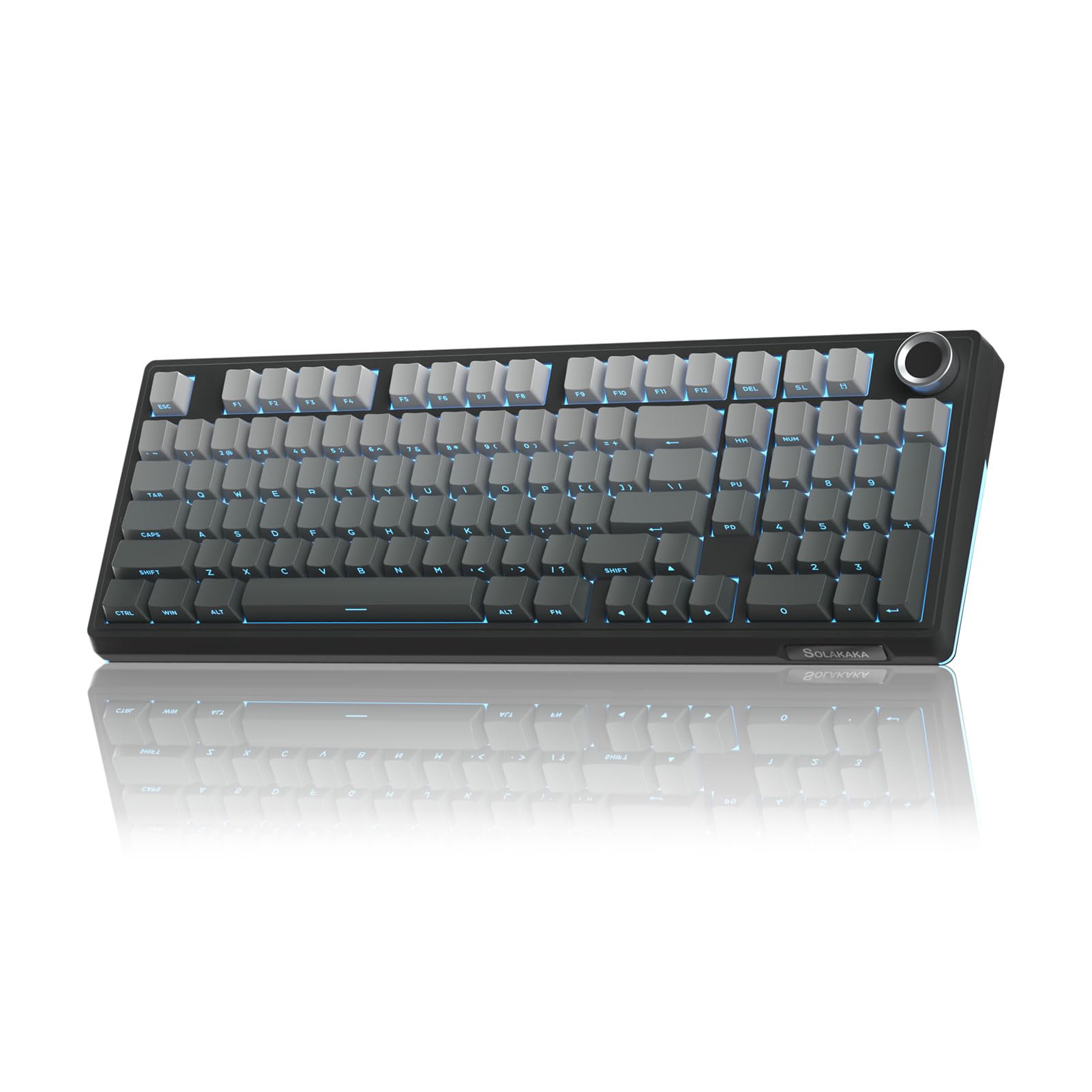
I reach for the KI99 Pro when I want a compact board that feels polished out of the box. The 96% layout keeps important keys close while saving desk space, and tri-mode wireless plus USB-C make switching between devices seamless.
The gasket-like structure and pre-lubed linear switches deliver a soft, pleasant typing feel, and the metal knob adds quick, tactile control for volume and other shortcuts. It’s a great fit if I want a travel-friendly yet customizable keyboard that performs well for work, streaming and casual gaming.
What People Say
People frequently praise the KI99’s smooth, creamy typing and the convenience of fast Bluetooth pairing across multiple devices. The knob and display options are often called practical extras that speed up simple tasks, and hobbyists appreciate the hot-swap support for trying different switches. A handful of users mention wanting additional lighting presets, but the general tone celebrates usability and feel.
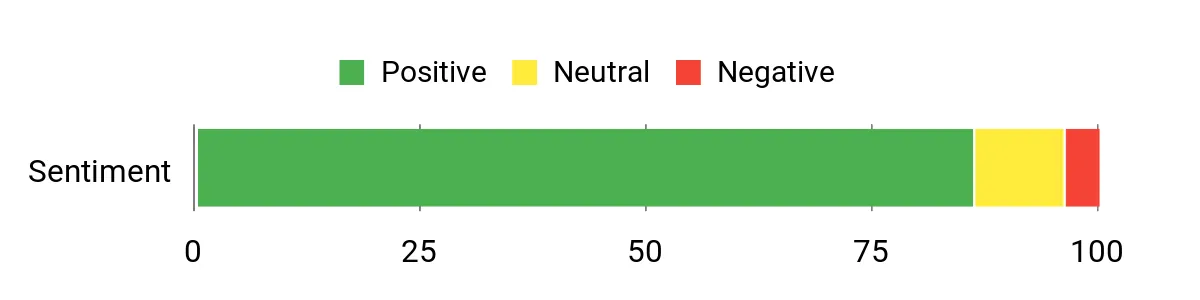
Overall Sentiment: Positive
Long-Term Value
Hot-swap sockets and durable switch/keycap options let you update the keyboard’s feel and look without replacing the whole unit. Combined with USB-C and wireless compatibility, that flexibility helps the KI99 stay useful as needs and devices change.
Where It Works
|
Situation |
How It Helps |
|---|---|
|
Hybrid Work |
Tri-mode connectivity and a compact footprint let me switch between laptop and desktop setups without losing productivity. |
|
Content Creation |
Metal knob and programmable keys provide quick adjustments for audio and shortcuts so I stay in the flow. |
|
Desk-Limited Setups |
The 96% layout preserves key access while freeing space for a larger mouse area or multiple monitors. |
Ease Of Use
|
Feature |
Ease Level |
|---|---|
|
Initial Pairing |
Easy |
|
Switch Swapping |
Moderate |
|
Knob Controls |
Easy |
|
Advanced Customization |
Moderate |
Versatility
The KI99 adapts well to typing-heavy work, streaming and light gaming; its wireless modes, hot-swap support and programmable controls let it serve multiple roles without needing a second keyboard.
Comfort
Gasket-like mounting and pre-lubed linear switches create a cushioned, low-resonance typing experience that’s easy on the fingers during long sessions.
Customization
|
Feature |
Customization Level |
|---|---|
|
Switch Swapping |
High |
|
Knob Mapping |
High |
|
RGB Lighting |
High |
|
Macro Profiles |
Moderate |
Who It’s For
Intermediate
Key Benefits
- Tri-mode wireless and USB-C for flexible device pairing
- Gasket-like mount and pre-lubed switches for a cushioned typing feel
- Hot-swappable sockets for easy switch experimentation
- Metal knob for fast tactile controls
- Compact 96% layout balances keys and desk space

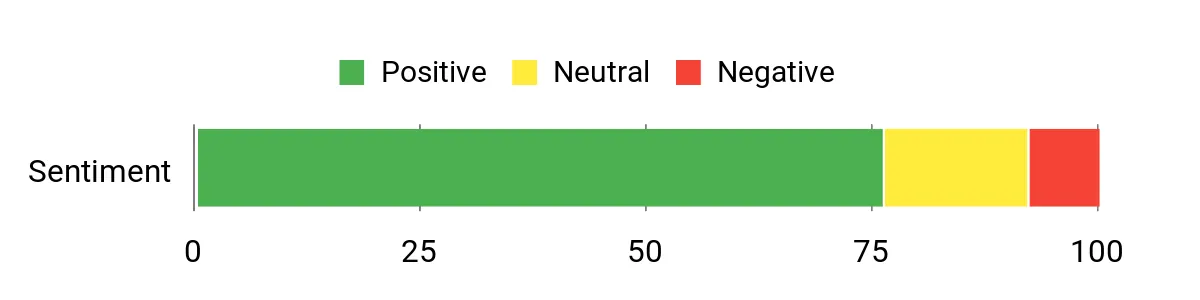
I reach for the Keychron K4 when I want a compact board that still feels like a proper workstation keyboard. The 96% layout squeezes a full tenkey area into a smaller footprint so I don’t lose number-row convenience, and the Super Brown tactile switches make typing precise without being loud. Bluetooth pairing is solid for switching between devices, and the build mixes aluminum with plastic for a sturdy but not overly heavy feel. It’s a good pick if you want a reliable daily driver that works well for spreadsheets, coding and everyday multitasking.
What People Say
Users commonly praise the K4’s solid construction and the comfortable tactile feel from its brown switches. People like that it offers a compact footprint without losing essential keys and that Bluetooth pairing works well with laptops and phones. A few note the tighter numpad keys take some getting used to, but most comments focus on dependable daily performance and straightforward customization.
Overall Sentiment: Positive
Long-Term Value
A robust aluminum top and replaceable keycaps mean the keyboard holds up to long-term use, and USB-C connectivity reduces accessory frustration. That combination typically keeps maintenance low and delays the need to replace the whole unit.
Where It Works
|
Situation |
How It Helps |
|---|---|
|
Office Work |
The compact 96% layout and tactile switches speed up number entry and reduce finger fatigue during long spreadsheets and documents. |
|
Mac/Windows Switching |
Built-in compatibility modes and Bluetooth make it easy to move between a Mac laptop and a Windows desktop without reconfiguring hardware. |
|
Small Desks |
Smaller footprint frees up mouse space and fits into tighter setups while still offering most keys you need. |
Ease Of Use
|
Feature |
Ease Level |
|---|---|
|
Initial Setup |
Easy |
|
Bluetooth Pairing |
Easy |
|
Layout Switching (Mac/Win) |
Easy |
|
Keycap Replacement |
Moderate |
Versatility
The K4 handles typing, light gaming and multi-device workflows well; its layout and connectivity make it a flexible single keyboard for several day-to-day roles.
Comfort
Tactile Super Brown switches and a well-balanced case produce a satisfying, low-fatigue typing feel that works for long coding or writing sessions.
Customization
|
Feature |
Customization Level |
|---|---|
|
Keycap Replacement |
Moderate |
|
Switch Swapping |
Low |
|
Lighting Options |
Low |
|
Layout Modes |
Moderate |
Who It’s For
Beginner to Intermediate
Key Benefits
- 96% layout that keeps a number area while saving desk space
- Tactile Super Brown switches suited for typing and mixed use
- Bluetooth and USB-C connectivity for multi-device workflows
- Aluminum top plate for a sturdy, professional feel
- Simple backlight and extra keycaps included for basic customization
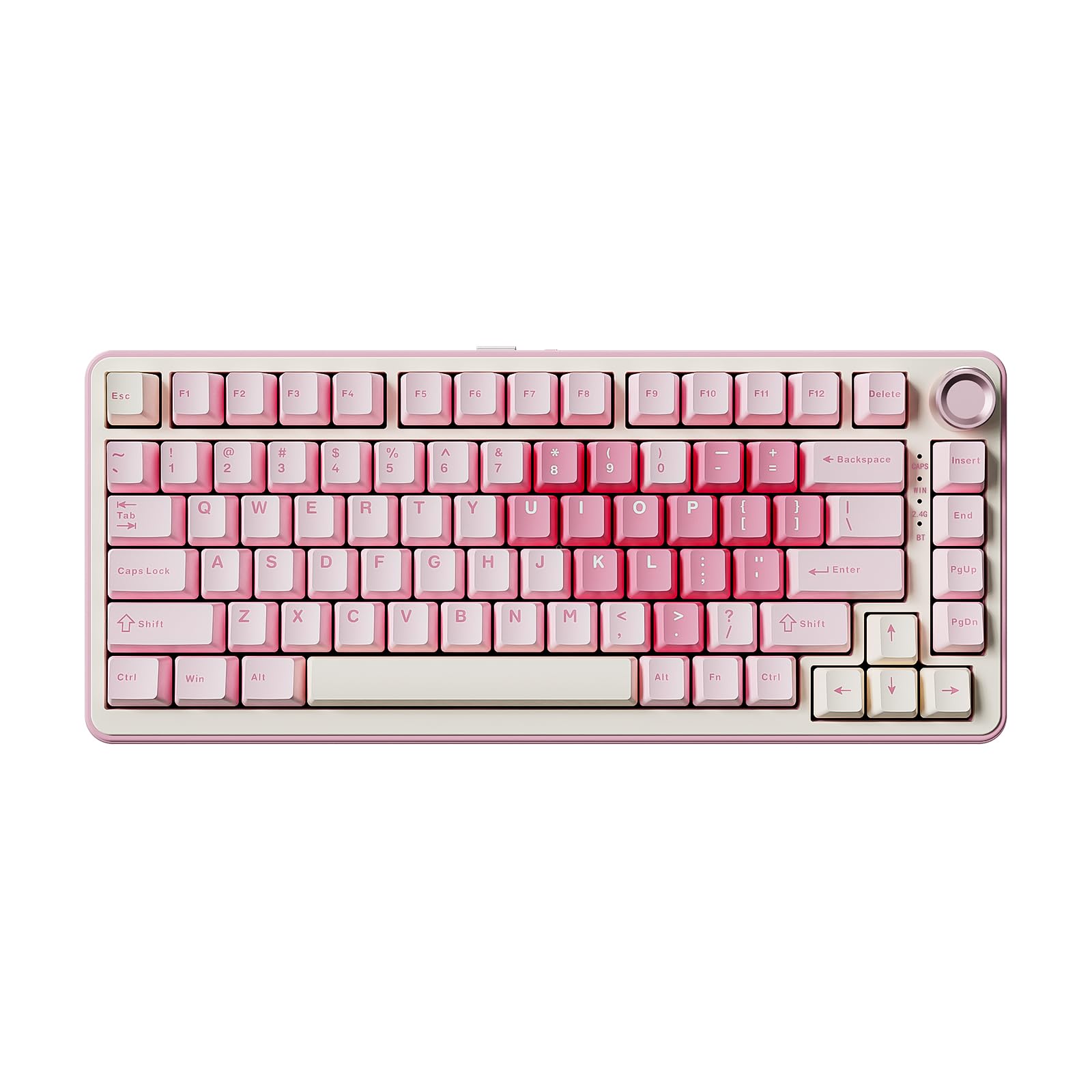
I reach for the YUNZII B75 Pro when I want a compact board that’s ready for both work and play. The 75% layout keeps essential keys close without taking up much desk space, and the volume knob is handy for quick adjustments without leaving my flow. Pre-lubed milk switches give a creamy, low-fatigue feel straight out of the box, and hot-swap sockets let me change switches later if I want a different sound or feel.
Tri-mode connectivity and a rechargeable battery make it easy to move between laptop, tablet and desktop, so it works well for mixed setups and on-the-go sessions.
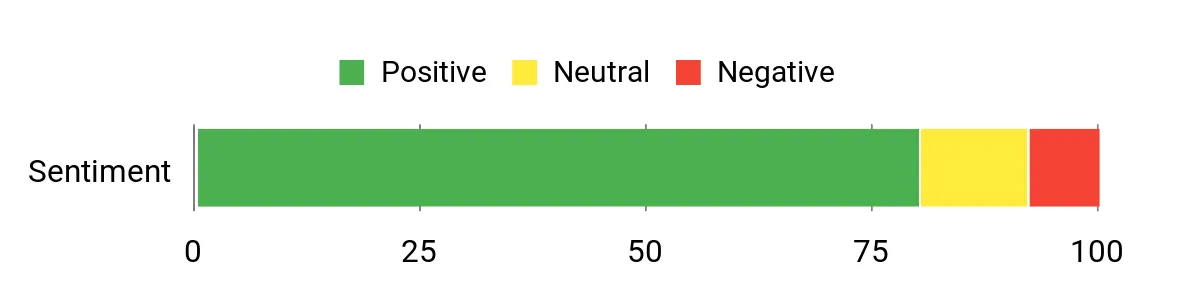
What People Say
Users commonly call out the pleasant, creamy switch feel and reliable multi-device connectivity as standout points. Many appreciate the hot-swap flexibility and the tactile convenience of the knob, while others note the compact size is great for portable setups.
A few comments mention battery life or preference tweaks, but most impressions focus on comfort and practical versatility.
Overall Sentiment: Positive
Long-Term Value
Hot-swap capability and durable switch/keycap choices let you refresh the keyboard’s feel over time instead of replacing the whole unit, and USB-C/rechargeable support reduces accessory turnover as devices change.
Where It Works
|
Situation |
How It Helps |
|---|---|
|
Remote Work |
Tri-mode connectivity and compact size make it easy to switch between a laptop and a docked desktop setup without reconfiguring accessories. |
|
On-the-Go |
Lightweight 75% footprint and rechargeable battery fit well in a backpack for coffee-shop work or travel. |
|
Switch Experimentation |
Hot-swap sockets allow trying different switches without buying a new keyboard, ideal for hobbyists and evolving preferences. |
Ease Of Use
|
Feature |
Ease Level |
|---|---|
|
Initial Pairing |
Easy |
|
Switch Swapping |
Moderate |
|
Knob Use |
Easy |
|
Lighting Modes |
Easy |
Versatility
The B75 adapts well to coding sessions, casual gaming and content editing; its connectivity and hot-swap support let it serve multiple roles without needing a second keyboard.
Comfort
Pre-lubed milk switches and a balanced case weight provide a smooth, cushioned typing feel that reduces finger fatigue during long stretches of typing.
Customization
|
Feature |
Customization Level |
|---|---|
|
Switch Swapping |
High |
|
RGB Lighting |
High |
|
Knob Mapping |
Moderate |
|
Keycap Replacement |
Moderate |
Who It’s For
Beginner to Intermediate
Key Benefits
- Compact 75% layout that saves desk space
- Pre-lubed milk switches for smooth, low-fatigue typing
- Hot-swap sockets for easy switch upgrades
- Tri-mode wireless and USB-C for flexible device use
- Volume knob and RGB for quick control and aesthetics

I reach for the RK S98 when I want a compact, feature-rich board that works across devices. The smart display and rotary knob give useful feedback and quick control without digging into menus, and the 96% layout keeps important keys handy while saving desk space.
Hot-swap support and tactile switches deliver a satisfying typing feel out of the box, and the rechargeable, multi-mode connectivity makes switching between laptop and desktop painless. It’s a good fit for people who want a portable yet capable keyboard for work, streaming and casual gaming.
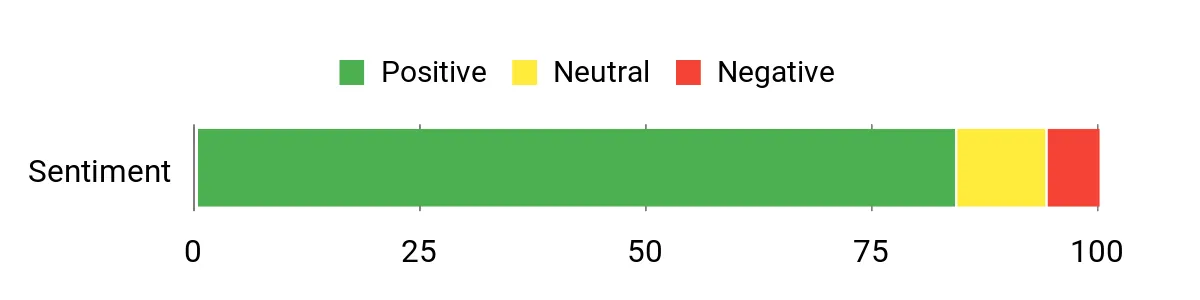
What People Say
People commonly praise the S98’s solid build and satisfying sound profile from its switches and internal dampening. The display and knob are frequently mentioned as practical extras that speed up media and small adjustments, and reviewers often note the convenience of reliable wireless switching and hot-swap support.
A few users point to software or lighting preferences, but most comments highlight usability and the pleasant typing feel.
Overall Sentiment: Positive
Long-Term Value
Hot-swap sockets and replaceable switches/keycaps let you refresh the keyboard’s feel over time instead of replacing the whole unit, and rechargeable/USB-C compatibility keeps it usable across new devices.
Where It Works
|
Situation |
How It Helps |
|---|---|
|
Hybrid Work |
Tri-mode pairing and the integrated stand let me switch between laptop and tablet setups without losing workflow continuity. |
|
Streaming & Content |
The smart display and knob provide quick feedback and transport controls so I can adjust audio or scenes without leaving my app. |
|
Travel or Co-Working |
Compact 96% footprint and rechargeable power make it easy to carry and use away from my main desk. |
Ease Of Use
|
Feature |
Ease Level |
|---|---|
|
Initial Setup |
Easy |
|
Wireless Pairing |
Easy |
|
Display Customization |
Moderate |
|
Switch Swapping |
Moderate |
Versatility
The S98 covers typing, light gaming and media control well; its wireless options, compact layout and hot-swap flexibility let it serve multiple roles without needing a second keyboard.
Comfort
Top-mount feel and tactile switches produce a cushioned, responsive typing experience that’s comfortable for long sessions and keeps noise reasonable for shared spaces.
Customization
|
Feature |
Customization Level |
|---|---|
|
Switch Swapping |
High |
|
Display/GIF Uploads |
High |
|
RGB Lighting |
High |
|
Macro & Profiles |
Moderate |
Who It’s For
Intermediate
Key Benefits
- Smart display and knob for fast, on-the-fly controls
- Tri-mode connectivity (BT/2.4G/USB-C) for flexible pairing
- Hot-swappable tactile switches for easy customization
- Compact 96% layout that preserves essential keys
- Rechargeable battery and integrated stand for portability
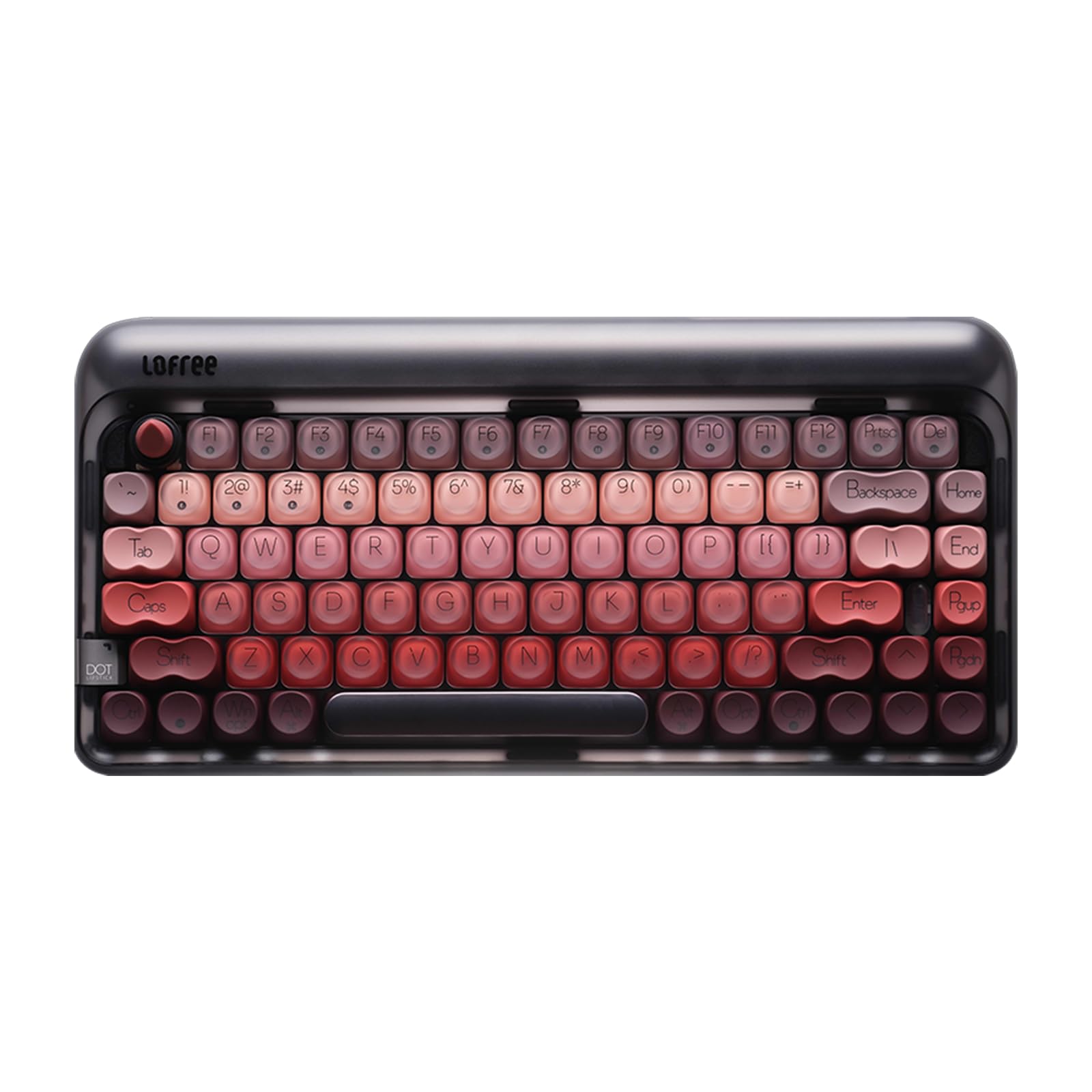
I reach for the LOFREE DOT when I want a compact, stylish board that still feels substantial. The 84-key layout keeps the desk tidy while offering most keys I need for work and casual use.
The gasket design and hot-swap readiness give a pleasantly muted, cushioned typing feel, and rechargeable power with Bluetooth and RF options means I can use it across a laptop and desktop without fuss. It’s a good fit if you want a boutique-looking keyboard that’s comfortable for long typing sessions and easy to maintain.
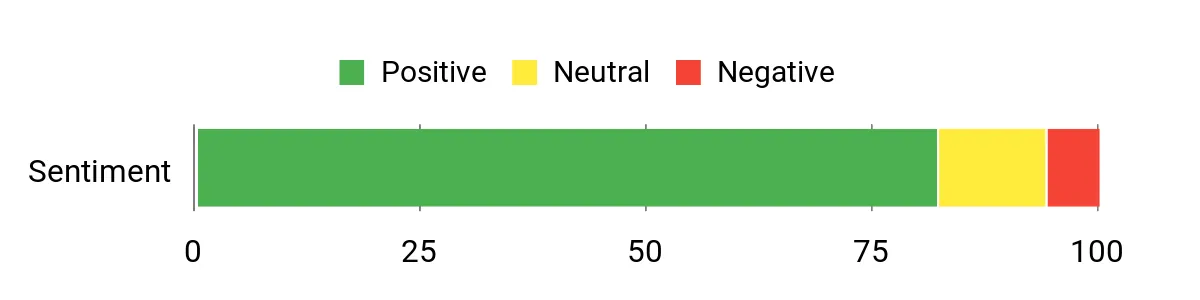
What People Say
People frequently mention the LOFREE DOT’s distinctive look and comfortable typing profile as highlights. Many appreciate the quiet, cushioned sound from the gasket mounting and the convenience of hot-swap switches for trying different feels.
Users also value the multiple wireless options and rechargeable battery, noting the board works well for everyday typing and as a stylish desktop accent.
Overall Sentiment: Positive
Long-Term Value
Hot-swap capability and a rechargeable design let you refresh switches or keycaps over time instead of replacing the whole keyboard, and a solid gasket build tends to reduce mechanical wear, keeping the board useful for years.
Where It Works
|
Situation |
How It Helps |
|---|---|
|
Home Office |
Compact layout and quiet gasket feel keep the desk tidy and make long typing sessions more comfortable. |
|
Casual Content Creation |
Rechargeable wireless modes and responsive switches help when switching between laptop editing and desktop playback. |
|
Aesthetic Setups |
Refined design and subtle white backlight complement themed desks while staying functional for daily use. |
Ease Of Use
|
Feature |
Ease Level |
|---|---|
|
Initial Pairing |
Easy |
|
Switch Swapping |
Moderate |
|
Charging |
Easy |
|
Lighting Controls |
Easy |
Versatility
The LOFREE DOT fits well as a primary home keyboard or a secondary travel-friendly board; its wireless options and hot-swap support make it adaptable for different devices and preferences.
Comfort
Gasket mounting and a balanced case combine with linear switches to deliver a cushioned, low-fatigue typing feel that works for extended writing or light gaming sessions.
Customization
|
Feature |
Customization Level |
|---|---|
|
Switch Swapping |
High |
|
Keycap Replacement |
Moderate |
|
Lighting |
Low |
|
Connectivity Modes |
Moderate |
Who It’s For
Beginner to Intermediate
Key Benefits
- Gasket design for a soft, low-resonance typing feel
- Hot-swappable switches for easy customization
- Rechargeable battery with Bluetooth and RF connectivity
- Compact 84-key layout that saves desk space
- White backlight and premium aesthetic for a refined desk setup
FAQ
Wired Or Wireless: Which Should I Choose?
I weigh how I use the keyboard. If I need absolute minimum latency for competitive gaming or I never move the keyboard, I pick wired; if I value a tidy desk or switching between laptop and tablet, I prefer wireless or tri‑mode boards that offer Bluetooth, 2.4GHz and USB-C. As a tip, I keep a USB-C cable handy so I can switch to wired mode for fast-paced sessions or charging without losing the wireless convenience.
Are Hot‑Swappable Switches Worth It?
I think so for most people who like to tweak feel or sound: hot‑swappable sockets let me try different switches without soldering, which extends the keyboard’s useful life and keeps the setup fresh. If you’re new, start with the included pre-lubed or stock switches and swap only when you’ve tried a few types; if you run into double‑press or chatter, reseating the switch or swapping to a different unit often fixes it before contacting support.
How Do I Pick The Right Layout And Switch Type?
I match layout to my desk and tasks: 65/75% boards save space while keeping arrows and a few keys, 96/99% or full-size keep number pads for data work. For switches, I choose linears for smooth gaming, tactile for mixed typing and gaming, and clicky if I want audible feedback; trying switches in person or buying a tester helps. Also consider ergonomics, keycap material (PBT resists shine), and whether you want features like a knob or small display for quick controls.
Wrapping Up
If you want a single quick takeaway: pick based on how you use the keyboard. I prioritize wireless versatility and hot-swap capability for daily work and occasional tinkering, while recommendations that skew premium focus on design, sound and extra features like displays or knobs.
This list gives strong options across budgets and layouts so you can choose the one that fits your desk and typing style. If you tell me what matters most to you — travel-friendly, quiet typing, best for gaming, or a showpiece — I’ll help narrow the list to two finalists.
| Product Name | Image | Connectivity | Switch Type | Special Highlights |
|---|---|---|---|---|
| AULA F75 Pro Wireless Mechanical Keyboard |
 |
2.4GHz Wireless, BT5.0, USB-C | Linear |
|
| Redragon Mechanical Gaming Keyboard |
 |
Wired | Linear (Cherry MX Red) |
|
| AULA S99 Gaming Keyboard |
 |
Bluetooth, USB-A, USB-C, Wi-Fi | Mechanical |
|
| GEODMAER 65% Gaming Keyboard |
 |
Wired | Linear |
|
| Kisnt KN85 Wireless Mechanical Gaming Keyboard |
 |
2.4GHz Wireless, Bluetooth5.0, USB-C | Pre-lubed Linear Switch |
|
| AULA F99 Wireless Mechanical Keyboard |
 |
2.4GHz, BT5.0, USB-C | Linear |
|
This Roundup is reader-supported. When you click through links we may earn a referral commission on qualifying purchases.