
I know choosing a laptop for school can feel overwhelming, so I focused on what matters to students: reliable battery life, lightness for hauling between classes, enough power for note taking and projects, and a price that fits a student budget. In this guide I walk you through the latest fall 2026 models and explain which laptops actually make campus life easier, whether you prioritize raw performance, seamless integration with your phone, or the best value for tight budgets.
Top Picks
|
Category |
Product |
Score |
|---|---|---|
|
🏆 Best Overall |
96/100 |
|
|
💰 Best Budget Mac |
89/100 |
|
|
🎯 Best Chromebook |
80/100 |
|
|
🚀 Best Midrange Performer |
78/100 |
|
|
💸 Best Under $300 |
72/100 |
|
|
🎨 Most Stylish |
76/100 |
|
|
⭐ Best Productivity Powerhouse |
90/100 |
|
|
🔋 Best Big-Screen Value |
86/100 |
How I Picked These Laptops
I looked at a balance of real-world student needs rather than spec sheets alone. I prioritized battery life and portability first because those affect day-to-day campus life the most, then checked CPU and memory for multitasking, screen quality for long study sessions, and storage for projects and media. I also weighed value by considering price against what students actually use their laptops for, and I favored models with durable builds, good wireless connectivity, and features that help productivity like quality webcams or AI tools.
Finally I compared ecosystem benefits, since syncing with phones and cloud services can save time and frustration.
I reach for this MacBook Air when I want a laptop that disappears in my bag but still handles everything from long lectures to occasional video editing. The M5 chip packs enough punch for everyday apps and creative work without sounding like a jet engine, and the Liquid Retina display makes long study sessions and streaming feel easier on my eyes.
The camera and microphones are solid for group calls, Touch ID keeps sign‑ins simple, and MagSafe plus two Thunderbolt ports cover charging and peripherals. If I need a dependable daily driver that balances power and portability, this is the one I recommend.
Long-Term Cost Benefits
Because Apple provides several years of macOS updates and the machine is built with premium materials, I expect fewer repairs and a longer useful life compared with cheaper alternatives. That durability and continued software support reduce replacement frequency and unexpected costs over time.
Return On Investment
For me the payoff is time saved and fewer hiccups: faster app performance means assignments finish quicker, reliable battery life means fewer interruptions during classes, and a well‑built chassis keeps resale value healthier when it’s time to upgrade.
Situational Benefits
|
Situation |
How It Helps |
|---|---|
|
All-Day Lectures |
I can leave my charger behind for most days thanks to the long battery life, and the bright screen is easy to read in lecture halls. |
|
Travel And Commuting |
At about 2.7 pounds and a slim profile it fits into a backpack without adding bulk, and MagSafe makes plugging in quick at coffee shops or lounges. |
|
Group Projects And Video Calls |
Center Stage camera and clear microphones keep faces framed and calls intelligible, so collaborating online feels smoother. |
|
Light Creative Work |
I can edit photos, handle short video edits, and run creative apps comfortably thanks to unified memory and the M5’s media engine. |
Ease Of Use
|
Feature |
Ease Level |
|---|---|
|
Setup & Ecosystem |
Very Easy |
|
Keyboard & Trackpad |
Very Easy |
|
Daily Performance |
Easy |
|
Ports & Expansion |
Moderate |
Versatility
I find this MacBook handles a wide range of student needs: note taking, research, streaming, light coding, and creative tasks. It’s not a full desktop replacement for heavy rendering, but it covers most college workflows with room to spare.
Practicality
The combination of decent onboard storage, unified memory, reliable wireless, and solid battery life makes it a practical everyday machine that minimizes friction during classes and study sessions.
Energy Efficiency
The M5 chip balances performance with power efficiency, so I get solid runtime without frequent charging and less heat under typical loads compared with older, less efficient designs.
Travel Friendliness
Slim profile, light weight, and robust battery life make it an easy choice for students who move between dorm, library, and class. I can work on the go and not worry about bulk or noise.
Key Benefits
- Lightweight Portability
- Long Battery Life
- Powerful M5 Performance
- Excellent Display And Camera
- Seamless Apple Ecosystem
I keep a MacBook Neo in mind when I want the Apple experience without the larger form factor. The A18 Pro feels snappy for everyday tasks, tab-heavy browsing, and streaming, and the crisp 13-inch Liquid Retina display makes reading notes and watching lectures comfortable.
It’s light enough to tuck into a backpack and pairs smoothly with an iPhone for quick handoffs. For students who want a reliable, polished laptop for classes, remote meetings, and occasional creative work, the Neo hits a sweet spot between portability and capability.
Long-Term Cost Benefits
Apple’s long support cycle and sturdy aluminum build mean the Neo tends to stay useful longer, reducing replacement frequency and giving better resale value down the line.
Return On Investment
I see the value in time saved: fast boot and app responsiveness, reliable battery, and fewer software headaches all translate into smoother study sessions and less friction over the semester.
Situational Benefits
|
Situation |
How It Helps |
|---|---|
|
Lecture Notes |
Quick wake and responsive typing keep me focused during back-to-back classes, and the screen is easy to read in bright lecture halls. |
|
Commuting Between Campus |
At roughly 2.7 pounds and a slim profile it slips into a backpack without adding bulk, so I don’t dread carrying it all day. |
|
Group Video Calls |
The 1080p FaceTime camera and dual mics make online study sessions clearer, and macOS features simplify screen sharing. |
|
Light Creative Work |
I can edit photos and short videos or run creative apps without excessive slowdowns thanks to the A18 Pro and the media engine. |
Ease Of Use
|
Feature |
Ease Level |
|---|---|
|
Setup & iPhone Handoff |
Very Easy |
|
Keyboard & Trackpad |
Very Easy |
|
Battery Management |
Easy |
|
Ports & External Displays |
Moderate |
Versatility
The Neo handles most student workflows—notes, cloud apps, streaming, light coding, and casual content creation—while still fitting into compact setups and small desks.
Practicality
A balanced mix of storage, responsive performance, and macOS features like continuity and strong wireless make it a practical daily machine for school life.
Energy Efficiency
The A18 Pro is designed to be efficient, so I get solid runtimes across a typical day of classes and study without running the battery down quickly.
Travel Friendliness
Lightweight, thin, and with good battery life, the Neo is easy to use on trains, in coffee shops, or between classes when I need to get work done on the move.
Key Benefits
- Solid Everyday Performance
- Compact And Lightweight Design
- Crisp Liquid Retina Display
- Good Battery Life For A Day Of Classes
- Seamless Apple Device Integration
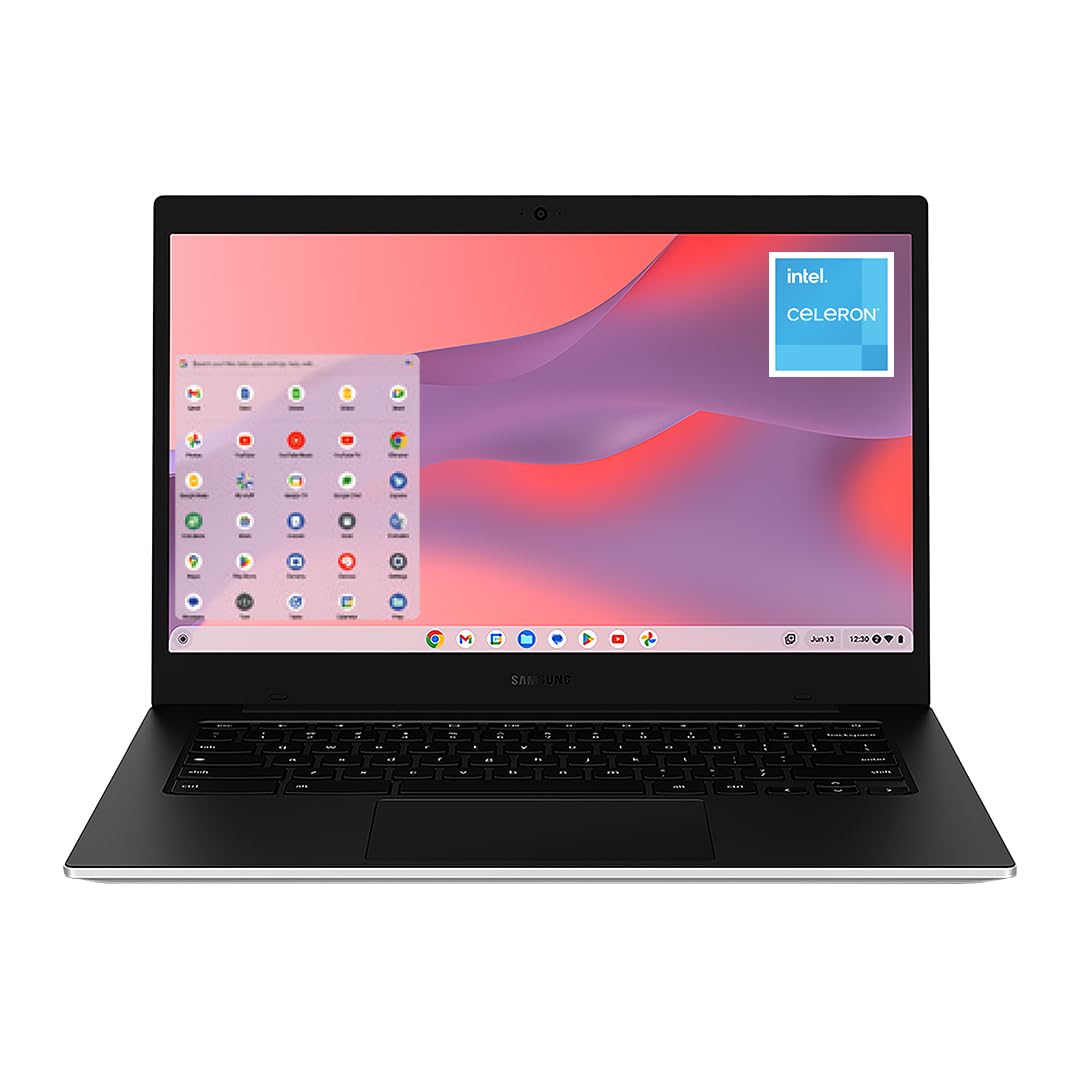
I reach for the Galaxy Chromebook when I want simplicity that just works. It boots fast, stays awake through a full day of classes, and handles Google Docs, research, and streaming without fuss.
The 14-inch screen is bright enough for lecture slides and group projects, and the lightweight build makes it easy to carry between classes. It won’t replace a powerhouse laptop for heavy media work, but for most student tasks and quick study sessions it’s a dependable, low-maintenance choice.
Long-Term Cost Benefits
Because ChromeOS is streamlined and the device needs little upkeep, I spend less time troubleshooting and more time studying. That low-maintenance approach tends to extend usable life and reduces unexpected repair hassles.
Return On Investment
The payoff shows up in saved time and fewer interruptions: quick boot, consistent wireless performance, and an OS that stays current without manual patching mean smoother semesters and fewer technical distractions.
Situational Benefits
|
Situation |
How It Helps |
|---|---|
|
Back-to-Back Classes |
The battery life and quick resume let me take notes all day without hunting for an outlet between lectures. |
|
Study Sessions |
A bright 14-inch screen and snappy browser performance make group research and shared documents easy to manage. |
|
Commuting Or Travel |
Its light weight fits into a backpack without feeling like extra luggage, so I’m more likely to bring it everywhere. |
|
Media And Break Time |
Streaming shows or listening to music is smooth, and the speakers are fine for casual watching between study blocks. |
Ease Of Use
|
Feature |
Ease Level |
|---|---|
|
Setup & Updates |
Very Easy |
|
Using Google Apps |
Very Easy |
|
Boot & Daily Performance |
Easy |
|
Storage & File Management |
Moderate |
Versatility
I find the Chromebook covers the essentials: document work, web research, cloud-based projects, and media. It also supports Android apps for extra functionality, though it’s not meant for heavy photo or video editing.
Practicality
With multiple USB ports, HDMI output, and microSD support, the Galaxy Chromebook integrates into dorm setups and classroom tech without forcing constant adapters, which keeps day-to-day use straightforward.
Energy Efficiency
The Chromebook is optimized for light workloads, so it delivers long battery life during typical student tasks and stays cool through long sessions in libraries or coffee shops.
Travel Friendliness
At just over three pounds and a slim profile, this Chromebook slips into backpacks easily and won’t add noticeable bulk, making it my go-to when I have a full schedule on campus.
Key Benefits
- Fast Boot And Simple ChromeOS Workflow
- Lightweight And Easy To Carry
- Reliable Battery For A Full Day
- Bright 14-Inch Display For Notes And Media
- Low Maintenance And Easy Updates

I reach for the Aspire Go 15 when I want a larger screen without stepping up to a heavy workstation. The 15.6″ FHD IPS panel makes reading slides and spreadsheets easier, and the Ryzen 3 chip keeps everyday apps and multiple browser tabs moving smoothly. Acer bundles a few useful software touches like Copilot in Windows and AcerPurifiedVoice, which make online classes and group calls less fiddly. It’s also a practical choice for media, light photo edits, and long study sessions at a desk or in the library.
Long-Term Cost Benefits
The Aspire Go avoids unnecessary complexity: straightforward hardware and common repair parts make it easier to maintain, and regular Windows updates keep the system secure without frequent replacements.
Return On Investment
I see the ROI as smoother study sessions and less downtime. Faster boots, responsive apps, and a comfortable screen setup translate directly into time saved on assignments and group work.
Situational Benefits
|
Situation |
How It Helps |
|---|---|
|
Lecture Note Taking |
The roomy display and full-size keyboard let me keep notes and slides side by side without squinting or constant tab switching. |
|
Group Video Meetings |
AcerPurifiedVoice and the front camera help keep calls clear so discussions and presentations run smoothly. |
|
Library Study Sessions |
Longer battery life and a quiet fan mean I can work for extended periods without hunting for an outlet or disturbing others. |
|
Media And Light Editing |
The 1080p screen and integrated Radeon graphics handle streaming and casual photo edits without slowing the workflow. |
Ease Of Use
|
Feature |
Ease Level |
|---|---|
|
Setup & Windows S Mode |
Easy |
|
Keyboard & Typing |
Easy |
|
Display & Viewing |
Very Easy |
|
Ports & External Displays |
Moderate |
Versatility
I find this laptop works well across study, streaming, light multimedia editing, and everyday productivity. It’s flexible enough for most students who want a comfortable screen and usable performance without specialist hardware.
Practicality
Acer includes HDMI, several USB ports, and a full-size keyboard which makes it straightforward to connect to classroom tech, external drives, or a monitor for a compact desktop setup.
Energy Efficiency
With a Ryzen 3 chip and LPDDR5 memory, the Aspire Go balances performance with efficiency so it stays cool under normal loads and delivers the battery life needed for a full day of classes.
Travel Friendliness
At around 3.8 pounds it’s not the lightest option, but the slim profile and durable build mean it’s still easy to carry between classes and fits comfortably in most backpacks.
Key Benefits
- Large 15.6″ Full HD IPS Display
- Solid Everyday Performance For Multitasking
- Wi‑Fi 6 And Reliable Connectivity
- Useful Windows Copilot Features
- Versatile Ports Including HDMI
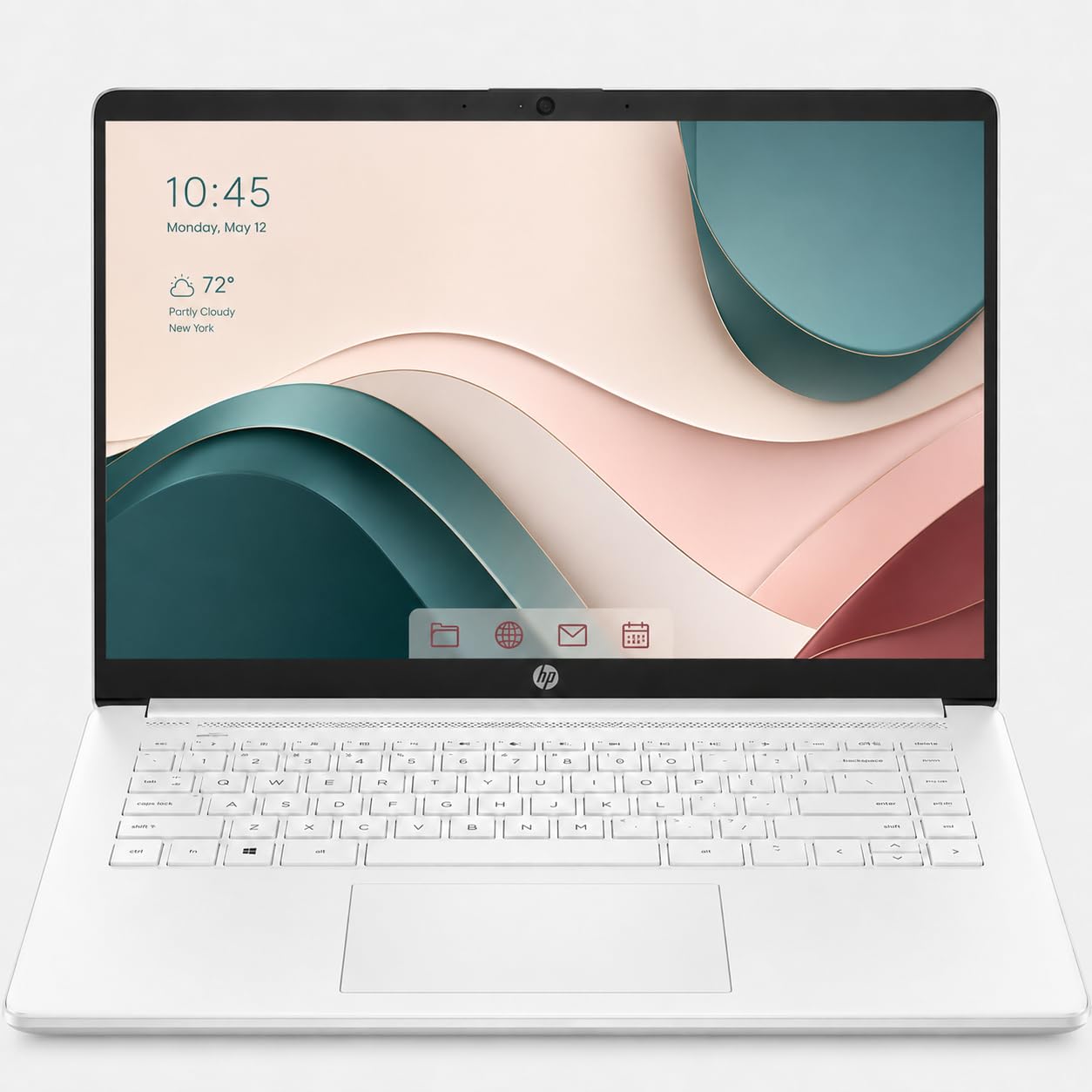
I reach for this HP Ultrabook when I want a simple, dependable laptop for classwork and everyday tasks. The micro-edge 15.6-inch screen gives me enough room for split-screen notes and a browser full of tabs, while the Intel N100 keeps things smooth for homework, video calls, and streaming. It boots quickly, the keyboard is comfortable for long typing sessions, and fast-charge means shorter waits between study blocks.
If you want a straightforward machine that doesn’t add friction to your day, this one fits that role well.
Long-Term Cost Benefits
Having a simple, well-supported Windows laptop with standard parts makes maintenance and repairs easier, and the included Microsoft 365 subscription covers essential apps during the first year, reducing software hassles while you’re studying.
Return On Investment
For me the value shows up as fewer interruptions: reliable daily performance, quick charging between classes, and Microsoft 365 access that keeps assignments moving without hunting for software alternatives.
Situational Benefits
|
Situation |
How It Helps |
|---|---|
|
Day Of Classes |
The display and keyboard let me take notes, reference slides, and keep research tabs open without constantly switching windows. |
|
Tight Schedules |
Fast-charge gets the battery back up quickly between classes so I don’t have to rearrange my day around outlets. |
|
Group Projects |
Multiple USB ports and HDMI output make it easy to connect to classroom tech or plug in a thumb drive during presentations. |
|
Working On The Go |
It’s light enough to carry all day and the fan stays quiet during normal study tasks, so I can use it in libraries and coffee shops without distraction. |
Ease Of Use
|
Feature |
Ease Level |
|---|---|
|
Setup & Windows Familiarity |
Very Easy |
|
Keyboard & Typing |
Easy |
|
Battery & Fast Charge |
Easy |
|
Ports & Connectivity |
Moderate |
Versatility
This Ultrabook is a solid all-rounder for students who need reliable web apps, office work, video calls, and casual media. It’s not aimed at heavy creative workloads, but it handles everyday multitasking comfortably.
Practicality
Practical features like a full-size keyboard, HDMI output, and microSD support mean it fits into classroom setups and dorm desks without requiring extra adapters most of the time.
Energy Efficiency
The Intel N100 and flash storage keep power use modest, so battery life stretches through a typical school day and the device runs cool during long study sessions.
Travel Friendliness
Lightweight and slim, this laptop slides into a backpack easily and doesn’t add noticeable bulk, which makes it a comfortable companion for commuting between classes.
Key Benefits
- Comfortable 15.6-Inch Display For Productivity
- Compact Design With Useful Port Selection
- Fast-Charge To Reduce Downtime
- Windows 11 Familiarity And Microsoft 365 Inclusion
- Lightweight For Daily Carry
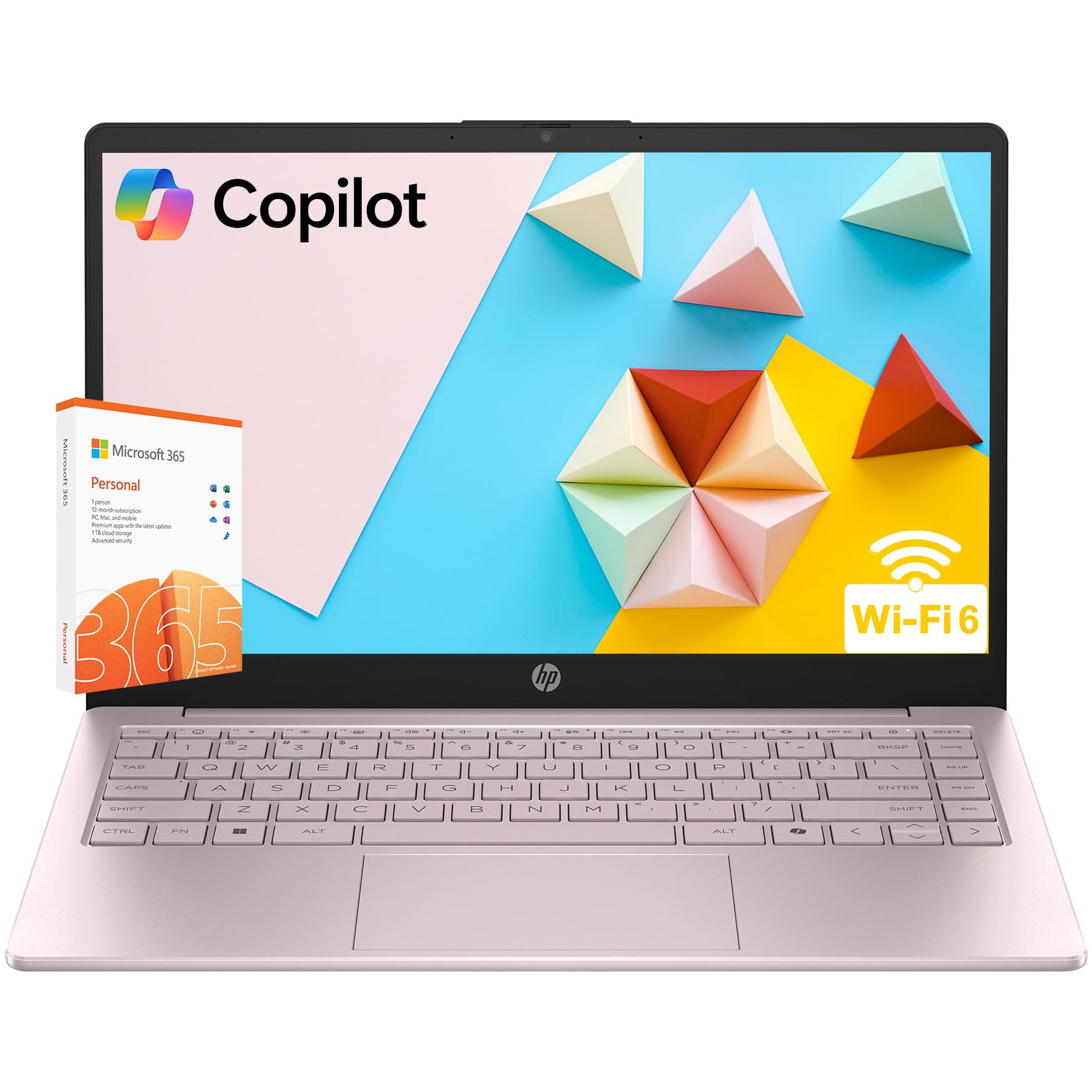
I keep this HP 14 in mind when a stylish, portable laptop that handles everyday student tasks is the goal. The tranquil pink finish and full-size keyboard make typing through assignments more pleasant, while the combination of SSD and eMMC storage keeps common apps and files responsive. It’s light enough to carry between classes, has the ports I need for presentations, and includes features like Wi‑Fi 6 and a privacy-shutter webcam that make remote classes straightforward. For students who want a reliable daily driver with a bit of personality, this one fits neatly into that role.
Long-Term Cost Benefits
Standard components and a common Windows ecosystem make software maintenance and repairs simpler, and the included Microsoft 365 subscription for the first year covers essential apps without extra setup.
Return On Investment
I find the value in fewer tech interruptions and steady daily performance: quick boot times, usable storage, and integrated productivity tools help keep semesters running smoothly.
Situational Benefits
|
Situation |
How It Helps |
|---|---|
|
Lecture Note Taking |
The 14-inch screen and comfortable keyboard let me take notes and reference slides side by side without constant window juggling. |
|
Remote Classes |
The True Vision webcam with dual mics and a privacy shutter makes participating in video calls easier and more private. |
|
Presentations |
HDMI and USB ports mean I can plug into classroom displays or share files from a thumb drive without hunting adapters. |
|
Daily Carry |
At about 3.11 pounds and a slim profile it’s comfortable in a backpack for a full day of classes. |
Ease Of Use
|
Feature |
Ease Level |
|---|---|
|
Setup & Windows Familiarity |
Very Easy |
|
Typing & Keyboard Layout |
Easy |
|
Battery & Fast Charge |
Easy |
|
Ports & External Displays |
Moderate |
Versatility
This HP is a practical companion for document work, web research, video calls, and light media tasks. It’s versatile enough for most students who need a dependable everyday machine rather than a specialized creative workstation.
Practicality
With a mix of SSD and eMMC storage, multiple ports, and Microsoft 365 included for a year, it fits into dorm setups and classroom environments without much fuss.
Energy Efficiency
The Intel N-series CPU and flash storage keep power draw modest, so the laptop stays cool and delivers the battery life needed for typical school days.
Travel Friendliness
Slim and lightweight, this model slips into a backpack easily and won’t add noticeable bulk, which makes it convenient for moving between campus locations.
Key Benefits
- Portable 14-Inch Form Factor
- Dual Storage For Responsiveness And Extra Space
- Full-Size Keyboard With Numeric Pad
- Modern Connectivity Including Wi‑Fi 6
- Built-In Webcam With Privacy Shutter
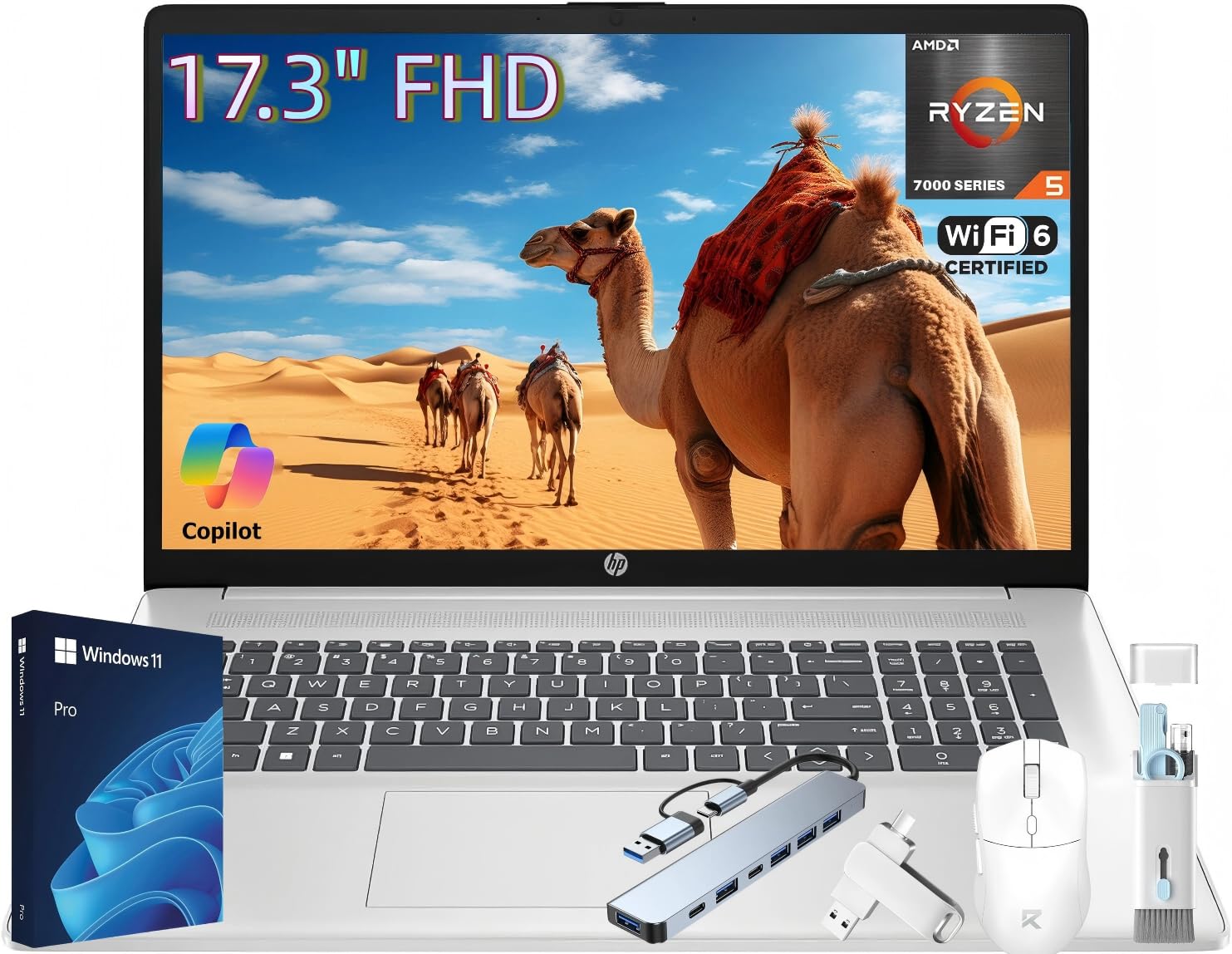
I reach for a 17-inch laptop when I want screen space that makes juggling documents, slides, and spreadsheets comfortable. This HP 17 delivers that roomy display plus a responsive Ryzen 5 processor and plenty of RAM and storage for heavy multitasking.
The bigger screen helps when I’m comparing sources or keeping a video call open while taking notes, and the Copilot key in Windows 11 Pro can speed up common tasks. It’s not a travel ultralight, but it’s surprisingly manageable to move between the library and a study group when I need the extra workspace.
Long-Term Cost Benefits
With standard components and ample internal storage, this model is easy to maintain and upgrade if needed. Having a roomy machine that stays useful for several years reduces the need to replace devices frequently.
Return On Investment
I view the ROI as more uninterrupted work time: faster multitasking, fewer waits for files, and a larger canvas for productivity tools translate into less frustration and more output over an academic year.
Situational Benefits
|
Situation |
How It Helps |
|---|---|
|
Heavy Multitasking |
The 17.3-inch screen and 20GB of RAM let me keep multiple windows visible without constant switching, which speeds up research and writing. |
|
Presentations In Class |
HDMI output and solid speakers make connecting to projectors and playing media straightforward during group presentations. |
|
Remote Lectures And Meetings |
The True Vision webcam and dual mics produce clear video calls, and the larger display helps me follow slides while taking notes. |
|
Media And Study Breaks |
A big, bright IPS panel and capable graphics make streaming and light video editing more enjoyable between study sessions. |
Ease Of Use
|
Feature |
Ease Level |
|---|---|
|
Initial Setup |
Easy |
|
Typing And Numeric Entry |
Very Easy |
|
Display & Viewing Comfort |
Very Easy |
|
Connecting Peripherals |
Easy |
Versatility
This laptop handles a wide range of student tasks: heavy note taking, multitasking across tabs and apps, video calls, streaming, and occasional content creation. It’s a flexible choice for people who want desktop-like space in a portable package.
Practicality
Plenty of storage, a full keyboard with numeric pad, and multiple ports mean it fits into classroom setups and home study stations without relying on adapters or external drives for everyday needs.
Energy Efficiency
Designed for balanced performance, the hardware delivers solid day-to-day efficiency so the system stays cool during typical workloads and provides reliable runtime for classes and study blocks.
Travel Friendliness
While bigger than ultraportables, the HP 17 is surprisingly easy to move when needed. I treat it as a campus workstation I can carry between home, library, and study group sessions rather than a constant travel companion.
Key Benefits
- Large 17.3-Inch Full HD Display For Multitasking
- Ample RAM And 1TB SSD For Smooth Performance
- Windows 11 Pro With Copilot Key For Productivity
- Good Connectivity Including USB-C, HDMI And Wi‑Fi 6
- Strong Audio And Webcam For Calls And Presentations
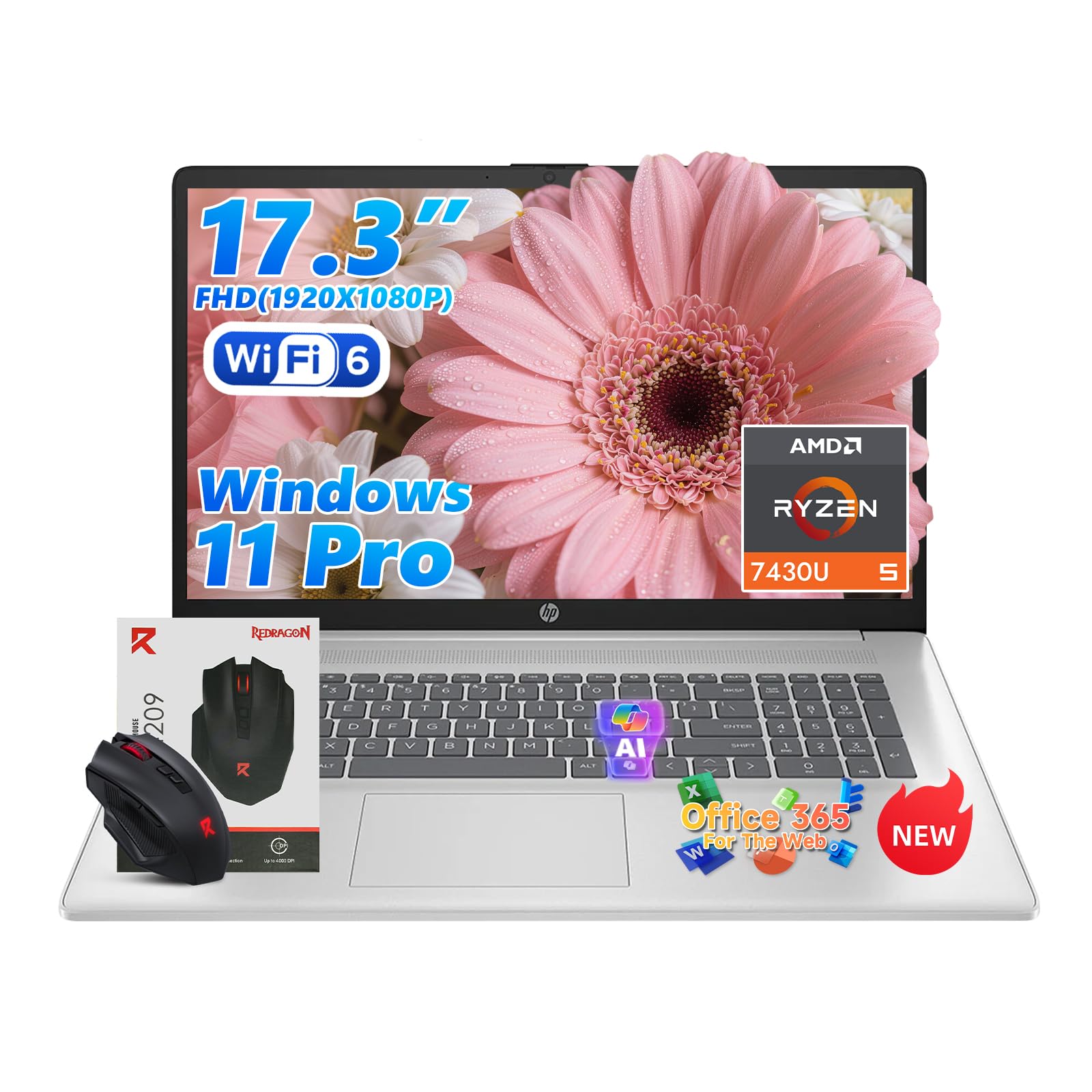
I reach for this HP 17 when I need a laptop that behaves more like a compact desktop. The large 17.3-inch screen makes it easy to keep reference materials, a live lecture feed, and a notes document visible at once. With 20GB of RAM and a roomy SSD, it handles lots of browser tabs and multitasking without slowing down, and the Copilot key in Windows 11 Pro can actually speed up repetitive tasks. The webcam, mics, and speakers are tuned for clearer calls, and the port selection means I rarely need adapters during presentations or group work.
It’s a solid pick for students who value screen real estate and smooth multitasking more than an ultra-light chassis.
Long-Term Cost Benefits
Because the machine uses common internal components and offers upgrade paths, it can stay useful longer and be refreshed rather than replaced, which helps stretch its usable life through several school years.
Return On Investment
I see the return as time regained: faster task switching, fewer delays when opening files, and reduced friction during group work translate into more productive study sessions and less time spent troubleshooting.
Situational Benefits
|
Situation |
How It Helps |
|---|---|
|
Heavy Multitasking |
The large screen and abundant RAM let me run spreadsheets, research tabs, and a video call side by side without constant window juggling. |
|
Classroom Presentations |
HDMI output and reliable speakers mean connecting to classroom displays and playing media is straightforward and dependable. |
|
Remote Lectures |
The True Vision webcam with dual mics and noise reduction keeps video calls clear, and the display makes following slides while taking notes easier. |
|
Media And Light Editing |
A bright IPS panel and capable integrated graphics make streaming and short edits smooth enough for assignments and breaks. |
Ease Of Use
|
Feature |
Ease Level |
|---|---|
|
Initial Setup |
Easy |
|
Typing & Numeric Entry |
Very Easy |
|
Connecting Peripherals |
Easy |
|
Managing Multiple Apps |
Very Easy |
Versatility
This laptop works well for research, writing, video calls, and occasional media projects. It’s flexible enough to act as a primary study machine and a basic creative platform for class assignments.
Practicality
A full keyboard with numeric pad, plenty of ports, and a large internal SSD mean it fits into classroom setups and home desks without extra dongles or frequent file juggling.
Energy Efficiency
Designed for balanced performance, the hardware delivers steady efficiency during typical workloads so the system stays cool and provides reliable runtime for study sessions.
Travel Friendliness
Not the lightest option, but still manageable to move between home, library, and study groups when I need the extra workspace; I treat it as a portable workstation rather than a constant travel laptop.
Key Benefits
- Roomy 17.3″ Full HD Display
- High RAM For Smooth Multitasking
- Generous NVMe Storage
- Windows 11 Pro With Copilot Shortcut
- Multiple Ports For Presentations And Peripherals
FAQ
Which Laptop Should I Choose For College?
I pick a laptop based on the kind of work I’ll be doing and how I move around campus. If I’m carrying my machine between classes a lot, I prioritize portability and battery life; a lightweight 13–14 inch model with solid battery life usually makes sense.
For majors that need heavy number-crunching, video editing, or engineering software I look for more RAM and a faster CPU or a larger 15–17 inch screen so I can keep multiple windows open. I also consider the ecosystem: if I already use an iPhone, a Mac can save time syncing files and handoffs, while Windows machines are generally easier to upgrade and run a wider set of campus software.
Finally I check storage and ports so I don’t fight adapters during presentations.
Is A Chromebook Good For University?
A Chromebook can be an excellent choice for many students because it’s simple, fast to boot, and built around web apps I actually use for class. If most of your work is Google Docs, web research, streaming lectures, and light media, a Chromebook will keep things low-maintenance and mobile. The common misconceptions are that Chromebooks can’t do much offline or can’t run apps; many now support Android apps, Linux tools, and offline Google Docs.
I still recommend checking whether your courses require specific Windows or macOS software, and consider storage and webcam quality for remote classes before committing.
How Long Will These Laptops Last And How Do I Maintain Them?
I expect a well-built student laptop to last several years if I take care of it, and some platforms receive longer software support than others. To extend useful life I keep the OS and apps up to date, avoid letting the battery stay at 0% for long periods, and store the laptop in a padded sleeve when I carry it. I back up work to the cloud or an external drive so a hardware issue doesn’t cost me time, and I clear out unused apps and large files every few months to keep performance steady. If upgrading components matters to you, choose a model with replaceable RAM or SSD; otherwise focus on build quality and good warranty coverage to minimize surprises.
Wrapping Up
If I had to recommend one laptop for most students this fall it would be the MacBook Air with the M5 chip because it blends long battery life, lightweight design, and headroom for creative work without feeling overbuilt. For students on tighter budgets who still want the Apple experience the MacBook Neo is the best compromise.
Chromebooks like the Samsung Galaxy Chromebook Go are the simplest, most wallet-friendly choice for classwork and Google apps, and the Acer Aspire Go 15 gives a larger screen and comfortable performance for people who want more display real estate without a big price jump. If price is the biggest concern the HP Ultrabook under $300 and the HP 14 offer reliable daily use and light portability, while the two larger HP 17 models are the best picks for students who need a big screen and serious multitasking power. Whichever route you take, focus on the three things I care about most for students: battery life, portability, and a keyboard and screen you won’t mind using day after day.
| Apple 2026 MacBook Air 13-inch | Apple 2026 MacBook Neo 13-inch | Samsung 14″ Galaxy Chromebook Go | |
|---|---|---|---|
 |
 |
 |
|
| CPU Model & Performance | Apple M5 chip, 10-core CPU with 4 performance cores and 6 efficiency cores | Apple A18 Pro, 6-core CPU with 2 performance cores and 4 efficiency cores | Intel Celeron N4500, 2 cores |
| RAM & Storage | 16 GB RAM, 512 GB SSD | 8 GB RAM, 256 GB SSD | 4 GB RAM, 64 GB SSD |
| Battery Life | Up to 18 hours video streaming | Up to 16 hours video streaming | Up to 12 hours |
| Get Details | Get Details | Get Details |
This Roundup is reader-supported. When you click through links we may earn a referral commission on qualifying purchases.



