
I put this guide together because picking the right laptop for watching movies and streaming can turn a good night in into something close to a mini theater experience. I focus on the things that matter most for streaming, like screen quality, reliable playback, battery life, and audio, so you can spend less time researching and more time watching without interruptions.
Top Picks
|
Category |
Product |
Score |
|---|---|---|
|
💰 Best Value |
86/100 |
|
|
🎯 Best For Students |
83/100 |
|
|
🔰 Best Durable Design |
82/100 |
|
|
⭐ Best For Large-Screen Streaming |
81/100 |
|
|
🚀 Best AI Laptop |
90/100 |
|
|
💸 Best Refurb Deal |
78/100 |
|
|
📺 Best For Big-Screen Viewing |
88/100 |
How I Picked These Laptops
When I evaluated these laptops I prioritized factors that directly affect the streaming experience: display resolution and panel type for sharp colors and contrast, screen size for immersion, battery life for uninterrupted playback, and connectivity for stable streaming over Wi-Fi. I also weighed audio quality and port selection so you can plug in a speaker or headset without fuss.
Price and overall value rounded out my criteria so there are excellent picks at every budget and use case.
I like this one when I want a straightforward laptop that just works for streaming and everyday tasks. The 15.6″ FHD IPS screen delivers clear, punchy visuals for movies, and the Ryzen 3 processor paired with an SSD keeps apps and playback snappy.
It runs Windows 11 in S mode with handy features like Copilot and Acer PurifiedVoice, so video calls and casual multitasking are smooth. It’s not a high‑end creator machine, but for watching shows, browsing, and light productivity it hits the sweet spot. I’d recommend it for someone who wants a reliable, no fuss option that fits both dorm life and the living room.
Long-Term Cost Benefits
The SSD and modern processor mean fewer slowdowns and less need for early upgrades, so you get practical longevity without frequent replacements or maintenance.
Return On Investment
For people who split time between streaming, studying, and light work, this laptop delivers steady performance and useful features that make it feel like a smart purchase rather than a stopgap.
Where It Fits
|
Situation |
How It Helps |
|---|---|
|
Couch Movie Nights |
The 15.6″ FHD IPS panel and integrated graphics give a satisfying viewing experience without needing an external display. |
|
Student Use |
Lightweight enough to carry between classes, with enough power for streaming lectures, Google Docs, and video calls. |
|
Travel and Hotels |
Fast boot from the SSD and Wi‑Fi 6 support make it easy to get online quickly and stream reliably on the go. |
|
Connecting To A TV |
HDMI output lets you mirror or extend the display for a bigger-screen watch-from-bed setup. |
Versatility
I find it flexible: great for streaming, solid for schoolwork, and capable of supporting lightweight creative tasks. It won’t replace a workstation, but it covers the bases most people need day to day.
Practical Notes
The full-size chiclet keyboard and predictable Windows environment make it easy to jump in and use. One practical note is the keyboard isn’t backlit, so I keep a small lamp nearby for late-night typing.
Travel Friendliness
At about 3.8 pounds and with a slim profile, it’s reasonably portable. It’s not the lightest option available, but it fits comfortably in most backpacks and carries well for weekend trips.
Speed & Responsiveness
Boots and app launches feel quick thanks to the PCIe SSD, and switching between a few tabs and a streaming app is generally responsive.
Performance
The Ryzen 3 quad-core CPU and integrated Radeon 610M provide steady performance for 1080p playback and everyday multitasking. Heavy editing or dozens of browser tabs will reveal its limits, but that’s expected in this class.
Key Benefits
- 15.6″ FHD IPS display for crisp, comfortable movie viewing
- Efficiency from the Ryzen 3 CPU and PCIe SSD for fast boots and quick app loads
- Integrated AMD Radeon 610M handles 1080p playback and casual media tasks
- Front camera with low-light improvements and Acer PurifiedVoice for clearer video calls
- Wi‑Fi 6 and HDMI output for stable streaming and easy TV connection
I reach for the Galaxy Chromebook Go when I want something simple, light, and reliable for watching shows and getting tasks done. The 14″ screen is bright enough for movies and the ChromeOS setup boots fast and stays uncluttered.
It’s great as a student laptop, a second device for travel, or a kitchen companion for background streaming while I cook. Storage is modest, but ChromeOS leans on cloud storage so it’s easy to manage, and the long battery life keeps me going through a full day away from an outlet. If I need a fuss-free machine that focuses on streaming, browsing, and productivity, this one usually fits the bill.
Long-Term Cost Benefits
Automatic updates and a low-maintenance OS reduce the time I spend troubleshooting, which keeps the laptop useful longer without frequent software refreshes or repairs.
Return On Investment
For someone who wants a dependable daily driver for streaming, school, and browsing, this Chromebook delivers consistent value through reliability and low upkeep rather than raw horsepower.
Where It Fits
|
Situation |
How It Helps |
|---|---|
|
Classroom Use |
The lightweight body and long battery let me stay on top of lectures and stream video lessons without hunting for an outlet. |
|
Travel |
Slim profile and quick wake-up mean I can hop on a flight and start streaming or working within seconds. |
|
Shared Living Spaces |
It’s easy to move from couch to kitchen; the small footprint and solid battery make it a convenient communal device. |
|
Secondary Workstation |
I use it as a lightweight second screen for video calls or to stream a show while I work on my main machine. |
Versatility
I find it versatile for web apps, streaming, document work, and light media playback. It’s not built for heavy editing or many simultaneous browser tabs, but it handles everyday tasks with ease.
Practical Notes
Setup is straightforward and ChromeOS keeps things tidy. Storage is limited to 64GB, so I lean on cloud storage and the MicroSD slot for extras, which fits my workflow fine.
Travel Friendliness
At about 3.2 pounds and a slim chassis, it slips into a backpack without adding noticeable bulk and the battery life means less time tethered to outlets.
Speed & Responsiveness
ChromeOS boots quickly and apps launch fast; streaming starts almost immediately after I open the browser or app, so there’s little wait time.
Performance
The Celeron N4500 and 4GB of RAM handle streaming and everyday browsing reliably, though heavy multitasking or demanding apps will show the platform’s limits.
Key Benefits
- Lightweight 14″ design that’s easy to carry between classes or rooms
- Clean ChromeOS experience with fast boot and minimal maintenance
- Up to 12 hours of battery life for long streaming sessions
- Bright display and integrated graphics tuned for 1080p playback
- Useful ports like HDMI and MicroSD for quick media expansion
I reach for the Vivobook Go when I want a roomy 15.6″ screen without a bulky chassis. The Ryzen 5 chip and 512GB SSD keep streaming and everyday apps smooth, while design touches like the 180° hinge and camera shutter make it useful in classrooms or on the couch. It’s a good fit for someone who needs a capable daily driver that can handle media, video calls, and occasional light editing, and who values a solid build and sensible extras rather than raw, high-end power.
Long-Term Cost Benefits
Durable construction and an SSD reduce the chance of early failures or slowdowns, so the laptop stays useful longer without frequent repairs or replacements.
Return On Investment
For someone who wants a dependable, all-around laptop for streaming, school, and light creative work, the Vivobook Go balances features and durability to feel like a practical investment over several years.
Where It Fits
|
Situation |
How It Helps |
|---|---|
|
Classroom Use |
The lay-flat hinge and durable build make it easy to share the screen during group projects and hold up to daily campus life. |
|
Living Room Streaming |
A large display and integrated graphics provide satisfying 1080p playback for movies and TV shows. |
|
Working From Cafés |
Fast wake times, quick charging, and a sturdy chassis let me get work done between coffee runs without worrying about bumps or brief power gaps. |
|
Travel |
It’s light enough to carry and tough enough to handle being packed into a bag, while the battery and fast-charge feature minimize time at outlets. |
Versatility
I use it for streaming, document work, video calls, and light photo edits. It won’t replace a workstation, but it covers most daily needs with ease.
Practical Notes
The full-size keyboard and thoughtful extras like the camera shutter make day-to-day tasks simple. The only trade-off to note is that heavier multitasking will push its limits.
Travel Friendliness
At roughly 3.6 pounds and a slim profile, it’s easy to slip into a bag, and the fast charging is handy when outlets are scarce.
Speed & Responsiveness
Boots and app launches feel quick thanks to the SSD, and streaming apps open without noticeable delay.
Performance
The Ryzen 5 processor handles 1080p streaming and everyday multitasking smoothly; intense workloads or many browser tabs will reveal the machine’s midrange nature.
Key Benefits
- 15.6″ 1080p display that’s comfortable for long watching sessions
- Ryzen 5 and 512GB SSD for responsive app loading and smooth playback
- Military-grade durability for confidence when carrying it around
- Privacy camera shutter and webcam shield for secure video calls
- Fast charging so short breaks get you back to streaming quickly
I reach for the IdeaPad 3i when I want a big screen for movies without the fuss of a heavy laptop. The 15.6″ Full HD panel makes streaming feel more immersive, and Chrome OS keeps the interface simple so playback and web apps open quickly.
With 8GB of RAM it handles tabs and a streaming app comfortably, and extras like a privacy shutter and a physical laptop lock add practical peace of mind in shared spaces. It’s a great pick for someone who values a roomy display and straightforward performance for daily media, schoolwork, and light multitasking.
Long-Term Cost Benefits
Chrome OS updates and a low-maintenance platform reduce the time spent troubleshooting, while cloud-first storage habits mean less pressure to upgrade local storage over time.
Return On Investment
If you want a dependable machine for streaming, class, and everyday use, this Chromebook gives steady utility over time with minimal upkeep rather than high-end specs you may not need.
Where It Fits
|
Situation |
How It Helps |
|---|---|
|
Shared Apartment |
The large display and simple interface make it easy to hand the laptop to a roommate for a quick show or to stream together without setup hassle. |
|
Study Sessions |
Battery life and straightforward web apps let me keep notes open and stream lectures without juggling software or frequent reboots. |
|
At-Home Movie Nights |
A roomy 15.6″ screen and HDMI output let me watch comfortably on the laptop or connect to a TV for a bigger setup. |
|
Light Remote Work |
It handles video calls and cloud-based productivity tools well, making it useful as a casual work device between heavier machines. |
Versatility
I use the IdeaPad 3i for streaming, browsing, document work, and video calls. It’s not meant for heavy creative workloads, but it covers most everyday tasks and doubles as a comfortable media machine.
Practical Notes
Features like a privacy shutter, physical lock slot, and a full-size keyboard make everyday use straightforward. Storage is modest, so I rely on cloud storage or external media for larger libraries.
Travel Friendliness
A 15.6″ machine is naturally less pocketable than smaller Chromebooks, but the portability trade-off is a more immersive screen and a comfortable typing area when I’m working away from home.
Speed & Responsiveness
Chrome OS wakes and loads apps quickly, so streaming begins almost immediately and switching between a few tabs feels snappy.
Performance
The Celeron processor with 8GB of RAM handles 1080p playback and casual multitasking reliably. It’s not built for heavy multitasking or demanding apps, but it excels at media and everyday browser-based work.
Key Benefits
- 15.6″ Full HD display that improves the streaming experience
- 8GB memory for smoother multitasking while watching and browsing
- Chrome OS simplicity with fast boot and low maintenance
- Privacy shutter and physical lock for added security in public spaces
- Versatile ports and a large screen for comfortable media viewing
I reach for the Aspire 14 when I want a laptop that blends serious performance with true portability. The 14″ WUXGA display is sharp for movies, and the Intel Core Ultra 5 plus an NPU give the system extra responsiveness for multitasking while streaming. It has thoughtful extras like a backlit keyboard, Thunderbolt 4 and HDMI for easy docking, and a surprisingly long battery that keeps me going through a travel day. If you want a compact machine that handles media, productivity, and some light creative work without feeling cramped, this is one I recommend checking out.
Long-Term Cost Benefits
Built with current-generation components and an SSD, it stays responsive longer and delays the need for an early hardware refresh, so the device remains useful over several years.
Return On Investment
For someone who values mobility without sacrificing capability, the Aspire 14 pays back through time saved on slowdowns, fewer replacements, and a reliable daily workflow that supports both streaming and work.
Where It Fits
|
Situation |
How It Helps |
|---|---|
|
Frequent Travel |
Lightweight and long-lasting battery means I can stream and work through long transit days without hunting for outlets. |
|
Home Office |
Thunderbolt 4 and HDMI let me dock to larger displays and peripherals for a comfortable multi-screen setup. |
|
On-the-Go Content |
The NPU and solid CPU keep edits and exports faster than typical ultrabooks, so quick clips and media tasks finish sooner. |
|
Movie Nights |
The bright WUXGA panel and integrated graphics deliver crisp 1080p playback and an enjoyable viewing experience on the couch. |
Versatility
I use this model for streaming, productivity, video calls, and occasional content editing. It bridges the gap between ultraportables and work-focused laptops, making it useful for many everyday scenarios.
Practical Notes
The backlit keyboard, multiple high-speed ports, and a good mix of wireless options make daily use straightforward. It’s designed to be packed, connected, and used without fuss.
Travel Friendliness
At around 3.1 pounds and a slim profile, it fits easily into carry-on luggage and backpacks, and the strong battery life reduces dependence on airport outlets.
Speed & Responsiveness
The SSD and modern processor combination results in quick boots and fast app launches, so I rarely wait to start streaming or get work done.
Performance
The Intel Core Ultra 5, paired with the Arc graphics and NPU, handles 1080p streaming and multitasking smoothly, and it can tackle light creative workloads without feeling underpowered.
Key Benefits
- 14″ WUXGA display that improves clarity and viewing angle for films
- Intel Core Ultra 5 and NPU for smooth multitasking and quick app response
- Intel Arc 130V graphics for reliable 1080p playback and light media tasks
- Long battery life and fast charging for extended use away from outlets
- Modern ports including Thunderbolt 4 and HDMI for seamless connectivity
I reach for this 15″ Chromebook when I want a big, simple screen for streaming and casual tasks without fuss. It wakes quickly, the IPS panel looks good for movies, and Chrome OS keeps the experience uncluttered.
With 128GB of storage and a full-size display it’s useful as a primary device for someone who streams a lot, or as a roomy secondary machine for a household. Being renewed makes it an easy option if I want decent specs without hunting for the newest model. It’s best for web-based work, watching shows, and light media use rather than heavy editing or gaming.
Long-Term Cost Benefits
The simplicity of Chrome OS and solid-state storage means fewer software headaches and less chance of slowdown over time, so the device stays useful longer without constant tinkering.
Return On Investment
If you want a no-nonsense laptop for streaming, browsing, and basic productivity, this Chromebook returns steady utility through low maintenance and practical features rather than cutting-edge power.
Where It Fits
|
Situation |
How It Helps |
|---|---|
|
Family Media Hub |
The large screen makes it easy to pass around for a quick show or connect to the TV via HDMI for group watching. |
|
Older Users |
A simple, uncluttered OS and straightforward setup make it less intimidating for someone who wants to stream and browse without complex settings. |
|
Student Workstation |
Big display and quick boot times help when switching between online classes, notes, and streaming study videos. |
|
Secondary Travel Device |
A roomy screen and light software footprint make it a good pick for short trips where you want a comfortable viewing surface without heavy baggage. |
Versatility
I use it for streaming, web apps, video calls, and document editing. It’s versatile for everyday media and cloud-based work, though not aimed at heavy creative tasks.
Practical Notes
The simple Chrome OS setup and included ports make daily use straightforward. Storage is generous for a Chromebook at 128GB, and the renewed option is practical for getting more value from familiar hardware.
Travel Friendliness
At a typical Chromebook weight and a slim profile, it’s reasonably portable for short trips or moving around the house, though the 15″ size favors home or dorm use over ultra-light travel.
Speed & Responsiveness
Chrome OS responsiveness and SSD storage mean fast wake times and minimal lag when opening streaming apps or switching tabs.
Performance
The Celeron-class processor and 4GB RAM handle 1080p streaming and general browsing comfortably; demanding multitasking or heavy editing will be where it shows its limits.
Key Benefits
- 15″ FHD IPS display that improves viewing comfort and color for movies
- Chrome OS keeps the system fast and low-maintenance for daily streaming
- 128GB SSD provides quick boots and responsive app launches
- HDMI output and standard ports let me connect to TVs or external displays easily
- Renewed condition offers a solid balance of value and functionality
I reach for this when I want a big, comfortable screen for movie nights and multitasking. The 17.3″ FHD IPS panel delivers clear visuals and the roomy display makes split-screen work and streaming feel natural. It includes a responsive SSD, a full-size backlit keyboard, and a 1080p camera that actually improves video calls. It’s a midrange machine that balances everyday performance with real-world conveniences like HDMI 2.1 and fast USB‑C ports, so it’s well suited for someone who wants a larger-than-average laptop for home media and light productivity.
Long-Term Cost Benefits
A solid SSD and mainstream components reduce the need for early upgrades, and the wide feature set means the laptop stays useful as streaming apps and workflows evolve.
Return On Investment
If you value a large, comfortable display for watching films and juggling everyday tasks, this model pays back through reliable performance and fewer frustrations than cheaper, smaller alternatives.
Where It Fits
|
Situation |
How It Helps |
|---|---|
|
Home Movie Nights |
The 17.3″ screen and anti-glare IPS panel make evening viewing more cinematic without needing an external display. |
|
Work From Home |
Wide screen space makes it easy to keep a document, a browser, and a video call visible at the same time. |
|
Video Calls And Streaming |
A 1080p webcam with noise reduction and dual mics improves clarity during meetings and watch parties. |
|
Connecting To A TV Or Monitor |
HDMI 2.1 and multiple high-speed USB‑C ports let me dock or mirror to larger displays with minimal fuss. |
Versatility
I use it for streaming, browsing, spreadsheets, and the occasional light edit. It’s roomy enough to serve as a primary home laptop for several users without feeling cramped.
Practical Notes
The backlit keyboard, generous port selection, and a quick-charging USB‑C charger make daily use straightforward. It’s also built with some recycled materials, which is a small practical plus for long-term ownership.
Travel Friendliness
At about 4.4 pounds and a larger footprint, it’s less about ultra-light travel and more about moving between rooms or taking on road trips when you want a bigger screen.
Speed & Responsiveness
The PCIe SSD gives fast boot times and snappy app launches, so streaming and switching between tasks feels seamless most of the time.
Performance
The Ryzen CPU and integrated Radeon graphics provide solid everyday performance for 1080p playback and multitasking; heavy rendering or high-end gaming are outside its sweet spot.
Key Benefits
- Large 17.3″ FHD IPS display for immersive streaming and comfortable multitasking
- 512GB PCIe SSD for fast boots and quick app loading
- AMD Ryzen processor and Radeon 610M handle smooth 1080p playback
- Full-size backlit keyboard and thoughtful port selection including HDMI 2.1 and USB‑C
- 1080p webcam with noise reduction for clearer video calls
FAQ
What Specs Matter Most For Streaming
When I look for a streaming laptop I focus on a few practical things: a 1080p or better display with an IPS or WUXGA panel for wide viewing angles and good color, a modern CPU and integrated GPU that handle video decoding without hiccups, and at least 8GB of RAM so I can keep a few tabs open while streaming. Storage on an SSD makes the system feel snappy, and I always prefer Wi‑Fi 6 or stable 5GHz connections because network consistency directly affects playback. Ports like HDMI or a Thunderbolt connection matter if I want to mirror to a TV or dock the laptop for movie nights.
Are Chromebooks Good For Watching Netflix And Movies
I use Chromebooks all the time for streaming and they work very well for most people. ChromeOS boots fast, the browser and native apps handle popular streaming services, and battery life is often excellent for long sessions. The trade-offs are usually storage and some app limitations, so I rely on cloud storage or a microSD card for downloaded media and check that any streaming app I need is supported on ChromeOS. For someone who wants a fuss-free, light device focused on streaming and web apps, a Chromebook is often a smart choice.
How Can I Improve Picture And Sound For A Better Movie Night
I improve the experience by using the right connections and a few quick settings. Plugging the laptop into a TV or sound system over HDMI gives a bigger picture and better audio, and pairing with a Bluetooth speaker or wired headphones helps if the built-in speakers are thin.
I also check the streaming app’s quality setting, enable hardware acceleration in the browser or app when available, update graphics drivers, and close background tabs to avoid stutters. If streaming on the go I prefer a strong 5GHz or wired connection and keep the laptop charged so brightness and performance don’t get throttled.
Wrapping Up
I chose a mix of compact Chromebooks, capable midrange Windows machines, and a large-screen model so you can match a laptop to how you like to watch movies. If you want the best combination of price and feature set I lean toward the Acer Aspire Go, while the Acer Aspire 14 AI Copilot+ stands out if you want higher-end performance and long battery life.
For students or anyone who wants something light and affordable the Samsung Chromebook Go is a solid pick, and the HP OmniBook 3 is the choice when a big, comfortable screen matters most. Use these picks as a starting point and pick the model that fits how you stream, where you watch, and what you want to spend.
| Product Name | Image | Processor | RAM | Storage | Battery Life |
|---|---|---|---|---|---|
| Acer Aspire Go 15 AI Ready Laptop |
 |
AMD Ryzen 3 7320U | 8 GB LPDDR5 | 128 GB SSD | N/A |
| Samsung 14″ Galaxy Chromebook Go |
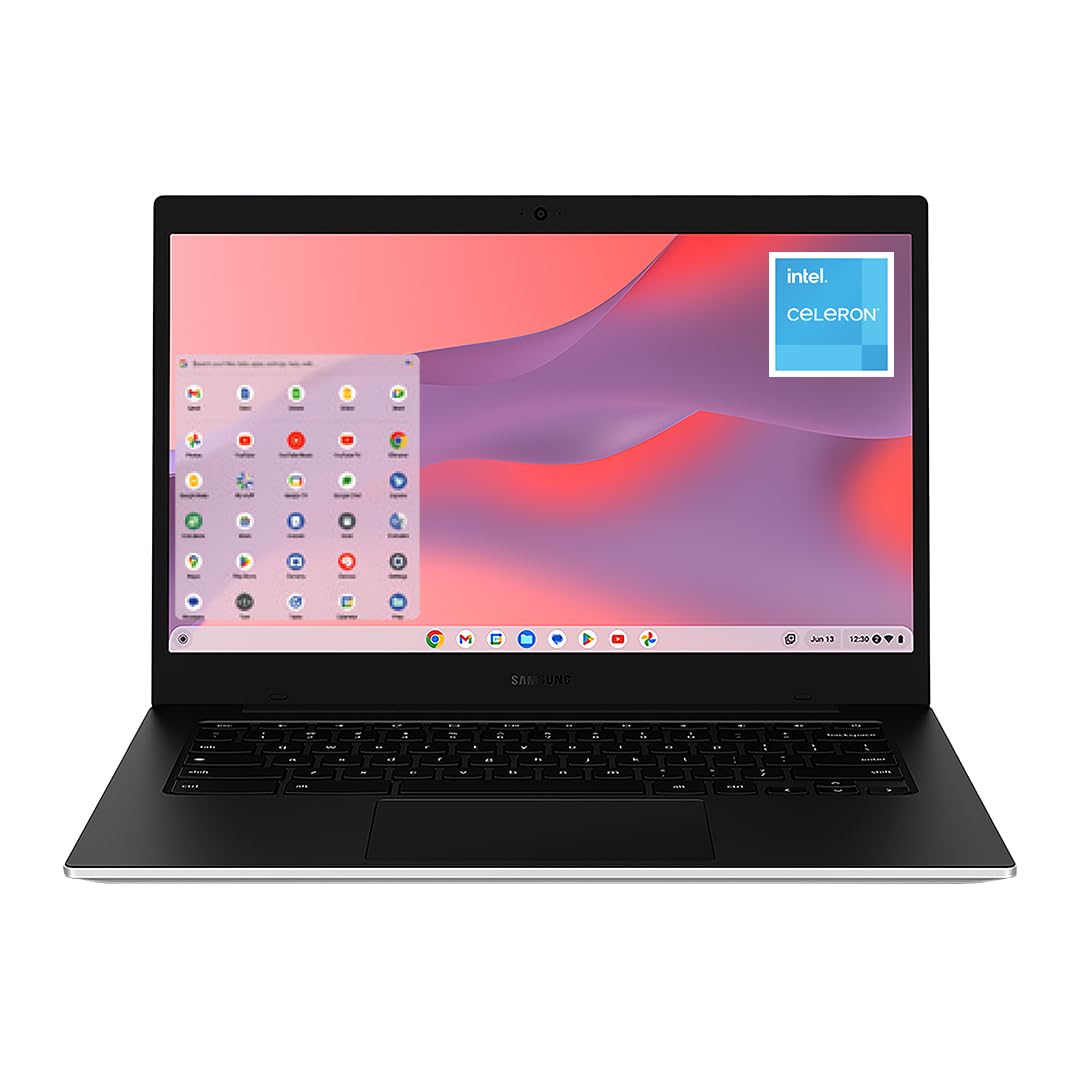 |
Intel Celeron N4500 | 4 GB | 64 GB eMMC | 12 Hours |
| ASUS Vivobook Go 15.6” Slim Laptop |
 |
AMD Ryzen 5 7520U | 8 GB | 512 GB SSD | N/A |
| Lenovo IdeaPad 3i Chromebook |
 |
Intel Celeron N4500 | 8 GB | 64 GB eMMC | 10 Hours |
| Acer Aspire 14 AI Copilot+ PC |
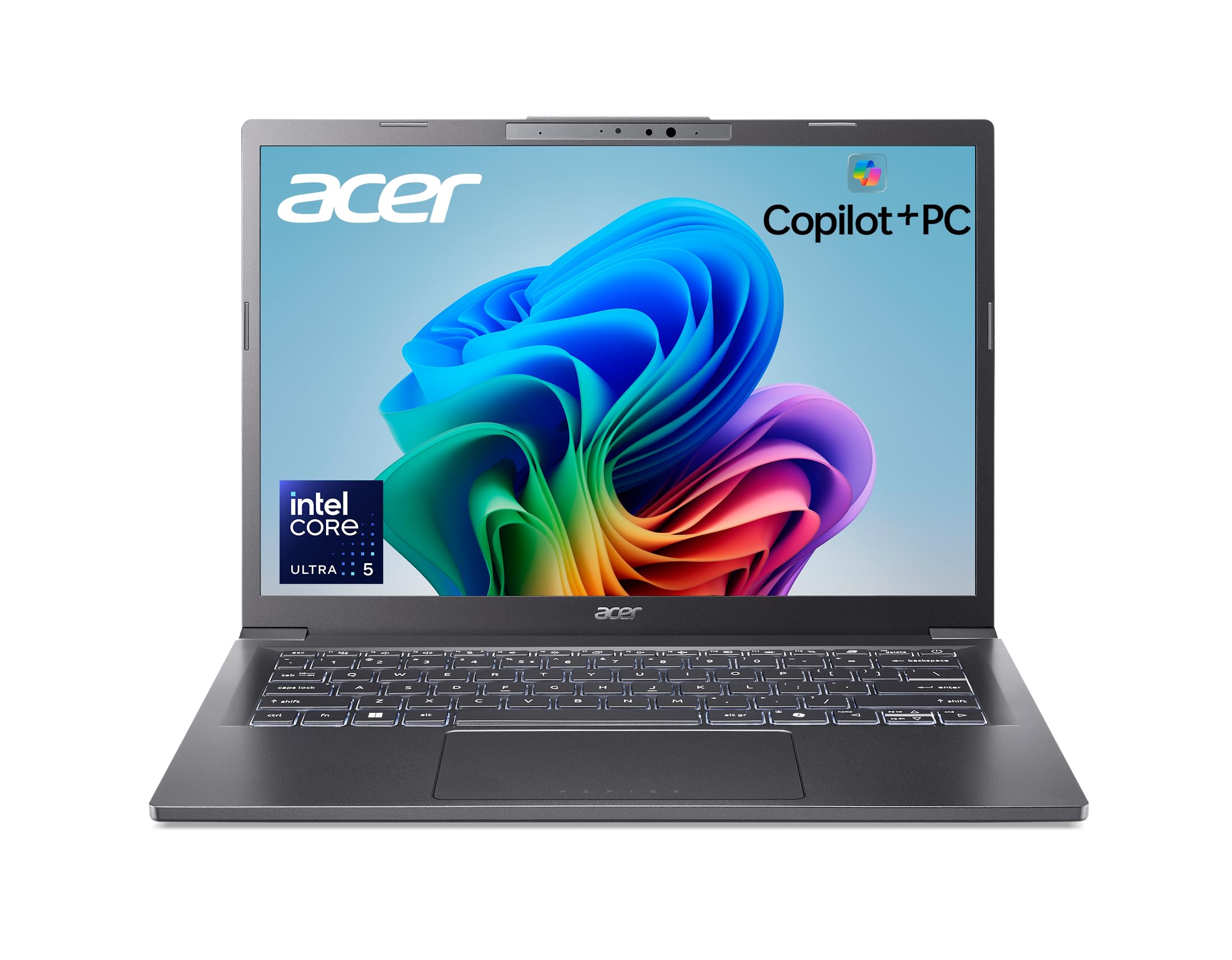 |
Intel Core Ultra 5 226V | 16 GB LPDDR5X | 512 GB SSD | 22 Hours |
| ASUS 2026 15″ FHD IPS Chromebook |
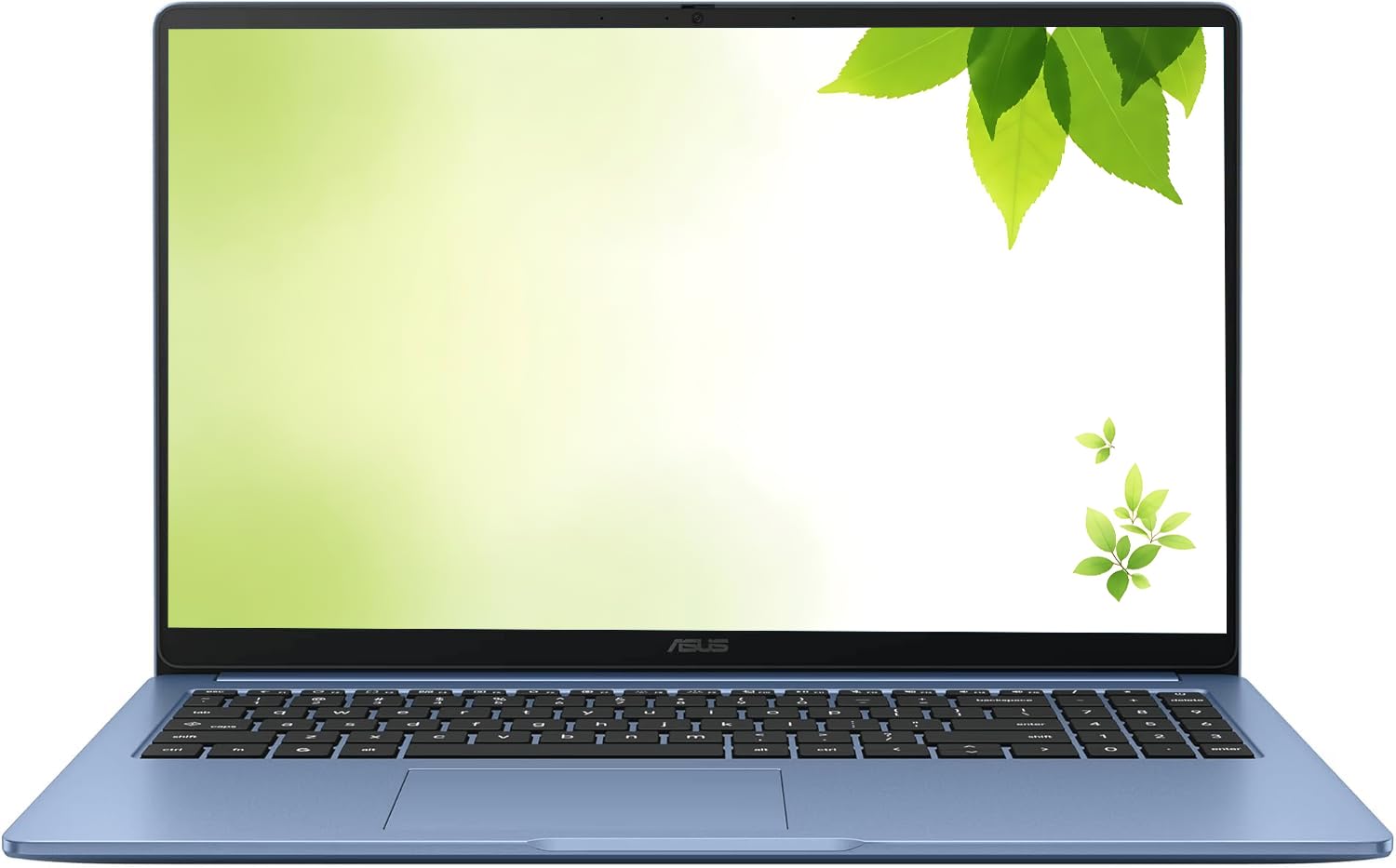 |
Intel Celeron | 4 GB | 128 GB SSD | N/A |
| HP OmniBook 3 17.3 inch Laptop |
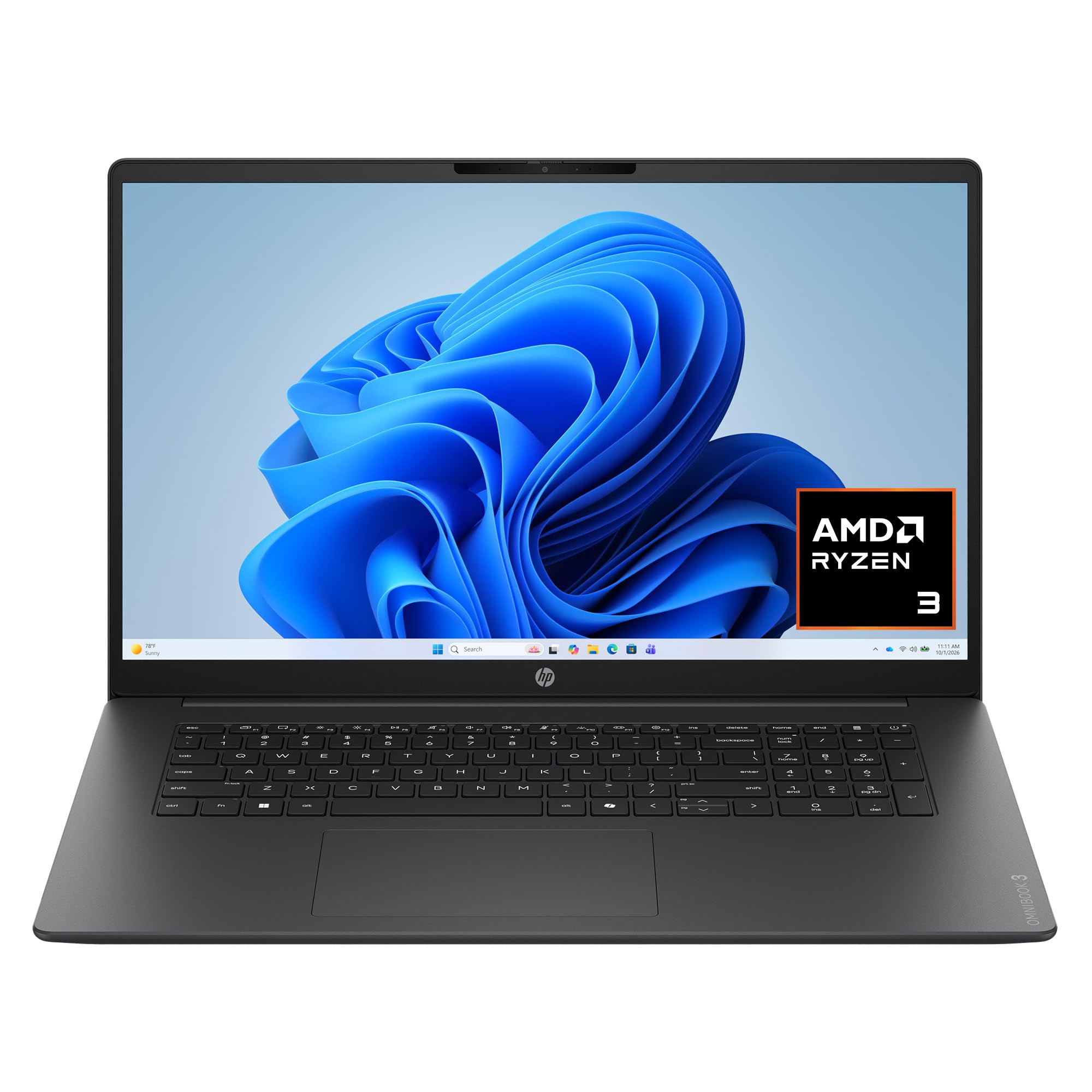 |
AMD Ryzen 3 30 | 8 GB | 512 GB SSD | N/A |
This Roundup is reader-supported. When you click through links we may earn a referral commission on qualifying purchases.



