
I know choosing a laptop can feel overwhelming, especially when readability, simplicity, and reliable performance matter more than raw power. In this guide I focus on machines that make everyday tasks easier for seniors: clear displays, responsive keyboards and trackpads, long battery life, and straightforward software.
My goal is to help you find a laptop that reduces friction and gives you confidence whether you want to browse, video chat, or stream shows with minimal fuss.
Top Picks
|
Category |
Product |
Score |
|---|---|---|
|
🏆 Best Value Mac |
91/100 |
|
|
🚀 Best Performance |
95/100 |
|
|
💰 Best Budget Windows |
84/100 |
|
|
🎯 Best For Simplicity |
78/100 |
|
|
⭐ Best Large Display |
88/100 |
|
|
💼 Best for Business |
83/100 |
How I Picked These Laptops
I evaluated each model for the things seniors tend to care about most: screen legibility, keyboard comfort, battery life, and simple setup. I also weighed operating system familiarity, built-in accessibility features, and how easy it is to connect peripherals like a mouse or external monitor.
Price and value played a role because many seniors want a dependable machine without unnecessary complexity. Finally, I considered real-world reliability indicators such as brand support, wireless range, and review themes that mentioned durability and ease of use.
I like the MacBook Neo because it balances modern speed with a very approachable experience. The A18 Pro chip keeps everyday tasks snappy, the Liquid Retina screen makes text and photos clearer, and the 1080p FaceTime camera is handy for video calls with family.
MacOS feels intuitive if you already use an iPhone, and the machine is light enough to move around the house without fuss. For seniors who value simplicity, good battery life, and a solid keyboard and trackpad, the Neo covers most needs from web browsing and emailing to streaming and occasional photo sorting.
I recommend it for people who want a low-hassle, well-built laptop that just works day to day.
Long-Term Value
Apple’s long software support and sturdy aluminum chassis mean fewer surprises over time. That translates to fewer visits to repair shops and a machine that stays secure and usable through multiple macOS updates.
Return on Investment
You get time back through reliability and ease of use: fewer freezes, faster start-up, and less time wrestling with settings. For someone who wants a dependable daily computer, that reliability is often the biggest return.
Situational Benefits
|
Situation |
How It Helps |
|---|---|
|
Video Calls With Family |
The 1080p FaceTime camera and good internal mics make conversations clearer, so you don’t have to strain to see or hear loved ones. |
|
Reading Messages and News |
The bright Liquid Retina display and high native resolution keep text sharp, which helps when I increase font sizes or use Reader modes. |
|
Portability Around The House |
At just over two and a half pounds and with long battery life, it’s easy to move from the kitchen table to a favorite chair without recharging constantly. |
|
Sharing Photos Or Slides |
The vivid screen and decent speakers make it pleasant to show photos or play a short video for guests without needing extra equipment. |
Ease of Use
|
Feature |
Ease Level |
|---|---|
|
Setup & Apple Integration |
Very Easy |
|
Keyboard & Trackpad |
Easy |
|
Display Legibility |
Easy |
|
Battery Management |
Moderate |
Versatility
The Neo handles daily browsing, video calls, streaming and light photo editing comfortably. It also supports an external display for larger viewing when needed, so it works as a simple home laptop or a compact travel companion.
Practicality
Two USB-C ports, a headphone jack, and strong wireless connectivity cover common needs without clutter. The minimal vents and low heat output make it comfortable to use on a lap for extended sessions.
Travel Friendliness
Its lightweight build and modest footprint make it easy to slip into a bag. The included USB-C charger is compact and the battery life is long enough for several hours of use between charges.
Speed & Responsiveness
With the A18 Pro chip the Neo wakes fast and handles browsing, email, and video calls with little lag, so waiting around becomes less of an issue for everyday use.
Key Benefits
- Responsive performance for everyday tasks and video calls
- Clear, bright screen that improves readability
- Lightweight aluminum build that’s easy to carry
- Seamless setup and integration with Apple devices
I like the Acer Aspire Go because it offers a big, easy-to-read screen and straightforward performance without a lot of fuss. The 15.6″ Full HD display makes text and video easier to see, and the full-size chiclet keyboard is comfortable for longer typing sessions. It handles web browsing, video calls, streaming and basic photo viewing with no drama, and features like Copilot in Windows and Acer PurifiedVoice help simplify common tasks and improve call clarity. For someone who wants a dependable Windows machine that’s simple to use and not intimidating, this model strikes a solid balance between usability and everyday capability.
Long-Term Value
An SSD and reliable components mean fewer slowdowns and less maintenance over time. Choosing a straightforward, well-supported Windows laptop often reduces the need for repairs or frequent replacements.
Return on Investment
You save time and frustration by getting a machine that starts quickly, connects reliably, and stays useful for routine tasks. For many users that everyday reliability is the main payoff.
Situational Benefits
|
Situation |
How It Helps |
|---|---|
|
Video Calls With Family |
The low-light camera and PurifiedVoice make conversations clearer so I can focus on the conversation, not on audio hiss or dim video. |
|
Reading News And Email |
The larger FHD screen keeps text crisp and lets me increase font sizes without losing clarity, so reading is easier on the eyes. |
|
Streaming Shows |
The IPS display and solid integrated graphics deliver smooth playback, and Wi‑Fi 6 helps avoid buffering during peak hours. |
|
Light Document Work |
A full-size keyboard and responsive SSD make writing letters or organizing files quicker and less frustrating. |
Ease of Use
|
Feature |
Ease Level |
|---|---|
|
Initial Setup |
Easy |
|
Keyboard Comfort |
Easy |
|
Touchpad And Mouse |
Moderate |
|
Connecting Peripherals |
Easy |
Versatility
The Aspire Go is flexible enough for daily browsing, video chatting, streaming and basic productivity. It has HDMI output for an external monitor and handles light multitasking, making it suitable as a home hub or a simple travel companion.
Practicality
Multiple ports, an HDMI output and reliable wireless make it practical for pairing with a mouse, external monitor or printer. The non-flashy design and standard keyboard layout keep things predictable for everyday use.
Travel Friendliness
At around 3.8 pounds it’s not the lightest laptop, but it’s still portable for short trips or moving around the house. The battery life and fast SSD help when I’m out and about and want a responsive device.
Speed & Responsiveness
The Ryzen 3 processor and PCIe SSD provide quick start-up and responsive web browsing. With 8GB of RAM it’s great for routine tasks, though very heavy multitasking will feel more limited.
Key Benefits
- Large 15.6″ FHD IPS display that improves readability and reduces eye strain
- Full-size keyboard and familiar Windows layout for comfortable typing
- Wi‑Fi 6 and stable wireless for smoother video calls and streaming
- Built-in features like Copilot and low-light camera to simplify communication
I appreciate the Acer CB315 because it keeps things simple without feeling cheap. The 15.6″ Full HD screen makes reading and video calls easier, and Chrome OS keeps setup and updates painless.
It’s best for web browsing, streaming, video chats and light document work, and it serves well as a reliable second machine or a straightforward daily laptop. For special occasions like sharing photos at a family gathering or showing a slideshow, the larger screen makes everything more enjoyable. If you want a no-fuss Chromebook that gets the basics right and stays out of the way, this is worth considering.
Long-Term Value
Chromebooks generally need less maintenance and fewer software fixes because Chrome OS updates automatically. Cloud storage and lightweight hardware reduce the chance of slowdowns, meaning fewer trips to support or repairs over time.
Return on Investment
You get a device that stays usable for everyday tasks with minimal fuss, saving time otherwise spent troubleshooting. For many users the payoff is a dependable machine that stays fast and current without intervention.
Situational Benefits
|
Situation |
How It Helps |
|---|---|
|
Web Browsing And Email |
The Full HD screen and responsive interface let me read articles and reply to messages without eye strain or lag. |
|
Video Calls With Family |
Stable Wi‑Fi 6 and DTS audio make conversations clearer, so the focus stays on the chat rather than connection hiccups. |
|
Using As A Backup Or Travel Laptop |
Its simplicity and quick boot time make it handy to grab for a short trip or as a backup when a primary machine is unavailable. |
|
Showing Photos Or Videos |
The larger display and good color reproduction make it pleasant to share slideshows and short videos with a group. |
Ease of Use
|
Feature |
Ease Level |
|---|---|
|
Initial Setup |
Very Easy |
|
System Updates |
Very Easy |
|
App Management |
Easy |
|
File Backup |
Easy |
Versatility
This Chromebook is best for everyday online activities, streaming and light productivity. It isn’t designed for heavy photo editing or gaming, but it connects easily to external drives and displays for added flexibility.
Practicality
Multiple ports including USB‑C and DisplayPort over USB‑C plus reliable wireless support make it practical for pairing with printers, mice or external monitors without extra configuration.
Travel Friendliness
At around 3.5 pounds and with long battery life, it’s simple to take on short trips. Chrome OS’s low maintenance also means I don’t worry about lengthy updates while traveling.
Speed & Responsiveness
For everyday browsing, email and streaming the Celeron CPU and 64GB eMMC feel responsive; larger multitasking workloads will show limits, but routine tasks stay snappy.
Key Benefits
- Large 15.6″ Full HD display for better readability
- Lightweight Chrome OS experience with quick startup
- Simple maintenance with automatic updates and cloud backup
- Good wireless connectivity with Intel Wi‑Fi 6 for smooth video calls
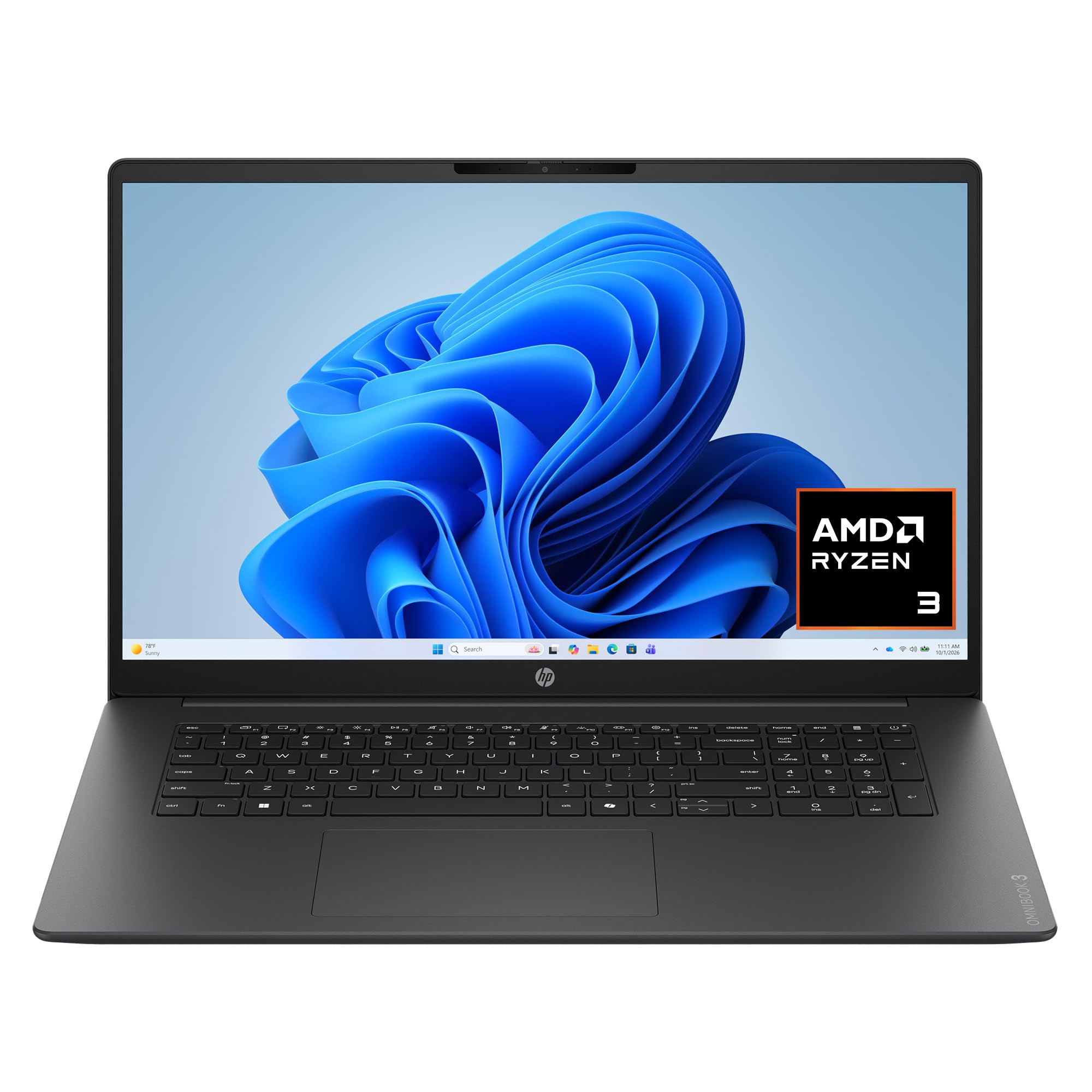
I appreciate the OmniBook 3 when a larger screen truly makes a difference. The 17.3″ FHD display gives extra room for reading, video calls and side-by-side windows so I don’t have to squint or constantly zoom. It feels like a proper home laptop: the SSD keeps things snappy, the keyboard includes a numeric pad for simple data entry, and the ports let me plug in a monitor or external storage without adapters. For everyday browsing, streaming and document tasks it’s comfortable and predictable, and the larger display turns it into a handy shared machine for family photos or streaming a movie together.
If you want a no-nonsense desktop replacement with a roomy screen, this is worth considering.
Long-Term Value
A roomy display and solid-state storage reduce the need for frequent upgrades. The SSD and reliable components help the laptop stay useful longer, cutting down on time spent troubleshooting or replacing slow hardware.
Return on Investment
You get more usable screen space and faster responsiveness compared with smaller, older laptops. For someone who spends time reading, organizing photos or managing documents, that saved time and frustration is a clear return.
Situational Benefits
|
Situation |
How It Helps |
|---|---|
|
Reading Large Documents |
The 17.3″ display shows more lines and larger text so I don’t have to constantly scroll or increase font sizes. |
|
Video Calls And Meetings |
A 1080p camera with dual mics and a brighter screen makes faces clearer and audio easier to understand during calls. |
|
Watching Shows With Others |
The bigger screen and decent speakers make sharing a movie or slideshow more enjoyable without extra gear. |
|
Organizing Files Or Photos |
The combination of a large display and a roomy SSD lets me preview lots of images and store them locally for quick access. |
Ease of Use
|
Feature |
Ease Level |
|---|---|
|
Initial Setup |
Easy |
|
Keyboard Comfort |
Easy |
|
Display Legibility |
Very Easy |
|
Connecting Accessories |
Easy |
Versatility
This laptop works well as a home hub for browsing, streaming, video calls and light multitasking. It also doubles as a basic workstation when I need to connect to an external monitor or plug in a printer.
Practicality
With HDMI, multiple USB ports and good wireless support, it’s straightforward to pair the OmniBook with everyday devices. The large screen and full keyboard make routine tasks more comfortable for longer sessions.
Travel Friendliness
At roughly 4.4 pounds it’s heavier than ultraportables, so I treat it as a primarily home-focused laptop. It’s fine for short trips but best suited to use on a desk or table rather than on the go all the time.
Speed & Responsiveness
The Ryzen processor paired with an NVMe SSD delivers quick startups and responsive browsing or streaming. Heavy video rendering or gaming isn’t the goal, but everyday tasks feel snappy and reliable.
Key Benefits
- Large 17.3″ FHD IPS screen that reduces eye strain and shows more at once
- 512GB SSD for fast boot times and responsive everyday use
- Full keyboard with numeric pad for comfortable typing and simple data entry
- Plenty of ports including HDMI 2.1 and multiple USB‑C/USB‑A for easy connections
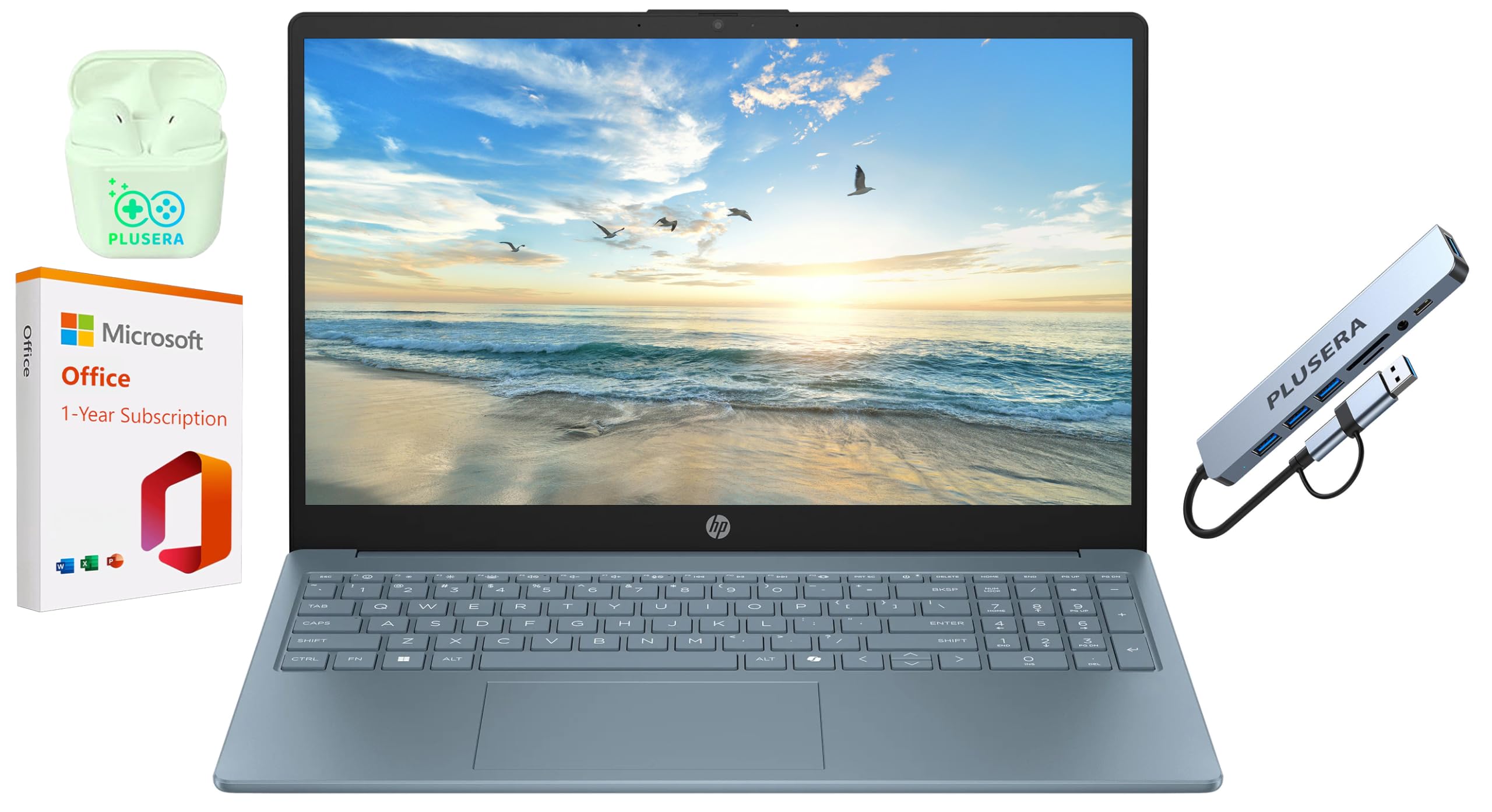
I find the HP Business 15 to be a practical choice when a familiar Windows experience and a roomy keyboard matter. The 15.6″ display is large enough to read email and documents without squinting, while the numeric keypad makes number entry straightforward for bills or lists.
With 16GB of RAM and an SSD it feels responsive for everyday multitasking, and the camera privacy shutter is a thoughtful touch for peace of mind during video calls. The bundle of extras like earphones and an 8‑in‑1 hub adds convenience for connecting printers or external drives. For seniors who want a no-nonsense laptop that handles work, video chats and media smoothly, this model strikes a useful balance.
Long-Term Value
Solid-state storage and modern components reduce slowdowns over time, and the included one-year warranty and bundled tools help avoid immediate extra expenses on accessories or basic software.
Return on Investment
The speed and practicality translate into less time waiting on updates or slow apps and fewer trips to tech support, so the main return is regained time and less frustration during daily tasks.
Situational Benefits
|
Situation |
How It Helps |
|---|---|
|
Video Calls With Relatives |
A 1080p camera and dual mics make faces and voices clearer, while the privacy shutter keeps things secure when the camera isn’t in use. |
|
Managing Documents And Bills |
The full keyboard with numeric pad speeds up data entry and the large screen shows more lines so I don’t have to scroll as often. |
|
Watching Movies Or Streaming |
The spacious display and responsive hardware make streaming smooth and more enjoyable when sharing with someone else. |
|
Connecting To Printers Or External Displays |
Multiple USB and HDMI ports plus the included hub mean I can plug in common peripherals without hunting for adapters. |
Ease of Use
|
Feature |
Ease Level |
|---|---|
|
Initial Setup |
Easy |
|
Keyboard Familiarity |
Very Easy |
|
Camera Privacy |
Very Easy |
|
Connecting Accessories |
Easy |
Versatility
This laptop adapts well to home office tasks, video chats, and media consumption. It’s a solid daily driver and can double as a basic workstation for simple photo management or document editing.
Practicality
The inclusion of an 8‑in‑1 hub and earphones simplifies setting up common peripherals. A variety of ports and a full keyboard keep everyday workflows predictable and convenient.
Travel Friendliness
At around 4.6 pounds it’s better suited as a home or short-trip machine rather than a constant travel companion, though the battery life and compact charger make occasional travel manageable.
Speed & Responsiveness
The Intel N200 paired with 16GB of RAM and an SSD gives quick boot times and smooth handling of email, browsing and document work, with enough responsiveness for most daily tasks.
Key Benefits
- Large 15.6″ screen and full keyboard with numeric pad for comfortable viewing and typing
- 16GB RAM and SSD for smooth everyday multitasking and quick startups
- Camera privacy shutter and familiar Windows layout for easy, private video calls
- Multiple ports and bundled hub make connecting accessories straightforward
I appreciate the MacBook Air for blending strong performance with a very approachable design. The M5 chip keeps everyday tasks brisk and lets seniors switch between video calls, web pages and media without waiting. The Liquid Retina display makes text and photos pleasantly sharp, and Center Stage keeps faces centered during chats so conversation feels more natural.
Touch ID simplifies signing in and buying apps, and MacOS’s accessibility settings are straightforward to enable. It’s light enough to carry around the house or tuck into a small bag for travel, and the battery life means I rarely have to hunt for an outlet during the day. For people who want a polished, low-fuss laptop that still handles a bit of creative work, this is a reliable choice.
Long-Term Value
Apple provides several years of software updates and strong ecosystem continuity, which helps the machine stay secure and useful without frequent replacements. The solid build quality also reduces long-term repair needs.
Return on Investment
The main return is time saved and fewer interruptions: faster start-ups, reliable updates, and fewer compatibility headaches mean more usable hours and less troubleshooting.
Situational Benefits
|
Situation |
How It Helps |
|---|---|
|
Daily Video Chats |
Center Stage and good microphones keep the focus on faces and voices, making conversations feel closer and reducing the need for manual camera adjustments. |
|
Reading And Browsing |
The high-resolution display and True Tone make text crisper and easier to read, especially when enlarging fonts or using Safari reader modes. |
|
Travel And Visits |
Light weight and long battery life mean I can take it along for appointments or short trips without worrying about frequent charging. |
|
Light Photo Or Video Tasks |
The M5 chip handles basic photo edits and short video trims quickly, so sharing memories with family doesn’t become a chore. |
Ease of Use
|
Feature |
Ease Level |
|---|---|
|
Initial Setup |
Very Easy |
|
Sign-In & Security |
Easy |
|
Display Adjustments |
Easy |
|
Software Updates |
Moderate |
Versatility
This MacBook Air covers browsing, video calls, streaming and light creative work comfortably. It also connects cleanly to external displays and accessories when a bigger workspace is needed.
Practicality
Two Thunderbolt ports, a headphone jack and MagSafe charging keep daily life simple. macOS’s accessibility features and continuity with iPhones make common tasks feel familiar and predictable.
Travel Friendliness
At roughly the size of a small notebook and with a long battery, it’s effortless to carry to a cafe or a family visit. The lightweight chassis and compact charger help keep a travel bag tidy.
Speed & Responsiveness
The M5 chip delivers quick wake times and responsive app performance, so waiting for pages to load or switching between apps is minimal and less frustrating.
Key Benefits
- Powerful M5 chip for smooth everyday performance and multitasking
- Bright Liquid Retina screen that improves readability and viewing comfort
- 12MP Center Stage camera and clear mics for natural video conversations
- Touch ID and macOS accessibility features for simple, secure use
FAQ
Which Operating System Is Easiest For Seniors?
I find the choice comes down to what you already know and how much maintenance you want. If you use an iPhone and like things that just work together, macOS offers seamless continuity with Apple devices and straightforward accessibility options. If you’ve used Windows for years, sticking with Windows keeps familiar menus and easier support from family or local shops.
If you want the simplest, lowest-maintenance option, a Chromebook running Chrome OS keeps updates and backups largely automatic and focuses on web apps. I suggest picking the OS that matches your current habits so the learning curve is smaller.
How Do I Choose The Right Screen Size And Keyboard For Comfortable Use?
Readability and comfort matter more than specs. I usually recommend a larger screen if you mostly use the laptop at home because a 15.6-inch or 17-inch display shows bigger text and fewer pages to scroll.
If you move around a lot, a 13- or 14-inch model is easier to carry. Look for an IPS or Liquid Retina panel with good brightness and anti-glare coating, and try the keyboard in person if you can — a full-size keyboard or one with a numeric pad makes typing bills or lists much less fiddly.
Also, increasing font size and enabling built-in accessibility features quickly improves comfort.
What Should I Look For To Keep My Laptop Secure And Low-Maintenance?
I focus on a few practical habits and features that reduce headaches. Choose a laptop with automatic updates and strong built-in security like Touch ID or Windows Hello so signing in is simpler and safer. Use cloud backup for important photos and documents and set it to run automatically so you don’t have to think about it.
For Windows machines, keep a basic antivirus and avoid installing unfamiliar programs; Chromebooks require far less maintenance in that regard. Finally, enable a camera privacy shutter if you want that extra peace of mind and keep the system lean by removing apps you don’t use.
Wrapping Up
If I had to make a short recommendation, I’d pick based on what matters most to you: choose the MacBook Air if you want top performance and a polished, low-friction experience; pick the MacBook Neo for an affordable entry into the Apple ecosystem; go with the HP OmniBook 3 if a large, easy-to-read screen is your priority. For budget-conscious or very simple needs, the Acer Aspire Go and Acer CB315 Chromebook provide solid, straightforward options. I recommend trying a keyboard and display in person when possible and prioritizing models with built-in accessibility settings so you get comfortable quickly.
| Product Name | Image | Screen Size | Battery Life | Processor | RAM | Storage |
|---|---|---|---|---|---|---|
| Apple 2026 MacBook Neo 13-inch Laptop |
 |
13 Inches | Up to 16 hours (video streaming) | Apple A18 Pro | 8 GB | 256 GB SSD |
| Acer Aspire Go 15 AI Ready Laptop |
 |
15.6 Inches | N/A | AMD Ryzen 3 7320U | 8 GB | 128 GB SSD |
| Acer CB315-4H-C8XU Chromebook Laptop |
 |
15.6 Inches | 10 Hours | Intel Celeron N4500 | 4 GB | 64 GB eMMC |
| HP OmniBook 3 17.3 inch Laptop PC |
 |
17.3 Inches | All-day | AMD Ryzen 3 30 | 8 GB | 512 GB SSD |
| HP 15.6″ Business Laptop |
 |
15.6 Inches | Extended | Intel N200 | 16 GB | 128 GB SSD |
| Apple 2026 MacBook Air 13-inch Laptop |
 |
13.6 Inches | Up to 18 hours (video streaming) | Apple M5 | 16 GB | 512 GB SSD |
This Roundup is reader-supported. When you click through links we may earn a referral commission on qualifying purchases.



